Home Blog Page 113

Industries Using Data Visualization to Gain the Advantage

Data Visualization

As of early 2022, data visualization was being used by over 1,500 businesses around the world, according to an in-depth study conducted by researchers from the University of Salzburg. Much of the early adoption of data visualization took place in fields that already work with big data, including software developers, SaaS (software-as-a-service), and data analytics firms. Information technology companies and business intelligence firms are also early adopters of data visualization.

Data visualization can help to examine, analyze, and obtain insights from large amounts of data. Through dashboards and increasingly sophisticated 3-D tools, individuals in a variety of industries can understand data, use it, and gain new insights. As data visualization capacity and sophistication grows, it is impacting several sectors of the economy, starting with logistics and supply chain management.

Supply Chain And Logistics Use Of Data Visualization

According to Cambridge Intelligence, bottlenecks, and inefficiencies in supply chains can create huge problems for companies that provide logistics services for supply chains in a variety of industries. One of the primary causes of these problems is a lack of visibility throughout supply chains.

Using IoT sensors, machine learning technology, and data visualization, companies that provide logistics services can visualize their entire supply chains. Graphs, maps, and visualizations can illuminate problems and help to track complex shipments, storage needs, and timing to show the fastest pathways throughout different environments, from traveling across the EU to the United Kingdom to traveling across different U.S. states. 

Data visualization enables supply chain managers to get a clear view of what is happening across their supply chain and make changes as needed. Warehouse and supply chain analysts can quickly highlight nodes in the supply chain which could be the source of unnecessary delays, and with a clear view of the data, can be empowered to resolve the issues.

Data Visualization In The Public Sector

Data visualization helps businesses in the private sector to comply with public sector regulations. Businesses that need to provide clear records and a verifiable chain of custody for controlled substances or substances which have a carcinogenic or mutagenic risk can use data visualization to ensure that the chain of custody is complete and compliant with government regulations.

A program called Data USA provides direct access to government data which includes information from the U.S. Bureau of Census, Bureau of Economic Analysis, Bureau of Labor Statistics, and other sources. This complex data visualization service has been created by Deloitte, Datawheel, and faculty at the MIT Media Lab. Citizens, as well as local and state government organizations, can use Data USA to fight crime, plan future roads and waterways, and inform businesses about new opportunities. The Centers for Disease Control (CDC) also uses data visualization to track COVID-19 as well as other diseases or health challenges like opioids and other drugs misuse.

Data Visualization In Healthcare And Biotech

Using interactive dashboards, healthcare organizations can use data visualization for operational purposes, particularly visualizing staff and resource availability. Healthcare systems analysts and administrators can strategically use data visualization to plan for future staff needs, forecast purchasing, and budgets, and establish strong plans for future health emergencies or emerging healthcare needs.

Many healthcare systems are using dashboards to analyze patient feedback, detect areas in which patient experience can be improved, and identify where improvements could be made across different departments, such as cardiology or neurology.

In biotech, data visualization can be a powerful tool for drug discovery. It is very useful for the identification of compounds in the early drug discovery process. In drug discovery, large amounts of data can obscure crucial information, while data visualization tools can show relationships within the chemical space that would otherwise be invisible or very difficult to discern.

Data Visualization In The Future

Data visualization is also helping agriculture businesses to see the effects of climate change on crops, the water supply, and pesticide use. Businesses that used maps and a lot of real-time data in their daily operations were among the first to use data visualization to strengthen their operations and efficiency, but nearly every sector will likely use data visualization to make decisions about operations, goals, and objectives in the months and years to come.

NVIDIA Accidentally Releases GeForce RTX 4070 Ti Specs Before Official Announcement

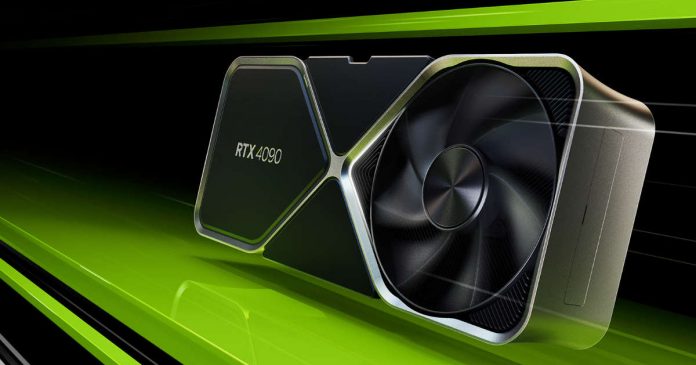
GeForce RTX 4090

The announcement and start of sales for the GeForce RTX 4070 Ti desktop graphics card are set to take place next week. However, a mistake by the French office of NVIDIA resulted in the characteristics of the card being published on the official website ahead of time. 

The information was quickly deleted, but not before internet users captured it. It was revealed that the GeForce RTX 4070 Ti is a renamed version of the previously cancelled GeForce RTX 4080, with a graphics chip containing 7680 CUDA cores and operating at a frequency of up to 2.61 GHz. The card also has 12 GB of GDDR6X memory.

Internal tests show that the GeForce RTX 4070 Ti is up to 3.5 times faster than the GeForce RTX 3080 in games such as Cyberpunk 2077, although this figure is based on the use of NVIDIA’s DLSS image scaling technology. The GeForce RTX 4070 Ti is set to go on sale on January 5th, with a rumoured price of $799.

Performance data from 3DMark suggests that the GeForce RTX 4070 Ti is 12-20% faster than the GeForce RTX 3080, depending on the test. It is also 32-39% faster than the GeForce RTX 3070 Ti and 20-30% slower than the GeForce RTX 4080. 

In terms of performance, the GeForce RTX 4070 Ti is roughly on par with the GeForce RTX 3090 Ti in 3DMark. A photo of the AD104 GPU, which the GeForce RTX 4070 Ti is based on, has also been released. The card is expected to be available for purchase from selected partners.

It is worth noting that the GeForce RTX 4070 Ti is not the only new graphics card set to be released by NVIDIA. The company is also rumoured to be working on a GeForce RTX 4060, which is expected to be a more budget-friendly option.

Overall, the GeForce RTX 4070 Ti is shaping to be a powerful and potentially popular graphics card. Its performance in games such as Cyberpunk 2077 and its potential for use with NVIDIA’s DLSS technology make it an attractive option for gamers. However, the rumoured price of $799 may be a barrier for some, especially considering the current economic climate. It remains to be seen how the GeForce RTX 4070 Ti will be received by the market when it is officially released next week.

How to Structure Networking Documentation?

networking

Networking documentation is an essential part of any business’s IT infrastructure. It helps organizations ensure network stability, improve performance, and troubleshoot problems. Network documentation is a set of written instructions that explain how a network is structured and functions. It outlines the various components of the network, describes the protocols and security measures in place and provides general information about the network’s configuration. 

This article will discuss the definition of networking documentation, its benefits, and how to structure and maintain it. 

Definition of Networking Documentation

Networking documentation is a set of written instructions that explain how a network is structured and functions. It provides an overview of the various components of the network, describes the protocols and security measures in place, and outlines the network’s configuration. It also serves as a reference for network administrators and IT staff.

Quick Benefits of Networking Documentation

Network documentation has several benefits. It helps ensure network stability, improve network performance, and enable quick troubleshooting. It also provides a reference point for network administrators and IT staff. Furthermore, having an accurate and up-to-date documentation system can help organizations comply with industry standards and regulations.

Structuring Networking Documentation

Structuring networking documentation involves gathering information, defining the network architecture, documenting network components, outlining network protocols, and describing network security. Here’s a closer look at each step. 

Step 1: Gathering Information

To structure networking documentation, you need to gather information about the network. This includes basic information such as the size of the network, the types of devices connected to it, and the various protocols used to communicate between the devices.

Step 2: Defining Network Architecture

Once you’ve gathered the necessary information, you must define the network architecture. This involves outlining the various components of the network and how they are interconnected. It also consists in determining the roles and responsibilities of each element. 

Step 3: Documenting Network Components

After defining the network architecture, you need to document each network component. This includes writing the physical devices, the software and firmware used to run them, and their respective configuration settings. 

Step 4: Outlining Network Protocols

The next step is to outline the protocols used by the network. This includes drafting the rules and regulations governing communication between the various components of the network. 

Step 5: Describing Network Security

Finally, it will help if you describe the various security measures. This includes outlining the firewalls, antivirus software, and other security measures to protect the network from malicious attacks. 

Best Practices To Structure network documentation

There are several best practices for structuring network documentation systems. These include

  • Identifying Network Goals: Before starting the documentation process, it’s essential to identify the network’s goals. It will help you create a roadmap for structuring the documentation. 
  • Creating a Network Map: Creating a map of the network enables you to visualize the various components of the network and how they are interconnected. 
  • Establishing Network Connectivity: Establishing network connectivity ensures that all components of the network can communicate with each other. 
  • Defining Network User Access: Defining user access helps ensure that only authorized users can access the network.
  • Setting Up Network Monitoring: Setting up network monitoring enables you to track the performance and security of the network. 

Network Documentation Maintenance

Network documentation needs to be maintained regularly. Here are some tips for keeping your network documentation up-to-date:

  • Keeping Network Documentation Up-to-Date: It’s essential to keep your network documentation up-to-date. This involves regularly reviewing and updating the documentation to ensure that it is accurate and up-to-date. 
  • Scheduling Regular Network Audits: Network audits enable you to identify any issues or potential problems with the network. It’s important to schedule regular network audits to ensure the network is functioning as expected. 
  • Establishing Policies for Network Changes: Establishing policies for network changes helps ensure that any changes to the network are documented and approved. 

Conclusion

Network documentation is an essential part of any business’s IT infrastructure. It helps provide a reference point for network administrators and IT staff. By implementing these best practices for structuring and maintaining network documentation, organizations can ensure that their networks are secure, reliable, and up to the mark.

AI Service QuickVid Automatically Creates Short Videos

New System That Works Like Brain

In 2022, AI technology, particularly generative AI, has been a hot topic, and this trend now extends to video creation. QuickVid, a new web service, can automatically generate short videos for platforms such as YouTube, Instagram, TikTok, and Snapchat. It is not a new AI but a combination of multiple generative AI systems into one tool.

QuickVid was created by Daniel Habib, a developer who previously worked on Facebook Live and video infrastructure at Meta, and launched on December 27th. It is relatively simple at the moment, but Habib plans to add more personalization options in January. 

Users can easily create videos by entering a prompt describing the subject they want to make a video about. QuickVid takes this prompt and uses GPT-3’s generative text capabilities to generate a script. Keywords are then extracted from the script or entered manually. QuickVid selects a background video from a royalty-free stock media library and uses DALL-E 2 to generate overlay images. It combines these elements using Google Cloud’s text-to-speech API to output the narration and create the final video.

Unlike Meta and Google, which use generative AI to generate entirely new videos, QuickVid uses a repetitive and templated format of short videos by combining existing AI to create visuals. However, the quality of these videos is mixed, and they may not yet be of sufficient quality to be posted on platforms as they are. Habib is aware of this and is working to improve QuickVid.

QuickVid users retain the rights to commercially use the content they create and have permission to monetize it on platforms such as YouTube. However, the copyright status of AI-generated content is still unclear, and it is possible that QuickVid could be affected by this issue. 

Google has stated that it does not treat ranking-related synthetic text differently from human-written text. Still, it takes action against content intended to manipulate rankings and not be helpful to users. This includes content that doesn’t add enough value by piecing together or combining different web pages or content generated by purely automated processes, both of which QuickVid applies to. In other words, even if AI-generated videos become more widespread, they will not be banned from platforms. Still, the quality of the content will need to be ensured for it to be properly evaluated.

While experts may be wary of platforms like TikTok becoming a home for misleading videos, Habib believes that the generative AI revolution is unstoppable. It will be interesting to see how QuickVid and other AI-generated video tools evolve in the coming years and what impact they will have on the video creation industry.

25 Best Open-Source Alternatives For Expensive Applications (Updated 2023)

Best Open Source Alternatives For Expensive Applications

Why we are still fond of expensive applications like Microsoft Windows, Adobe, Autodesk etc. when there are a lot of open-source alternatives to replace them. Yes, there are a lot of free options in front of you, from operating systems to other tools to replace your expensive software.

One of the main reasons most of us choose top paid software to do our day to day chores only because of their brand names. And a majority of us still don’t know the open-source world, where you get tools for free with similar functionality or maybe with more features than the expensive ones.

So what is open-source software? :

” Open source software (OSS) refers to software that is developed, tested, or improved through public collaboration and distributed with the idea that the must be shared with others, ensuring an open future collaboration.”

Or simple we can absolutely free full version software or freely downloadable software.

Why you should choose open-source alternatives?

There are a lot of reasons or we can say benefits to choosing open-source tools as replacements for costly software.

  1. Open-source programs give you complete freedom without any shady terms and conditions.
  2. Open-source software code is readily available for anyone who wants it, so anyone can use it, share it, modify it for their own needs, and study it.
  3. No spying eyes. Top paid operating systems and tools track their users.
  4. In some cases, open-source tools offer features or performance benefits that surpass their commercial counterparts.
  5. Finally, cost-effective — no hidden charges, completely free.

Here in this article, we are going to list some best open source software alternatives for expensive applications. Install them and find out how they can outperform your existing paid software. Most of the open-source software (leave the first one, it’s an operating system) listed here comes with cross-platform support, which means you can install it and run it on multiple platforms such as — Windows, Mac, and Linux.

Best open-source alternatives for expensive applications:

Start here — Use Linux distro instead of Windows:

If you are planning to download a pirated copy of Windows, then stop. Why you are compromising your security since there are thousands of free operating systems available in the open-source world.

Linux distro — a better alternative for Microsoft Windows when it comes to privacy and security. Check out some of our articles to choose the best Linux distros that suit you.

1. Audacity

Category: Audio Editor

Audacity is a free open-source digital audio editor and recording computer software application. Key features include recording audio from multiple sources, and post-processing of all types of audio, including podcasts by adding effects such as normalization, trimming, and fading in and out.

Best open-source alternative to: Apple LogicPro ($199.99), FL Studio Producer Edition ($199)

Supported OS: Windows, OS X and Linux

2. Amarok

Category: Audio/Music Tools

There is much open-source software for music playback and Amarok is one of them which combines music discovery features with an attractive, easy-to-use audio player. Key features include integration with multiple Web audio services, dynamic playlists, bookmarks, scripting, context view and more.

Best open-source alternative to: iTunes

Supported OS: Windows, OS X and Linux

3. BRL-CAD

Category: CAD

BRL-CAD is a powerful open-source cross-platform solid modelling system that includes interactive geometry editing, high-performance ray-tracing for rendering and geometric analysis, a system performance analysis benchmark suite, geometry libraries for application developers, and more than 30 years of active development.

Replaces: AutoCAD ($4,195 and up)

Supported OS: Windows, OS X and Linux

4. Gimp

Category: Graphics/Drawing

Gimp makes it easy to edit photos and other images—just like you would with Photoshop. Suitable for professionals, it includes features like layers, gradients, photo enhancement, color manipulation, digital retouching, and much more.

Best open-source alternative to: Photoshop ($19.99 per user per month)

Supported OS: Windows, OS X and Linux

5. Inkscape

Category: Graphics/Drawing

A vector drawing program, Inkscape offers professional-quality features (markers, clones, alpha blending, etc.) for graphic designers. The site now also features an open clip art gallery that you can use in your drawings.

Best open-source alternative to: Illustrator ($19.99 per user per month), CorelDraw($429)

Supported OS: Windows, OS X and Linux

6. Dia

Category: Graphics/Drawing

Dia creates diagrams—for flowcharts, org charts, and more. It doesn’t have as many options for artwork and styles of boxes as Visio, but it’s good enough for most casual users.

Best open-source alternative to: Visio Professional($589.99)

Supported OS: Windows, OS X and Linux

7. OpenOffice

Category: Office Productivity

Apache OpenOffice includes Writer (word processing), Calc (spreadsheets), Impress (presentations), Draw (graphics), Math (mathematic equations) and Base (database). It can open, edit and export to Microsoft file formats, and it features a very intuitive interface.

Best open-source alternative to: Microsoft Office ($71.88 per user per year and up)

Supported OS: Windows, OS X and Linux

8. LibreOffice

Category: Office Productivity

Forked from OpenOffice, LibreOffice offers the same types of software as its predecessor with some additional features and extensions. There’s a helpful chart on its website that compares it with Microsoft Office.

Best open-source alternative to: Microsoft Office ($71.88 per user per year and up)

Supported OS: Windows, OS X and Linux

9. PDFCreator

Category: PDF Tools

PDFCreator creates a PDF file from any application that can print. It also includes the digital signature and encryption capabilities, but it lacks some of Acrobat’s form creating capabilities.

Best open-source alternative to: Adobe Acrobat ($381.65)

Supported OS: Windows

10. Blender

Category: 3D Graphics Tools

3D animation software can be prohibitively expensive for amateurs and home users, but Blender is completely free and has been used to create full-length animated films. It boasts photorealistic rendering, fast modelling, realistic materials, fast rigging, sculpting, an animation toolset, full compositor and more.

Best open-source alternative to: AutoDesk Maya ($3,675)

Supported OS: Windows, OS X and Linux

11. Cinelerra

Category: Video Editing Tools

Cinelerra — This video editor describes itself as “useful and fast” but acknowledges that it doesn’t have quite as many features as modern professional tools. There’s a community-based fork with very similar functionality and community support at Cinelerra.org.

Best open-source alternative to: Adobe Premiere Pro ($19.99 per user per month), Avid Media Composer

Supported OS: Windows, OS X and Linux

12. Avidemux

Category: Video Editing Tools

Avidemux can handle many simple cutting, filtering and encoding tasks, but isn’t as full-featured as some other video editors. It does have some automation, scripting and batch processing capabilities.

Best open-source alternative to: Adobe Premiere Pro ($19.99 per user per month), Avid Media Composer

Supported OS: Windows, OS X and Linux

13. Bluefish

Category: Web Site Creation Tools

While it’s not quite as user-friendly as its commercial competitors or the other open-source options listed here, Bluefish offers a very fast WYSIWYG HTML editor that doesn’t use a lot of system resources. Aimed at coders more than designers, it also includes support for a number of other programming languages.

Best open-source alternative to: Adobe Dreamweaver ($19.99 per user per month)

Supported OS: Windows, OS X and Linux

14. KeePass

Category: Security Tools

KeePass is a free open source password manager, which helps you to manage your passwords securely. You can put all your passwords in one database, which is locked with one master key or a key file. So you only have to remember one single master password or select the key file to unlock the whole database. The databases are encrypted using the best and most secure encryption algorithms currently known (AES and Twofish).

Best open-source alternative to: RoboForm, LastPass

Supported OS: Windows, OS X and Linux

15. ClamWin

Category: Antivirus

ClamWin Free Antivirus is used by more than 600,000 users worldwide on a daily basis. It comes with an easy installer and open source code. You may download and use it absolutely free of charge. It features high detection rates for viruses and spyware; Scanning Scheduler; Automatic downloads of regularly updated Virus Database; Standalone virus scanner and right-click menu integration to Microsoft Windows Explorer; Addin to Microsoft Outlook to remove virus-infected attachments automatically.

Best open-source alternative to: Kaspersky Anti-Virus, McAfee AntiVirus Plus

Supported OS: Windows

16. 7-zip

Category: Compression Tools

While WinZip offers a fancier interface and more menu options, 7-zip lets you create 7z files with a higher compression rate, which means it creates smaller files. 7-zip also reads and writes WinZip files, as well as a number of other popular compression formats.

Best open-source alternative to: WinZip

Supported OS: Windows, OS X and Linux

17. Psiphon

Psiphon is an Open Source VPN project for Windows and Android. For me it’s excellent, and surely I will prefer it over other free VPN services. Psiphon is a circumvention tool from Psiphon Inc. that utilizes VPN, SSH and HTTP Proxy technology to provide you with uncensored access to Internet content.

Best open-source alternative to: Popular paid VPN clients.

Supported OS: Windows and Android

18. Natron

Category: Compositing Software/Video Editing

Natron is a free and open-source node-based cross-platform compositing software. It offers robust and efficient tools for compositors to get their job done fast with high-quality results.

Best open-source alternative to: Adobe After Effects ($1,330), Avid Media Illusion ($24,800)

Supported OS: Windows, OS X and Linux

19. Clonezilla

Category: Backup/Restore Tool

When it comes to data backup and restoration, Clonezilla is the best open-source solution for you. It allows you to backup and recovers your system should it be taken out by a virus or a hard drive crash.

Best open-source alternative to: Symantec Norton Ghost, Acronis True Image

Supported OS: Windows and Linux

20. FreeCAD

Category: CAD

Like BRL-CAD, FreeCAD is a computer-aided drawing software that targets product design and mechanical engineering. Its main focus is dynamic simulation and analysis.

Best open-source alternative to: AutoCAD ($4,195 and up)

Supported OS: Windows, OS X and Linux

21. HandBrake

Category: Video Converter

HandBrake is the perfect tool for converting video from nearly any format to a selection of modern, widely supported codecs. One of the remarkable features of this tool is the conversion of video files to minimize file size without losing the picture quality.

Best open-source alternative to: Nero Recode 2

Supported OS: Windows, OS X and Linux

22. Quanta Plus

Category: Web Development Tools

Quanta Plus guarantees a quick and effortless web development environment for developers. Main features include a multi-document interface, WYSIWYG editing and templates.

Best open-source alternative to: Adobe Dreamweaver ($19.99 per user per month)

Supported OS: OS X and Linux

23. NixNote

Category: Utility

NixNote is a free, open-source program designed to help you take notes and stay organized. It also lets us save photos, sound files and documents. It is one of the best open-source alternatives for Evernote.

Best open-source alternative to: Evernote, Microsoft OneNote

Supported OS: Windows and Linux

24. Octave

Category: Educational Tool

Octave is the best open-source educational tool used for numerical computation in an interactive environment. The tool features powerful mathematics-oriented syntax with built-in plotting and visualization tools and also Octave syntax is largely compatible with Matlab.

Best open-source alternative to: MathWorks MATLAB

Supported OS: Windows, OS X and Linux

25. BleachBit

Category: Clean up Tools

BleachBit guards your privacy and frees disk space. It cleans the cache, clears internet history, deletes cookies and logs, shreds temporary files and gets rid of the junk that you don’t know is there.

Best open-source alternative to: CCleaner

Supported OS: Windows and Linux

So, that’s all for now! Try these open-source alternatives instead of costly ones and comment your opinion regarding their features, performance etc. And also let us know other better open-source alternatives for the expensive application which we forget to mention here.


Meta Acquires 3D Lens Printing Company Luxexcel

Meta Acquires Luxexcel

Meta acquired Luxexcel, a Dutch company known for its expertise in 3D printing prescription lenses for smart glasses. This acquisition is a strategic move to enhance the development of Meta’s AR glasses, although the deal’s details have not been disclosed.

Luxexcel was founded in 2009 and initially focused on 3D-printed lenses for the automotive, industrial optics, and aerospace industries. However, the company later adapted its technology to create prescription lenses for the eyewear market. 

In 2020, Luxexcel entered the smart eyewear market by integrating 3D-printed prescription lenses with technology. The following year, Luxexcel partnered with WaveOptics, a company that provides displays for Snap’s Spectacles, to create waveguides — lenses powered by transparent display technology that can superimpose virtual objects onto a user’s real environment. Snap, the parent company of Snapchat, later acquired WaveOptics.

Meta’s acquisition of Luxexcel is motivated by the latter’s ability to print complex optics for smart glasses and AR headsets. There are rumours that Meta’s Project Aria, a pair of sensor-rich glasses used to train the company’s AR perception system and assess public perception of the technology, may feature a lens made by Luxexcel.

While Meta is undoubtedly working towards producing its first AR glasses, we will likely not see the finished product for some time. The potential for AR technology in the eyewear market is vast, with applications ranging from entertainment and gaming to education and healthcare. By combining 3D printing technology with AR capabilities, Meta and Luxexcel have the potential to change the way we interact with our surroundings.

It will be interesting to see how Meta’s AR glasses progress in the coming years and what new possibilities they may bring. Overall, acquiring Luxexcel is a promising step forward for Meta as it progresses in the AR industry. With the combination of Luxexcel’s 3D printing capabilities and Meta’s AR technology, the possibilities for the future of smart eyewear are endless.

Security Flaw in Google Home Allows Remote Eavesdropping

Google Home
Google Home | Credits : Google

A flaw in Google Home smart speakers could allow attackers to remotely eavesdrop on users’ conversations, according to security researcher Matt Kunze. Kunze reported the issue to Google and was rewarded with a $107,500 payout.

The attack works by allowing the hacker to remotely install their account on a device within the wireless network zone. From there, they can send commands to the speaker over the internet, access the microphone, and make arbitrary HTTP requests on the victim’s local network. The hacker could also potentially gain access to the victim’s Wi-Fi password and other devices on the same network.

To listen in on the victim’s conversations, the attacker would need to trick the user into installing a malicious Android app that would link the hacker’s account to the target device. Once the app is installed, the attacker can remotely change the device’s volume, make phone calls, and use the microphone on the Google Home speaker to eavesdrop on the victim.

The victim may not even be aware of the hack, as the only indicator of compromise would be a blue LED that lights up while talking on the phone. Kunze notes that the victim will likely think the device is updating or performing another routine task.

It’s important for users of smart speakers and other connected devices to be vigilant about the apps they install and keep their devices updated with the latest security patches. It’s also a good idea to regularly change passwords and enable two-factor authentication to further protect against hacking attempts.

10 Best Alternative Linux Distributions for Windows and macOS in 2023

Are you planning to migrate from Windows to Linux or macOS to Linux? And tired of looking for better, powerful yet user-friendly alternative Linux distribu tions to boot up your system. Then don’t look anywhere anymore, here are best in class, top alternative Linux distributions to replace your Windows and macOS.

Nowadays, leaving Windows 10 or macOS to experience Linux environment seen common among tech enthusiasts. And most of them choose some Linux distros for beginners like Ubuntu or Linux Mint. They are good too, but you guys forget that there are some awesome Linux distributions which look alike Windows and macOS and they could possibly deliver the same user experience to new migrating users too.

We admit Windows are user-friendly and easy to access. But people have now become more and more concern about their privacy and security. Since Windows can only possibly guarantee better security other than user privacy, people forced in search of better alternative operating systems. And we all know, only Linux can offer such solid operating systems with better privacy and security.

Nevertheless, Linux distributions have a totally different approach to users than Windows and new users who love Windows for its easiness may feel uncomfortable when he first use Linux. Luckily for those, these listed alternative Linux distributions for Windows is going to help them to love Linux environment.

Best alternative Linux distributions for Windows and macOS:

1. Zorin OS

Zorin OS Lite - Lightweight Linux Distributions

Zorin OS is a multi-functional operating system designed specifically for Linux beginners and also one of the perfect alternative Linux distribution for Windows and Mac OS X.

Since Zorin had a generalized Windows look, users who are looking for best Linux replacement for Windows will feel right at home. The Look Changer inside Zorin OS lets you change your desktop to look and act like either Windows 7, Windows Vista, Mac OS X or Linux’s GNOME interface. With this tool, Zorin OS deliver great flexibility and makes it easier for users to maneuver the desktop, no matter what operating system they used before.

2. ChaletOS

ChaletOS - alternative Linux distributions for Windows

ChaletOS is one of the most suitable Linux distro alternatives for Windows users by its looks. In short, ChaletOS is for those who miss Windows 7, because it has that familiar Start Menu.

ChaletOS comes with a complete and unique customization set which is quite comparable to that of Zorin OS but much more extensive and consistent all through the operating system.

3. Robolinux

Robolinux - alternative Linux distributions for Windows

Robolinux will attract users with its uniqueness. I think you know you can’t run Windows programs in Linux environment unless you install a virtual machine like WINE or PlayOnLinux. If you are looking for Linux alternative for Windows and also likes to bring all programs with you, then Robolinux is the right option to choose.

Robolinux includes Stealth VM, a virtual machine that they claim can run any Windows program without any lag. In addition, Robolinux has a tool that allows you to clone your entire Windows C drive. This means that you can migrate all of your pre-existing programs and data.

4. Elementary OS

Elementary OS-Linux distro for beginners

Elementary OS is based on Ubuntu and is the most elegant and beautiful Linux distro alternative for Windows and Mac users. Since Elementary OS doesn’t have a Windows-like UI — more or less a Mac lookalike — it is one of the fast and well-maintained alternatives you are going to enjoy.

5. Kubuntu

Kubuntu - alternative Linux distributions for Windows

Kubuntu is a free, complete, and open-source alternative to Windows and Mac OS X which contains everything you need to work, play or share. Kubuntu is an official flavor of the Ubuntu operating system which uses the KDE Plasma Desktop instead of the Unity graphical environment.

6. Linux Mint

Linux Mint - Linux distro for beginners

Linux Mint is based on Ubuntu and it is one of the popular distros for newbies. Linux Mint provides full out-of-the-box multimedia support by including some proprietary software and comes bundled with a variety of free and open-source applications. Linux Mint is an elegant and comfortable operating system which is both powerful and easy to use.

7. Linux Lite

Linux Lite - Lightweight Linux Distributions

Linux Lite primarily targets Windows users. It aims to provide a complete set of applications to assist users with their everyday computing needs. Linux Lite is a beginner-friendly Linux distribution based on Ubuntu.

8. Pinguy OS

Pinguy OS - alternative Linux distributions for Windows

Pinguy OS is an Ubuntu-based distribution mainly focused on newbie users. It looks good, works well and most importantly to be simple to use. Pinguy OS is very much also designed for people who are new to the Linux world, many people coming from both a Windows or a Mac background will find plenty of familiar features along with some new ones that aren’t available in either Windows or Mac. It’s one of the perfect alternative Linux distros for beginners.

9. Q4OS

Q4OS - alternative Linux distributions for Windows

If you love Windows XP, then Q4OS is the perfect Windows replacement for you. Q4OS is a Debian-based Linux distribution designed to offer classic-style user interface (Trinity). The Linux distro requires very low hardware requirements, so works well with the old computer. It is also very applicable for virtualization and cloud computing.

10. ReactOS

ReactOS - Lightweight Linux Distros

ReactOS is a Windows lookalike open-source alternative available for migrating, which also has the capability to run many Windows applications. It is one of the lightweight Linux distro alternatives that requires only 500MB HDD and 96Mb RAM so that you power up your old Windows PC with new life. Based on the design principles of the Windows NT architecture, ReactOS is the only Windows alternative in this list that is not based on Linux and does not share any elements with the UNIX architecture.

So which alternative Linux distribution are you going to install to replace your Windows and Mac. All these listed Linux distros are easy to use for beginners, so start with any, none going to disappoint you.