Home Blog Page 193

Red Teaming vs. Pen testing: What is the Difference?

Red Teaming vs Pen testing

Red teaming and pentesting are two common types of security testing. They both have the goal of finding vulnerabilities in a system, but they differ in their approach. Both have their own advantages and disadvantages, and it can be difficult to decide which one is right for your organisation. In this blog post, we will explore the difference between red teaming and pentesting, and help you decide which one is the best fit for your needs.

What is pentesting?

Pen testing, or penetration testing, is a type of security test that involves attempting to exploit vulnerabilities in a system. The goal is to identify as many security flaws as possible before they are found by someone else who is more likely to use the situation to their advantage. Pen testing is often conducted with the aim of improving security and preventing attacks.

Advantages of pentesting over red teaming:

  • Pen testing is more focused and can be used to identify specific vulnerabilities.
  • Pen testing is often less expensive than red teaming.
  • Pen testing can be completed in a shorter time frame than red teaming.

Disadvantages of pentesting over red teaming:

  • Pen testing may not identify all vulnerabilities in a system.
  • Pen testing can be expensive if a team is hired to conduct the test.
  • Pen testing can take longer than red teaming if all areas of a system are not examined.

What is red teaming?

Red teaming is a more comprehensive approach to security testing. Rather than looking for specific vulnerabilities, red teaming seeks to identify the overall security posture of a system and find ways to exploit it. They also assess security procedures for detecting, investigating, and preventing attacks. They evaluate inbuilt security prejudices, as well as groupthink in security processes.

Red teams are often composed of experts in a variety of fields, including information security, social engineering, and physical security.

Advantages of red teaming over pentesting:

  • A red team can identify vulnerabilities that a pentester may not be aware of.
  • Red teaming is more comprehensive and can find weaknesses that pen testing may miss.
  • Red teams are often composed of experts in a variety of fields, which allows them to find vulnerabilities in different areas.

Disadvantages of red teaming over pentesting:

  • Red teams are more expensive than pen testing companies.
  • Red teaming can take longer to complete than pen testing.
  • Red teaming is less focused than pen testing and may miss specific vulnerabilities.

What is the difference between pentesting and red teaming?

The key difference between pen testing and red teaming lies in their approach. Pen testing is focused on identifying specific vulnerabilities, while red teaming takes a more holistic view of security and seeks to exploit any weaknesses that are found. Pen testing is often seen as more narrowly focused, while red teaming can be used to assess the overall security posture of a system.

Difference in methodology

Red teaming and pen testing can be conducted in different ways, depending on your needs. Here are some common methods for each approach:

Pentesting:

  • Black box pen testing: This type of pen testing is conducted with no prior knowledge of the system. The tester relies on information provided by the organisation being tested.
  • White box pen testing: In white box pen testing, the tester is aware of all the necessary information about the system being tested. This allows them to more easily find vulnerabilities but is, however, usually the case when a developer is testing their application.
  • Grey box pen testing: This is a combination of the two pen testing methodologies above. The tester has access to some information about the system, but not all.

Red teaming:

A red team typically operates in the shadows against the blue team, where the blue team plays defensive and is tasked with keeping an organisation’s security up and running while the red team tries to take it down.

  • Social engineering red teams: These teams use social engineering techniques such as phishing, fishing, and pretexting to exploit vulnerabilities in people rather than systems.
  • Technical red teams: These teams use technical methods such as hacking, malware, and exploits to penetrate a system.
  • Physical red teams: These teams attempt to gain access to systems through physical means such as breaking into buildings or stealing equipment.

Which should you choose to conduct?

Red teaming and pen testing are both valuable security testing options, and the best choice will depend on your specific needs. If you are looking for a more comprehensive assessment of your system’s security, red teaming can find weaknesses that pen testing may miss. If you are looking for specific vulnerabilities to be identified and fixed, pen testing is the better option.

Conclusion

Red teaming and pentesting are both valuable security testing options, and the best choice will depend on your specific needs. Pentesting is more focused and can be used to identify specific vulnerabilities, while red teaming takes a more holistic view of security. If you are looking for a more comprehensive assessment of your system’s security, red teaming is the better choice. If you are looking for specific vulnerabilities to be identified and fixed, pentesting is the better option. However, both red teaming and pentesting are important security testing options and should be considered by any organisation.

Is Fleet Tracking Legal?

Fleet Tracking

It is only natural for you to worry about your vehicles’ whereabouts as a business owner. After all, it is an investment that can’t be easily replaced when damaged or lost. 

You might get concerned about your drivers representing your company or feel uncomfortable that you can’t keep track of most company cars. You want to stay updated, see how things are going first-hand, and gather as much new information about the vehicles as possible. But the question is, can it possibly be done? And is it something that is allowed in the industry as well as in the legal field?

Most commonly, today’s companies have what they call a “GPS tracking system” to ensure customers and the company’s safety and satisfaction. Vehicle monitoring systems are a great means for employers to show their workers, clients, and future clients that they’re committed to effectiveness and cutting-edge techniques in the workplace. Companies like Verizon GPS fleet tracking provide products and services that ensure every activity done by the driver or events that take place on the road have proper and transparent documentation.

Drivers know that they’ll be watched and that you will regularly track their vehicle’s location. It is safe to say that fleet monitoring is a standard practice in today’s market and that keeping track of your automobiles is a necessary step in safeguarding your business and your clients.

When can fleet tracking be considered legal and appropriate, and when does it violate that? Here are some important points to consider.

Informing your drivers of the tracking system

While most companies inform their drivers upon implementing their fleet tracking system, some choose to be more secretive about it. In some cases, businesses choose to keep their usage of car-monitoring devices under wraps. 

One reason for this is the perception that a car monitor is intrusive on laborers’ rights and a sign of suspicion from the employer. They like to keep the monitoring setup under wraps to avoid appearing careless or dishonest in the eyes of their workers and customers.

There have been concerns expressed about the legalities of tracking corporate cars with the driver knowing of, or none of, installing such a system. Although there is various legislative information on GPS tracking, it is not prohibited for a company owner to monitor corporate vehicles. You should apply this legislation with or without the worker’s knowledge of the tracking system.

The vehicle’s ownership

The use of a car monitoring system is typically allowed if you possess legal documents proving ownership of the cars that are being observed.

If you are using a corporate car for business reasons, this rule applies to you. Monitoring a vehicle owned or leased by a company usually is permissible; however, the legal rules regarding tracking a car you don’t legally own or lease differ depending on where you live.

The tracker’s position in the car

Trackers must be installed correctly to function effectively. Drivers are required by law across the country to maintain an unobstructed field of vision at all times when operating. When installing an on-board navigation system, states mandate that a 5-inch by 7-inch box must be positioned in one of the bottom east or west corners of each windscreen.

It would be best if you utilized GPS trackers and dashboards in a manner that does not interrupt the driver of the car from focusing on the road. While it’s unlikely, your driver may be issued a citation for operating while using a GPS system. 

Before beginning a run, drivers must familiarize themselves with their schedules and set up their systems before going on the road.

Having a good night’s sleep is one of life’s most precious commodities. The peace of mind that comes with knowing you can follow your vehicle regularly and be nearly instantaneously accessible to help your drivers is one of the many benefits of using tracking cameras and other devices.

Android 13 Is Official: First Developer Preview For Pixel Smartphones Is Now Available

Android 13

Android 12 is only four months old, and the Android 12L tablet version is still in its infancy, and Google is already around the corner with the first developer preview of Android 13 for Pixel smartphones.

The current schedule calls for two such early previews before the first beta release is scheduled for April 2022. Platform stability should be achieved in June, the final release of Android 13 should take place in August 2022.

Android 13 Roadmap

With Android 13, Google once again wants to address the issues of data protection and access rights for applications.

Android 13 gets a new selection menu for photos and videos that allows the user to share this content to an app without granting it access to the storage. With this proposal, it is no longer necessary to grant general permission to all the multimedia content of your mobile when you use certain apps.

Additionally, apps will now ask for permission when searching for “Nearby Wi-Fi devices.” In this way, Android 13 will be able to connect to devices using the Wi-Fi connection without having to use GPS location permissions.

Already in Android 12, Google made it possible to replace the standard icons of apps with icons with a uniform design. In Android 13, those monochrome icons should be able to pick their accent color from their home screen background, even if the app isn’t made by Google.

Another interesting feature that comes under the hood has to do with language preferences. Android currently uses the system language in apps, but that will now change. According to Google, with Android 13, it will be possible to choose a different language for each application, something ideal for multilingual users.

There are also new features related to the user interface. The adoption of Material You in Android 12 allowed users to match the color and layout of system icons to that of the wallpaper. However, third party applications were left out of this.

Android 13 User Interface

Android 13 wants to take this feature to the next level. The new system will allow third-party application icons to adapt to the system background. However, developers must be the ones to provide compatible icons to enable this function.

In addition, Android 13 Project Mainline is to be strengthened, i.e. updating apps and system components via the Play Store.

As usual with such early releases, Google is more focused on providing new APIs than user-facing features. The version is also not distributed over-the-air but must be flashed manually. Compatible are the pixel models from Pixel 4; alternatively, Android 13 can also be used in the Android Studio emulator.

The Benefits of Using Translation Software in A Business

Translation Software in A Business

Every company aspires to be distinct from its rivals. In a global economy, localization is a must-have component of your plan. As a result, leading and directing a team from idea to publishing might need a great deal of time and effort. 

To attain worldwide success, translation software can assist you in providing the work you require.

The Advantages of Using Translation Software

Despite the importance of translation and localization in achieving your worldwide objectives, convincing someone to spend a large amount of money on significant solutions can be challenging. There are indeed low-cost solutions, but you get what you pay for in the end. 

Carefully consider the costs and benefits of various translator services before making a final decision. Of course, you will need to invest the time and money upfront to achieve long-term worldwide success. However, with the proper research and partner selection, the benefits of translators pay for themselves many times more.

A good translation service provider can offer you multiple options to translate. It can range from regular sentence translation to translating ads, blogs, websites to technical, medical, legal, or even financial documents. If a company works with global clients, these services can help them connect with multilingual clients and get unique opportunities.

Localization

There is much more to preparing your firm for global expansion than just translating your material. Localization is a huge advantage of having a professional on-demand translation. A translator looking at your content and design from the inside out can culturally modify anything from banners to visuals to multimedia components to your target audience.

This implies that your material will be culturally and locally relevant. A skilled translation service will help you to connect with your target audience. Using on-demand translation services, you can access translators worldwide that are fluent in a wide range of languages, allowing you to globalize your company.

Fast and Efficient

Your project will be completed more quickly, due to automation and a dispersed workforce of on-demand services. More than just website content is involved in localizing your goods and services. Your business’s website, mobile applications, and hard-copy literature can all benefit from a translation service provider.

Multilingual Information Delivery

Language is an important factor in a company’s success. As a result of uniform translations throughout the organization, the value of web-based resources like technical manuals and knowledge mediums increases.

Customers, partners, and staff throughout the globe must all be aware of the same facts. Therefore, real-time translation is essential for content management and website localization.

Time-Saving

Translation takes a lot of time, given the number of parties and factors involved. However, only a small percentage of that time is spent translating. Instead, most of the time is spent emailing, filing, researching terminology, and waiting for other people in the pipeline to respond, catch up, or for assignments.

Budget time for quality control of your translations as well. It is also good to set aside some time for troubleshooting in case anything goes wrong. Even QA (quality assurance) can benefit from trustworthy translation software. Because it can help you gather vital data to enhance translation quality and productivity.

A centralized platform can minimize the time spent managing emails, file types, and awaiting responses. Many of these duties can be automated, allowing localization players to focus their efforts on the most important part of the project.

Saving Money 

The initial outlay for high-quality translation software is substantial, but the long-term savings far outweigh the costs. Because the marketing department is on its track for localization, it is possible to save money by removing several service providers.

The translation requirements of the various departments may vary. However, there are various overlaps, so you should make use of this. Otherwise, you will be doing the same work repeatedly, and your translations will be inconsistent at vital spots. 

Translation software can help you consolidate your efforts and streamline your processes to makes sense. Cutting-edge translation software enables you to know precisely where your money is going. 

By comparing the expenses of leads, conversions, and revenues in various marketplaces, you can acquire the necessary information. This information enables a better understanding of how much localization is possible in various regions.

No More Linguistic Barriers

Do you want to be sure that everyone can hear and clearly understand what you say? It takes great practice and dedication to become a proficient translator and interpreter. And as they are human, there is room for errors. However, if you use translation services, you can ensure to get an accurate translation and understand what is being said.

The ability to converse and share ideas across national boundaries is made possible because of the services provided by translation agencies. Any type of communication can deconstruct a phrase or translate a document to verify that both parties are understood. As a result, people’s personal and business networks get easier, and they can connect in a better way.

Enhancing Business Relationship

Translation services can help companies from different regions of the world communicate better by bridging communication barriers. As a result, cooperation can grow both in social and corporate networks.

Inaccurate translations hurt a company’s bottom line. For example, if your brand’s image is tarnished because of inaccurate or incomplete information, it might lead to a rift with your target audience. By using a translating service, it can ensure that everyone is on the same page, increasing business relationships for your company.

Conclusion

Interactions between people from various nations can only be successful when communicated clearly via translation. Because of their expertise and credentials, these linguists can guarantee that you will get a high-quality translation. Furthermore, translation services help guarantee that your message is conveyed correctly. As a result, you will be working with reliable translators and saving money and time.

A Few Tips for Cryptocurrency Owners to Protect Their Funds

top cryptocurrencies to invest

For our readers, we have compiled a list of the most reliable ways to protect your cryptocurrency. Even the safest cryptocurrency will be easily misappropriated by hackers if its owner ignores minimal security measures. So, exchange 0.13 eth to eur and store it safely.

A Few Tips for Cryptocurrency Owners:

Use Hardware Wallets

Using a hardware wallet to store cryptocurrency is one of the most popular and reliable methods. By its principle of operation, this device resembles a regular USB flash drive. Crypto owners can use it to store all the necessary security keys and the currency itself on a physical device, and not online. It is very important that you do not lose or damage your drive when using this method.

Make Backups

When storing bitcoins online, remember to regularly back up your wallet. Any problem will automatically mean the loss of your cryptocurrency. So, protect yourself from theft, your computer loss or its malfunctioning. Bitcoin security will not be the cause of your worries if you make backup wallet files. Do it at least once a week or a month.

Check Browser Security and Track Accounts

The browser is the most popular tool used by hackers. You can be planted with a virus that replaces the address bar, ransomware extensions, loggers, and many other malicious programs. First of all, we recommend not installing any cryptocurrency-related browser extensions. In the vast majority of cases, this will not bring any benefit, but it will significantly increase the likelihood of theft.

As for accounts, use the most distinct and complicated passwords, regardless of the type of account and its location. Any hacked account can become a thread, pulling which a hacker will receive all the rest of the information they need. In addition, we recommend using two-factor authentication to maximize your security.

Well, the first line of defense for your computer will be a high-quality antivirus and a trustworthy VPN provider.

Conclusion

Hackers and cryptocurrency are inextricably linked today. Online fraudsters follow every step of investors to access their money. The popularity of virtual currencies has shifted all the attention of seekers of easy money to mining them. As you know, this often happens, not in the most legal ways. That is why we urge you to follow the security rules and monitor your accounts. Use all possible methods to protect your computer and your wallet. Besides, use only a trusted aggregator — Alligat0r.

Do you make money on cryptocurrency or keep it as an additional investment? Do you know friends who are interested in the security of Bitcoin or already own it? Share the link to this article, repost it to yourself on social networks, and distribute it in any other way among your friends and relatives. Cryptocurrency security is a pressing issue that needs to be addressed right now. 

5 Best Two-Factor Authentication Apps for Android and iOS (Updated 2022)

Two-Factor Authentication Apps

Do you have an account on Facebook or Google or Twitter or any other major platform where you share your personal data or any other crucial information — then activating two-factor authentication or 2FA on all these online accounts is one of the important steps you should take care of from your end to defeat cybercriminals & avoid account takeovers.

It doesn’t matter how strong is your password, there is always a way to compromise your online account and its data. May be through an innocent-looking email — phishing attack — hackers can easily sniff out your so-called strong password.

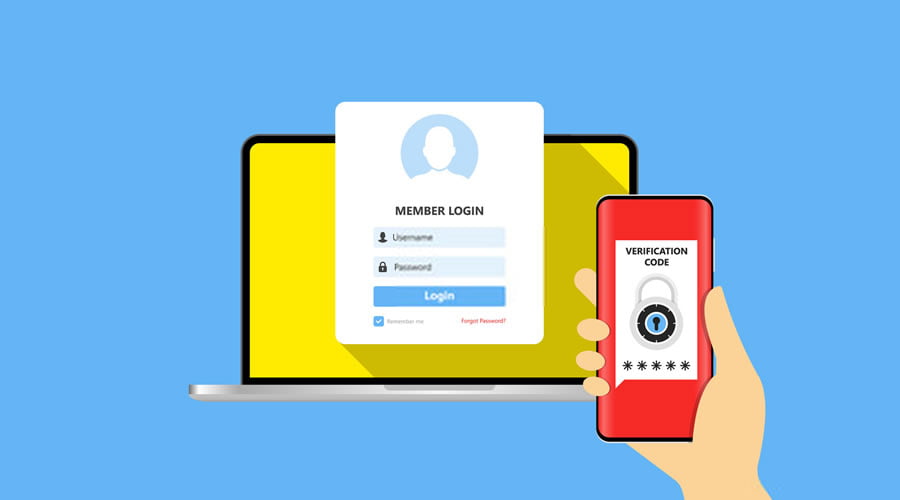
But by activating 2FA you are enabling multi-layer protection to your accounts so that anyone who tries to accesses your account requires more than your password — needed a random auto-generated code that you receive as SMS or email or from authenticators. 2FA is the easiest way to add another security layer to guard your online presence against hackers.

There are different types of two-factor authentication methods and the safest one is by using two-factor authentication apps. 2FA apps are a piece of software installed on your smartphone or computer that generates random verification codes in every 30secs so that every time when you login to your online accounts you also have to access these two-factor authentication apps at the same time to retain time-based one-time verification code to grant access.

And here are some of the best two-factor authentication apps for Android and iOS you should install to safeguard your online accounts.

Two-Factor Authentication Apps for Android and iOS:

1. Authy 2-Factor Authentication

Authy is one of the best two-factor authentication apps that comes with cross-platform support, multi-device synchronization, and backup feature. And these three features stand out Authy from other popular 2FA apps. Apart from Android and iOS apps, Authy is also available in Windows, Mac and as a Chrome extension. 

Unlike other 2FA apps, Authy prevents account lockout when you lose your phone because backup feature allows users to simply log in to the new device and regain access to secure codes. And also multi-device support helps you to install Authy on another device like a PC or another smartphone as a backup other than your main device.

2. Google Authenticator

Google Authenticator is the most popular and used two-factor authenticator. It comes with a simple interface and receives codes even if you don’t have an Internet connection or mobile service. Google Authenticator works with many providers & accounts and supports Android Wear. A dark theme option is also available for users.

3. Microsoft Authenticator

Microsoft Authenticator has similar functions and a clean interface as Google Authenticator. In addition, it supports multi-factor authentication for Microsoft accounts where users have to approve the notification sent to the Microsoft Authenticator instead of typing a verification code to grant access to the account.

4. LastPass Authenticator

LastPass Authenticator offers user-friendly, secure verification with one-tap login to top sites, including Google, Facebook, Amazon, and more. You can also mark a device as “trusted”, so you won’t be prompted for codes on that device while your account remains protected by two-factor authentication.

5. TOTP Authenticator

TOTP Authenticator allows you to quickly and conveniently protect your accounts by adding 2-factor authentication. The app brings together best in class security practices and seamless user experience together. TOTP Authenticator also allows you to backup your accounts on Cloud or create an encrypted offline backup. Like Authy, TOTP also provides a Chrome extension to make 2FA on desktop easier.

So these are some of the best feature-rich two-factor authentication apps for Android and iOS devices. Activate 2FA on your popular online accounts using any of these top 2FA authenticators that gives you all the security, without any of the frustration.

How to Convert XRP to ETH – A Beginner’s Guide

Convert XRP to ETH

Beginner’s Guide on How to Convert XRP to ETH?

Ripple and Ethereum are two of the most popular cryptocurrencies that have been around since 2013. They differ in many ways, but the main difference is that Ripple is a for-profit company and Ethereum is a non-profit organization.

If you’re new to the world of cryptocurrencies, it might seem like a daunting task to figure out how to convert XRP to ETH. But converting cryptocurrency is pretty simple, provided that you have the proper knowledge. 

This blog post will teach you everything you need to know about converting XRP to ETH, and it’s guaranteed to be easy so that even beginners will understand. Read on for more information!

What Is ETH?

ETH is the cryptocurrency of the Ethereum blockchain. If you’re not familiar with Ethereum, it’s a decentralized, public platform that runs applications on a shared infrastructure. In other words, ETH isn’t just a single type of coin—it’s what drives Ethereum as a whole.

Ethereum is a blockchain that can run applications and programs without any downtime. To use the Ethereum network and send ETH from one wallet to another, users need to pay “gas” in return for using it. The gas is measured in Gwei and can be thought of as measuring how much work needs to be done by the miners on the network to process your transaction and execute your code. It also determines how quickly your transactions will be processed.

What Is XRP?

Ripple (XRP) is a form of cryptocurrency that was designed to offer fast and secure transactions. It’s also the world’s third-largest cryptocurrency by market capitalization, behind Bitcoin and Ethereum.

Chris Larsen and Jed McCaleb co-founded Ripple, originally launched in 2012. XRP cannot be mined; instead, it is available for purchase on exchanges. Once purchased, you can convert your XRP holdings to another currency like Ethereum or USDT.

The Key Difference between Ethereum and Ripple

Ripple and Ethereum are already proving to be the most significant cryptocurrencies. Both the digital currencies have not only brought traders a healthy profit but have also provided the industry with a robust and reliable digital currency. 

A key difference between Ethereum and Ripple is how they function and appeal to their user base. Ether is built as a production platform, while Ripple is a transaction platform. The other difference is that Ripple is not wholly decentralized like Ethereum. Both digital currencies have pros and cons, but if you are looking to make big bucks, Ethereum is the best of the two.

How to Convert XRP to Eth

Converting Ripple to Ethereum is a straightforward process. You don’t need to register on the platform to exchange Ripple into Ethereum; all you have to do is follow the below-mentioned steps:

Steps to convert Ripple to Ethereum:

After visiting Cryptocurrency exchange online – LetsExchange platform.

  1. Go to the Exchange pair section and choose the coin you want to exchange.
  2. Select XRP to ETH exchange.
  3. Enter the number of Ripples that you want to be converted into Ethers
  4. The site will ask you which wallet or exchange you want to store your cryptocurrency in. Provide the wallet address and then click the ‘Next’ button.
  5. Once the exchange is complete, the exchanged coins will be deposited at the desired address.

Conclusion

Now that you know how to convert XRP to ETH, you can easily convert one into another whenever needed to make the best trade.

However, like any other investment, ETH and XRP are constantly fluctuating and ensuring that your investment grows patience and a thorough understanding of the market. So, before you invest your hard-earned money, take some time to learn more about the world of cryptocurrency.

Nvidia Officially Aborts Million-Dollar Purchase Of ARM

ARM Takeover By Nvidia

Softbank and Nvidia have announced that the ARM acquisition has been terminated.

In September 2020, a definitive agreement was reached that Nvidia would buy ARM for $40 billion. In the end, however, the deal fell through due to resistance from the regulatory authorities of the countries involved.

Apart from that, Google, Microsoft, And Qualcomm also opposed the takeover, which gives Nvidia too much power and could it at some point withhold technologies that other companies use and need.

Both Nvidia and SoftBank Group have been participatory in offering additional information and resolving doubts to the regulatory agencies of the European Union and the United States Federal Trade Commission. However, the authorities have continued with the intention of nullifying the millionaire purchase.

What will happen now? To begin with, SoftBank, owner of ARM, will receive $1250 million for the breakdown of the operation, a “compensation” that was agreed between the two companies and that was presented as that signal that one makes when booking the purchase of a house.

There is also a change of direction in ARM, and its current CEO, Simon Segars, will leave the position to be replaced by Rene Haas, who had worked at Nvidia and was now the head of the ARM intellectual property group.

SoftBank’s strategy now is to try to pursue a public offering of shares instead of acquisition. That IPO could take place in the next 12 months.