Home Blog Page 246

Snapdragon Developer Kit: Mini PC from Microsoft and Qualcomm For Developers

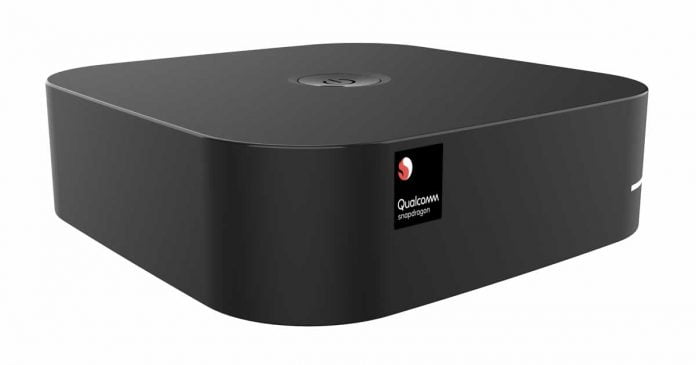
Snapdragon Developer Kit

Microsoft and Qualcomm are launching the first official Snapdragon Developer Kit for Windows 10 parallel to Build 2021.

The Snapdragon Developer Kit will be offered by Microsoft as an inexpensive entry-level solution for developers from summer. Tools are preinstalled on the Snapdragon platform, which was developed in cooperation with Qualcomm, with which programs for Windows 10 on ARM can be generated and tested.

The Snapdragon Developer Kit provides an affordable alternative to other consumer and commercial devices,” Qualcomm wrote in the announcement.

Apart from a few pictures, not much has been announced about the developer kit. The system is delivered in a very compact housing and is powered by a Snapdragon processor that has not been mentioned before. 

Snapdragon Developer Kit image 1

It could be the Snapdragon 7c Gen2, which Qualcomm recently announced. The SoC is to be built into entry-level PCs and Chromebooks and would therefore be well suited for an inexpensive developer kit. The 7c Gen 2 integrates an LTE modem and should be designed for long battery life of several days.

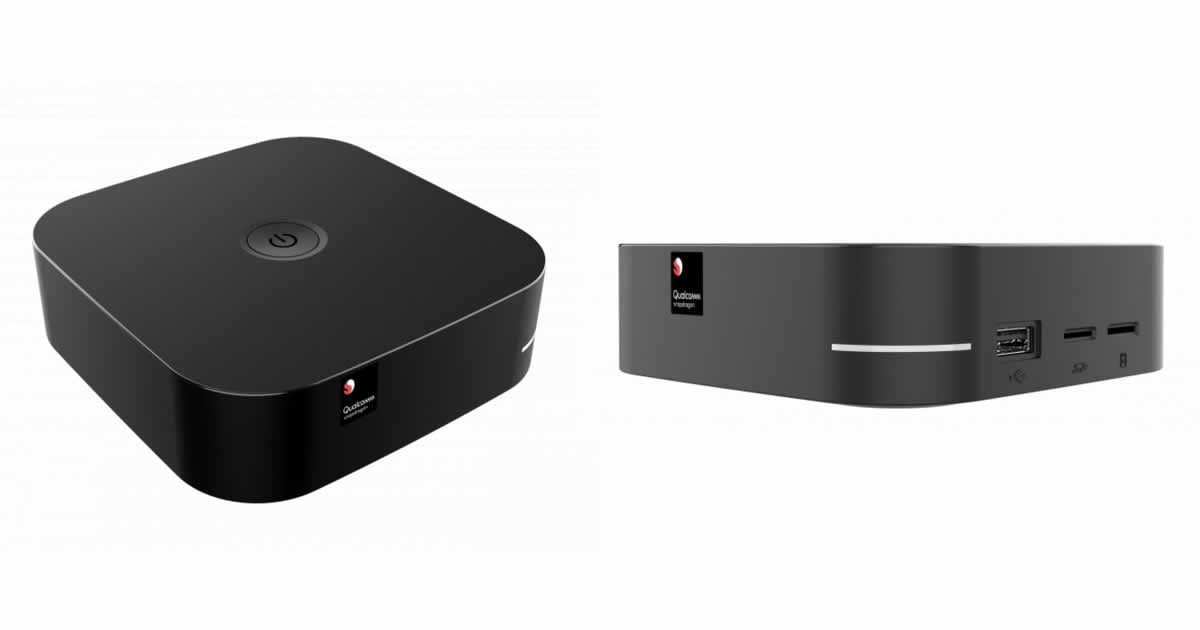
The images of the Snapdragon Developer Kit published by Qualcomm and Microsoft show a USB-A port and a micro SD card slot. This is located behind another card slot, which is obviously a slot for SIM cards. It is not yet known whether the system is passively cooled like Apple’s M1 SoC.

Snapdragon Developer Kit image 2

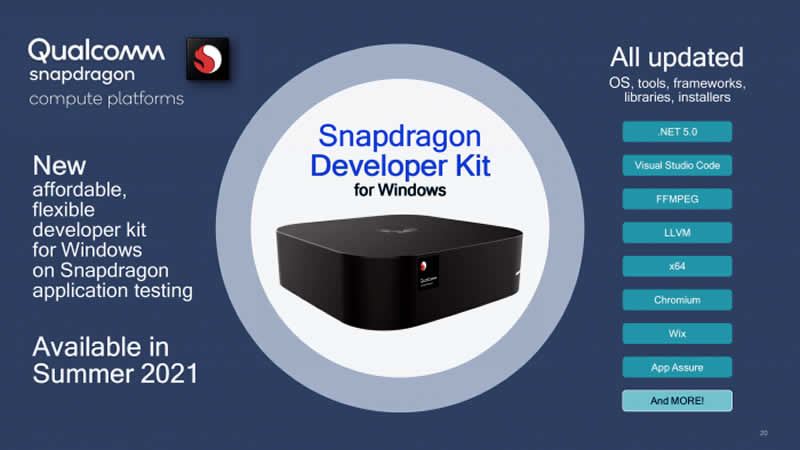
On the software side, in addition to Windows 10 on ARM, the developer tool should also come up with various applications and tools preinstalled. Qualcomm names .Net 5.0, Visual Studio Code, FFMPEG, LLVM, Wix, App Assure, and Chromium. X64 emulation should also be possible with it.

Microsoft plans to offer the Snapdragon Developer Kit in its own store from summer 2021. Qualcomm has not yet commented on the price or other hardware details.

6 Tips To Improve Your Business’ Cybersecurity

Cybersecurity in business

As technology evolves, so is the need for businesses to reinforce cybersecurity measures. As software developers and information technology experts continue to fight cyber threats such as malware, ransomware, and different types of phishing, cyber hackers are also keeping up with these advances.  

When it comes to cyber hacking, it’s just a matter of when. Business organizations of all sizes can suffer from cybersecurity problems if the issue is not handled proactively. Whether you’re running a multimillion company or a fresh startup, here’s how you can outsmart cybercriminals and make their work more difficult.   

1. Consider I.T Outsourcing 

Cybersecurity requires continuous evaluation and updating, not to mention upgrading. If you don’t have at least one person to handle these concerns in-house, it’s best to hire third-party IT specialists. You can start looking for one in your area by searching cyber security Brisbane, for example.

Outsourcing your cybersecurity activities may look costly upfront, but a comparative analysis between hiring an in-house team and seeking on-demand services will show that your company is going to save more by outsourcing IT work.

Additionally, outsourcing cybersecurity services means you’re secured 24 hours a day, seven days a week, and could have access to customer service if something happens, even during emergency situations. I.T professionals have access to the latest technologies, and hiring their services means your company will benefit from these state-of-the-art devices and software, too.

2. Foster a Cybersecurity Culture   

Cybersecurity is the responsibility of everyone in the business organization. Organize at least an hour of cybersecurity training for your staff at least once a year, or include it as part of your orientation for newly-hired employees.   

A simple sharing of information about the dos and don’ts in promoting cybersecurity will do. For instance, you can remind your employees not to connect to a public Wi-Fi, or teach them how to identify phishing scams or emails. You should also send recent updates about issues such as hacking, cybersecurity tips, and other related information.    

3. Always Update Your Software 

Software developers are always on the lookout for security issues in their products. Cyber hackers work the same way, checking software and apps for loopholes and using these weaknesses to launch attacks. 

Business world cybersecurity

That being said, software companies issue updates regularly in the hopes of improving the system’s resilience to cyber threats. Make it imperative for your staff to install regular updates to ensure the safety of your company’s sensitive data. Complemented by other cybersecurity measures, you can rest assured that your data stays secure.   

4. Activate Multi-Factor Authentication 

Some may think of this as an unnecessary layer of extra security, but a two-factor identification (2FA) can be effective in averting cyberattacks. Hackers have become so advanced these days that they can access complex surveillance systems.  So, when it comes to cybersecurity, you should leave no stone unturned, as the saying goes.   

To the uninitiated, 2FA requires you to enter your password, which by the way, you also need to change frequently, and add another set of credentials which could either be a fingerprint, a one-time password, or a code.   

It’s more advisable to upgrade to multi-factor authentication, which requires more than two authentication methods. This improvement generally gives added security to your account. If you’d rather stick to passwords, consider having a password managing app that has built-in encryption to make them safe from cyberhackers.    

5. Avail of Advanced Cybersecurity Systems  

According to industry studies, enterprises with robust cybersecurity prevention methods can save up to $1.4 million for every cyberattack failure, making cybersecurity a worthwhile investment. 

We’re bringing this to the table since the next suggestion may require shelling out large amounts of cash. And we’re talking about availing of a machine learning cybersecurity system. It sounds fancy and may carry a hefty price tag.  

Cybercriminals have become highly sophisticated in their craft, and they sometimes find it too easy to breach cybersecurity structures built by some companies. That’s likely due to the fact that current cybersecurity applications are quite static and easy to break through.

With machine learning, cybersecurity systems can actively analyze and predict cyberattack patterns and respond proactively. Machine learning can identify the ever-changing patterns employed by cybercriminals in getting through security systems and protect your system in real-time.     

6. Enable Confidential Computing 

Companies have found a new approach to cybersecurity and it’s called confidential computing. This new approach refers to a new technology that enables data isolation while it’s being processed. A data that’s being processed makes it vulnerable to hacking because it needs to be unencrypted. Confidential computing works by encrypting your data even during operations. The central processing unit (CPU) performs this isolation, with the data in question remaining inaccessible to a program or a person.     

The Bottom Line 

There are diverse techniques that could help businesses strengthen their cybersecurity systems. The implementation of these methods will depend on the setup and capacity of your organization. 

USB-C Now Supports Power Delivery Up To 240 Watts

USB-C Power Delivery

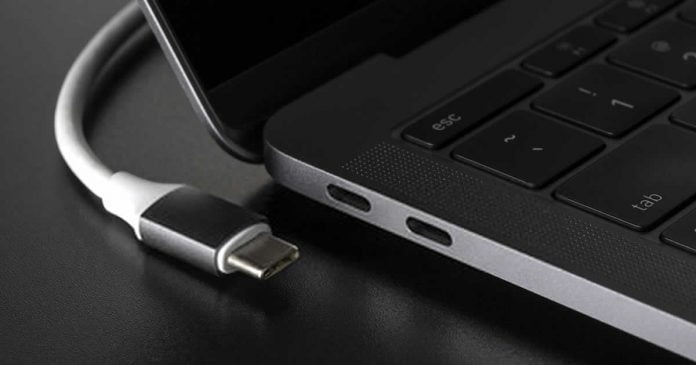
USB-C gets a new improvement. The new EPR standard for USB-C 2.1 will allow loads of up to 240W, a 140W power delivery improvement over the previous generation.

The USB-IF, the association in charge of developing and applying the new USB connectivity standards, has announced a revision to the USB-C standard. Specifically, it has announced the EPR (Extended Power Range) standard applied to USB-C 2.1.

With this improvement, the charging power capable of supporting USB-C with this new standard goes from 100W to 240W. It is more than double the capacity, allowing you to charge an entire laptop without the need for dedicated adapters.

This may not mean much to many, since for practical purposes, laptops are already loaded with USB-C, as it happens with MacBooks. The problem is that to load large computers that exceed 14 inches, manufacturers are forced to include an adapter to supply that extra power.

Also, the new standard opens the door for us to charge our laptop with a simple USB-C cable, without the need for adapters — any laptop also compatible with the standard, whether large or medium format.

In Specification Revision 2.1, the committee explains that in the future, up to 240 watts should be used with the Extended Power Range. The EPR is designed for 5 amps at 50 volts.

Corresponding cables and plugs do not yet exist, and changes are necessary to prevent dangerous scenarios — the USB-IF stipulates that the active EPR cables are electronically marked and provided with a visible logo.

Unfortunately, this standard does not automatically mean that future devices will be USB-C EPR compliant. We will have to wait for manufacturers to implement it little by little and for compatible chargers and cables to be standardized to take full advantage of it.

Fuchsia OS Is Official: Google’s New Operating System Is Being Shipped To First Generation Nest Hub

Google Fuchsia OS

Finally, Google has released the new Fuchsia OS. It has been over four years since Fuchsia OS was first introduced, which at first was known as Project Andromeda.

With Fuchsia OS, Google’s intention was to create an operating system from scratch, not based on Linux, that did not have the weaknesses that Android. 

In 2018, Fuchsia OS was spotted running on Pixelbook, and now it looks like the first mass-produced device to receive Fuchsia OS is a home automation device.

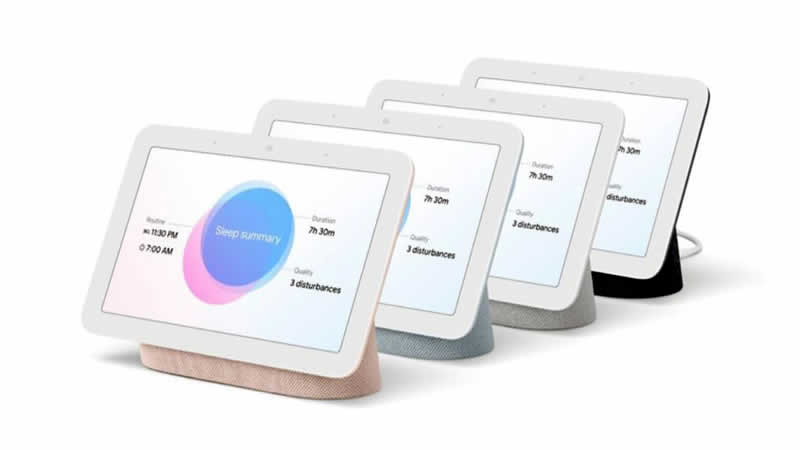
Google has begun rolling out an update for the first-generation Nest Hub. The update replaces the existing operating system, Cast OS, of the device with Fuchsia OS.

First Generation Google Nest Hub

However, the update will be distributed over the next few months to all compatible devices, but none of them will lose any function — and users are unlikely to even notice the difference. Thanks to Flutter, an open-source user interface development kit from Google, the interface aesthetics look identical.

The deployment is limited and controlled at this time. The report says that Fuchsia OS will initially come only to the company’s “Preview Program”, with a broader rollout planned later. Even so, the Nest Hub is not the most widely used device yet, which means that the operating system will be available to very few users at the moment.

According to speculation, Google may expand Fuchsia OS considerably from 2023. The company’s bet has already begun to gain the attention of other industry giants, and, recently, Samsung began to collaborate in the development of the project.

Xbox Game Pass Update: Microsoft Turns Surface Duo Into A Portable Xbox

Turn Surface Duo Into Portable Xbox

Microsoft has released an update for its Android app Xbox Game Pass that brings dual-screen support for the Surface Duo. This new Xbox Cloud Gaming (xCloud) update turns the Surface Duo into a Nintendo 3DS-style portable console.

Unlike before, the controller overlays are no longer displayed above the game but are shown separately on the second display. As a result, they are no longer overlap the game content when playing, as is still the case with smartphones with only one screen.

Thanks to the update to the Game Pass app, the Surface Duo actually looks more like a handheld gaming console than a smartphone. For some, the virtual controller might still take more getting used to than a real gamepad. Alternatively, the Surface Duo can of course still be connected to a controller.

According to The Verge, Microsoft has added touch controls for more than 50 games so far. Players can now enjoy games such as Grand Theft Auto V, Sea of ​​Thieves, and Gears 5, among others, directly from their dual-screen Android phone and without the need to connect an external controller.

In the update description of the Game Pass app, Microsoft only mentions the Surface Duo as a possible device for the new display layout. It is apparently not available for devices with a foldable display.

Snapdragon 7c Gen 2: Qualcomm Unveiled SoC For Low-End Windows Notebooks And Chromebooks

Qualcomm Snapdragon 7c Gen 2

The new Qualcomm SoC for Windows notebooks and low-end Chromebooks is called Snapdragon 7c Gen 2 — under $ 400 and integrated LTE connectivity.

As the name implies, this Gen 2 represents a small improvement on the previous Snapdragon 7c announced in 2019. With two high-performance Kryo 468 (Cortex-A76) cores and six more efficient Kryo 468 Silver (Cortex-A55) cores now capable of going up to a frequency of 2.55 GHz compared to the previous 2.4 GHz.

The company claims to offer 10% faster performance than “most competing platforms.” The company also claims that the 7c Gen 2 can deliver up to twice the battery life compared to its competitors.

Apart from the faster processor, the 7c Gen 2 is more or less the same Qualcomm chip announced in 2019. The Snapdragon 7c Gen 2 continues to support dual-channel (32-bit) LPDDR4X-2133 memory. It has an Adreno 618 GPU and integrated with a Snapdragon X15 LTE modem. The latter allows the 7c Gen 2 to reach theoretical download speeds of 800 Mbps.

Snapdragon 7c Gen 2 confronts the market with Intel Jasper Lake solutions, 10-nanometer processors based on Tremont architecture introduced earlier this year. The first products with Qualcomm Snapdragon 7c Gen 2 SoCs will arrive this summer, with China’s Lenovo leading the way and other OEMs. The new chip joins the existing offer formed by the Snapdragon 8c and 8cx Gen 2.

Also, during the summer, Qualcomm and Microsoft will make available to software developers — through the Microsoft Store — a “Snapdragon Developer Kit for Windows 10 “in order to facilitate the creation and/or porting of 64-bit apps on Windows 10 on ARM.

AMD’s Next CPUs Should No Longer Have Pins

LGA socket in AMD

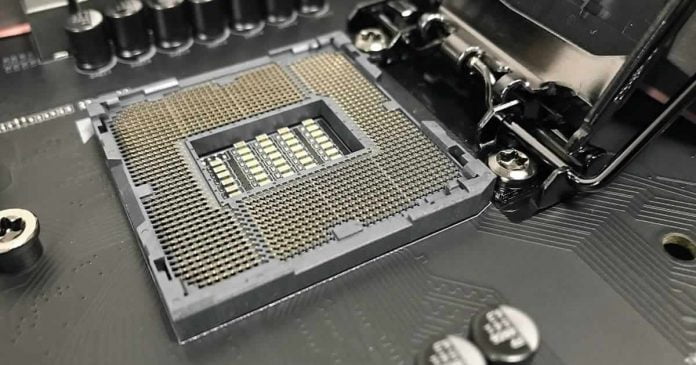
With the AM5 socket, AMD is also to change the socket in the desktop segment, as Intel did years ago. Instead of using pins on the CPU, these should be in the socket on the mainboard in the future.

According to ExecutableFix, AMD will use an LGA (Land Grid Array) socket instead of a PGA (Pin Grid Array) socket for the AM5 socket for the first time in mainstream systems.

Intel had already made the switch from pins to pads from Socket 487 to Socket 775, i.e., the late Pentium 4/D and the Core 2 Duo/Quad. AMD, on the other hand, has been using a PGA design for the Athlon (XP) since Socket A, and later versions such as AM2 and AM3 up to the current AM4 use contacts and thus CPUs with pins.

That should change for the AM5 socket with 1,718 LGA contacts, where the change is made from DDR4 to DDR5 memory.

In terms of the number of Lands, the AM5 socket is similar to Intel’s LGA 1700 socket, which is intended for the hybrid CPUs called Alders Lake, which are scheduled for autumn 2021. This also uses DDR5 memory, although cheaper boards should be designed for DDR4.

LGA, instead of PGA, has the advantage of being able to accommodate more pads or pins per area. This enables more complex interconnections, which is why the AM5 socket alias LGA 1718 has significantly more contacts than the AM4 socket alias PGA 1331. In the server segment, AMD has been using LGA sockets for many years, both for the earlier Opteron (socket F) and for the current Epyc CPUs (socket SP3).

How Penetration Testing Professionals Can Help Your Small Business

Penetration Testing Professionals

Even small businesses need a cybersecurity plan, whether they have a few computers connected to Wi-Fi or they have a larger network. With the increasing likelihood of becoming the victim of a cyberattack, small businesses simply can’t leave their network unsecured. 

An unsecure network can lead to customer data being leaked, proprietary information being stolen, or data being held hostage by ransomware. Any of these can lead to lost revenue and have a huge financial toll on a small business.

Part of any good cybersecurity plan is assessing how well that plan works. Once a small business moves past the planning and implementation stage of creating a network security plan, they should establish a process of continual evaluation of how successful that plan is. 

One effective way to see how well a cybersecurity plan is functioning is to incorporate the use of penetration testing, also known as pentest. In pen testing, a professional ethical hacker will probe a network for vulnerabilities and determine how those vulnerabilities might be exploited. 

Pen testing can be expensive because it requires paying a professional for their services. These services might not be cheap, but pen testing even on a semi-annual or annual basis is better than nothing. 

Pen testing offers a number of benefits to small businesses; here’s how incorporating periodic pen testing can help protect yours. 

Regulatory Requirements

Many industries have governmental regulations that require a certain level of cybersecurity. One example is in retail sales which accept credit cards, called the PCI DSS. Vendors who take customer credit card data or store credit card info are required to meet minimum standards.

Compliance is a word you may have heard in reference to regulations, but you may not know what it means. Compliance in the cybersecurity world means following the regulations and industry standards set for your industry.

Noncompliance can be very costly, both in fines and if your business suffers a breach and you become the subject of lawsuits by customers whose data has been compromised. 

Pen testers can help you ensure you’re meeting industry standards for safeguarding customer data. They can tell you where your critical vulnerabilities are and how to fix them so your better able to protect your customers.

Help Secure Your Network

Nobody wants malicious actors poking around their company network. They could steal customer data, or, as has become the case, can encrypt your business data and demand a ransom for it. They can also install viruses and other malware that slows your systems down or steals data as well.

Pen testers work by identifying gaps where savvy cybercriminals can get into your network. These vulnerabilities aren’t necessarily identifiable through just vulnerability scans by your IT department. Many times, companies don’t find out about those gaps until it’s far too late. 

Instead of being reactive, small businesses can be proactive by seeking out the services of a qualified pen tester. Getting a jump on the security holes in your network defense plan can help a company avoid issues later on as a result of being hacked. 

Avoid Ransomware

As seen in the recent Colonial Pipelines hack, cybercriminals are often using a tactic called ransomware. In this method of cyber attack, criminals gain access to stored data (often a lot of stored data), and encrypt it. 

Encrypting this data simply means they lock it up so nobody but they can access it through the use of a special decryption key. In order to get their data decrypted, the victims of a ransomware attack have to pay the hackers. This could be a relatively small fee for very small businesses to millions of dollars for large corporations.

Employing a pen tester periodically can help mitigate ransomware by identifying the areas in your small business’s network that could allow hackers to get in. Pen testers can find those vulnerabilities and help you come up with a plan to close them. 

Ransomware is particularly insidious because it directly affects your company’s bottom line, not to mention when hackers use it to steal confidential medical information, as is often the case. Paying a relatively small amount to a pen tester now can save thousands or even millions of dollars in extortion fees later. 

Don’t Skip Pen Testing – It’s Critical

At the end of the day, pen testing is going to pay dividends for your small business. Not only is it often a regulatory requirement, it helps save your company money and helps you protect private customer information. Some clients may even require proof of pen testing prior to doing business with you.

With ransomware attacks on the rise and a world where hackers are getting better and better at penetrating defenses, you should consider hiring a pentester. It’s better to find vulnerabilities now and work on getting them fixed, instead of learning about them the hard way later on. In this instance, an ounce of prevention is certainly worth a pound of cure.