Home Blog Page 122

Apple Announces New Data Protection Enhancements

Apple privacy news

Apple announced new security features that provide options to better protect user data against increasingly sophisticated cyberattacks.

iMessage Contact Key Verification allows iMessage to verify communication with only the intended parties; Advanced Data Protection for iCloud, which end-to-end encrypts iCloud data, including iCloud backups; Three Security Keys for Apple ID that allow you to use physical security keys for two-factor authentication. It is scheduled to be deployed in 2023.

Apple has designed its platform with security and privacy in mind and provides an environment that balances security and ease of use for general users. But as threats to user data become more complex, more and more users need security solutions that prioritize defending against potential advanced cyberattacks and protecting their data.

iMessage Contact Key Verification provides the user with an extra layer of security to better protect their iMessage communications. Even if an attacker successfully penetrates a cloud server and intervenes with a device to eavesdrop on encrypted communications, the key authentication will send an alert and allow users to contact you directly via FaceTime or a secure call with special identity verification. Automatic alerts appear when a third party intrudes into the conversation.

Advanced-Data Protection for iCloud protects most of your iCloud data with end-to-end encryption, giving you the option to only decrypt it on trusted devices. iCloud provides E2EE protection for 14 categories of data, including keychain passwords and health-related data. When Advanced Data Protection is enabled, nine new categories (device and message backups, iCloud Drive, notes, photos, reminders, Safari bookmarks, Siri shortcuts, voice memos, and wallets) will be encrypted.

Apple ID two-factor authentication has been available since 2015. One of those elements will finally be using hardware security keys. Apple doesn’t sell its hardware security keys, so you’ll probably have to use a third-party one. Apple says the feature is also less for the general public and more for users such as celebrities, journalists, and government officials who face threats to their online accounts due to public profiles.

It will first be released to Apple Beta Software Program participants in the United States and then to all US customers later this year. For other countries, it will be available in 2023.

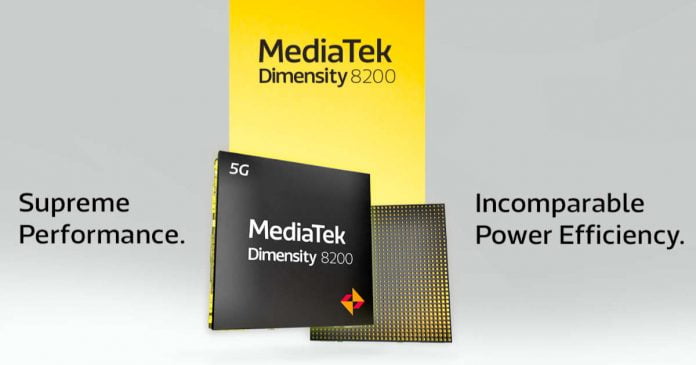
Dimensity 8200: MediaTek Presents New SoC For The Medium/High Range

MediaTek Dimensity 8200

As next year approaches, chipmakers prepare new choices for future smartphones, as MediaTek demonstrates with the launch of the new Dimensity 8200 — after presenting the powerful Dimensity 9200, designed and created for the most valuable smartphones. 

Its predecessor, the Dimensity 8100, can be found on products such as Xiaomi 12T, Redmi K50, POCO X4 GT, OPPO Reno 9 Pro, OnePlus 10R, Realme GT Neo 3 and Honor 70 Pro. 

While not the most premium SoC in MediaTek’s catalogue, the Dimensity 8200 benefits from the same 4nm TSMC manufacturing process that pricier chips boast. Inside, we find a more powerful processor than the Dimension 8100, which is a tri-cluster octa-core CPU: 1 x 3.1 GHz A78 + 3 x 3.0 GHz A78 + 4 x 2.0 GHz A55. 

The graphics part is entrusted to the Mali-G610 MC6 GPU, unchanged but with a peak frequency that rises from 850 to 950 MHz. The gaming component is managed by the technologies that make up the HyperEngine 6.0 suite, including the Frame Rate Smoother 2.0 and Smart Resource Optimization for CPU performance allocation.

Memory side, the new MediaTek SoC maintains quad-channel LPDDR5 support at 3200 MHz with bandwidth at 51.2 GB/s, and the MediaTek APU 580. What changes is the ISP, the 14-bit MediaTek Imagiq 785 HDR with photo support for sensors up to 320MP, HDR video dual exposure and 4K 60fps support and bokeh video; alongside it is the MediaTek MiraVision 785, which allows the implementation of Full HD + screens up to 180 Hz and WQHD up to 120 Hz, with Display Sync 2.0, 4K AV1 decoder and AI SDR-to-HDR. 

Connectivity includes a 5G 3GGP Release 16 modem with UltraSave 2.0 and 3CC Carrier Aggregation (200 MHz) 5G sub-6 GHz, as well as Wi-Fi 6E 2×2 and Bluetooth 5.3 with LE Audio and Dual-Link TWS Stereo Audio.

The first few smartphones to mount the MediaTek Dimensity 8200 might be the iQOO Neo 7 SE and Redmi K60.

5 Best Android Browsers For Your Different Needs

Android browsers for different needs

There is a handful of choices for the best Android browsers available on Google Play, but most are using Google Chrome as the default Android browser.

According to reports, about 60% of mobile users are using Google Chrome for their day-to-day browsing needs. The main reason behind this is that Google Chrome comes pre-installed with all Android devices, and the majority of us then didn’t look into other web browsers and wind up with the choice that Google recommends.

Yes, it’s one of the best browsers available for Android; maybe it’s not like its desktop counterpart — accused of using too much RAM but still, it’s the same one with Google’s advanced spying feature. 

What you forget is that there are a couple of other unique Android browsers with standalone features — that Chrome can’t offer. These unique Android browsers come with multi-functionality features — like a video downloader, in-built VPN, solid data privacy settings — so that you don’t have to rely on multiple apps while browsing.

So here are some of the best Android browsers for your different needs you should consider to install next time other than Google Chrome.

Best Android browsers for your different needs:

1. Brave Browser

Who needs Brave Browser? — One who is concerned about their online browsing data should install Brave.

Brave is one of the best privacy-focused browsers available for Android. Brave is an anonymous Chromium-based browser, so it will be a better alternative for Chrome for Android. Brave Privacy Browser is a fast, free, and safe private web browser with an adblocker and pop-up blocker — with Brave browser, you are free from being tracked by advertisers, malware and pop-ups. Brave reduces page loading times and improves web browser performance.

2. Firefox Lite

Who needs Firefox Lite? — If you are using a low-end Android device, then Firefox Lite is one of the best Android browsers available for you to save data and storage on your phone.

Like other lightweight Android apps, Firefox Lite is also launched to give a superfast web browsing experience with a better privacy on low-end Android devices. Also, it doesn’t matter which smartphone you are using; Firefox Lite, which comes only in 6MB size, brings you a blazing-fast online experience. Do not underestimate Firefox Lite by its size; with advanced private browsing mode, it helps you to browse without a trace — no history, no passwords, no cookies recorded.

3. Aloha

Who needs Aloha browser? — If you like to avail a free inbuilt VPN service along with your web browser for a better web surfing experience, then Aloha is the best option.

Aloha Browser is a fast, free, full-featured web browser that provides maximum privacy and security. The unique feature that makes Aloha one of the best Android browsers is its inbuilt free VPN service. With Aloha, you don’t need any other VPN apps for Android — with its built-in free unlimited VPN Aloha browser takes your Internet freedom and security to the next level. Along with VPN, other features in Aloha includes — ad blocker, popup blocker, privacy and tracking protection.

4. Tor Browser

Who needs Tor Browser? — If you are looking for the world’s strongest tool for privacy and freedom online, then Tor Browser is the one you should install on your Android device.

Tor Browser for Android is the only official mobile browser supported by the Tor Project. Tor Browser is the only advanced privacy-focused browser available for Android. It isolates each website you visit so third-party trackers and ads can’t follow you. Any cookies automatically clear when you’re done browsing. It also prevents someone from watching your connection from knowing what websites you visit because your traffic is relayed and encrypted three times as it passes over the Tor network.

5. Kiwi Browser

Who needs Kiwi Browser? — One who likes to install Chrome extensions on the Android browser should prefer Kiwi.

Kiwi Browser is another best Chromium-based Android browser with the same exact features of Chrome. Unlike Chrome for Android, Kiwi Browser will help you to install Chrome extension on the Android browser — check out our tutorial to know how to do it. It also comes with a powerful ad block that removes most of the intrusive ads, and it is the first Android browser that blocks hackers from using your device to mine crypto-currency

So these are some of the best Android browsers for different needs. If you are concerned about your privacy and browsing data, you should install Tor Browser or Brave Browser. If you are using a low-end device or like to save some mobile data, then you should choose Firefox Lite. If you need a browser with a VPN feature, then prefer Aloha. And last but not least, if you like to install Chrome extensions on the Android browser, then choose Kiwi Browser as your Chrome alternative.

Brilliant Tech Solutions and Tools to Enhance Business Growth

Data Science for Business

For business owners wanting to gain a competitive edge over rivals, you can’t afford to miss out on the latest business tech and innovation trends. Thankfully, there are plenty of 21st century solutions and tools designed to fit business models and streamlined to make running your business that little bit easier and more efficient.

To push your company in the right direction, here are some critical elements of a company and the best digital technology solutions to enhance its functions.

Customer Relationship Management and Marketing Automation

There is no denying the power customers have on businesses. After all, they are the ones who keep us in business! Hence, maintaining solid connections with them is crucial, which is where customer relationship management (CRM) and marketing automation come into the equation. Some people confuse such terms, but they denote different things.

A CRM is a mechanism that monitors business leads, clientele, and prospects, whereas marketing automation monitors all customer interactions. This includes when they visited a web page on your website and at what time. There are many tech solutions that offer CRM and marketing automation capabilities together. This can help in cutting costs.

Cybersecurity Software

To retain success in business, especially in 2022 and beyond, having an online presence is vital. Once you’ve got a business website and blog in place, you need to pay attention to cybersecurity software. Sadly, cyberattacks can and do happen. What you may find surprising is that it isn’t just the small companies that fall victim to cybercriminals. The likes of Amazon have had security breaches too.

Regardless of how big or small your company is, installing cybersecurity software is essential. Anti-malware software in particular will protect your business data and information from attacks. You can go one step further and look into Totality Services IT Business Support services. This IT support London provider knows the ins and outs of cybersecurity and what actions you need to take to bulletproof your data.

eSignature

Thanks to the rise in the popularity of smartphones and tablets, electronic signatures have increased over recent years. Because of the COVID-19 pandemic, there was an ever-increasing demand for eSignatures among teams and businesses of all sizes.

Businesses across the UK can use electronic signatures for numerous purposes. These include approving a contract or agreement, authenticating a document, signing documents remotely on somebody else’s behalf, and making online purchases. As we move into 2023, more and more businesses will be adopting eSignatures. Thankfully, the eSignature sector offers a range of solutions, such as DocuSign alternatives for a reasonable fee.

General Accounting

Wherever your talents lie in business, you may not be an expert in accounting, and that’s ok! There are lots of dependable accounting software and tools out there for you to use instead. They do all the hard work for you. Some of the most popular include FreshBooks and QuickBooks. Factoring in these types of small business tech is essential for growth.

When using such software, you’re able to keep tabs on your revenue and expenditure. What’s more, this software lets you stay on top of financial reports, even if you are using something as simple as an iPad for business. Financial reports can be prepared quickly if you link to your bank account. There is some accounting software that lets you monitor your inventory too.

Social Media and Advertising

Is your aim to boost sales and customers through brand awareness? If the answer is yes, you need to put yourself out there and advertise your products or services. Although word of mouth is fantastic for getting the word out, developing social media activities can work just as well. Thankfully, you don’t have to do this all by yourself. There are marketing agencies you can work with that can help deliver better results.

There are lots of software you can make use of too. These are in the form of Facebook ads and socials. Such services have enough resources at their disposal to spread your brand’s message to millions of people within a matter of seconds! What’s more, they are able to target and retarget audiences based on your preferences. When compared to traditional advertising methods, using social media software can be more cost-effective for your brand. Just make sure you know the best tactics for using social media ads. You don’t have to spend a fortune to achieve the results you’re after. Social media is one of the best platforms for boosting your business growth.

Technology innovations have impacted the ways in which companies of all sizes succeed, particularly small businesses that need the same tasks accomplished as the giants, but with a far smaller budget and workforce. There are plenty of tech solutions and tools that are affordable for businesses across the board which are sure to boost the success of your company going forward.

Mozilla Acquires Web-Based Metaverse Startup Active Replica

Mozilla Acquires Active Replica

Firefox web browser developer Mozilla is one of the latest to step onto the Web3 road. The company is acquiring immersive solutions developer Active Replica to further its plans for the metaverse.

According to Active Replica, they have been working on a “web-based metaverse” for around three years. The start-up team did so because they assumed that technology would be the cornerstone of “how people connect virtually”.

With Active Replica, Mozilla wants to support its own work on virtual conference technology, which the company has been pursuing for years with the so-called hubs. Active Replica will join the Mozilla Hubs platform to develop solutions for Mozilla and take advantage of its scale and capabilities to go global.

The acquisition will also be important for on-demand acceleration, personalized subscription levels, on-board improvements, and adding new features to the Hubs engines, Mozilla said.

Despite the alignment of Hubs and Active Replica, Mozilla avoids using the word metaverse in its own announcement. This could be related to the existing public perception of this technology, which is fairly negative. For example, Facebook parent Meta has been heavily criticized for losing much too much money with their version of the metaverse and has already laid off people as a result.

The day after the announcement, Mozilla announced that it had also acquired machine learning company Pulse, signalling Mozilla’s focus on the future of the web.

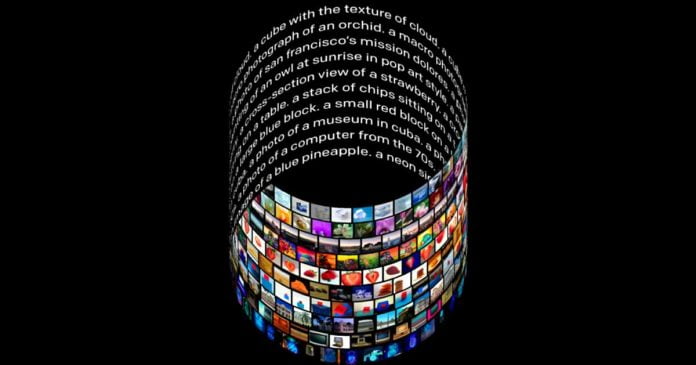
The Impact Of Neural Networks On The Realm Of Fine Art

DALL-E OpenAI AI System

The history of AI-generated art may be traced back to the development of the computer and the discovery of computer graphics. The researchers then employed simple algorithms to generate simple patterns and forms. And the year 2022 may go down in history as the year when AI art became mainstream. The emergence of high-quality tools based on various algorithms has made neurocreativity available to anyone with a smartphone and an Internet connection.

Various AI models enable you to mimic the techniques of artists, convert sketches into photorealistic illustrations, bring portraits to life, and generate new images from text. For different jobs, different or similar approaches and technologies are employed.

Neural Style Transfer 

Neural Style Transfer (NST) is a convolutional neural network-based technique that allows you to create a painting that mimics another image in the manner in which it is executed. It turns out that this kind of algorithm already exists. In 2015, a group of German researchers developed a method for transferring art style from one image to another. Several teams have since worked to improve this method in order to make it faster and more exact.

Generative Adversarial Neural Networks

Generative Adversarial Neural Networks (GANs) are in charge of developing new works of art or paintings in the manner of previous images. These are algorithms that combine two models: a generator that generates the content and a discriminator that evaluates it. Human faces, cat faces, furniture, and other items can be drawn using GAN-based systems that are comparable to those in the training dataset.

AI Image-on-text Generators

Today’s most popular art creation tools are AI-based image-on-text generators that employ language models such as OpenAI GPT-3. The user needs to come up with any query in natural language, and the algorithm will generate a picture in accordance with the hint. You can try out this recently launched free AI image generator from Creative Fabrica to create something unique and different for your personal and creative projects. The tool CF Spark Art make it easy to create premium AI images with just a few clicks. You just need to write what you would like to create with the tool and choose your preferred image. 

Text descriptions can contain a large number of words, the inclusion or removal of which can significantly alter the outcome. They play an important part in the creation of images. AI generators are trained on massive arrays of images and their textual descriptions, with the model trained to look for a connection between them. They also frequently employ the diffusion process, in which the algorithm generates an image from a group of random points and gradually improves it, bringing it closer to a provided hint and removing noise.

Most popular AI generators have content creation limitations, such as not being able to show nudity, violence, realistic faces, or political figures. DALL-E 2, Google Imagen, and Midjourney are examples of such tools. However, there are systems that do not have such constraints, such as Stable Diffusion. According to the creator of the Stability AI programme, the model has no filters and may generate any content.

AI algorithms “think” outside the box. They can generate previously unseen visuals, arrange objects in odd ways, and blend textures in different manners. Such art can become a source of inspiration for larger projects. People will be able to frequently use technology to inspire and expand their ideological potential if neural networks are sufficiently and continuously developed.

Apple’s New Mixed-Reality Headset OS May Be Called “xrOS”

Apple M3 3nm process

Apple is expected to release its first AR headset in early 2023, running on xrOS. It was previously suggested that Apple would choose the name realityOS for the OS used to control the headset, but things appear to be changing.

According to Bloomberg, AR headset development is picking up steam, and one change is expected to be the operating system named xrOS. Apple plans to launch the product early next year. However, since the project is highly confidential and the leaked information is very limited, it seems that no further information has come out.

One of the reasons Apple chose the name “xrOS” appears to be to not specify what kind of content users can project through the headset. XR(Extended Reality) is a general term for technology that allows you to perceive things that do not exist in reality by fusing the real world with the virtual world. Therefore, technologies such as VR (virtual reality), AR (augmented reality), and MR (mixed reality) are all included in XR. 

The use of XR for the OS suggests that it will be possible to run mixed reality content, including augmented reality and virtual reality. Augmented reality provides real-time graphical information to the environment around us, and virtual reality brings the entire experience onto a display in front of us.

MR content is expected to be heavy, so headsets are expected to be lightweight yet powerful. There will also be a dedicated app that will provide a new experience. These will consist of variations of existing apps, such as Maps and Messages, with the content expected to be displayed on the headset’s visor. Apple is also developing third-party software development kits so that, eventually, new apps can be downloaded and used for xrOS.

Google’s New Effort Significantly Reduces Android Update Time

Dangerous Vulnerabilities In Android

Google has been working continuously to reduce the time required for OTA updates of the Android operating system, and new efforts appear to reduce the time required to install a full update by up to 10 minutes.

If you have used Android 6 or earlier, do you remember it took quite a while to update the Android OS? The device was unavailable for 10 to 15 minutes due to work such as installation and rebooting.

That changed with the introduction of seamless updates in Android 7.0 Nougat. It now installs software updates in the background on a secondary virtual system partition and switches to it on reboot, reducing the actual device downtime to just a few minutes. But the fact remains that the installation itself takes 20 minutes. However, a new set of patches submitted to the Android Open-Source Project suggests that may change.

According to journalist Mishaal Rahman, Google is working to speed up the installation of OTA updates on devices that support virtual A/B partitions with compression mechanisms. This improvement can reduce the OTA full installation time by up to 10 minutes.

On the Pixel 6 Pro, the patch reportedly reduced the installation time for a 2.2 GB full OTA from 23 minutes to around 13 minutes. Similarly, a 376MB incremental OTA now takes 16 instead of 22 minutes. The first patch enables batch COW (copy-on-write) operations in the cluster, and the second patch enables using two threads to speed up snapshot compression. The latter fix alone cuts installation time by about six minutes.

Google has made some improvements to virtual A/B partitions in Android 13, reducing snapshot sizes by 25% to 40% and reducing merge times by up to 40%. These process improvements are aimed at making OTA installations even faster.

Despite the benefits of seamless updates that have been around for years, most Android makers haven’t embraced them yet. Google appears to have taken steps to require OEMs to distribute seamless updates to devices running Android 13, but there’s no official word yet on what’s going on. But at least Pixel smartphone owners should soon experience faster OS updates across the board.