Home Blog Page 170

watchOS 9: Apple Watch Now Has New Sports And Health Functions, Including Sleep Tracking

watchOS 9

In addition to iOS 16, iPad OS 16 and macOS 13 Ventura, Apple also presented watchOS 9 at WWDC 2022.

Like the previous version, watchOS 9 is still very conservative when it comes to big changes. Most of the new features are limited to improving many small aspects of the watch, mostly focused on usability.

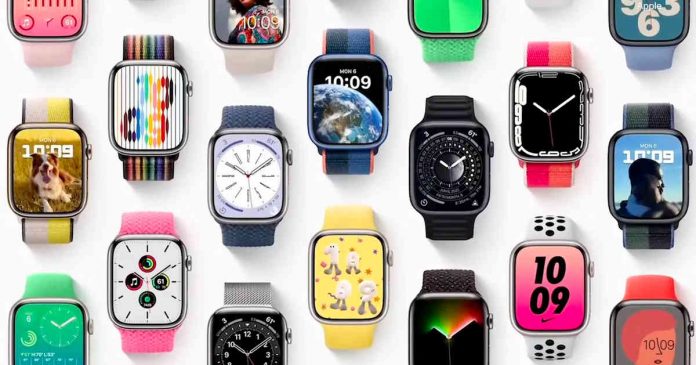
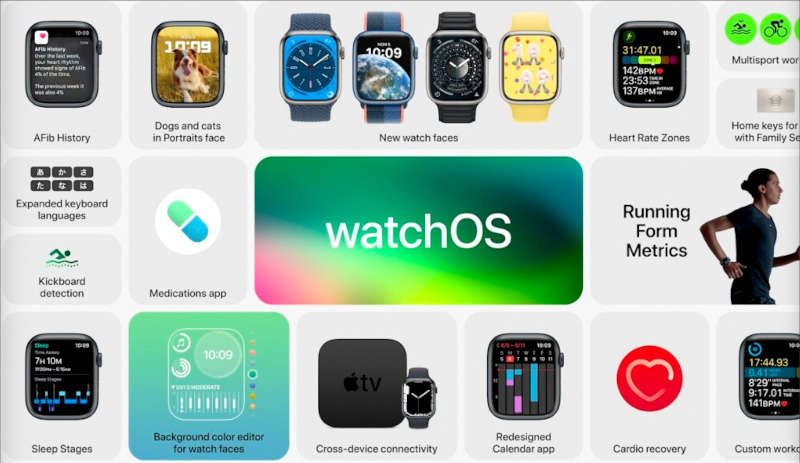
Personalization has always been one of the most relevant points of the Apple Watch, and with watchOS 9, four new watch faces arrive, from a lunar calendar to a background that changes depending on the time of day.

Apple has also changed the interface for Siri and Podcast, which is updated to embrace some of the features of the Mac and iOS versions, as well as integrating some Share Play features.

The Training app has been redesigned to provide more comprehensive metrics. With watchOS 9, new personalized training plans are introduced and new alerts can be added, including pace, power, heart rate and cadence.

WatchOS 9 includes a much more accurate heart rate monitoring tool. Heart rate zones will give you deeper insight into the intensity of your workout in WatchOS 9.

watchOS 9 features

Sleep tracking for watchOS 9 has also been revamped. Apple Watch will now be able to detect when users are in REM or deep sleep, being able to identify the different stages of sleep. These improvements are due to the enormous study that wearables have enabled in recent years and advances in machine learning models.

With watchOS 9, patients can plan and monitor their medication intake. If you want, you can also document side effects and make the data available to your doctor.

The health app in the watch can remind the user to take medication. Medication lists can be created and managed on iPhone to set up schedules and reminders. Not only can users be reminded via their watch as before, they can also confirm their intake.

Apple has not yet confirmed the exact date, but the new version is expected to be available in September. Although, the watchOS 9 beta will arrive a few months earlier during the summer.

In addition to the Apple Watch Series 8, these are the models that will be compatible with watchOS 9 — Apple Watch Series 4, Series 5, Apple Watch SE, Series 6 and Series 7.

Apple Introduced iOS 16: iPhone Is Now More Customizable Than Ever

Apple Introduced iOS 16

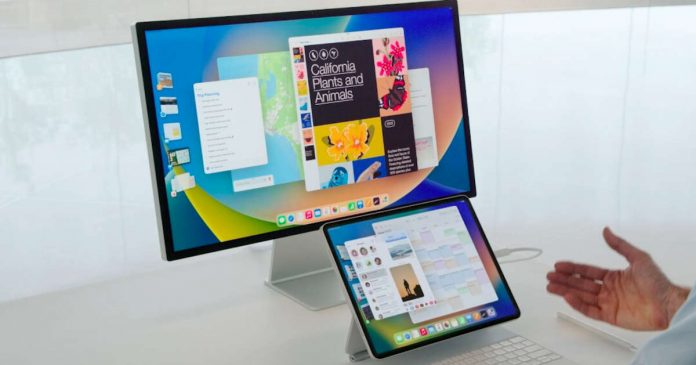
Apple has presented iOS 16 at WWDC 2022 along with iPadOS 16, watchOS 9, macOS Ventura and two new MacBooks powered with Apple M2.

The new iOS 16 focuses on customization, and in this sense, it is now more similar to Android

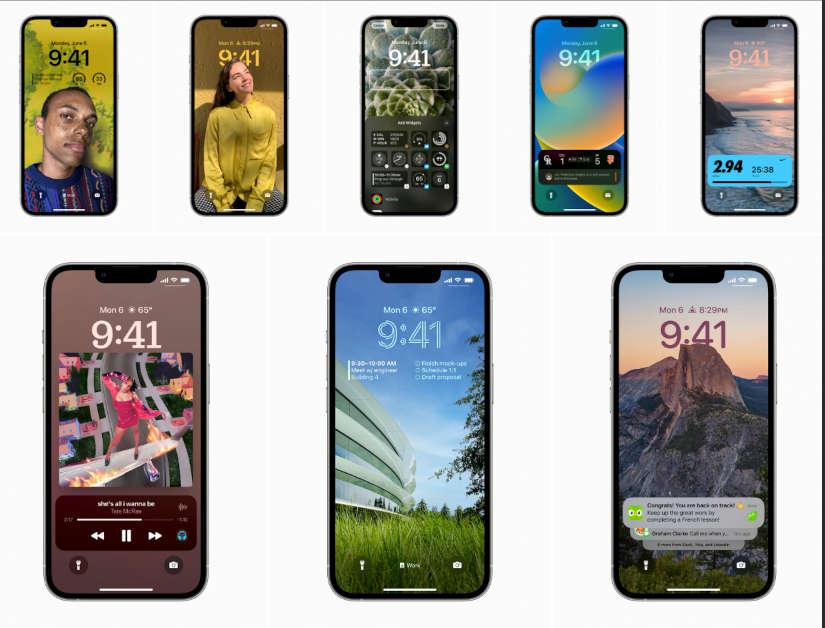
The new iOS 16 gets a new lock screen that users can customize more. Fonts, colors and many other elements of the layout can be changed and extended with widgets. The widgets arrange themselves below the clock.

The new OS also manages multiple lock screens to toggle between — much like Apple Watch watch faces. Notifications should no longer cover the lock screen but be either hidden or placed in a stack.

The focus function is extended to the lock screen so that the appropriate settings and widgets are displayed depending on what you are doing.

iOS 16 features

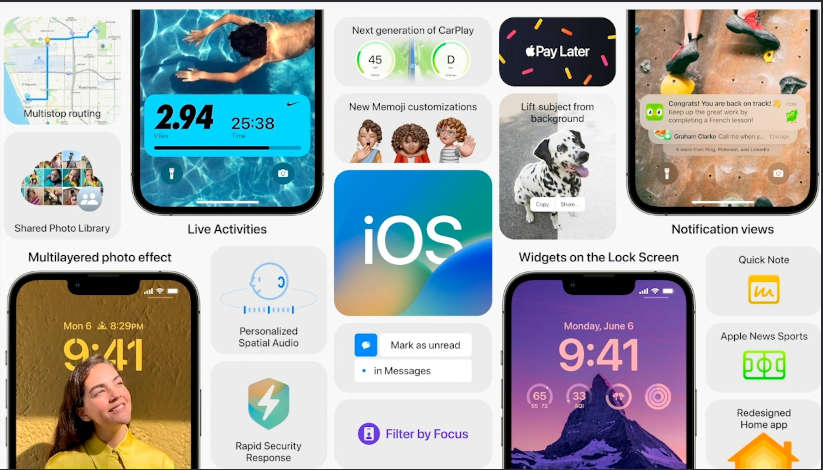
For the Messages app, with iOS 16, Messages sent can be edited later or even deleted. Users can edit or recall a message up to 15 minutes after it was sent, or recover recently deleted messages up to 30 days after deletion. Like e-mails, messages can also be marked as unread in the future so that they can be answered later. In addition, the Shareplay function comes to this messaging application, which allows you to share the playback of music, series or movies with your contacts in real-time.

Another feature that has gotten an update is Live Text and it now includes text recognition in videos. It is enough for the user to pause a video at any time so that this system based on machine learning can recognize the content and translate it directly into the text.

Wallet on Apple iPhone expands with iOS 16 support to include identification documents and contactless keys. And now they can be shared through messaging applications such as WhatsApp or the iPhone’s own Messages app. Within Wallet, they have added a new financing program called Apple Pay Later, only available — for the moment — ​​in the United States. Small amounts can be paid in several instalments without interest. The dealer must support this function.

iOS 16

As for the Photos app, Apple launches with iOS 16 its new feature called iCloud Shared Photo Library. A library separates from personal iCloud backup where authorized people can view, edit, and manage the created album. 3D audio playback can also be customized by users in iOS 16. In addition, there is the Quicknote function.

The Maps app now supports up to 15 stopovers and also allows new stops to be added during route use, including with Siri voice control. Also, Siri can run shortcuts on iOS 16 and iPadOS 16 as soon as an app is loaded, without any prior setup.

The Homekit home control now supports Matter, allowing cross-platform collaboration with compatible devices from other manufacturers. Categories in the Home app let you unhide devices by category.

Last but not least, in iOS 16 Apple has increased the dose of privacy by including the Safety Check feature. This is a new settings menu that allows you to stop sharing your location, reset privacy permissions and protect access to your messages. This selection of functions to restrict is aimed at both apps and people, in order to create a safer space within our iPhone.

iOS 16 will initially be tested extensively by developers and volunteer testers in a beta phase before it is finally released to all users. Only those who have an iPhone 8 or later, or an iPhone SE 2020 or later will be able to update to the new iOS.

Apple M2: Second Generation Apple Silicon SoC Is More Powerful And Efficient Than Ever

Apple M2

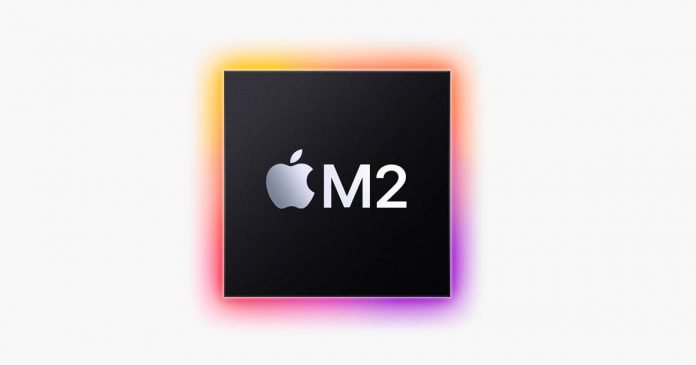
Apple presents the new Apple M2 SoC at WWDC 2022 — second-generation Apple Silicon chips that come with a notable leap in features and performance, surpassing its predecessor in everything.

Apple claims that the development approach of this new SoC has been to focus on the performance/consumption ratio, trying to improve the former and contain the latter.

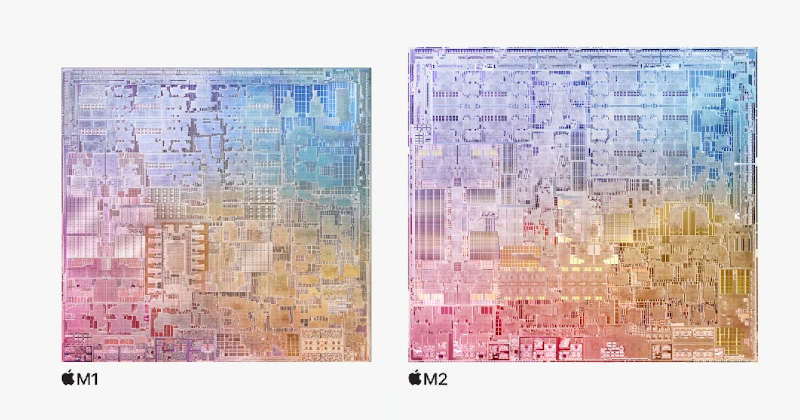
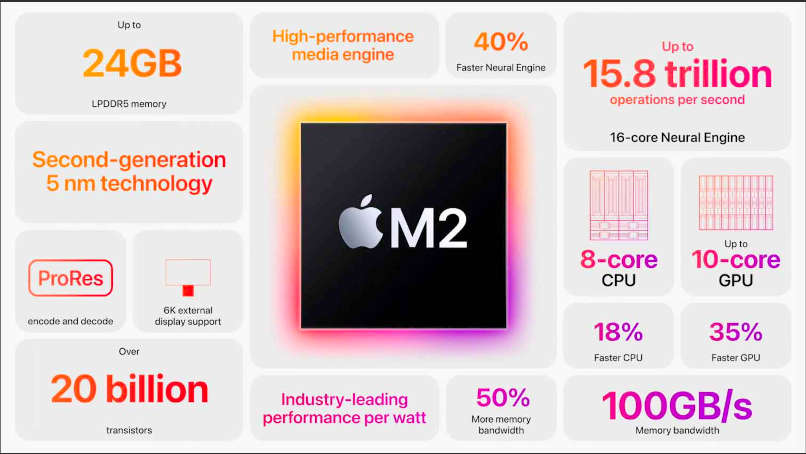
Apple M2 come with more transistors, more power, and more memory support than their predecessors, and Apple’s tests show 18% and 35% higher CPU and GPU performance, respectively when compared to the M1.

Apple m1 vs Apple m2

Apple M2 is made with a second-generation 5-nanometer manufacturing process (optimized 5 nm process), which allowed it to build a chip with 20 billion transistors, 25% more than its predecessor — 16 billion transistors on M1.

M2 feature a CPU with four high-performance and four high-efficiency cores, as well as a 10-core GPU capable of 3.6 TFLOPS of power. And it should also be mentioned the incorporation of a 16-core Neural Engine that promises 40% more performance and up to 15,800 billion operations per second.

Apple has significantly improved the memory interface of the M2 — not only will there be a choice between 8, 16 and 24 GB, instead of the previous 8 and 16 GB, but it also has a unified memory bandwidth of 100 GB/s, 50% more than what was offered in the M1.

Apple M2 features

Apple has also expanded the Media Engine compared to the M1, which, like the M1 Pro, comes with a video decode engine, video encode engine and ProRes encode/decode engine. Apple did not mention AV1, which consequently cannot be decoded in hardware.

The first systems to hit the market with Apple M2 are the fundamentally redesigned MacBook Air with MagSafe charging port and the new 13-inch MacBook Pro.

Firefox Translations: Mozilla Launches Free Offline Translation Extension For Firefox

Mozilla Firefox

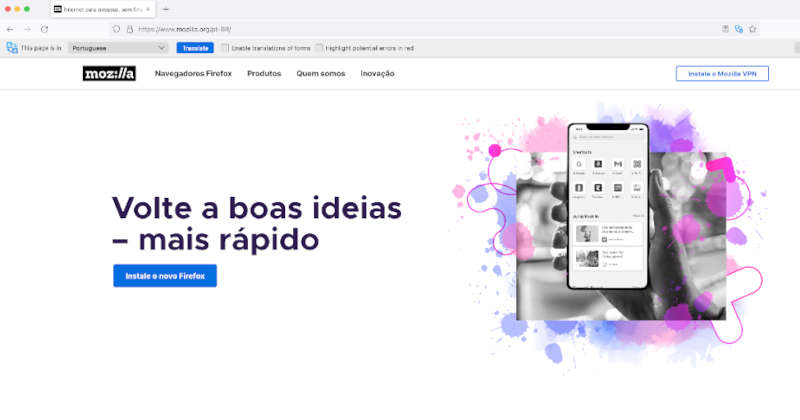
Mozilla has announced an extension that allows you to translate web pages locally.

Firefox Translations — a translation add-on that doesn’t rely on cloud processing to do its job, as is the case with the translators offered by Google and Microsoft. Instead, Firefox Translations utilizes the machine learning-based process right on your own computer to translate — thus guaranteeing maximum privacy.

Firefox Translations

The translator’s code, language templates and algorithms are stored on your computer, so no data is sent to the cloud. Typically, this kind of work is done by GPU clusters in data centers, where large language models — gigabytes in size and with billions of parameters — would be deployed to translate a user’s query.

It is the result of the EU-funded Bergamot Project, in which Mozilla collaborated with several universities on a set of machine learning tools that would make offline translation possible.

100% Working Tips on Cybersecurity for Students

Cybersecurity for Students

With technology altering every aspect of life as we know it, cybersecurity has risen to the forefront of debate due to a flood of data breaches and online scammers. There is ​no such thing as too much security in 2022.

Wondering how to guard yourself against hackers and avoid becoming a victim of cybercrime? Then look no further. Take a look at our 100% working tips on cybersecurity for students and get ready to fight back!

Choose a strong password

Many people reuse the same passwords across various sites and services, and they generally employ poor password-creation habits. Hackers will have an easier time gaining access to your personal information if you use a simple password, worse even if you use the same one for all sites. In other words, it’s like having a single key that opens all your doors: the one to your house, the one to your office, and the one to your bank!

People usually underestimate the importance of sophisticated passwords, even though hackers use them as their primary tool when trying to steal sensitive data. The first thing they’ll do is try to figure out your password. Constantly educating oneself is important here. Just as you would use a custom coursework writing service to boost your writing skills at college, you should similarly educate yourself all the time to devise wise data protection strategies. And it all begins with creating a strong password for each site.

Protect your email 

Emails are a common target for hackers looking to gain access to confidential information, and their tactics can be pretty sophisticated. Once you’ve got a strong password, you should be on the lookout for scam emails that redirect you to a fake account with a false login page, as well as people attempting to steal your identity. 

You can use personal security certificates in email clients like Outlook to encrypt messages so that only people you trust can read them; or else, you can use a digital signature so that recipients know the emails are truly from you. Otherwise, you risk giving information-hungry hackers access to all of your content on digital marketing strategies that you share with your colleagues via email! Make sure to constantly educate yourself on the best email security strategies. Better to be safe than sorry!

Backup your data

You should always keep backup copies of all your important data. Essentially, you’re making a backup of vital information so that you don’t lose it if your device is stolen, lost, or otherwise compromised. Because many small businesses lack an emergency disaster recovery strategy, a single data leak can cause serious problems. Or else, if you’ve had a sinking feeling that all your hard work in college and cherished memories are gone with your broken computer, you can be confident that an effective data backup will have your back in the future.

Become a cyber-liar 

Although it may appear to be an unusual hack, being a cyber-liar is actually helpful. If you’re asked to provide security questions to your sites as a method of identification, for instance, and you provide genuine answers – you’re making it easy for prying eyes to access your accounts. A simple search of your social media sites can reveal a lot of this information. So, instead of telling the truth about your spouse’s middle name or your mother’s birthplace, be sure to lie and remember your lies!

The Bottomline 

Where does cybersecurity fall on your priority list? If it isn’t already on top of it, it should be, as an ever-increasing number of individuals and businesses experience serious security breaches in our digital age. It only takes one person to click on a shady link to put an entire company at risk. Therefore, it is important to educate oneself on all of the most recent data protection strategies. Keep our working tips constantly in mind to ensure you’re effectively guarding yourself against potential hackers!

Top 3 Aspects Of Successful Digital Transformation

Successful Digital Transformation

Digital transformation plays a significant role in boosting business value. According to statistics on FinanceOnline, companies that have reached high levels of digital maturity reported a 45% revenue growth in 2020, compared to 15% reported by companies with lower digital maturity. Digital transformation creates opportunities for innovation across all industries because it revolves around implementing advanced technologies. 

However, business owners must adopt new work philosophies shared and internalized by top executives and employees to attain complete digitization in their organizations. So, whether you’re looking to leverage digital transformation in healthcare, retail, manufacturing, or automotive, you must look beyond investing in new computers, installing the latest customer relations management (CRM) software, or creating multiple social media profiles for your business. You should also understand the keys aspects and four pillars of digital transformation: technology, business culture, customer experience, and business objectives. Keep reading to understand the top three aspects of successful digital transformation you should work on, regardless of your industry. 

Technological Innovations

Today’s consumers want brands to provide extra value in their offerings. As a result, the business world has become highly competitive, meaning it’s not just a matter of opening a business and waiting on customers to make a purchase. To cope with the ever-changing business landscape, you must invest in the latest tech innovations. Leveraging new business technologies to streamline processes including marketing, payroll, communication, and project management is essential to ensure your brand stands out from the competition. 

Brand Awareness

Staying on top of the competition in the business world can be challenging. But thanks to technological advancements, you can become a leader in your industry with ease. To achieve the best results, you need to plan your digital marketing strategy carefully and optimize your digital channels. 

Review your existing marketing tools and channels to ensure you can harness them to promote brand awareness and growth. Ideally, your social media, website, analytics, and automation tools should work together to achieve your business objectives. Remember, while you can handle your marketing needs in-house, consider hiring an expert from a digital agency to ensure you increase visibility, generate high-quality leads, and boost conversion. Many reputable digital marketing agencies provide paid advertising management, SEO services, social media marketing, content marketing, and web design to get positive results.

Expert Knowledge of Digital Tools

Gaining knowledge about tools that support digital transformation in business is essential. That’s because successful digitization in any business organization starts with the adoption of existing and new technologies. Make sure you familiarize yourself with social media tools, cloud storage apps, communication tools, CRM, and collaborative software.

Digital transformation is the key to boosting the value of your business. Given digitization creates space for leveraging advanced technologies and implementation of new work strategies, you can enhance business visibility, generate leads and conversion, and increase revenue. However, to succeed in digitization, make sure you understand the primary aspects: brand awareness, innovation, and knowledge of digital tools.

How To Disable And Delete Location History On Google Maps And Increase Your Privacy

Disable And Delete Location History On Google Maps

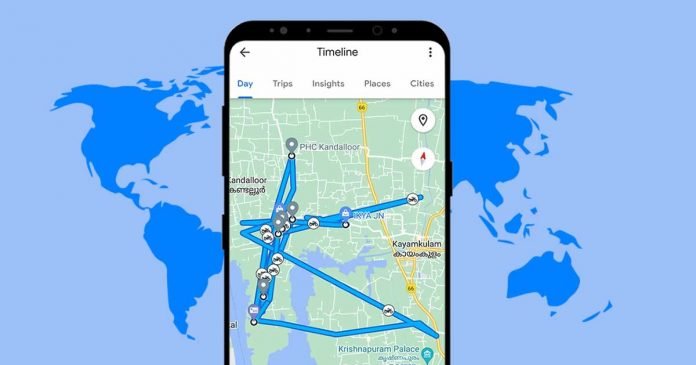
It’s no secret that Google tracks your every move. The Google Maps app, by default, makes records of all the places you’ve ever been with your smartphone. Google Maps location history — also known as ‘Google Maps timeline’ — is a feature in your Google account where the places you go are saved. And permanently disabling and deleting location history on Google Maps can increase your privacy.

In some cases it is very convenient — you can see when and where you were. After a long journey, it is very easy to calculate the total distance, the number of refuellings and so on. Also, with this feature, Google will also tell you what photos you took at a particular location. You don’t even need to have photos with GPS data for this, just put your photos into Google Photos, and the service itself will determine the location based on the date and time of the photos. Statistics of locations are also a very handy thing — you can immediately see how many days you spent in one place during the month or year.

However, all this may not be necessary for you, and privacy is the only thing that matters. If you think that your location data will not fall into the wrong hands or even into the hands of a familiar person who does not need to know where you were, then you should delete your location history and disable it in your Google account.

Google Maps app offers a large number of options at our disposal to constantly monitor both our current and past locations, as well as the ability to delete the entire location history that Google has recorded with us, or delete only the location history for a specific period of time.

Delete Location History On Your Google Maps

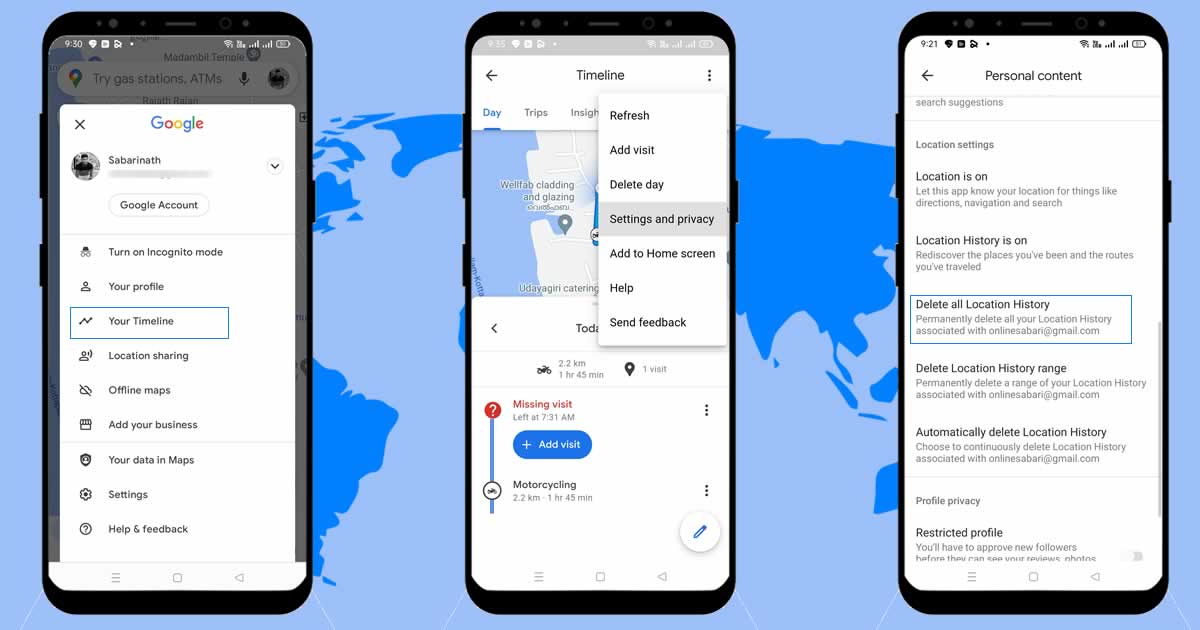
  1. Open Google Maps.
  2. Click on your profile picture.
  3. Choose the option Your Timeline.
  4. Open additional options (three dots icon) and click on Settings and privacy.
  5. Scroll down to “Delete All Location History.”
Delete Location History On Goolge Maps

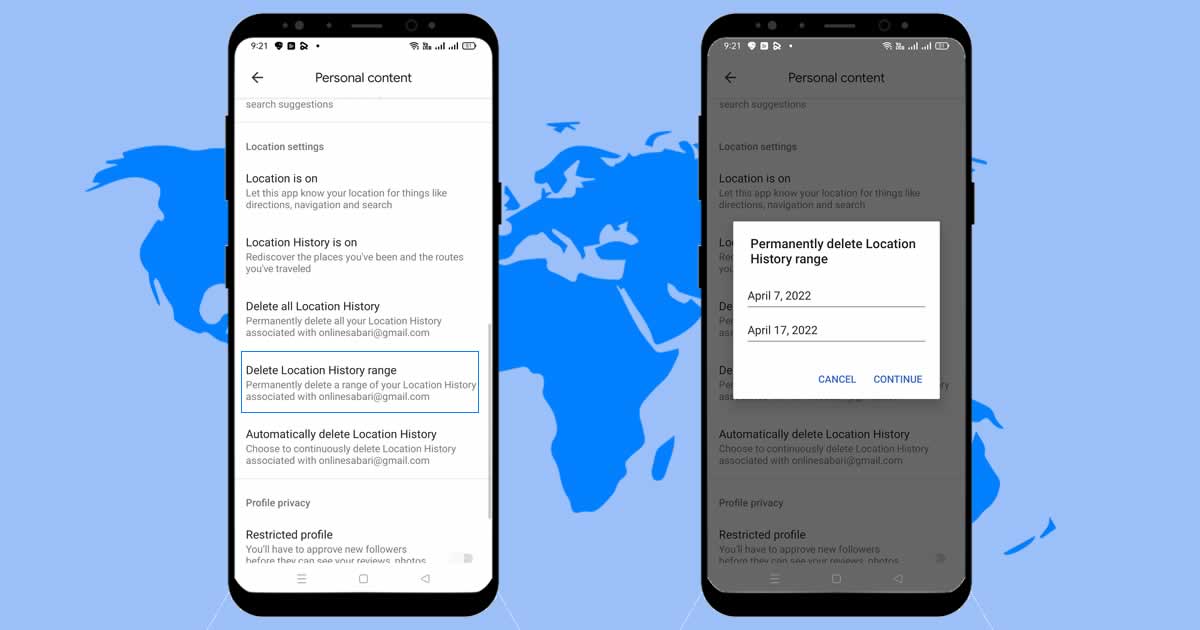
Additionally, Google allows you to delete the location history of a specific time period by choosing the option “Delete Location History range”. Here you have to enter a “Start date” and “End date” to delete location history in that time period.

delete Location History of a specific time period

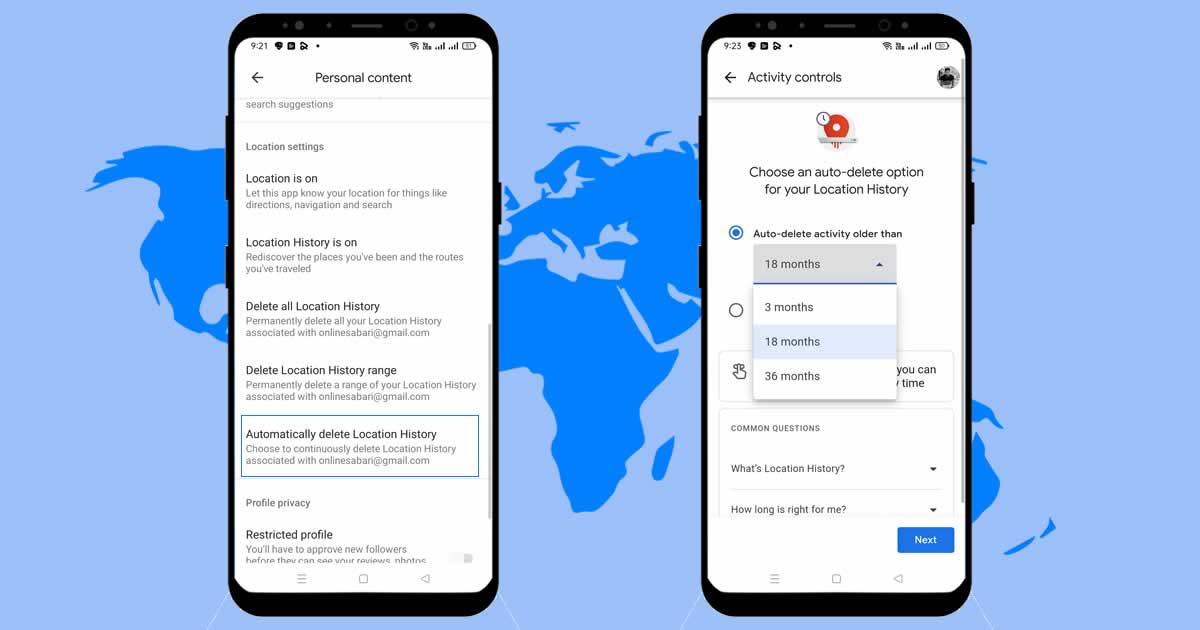
Instead of manually deleting the location history on Google maps, there is also an option to automate the process, where you can auto-delete location history older than 3, 18 and 36 months.

auto delete location history

How To Disable Google Location History Permanently

Of course, there’s no point in deleting your location history on Google Maps if you don’t stop its activity at all — because Google continues to record the places you’re in. You can fix this issue by disabling the location history option in your Google account.

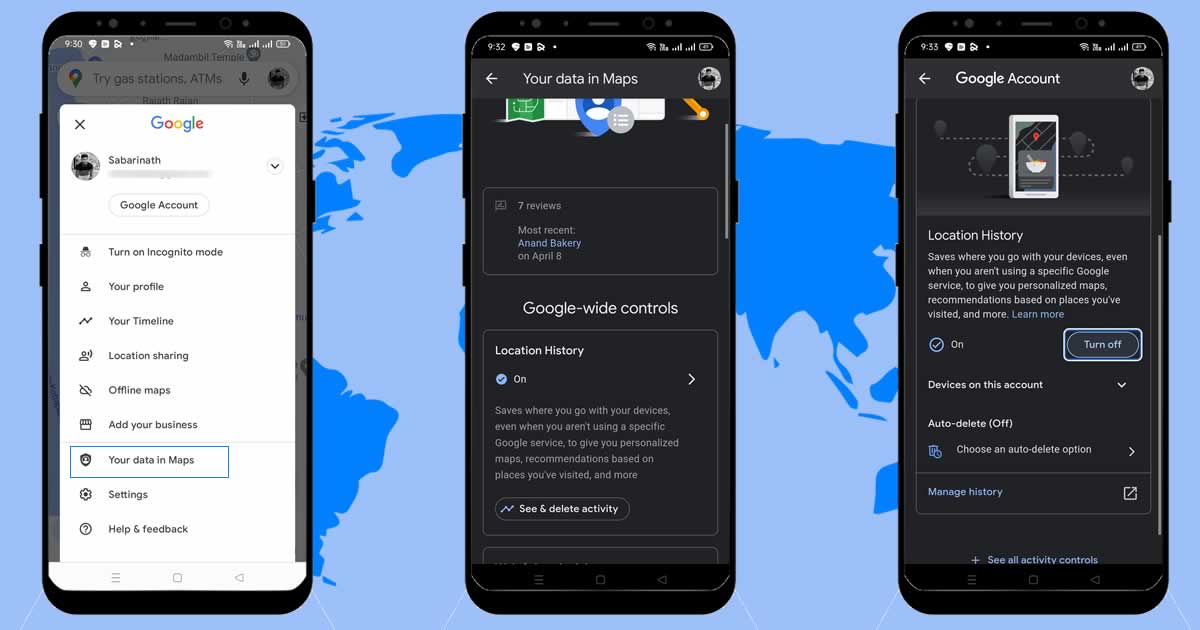
  1. In Google Maps, click on your profile picture.
  2. Click “Your data on Maps” to open location related privacy options in your Google account.
  3. Tap the “Location History” section to open Activity controls.
  4. In Activity controls, select “Turn off” for pausing location history.
Disable Google Location History Permanently

Once you’ve done this, Location History will stop its activity and will no longer record the places you go. This means that some sections of Google Maps, such as the timeline, which summarizes your recent visits and vacations, won’t display personalized information about your recent locations.

Android 12L For Windows 11: Microsoft Brings Android 12.1 To Windows Subsystem For Android

Run Android Apps on Windows 11

Microsoft continues to develop the idea of ​​combining Windows and Android. The company recently announced the release of an update to the Windows Subsystem for Android for Windows 11.

Microsoft is making the new Android version Android 12L (12.1), available to Windows Insider Build 2204.40000.19.0. It is intended to replace the previously used Android 11 in the Windows Subsystem for Android. Testers can try out their apps on Windows 11.

Current Android applications should also work better in the update. In addition to this, Microsoft is improving the settings for the Subsystem for Android.

The update also strengthens the integration of Android into Windows. For example, pop-up messages are first displayed as Windows notifications. The taskbar now shows if an Android app is accessing your microphone or location.

However, Microsoft had previously announced that the version might still be unstable and that crashes could occur. Among other things, the camera continues to run unstably on ARM devices. The same applies to the print function in Android apps. Some apps may also be rendered at a lower resolution.