The new course of Twitter by Elon Musk is under the watchful eye of many, worried that the social network could turn into a den of fake news and hatred. From Trump’s unblocking to the amnesty for suspended accounts in recent years, Musk has shown that he wants to put very few rules on the public discussion on social media.
Elon Musk has said he will make smartphones if Apple and Google remove Twitter from their app stores. Musk responded to Liz Wheeler’s(political commentator and podcast) post with a proposal to think about his smartphone if Twitter is removed from the app stores for iPhone and Android. At the same time, Musk expressed the hope that things would not come to such a development of events.
I certainly hope it does not come to that, but, yes, if there is no other choice, I will make an alternative phone
Musk’s “free speech absolutist” stance may lead Twitter to violate the guidelines of the respective app marketplaces.
This chaotic platform management strategy has led some to wonder whether Apple or Google could kick Twitter out of their respective app marketplaces. There’s no indication that they’ve considered making this move, but that didn’t stop Elon from claiming that he’d make his own phone if there were no other choice.
App store fees charged by Google and Apple are another irritant that Musk says is hindering the growth of companies like Twitter.
Elon Musk acquired Twitter at the end of October for $44 billion. He dismissed the board of directors and personally led the social network. After that, half of the employees were fired from the company, including members of the organization’s management. On November 22, Musk announced that he no longer plans to cut staff and wants to hire more engineers.
One of the biggest ordeals that Twitter has faced since Elon Musk took over the social network was the chaos of those verified, which was a badge with a certain value on Twitter. Elon Musk appears to have found a solution to Twitter Blue’s verification failure after hundreds of users took advantage of the opportunity to receive the famous blue check for $8 per month to mimic celebrities.
Elon Musk has announced the date for the relaunch of Twitter Blue, the company’s premium subscription service. Musk plans to restart the verification process on Twitter next Friday, December 2.
The company will now use various colour marks to distinguish between account types to avoid all the controversy and trouble. People get blue ticks, companies get gold, and governments get grey. Whether the user is the person concerned should be checked manually again in the future. Something that seems difficult to cover but that could solve the problem of the verified in one fell swoop.
Musk has also assured that all verification requests will be personally reviewed by Twitter. As a result, those who wish to receive the social network’s blue badge for $8 per month will almost certainly have to reveal information that allows Twitter to authenticate their identity.
Since Musk took over the firm, many changes happened, thousands of staff have been laid off, and previously suspended accounts have been reinstated. Blueticks were previously reserved for celebrities and public figures until, on November 9, Musk opened the door to anyone willing to pay $8 a month.
The changes were met with mixed reception, with critics raising concerns that they would lead to more fraud. Any users buying this status can create accounts posing as famous people.
Since then, Musk has repeatedly put off relaunching the subscription service. Even if the service goes live next week, it will still be months before it is available worldwide. With a flat $8 monthly subscription fee, Twitter Blue will likely return only to US, Australian and UK users.
After recent massive Facebook data leak now, WhatsApp suffered a security breach — a message from an anonymous seller appeared on the internet about the sale of phone numbers to nearly 500 million WhatsApp users from all over the world.
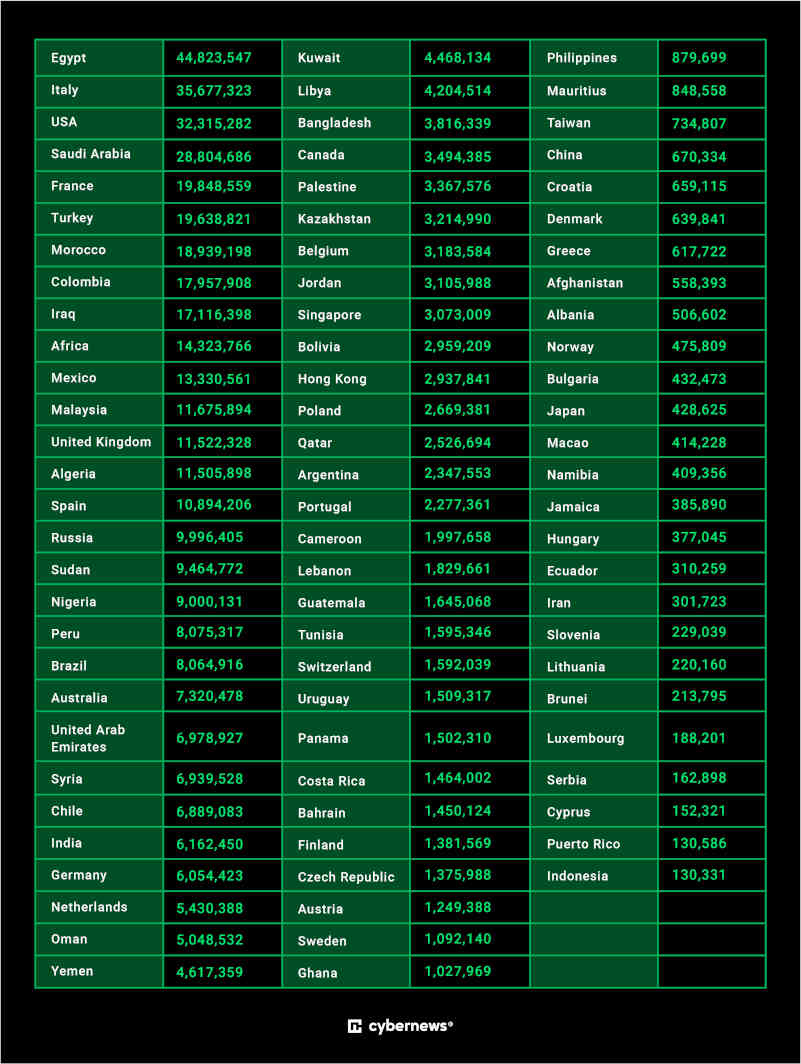
According to Cybernews, on November 16 in a forum of the BreachForums hacking community, one of the participants posted an advertisement for the sale of the 2022 database of 487 million mobile numbers of WhatsApp users.
The data set is said to contain data from WhatsApp users from 84 countries and it is estimated that 32 million numbers would be from the United States.
In the first position is Egypt, with 44,832,547 stolen accounts, followed by Italy (35,677,323), the United States (32,315,282), Saudi Arabia (28,804,686), France (19,848,559) and Turkey (19,638. 821).
On the contrary, the countries least affected by this theft would be Indonesia (130,331), Puerto Rico (130,586), Cyprus (152,231), Serbia (162,898), Luxembourg (188,201) and Brunei (213,795).
The hacker told Cybernews that they were selling the US dataset for $7,000, the UK dataset for $2,500, and the German dataset for $2,000.
As the Cybernews researchers, who have had access to a sample of 1,097 numbers registered in the United Kingdom and 817 numbers in the United States, the phones are real and, indeed, belong to users of the Meta messaging service.
At the time, the method by which these numbers were obtained is unknown, though there is some evidence that suggests that a scraping technique was employed to collect the — casting doubt on the assumption that the WhatsApp servers had been infiltrated.
WhatsApp currently has 2,000 million users worldwide, which means that a large part of users would have their phones compromised. The most important and positive thing about the news is that no private or personal data has been leaked. Although, phone numbers that have been leaked could be used for marketing, phishing, impersonation, and fraud.
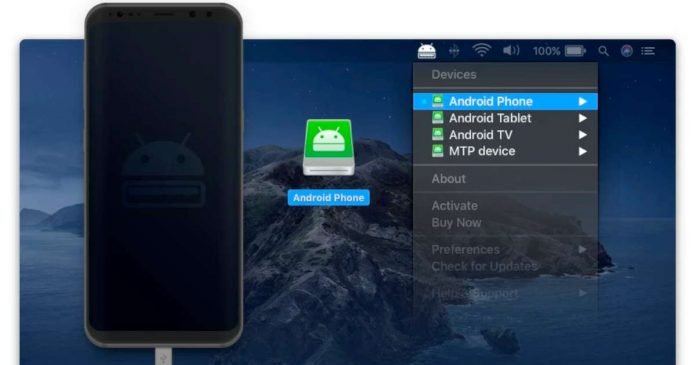
MacDroid is the ultimate Android file manager that is available for macOS. It was created by Electronic Team Inc. and aimed to enable Mac users to transfer files from Android devices. Whether it’s videos, documents, audio files, or any type of extension, with MacDroid, you can transfer files in no time.
Unfortunately, Mac users have no built-in option to enjoy their Android files on their devices, but fortunately enough, with MacDroid, that impediment is gone. The app comes with a 7-day trial for the Pro version, which comes with top-of-the-line features that enhance the ability and facilitate both-way transferring of files. MacDroid is constantly being updated with new features and also improvements that make the app more efficient and faster. It comes with support for the latest Apple Silicon (M2 chips).
MacDroid comes with support for both transfer protocols, MTP (Media Transfer Protocol) and ADB. The second option is the most suitable when it comes to transferring speeds; however, it might not be supported by your device. This is why users might want to stick to MTP if their device is older or if issues occur.
Moreover, a USB cable is needed for the process, as it needs to connect the Android phone to the Mac. This way, users can mount their Android devices as a disk, thus having access to all of their files. Mounted Android phones can be accessed through the Finder application on the Mac, and files can be simply dragged and dropped to begin the transfer process.
If you are someone who prefers to do things on the go, with MacDroid, you have the possibility of editing files directly from your Android’s phone storage. This means that you won’t have to copy the files over your Mac and can simply use them while located on your device. This is a great method to save time and of course, space.
MacDroid also comes with full folder support, which means that you can manage your files and transfer them in a matter of seconds rather than individually selecting each file and copying it over. Whether you choose MTP or ADB, you are going to blast using MacDroid to transfer all of your important information from Android to Mac.
Cybercriminals are currently distributing malicious spyware apps via fake VPN websites. These pages are not affiliated with legitimate, cross-platform VPN software and services. ESET researchers have identified this ongoing campaign targeting Android users and being carried out by an APT (Advanced Persistent Threat) group called Bahamut, a group of Indian Hackers. The journalists named the group after the giant fish from Arabian mythology that swims in the vast sea and is mentioned in the book imaginary creatures by Jorge Luis Borges.
The malicious programme can steal contacts, SMS messages, phone calls, and even chat conversations from major social networking applications such as WhatsApp, Facebook Messenger, Signal, Viber, and Telegram.
However, these applications were never available on Google Play, only on the websites. The ESET researchers have published their analysis on WeLiveSecurity.
The study states that the most common applications are SecureVPN, SoftVPN, and OpenVPN. According to experts, the campaign to distribute malicious VPN applications began in January 2022.
The apps require an activation key before the VPN and spying features can be activated. The link to the websites and the key are probably sent to users in a targeted manner. This approach is intended to prevent the malicious payload from being triggered immediately after launch or during analysis.
When activated, Bahamut spyware can read sensitive device data such as contacts, SMS messages, call logs, a list of installed apps, device location, device accounts, device information (type of internet connection, IMEI, IP, SIM serial number), recorded phone calls, and a list of files on the memory.
By abusing access services, the malware can steal notes from the SafeNotes application. The acquired data is saved in a local database before being sent to the Command and Control (C&C) server.
How do the apps get on the devices?
The Bahamut APT group typically uses spear phishing emails and fake applications as an initial attack vector against businesses and individuals in the Middle East and South Asia. The hackers specialize in cyber espionage.
ESET has identified 8 VPN services containing malware, but none is distributed through Google Play. Experts recommend downloading applications only from official and trusted sources.
So, you’re looking for a prospecting tool to help you find new customers. But what is a B2B tool? What does it do? And why is it important to your business? This article will answer all of those questions and more, so you can make an informed decision about whether or not a prospecting tool is right for you.
A B2B prospecting tool is a software solution that helps you to manage your contacts, get in touch & follow up with potential customers and identify new leads. It helps sales reps to stay on top of their game by allowing them to easily organize all the prospects they meet and follow up with them at the right time.
The tool will also help you get more insight into your prospects by letting you know more about their company, their goals, what they want to achieve and how they want to achieve it. This will help you align your product with their needs and increase your chances at making a sale. The software usually has an API (application programming interface) that allows you to integrate the tool into your existing CRM (customer relationship management) system. It also allows you to customize the emails or LinkedIn messages you send out, so they’re more personalized and relevant.
Usually, a B2B prospecting tool is equipped with a handy analytics dashboard that helps you sort out what works best for you in terms of audiences, texts, etc.(what has the biggest impact and drives in the biggest number of leads).
Generalist vs Specialized
However, when it comes to finding the right prospecting tools, many companies seek the path of least resistance. Surely it’s better to have 1, all-in-one tool to streamline efficiency rather than learn how to use a multitude of tools, right?
Well, yes and no.
While you will save time on the front end in learning how to use your new B2B tool, even the most encompassing tools (we’re looking at you, Sales Navigator) can fall short in necessary areas like:
An inability to export account information into a CSV or XLS file
A lack of data verification
Missed CRM and automation features due to a lack of CRM integration ability
Lack of software comprehension to distinguish outbound and inbound sales rep needs
These drawbacks may not affect your company and sales at all. Maybe you don’t ever verify your information anyway, and to you, I say good luck.
As tempting as it is to have the most encompassing tools possible, do you need the 90 different available options to work through at a skin-deep level? It would be much more beneficial to use a software tool that does exactly what you need at the level and depth you need it to, instead of “making it work” because “that’s what the software can handle”, right?
Enter specialized prospecting tools. These are tools to be added to your current tech repertoire to improve your sales efficiency and ease of access. Below are seven best-in-class examples of specialized tools that can help you and your business in its niche needs:
Leed Feeder
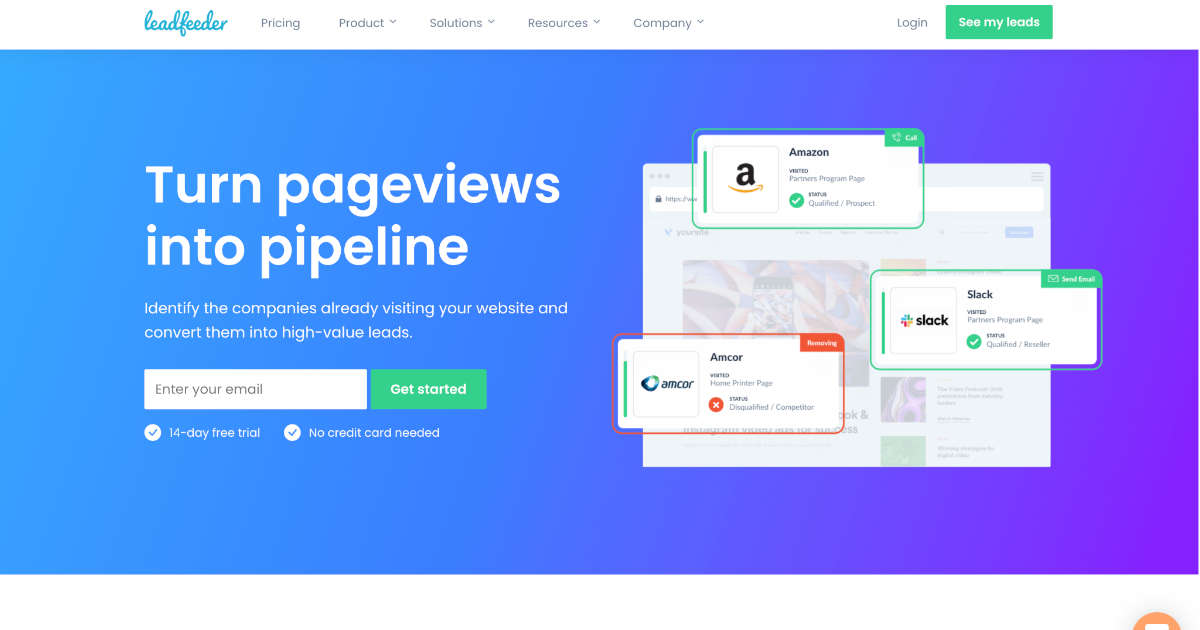
LeadFeeder is a website-tracking prospecting tool showing how potential sales found your business and what products they may be interested in. This insight helps sales reps adapt their pitches to customers at different points in the purchasing process. This tool is key in streamlining the process of finding your potential customers’ email, phone number, and company data. With these collective forces in your corner, your ability to find your customers and deliver a custom process to work with them increases dramatically.
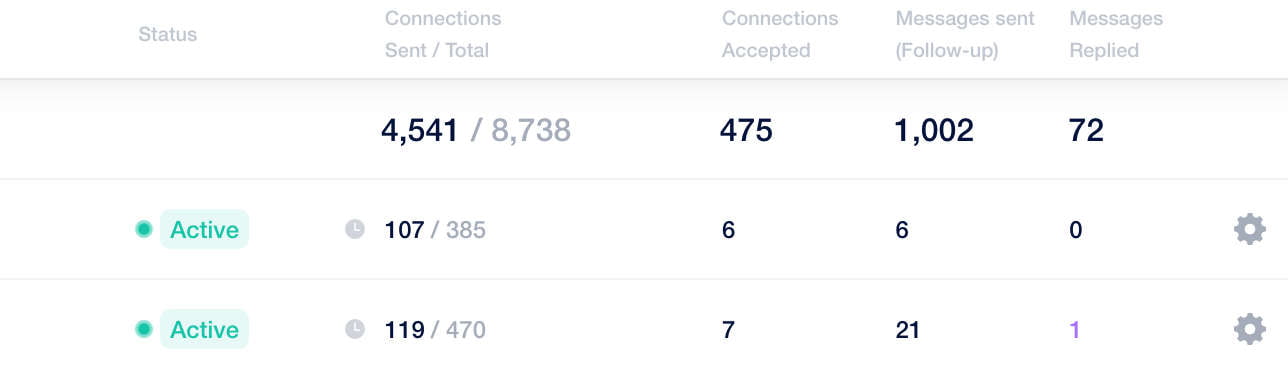
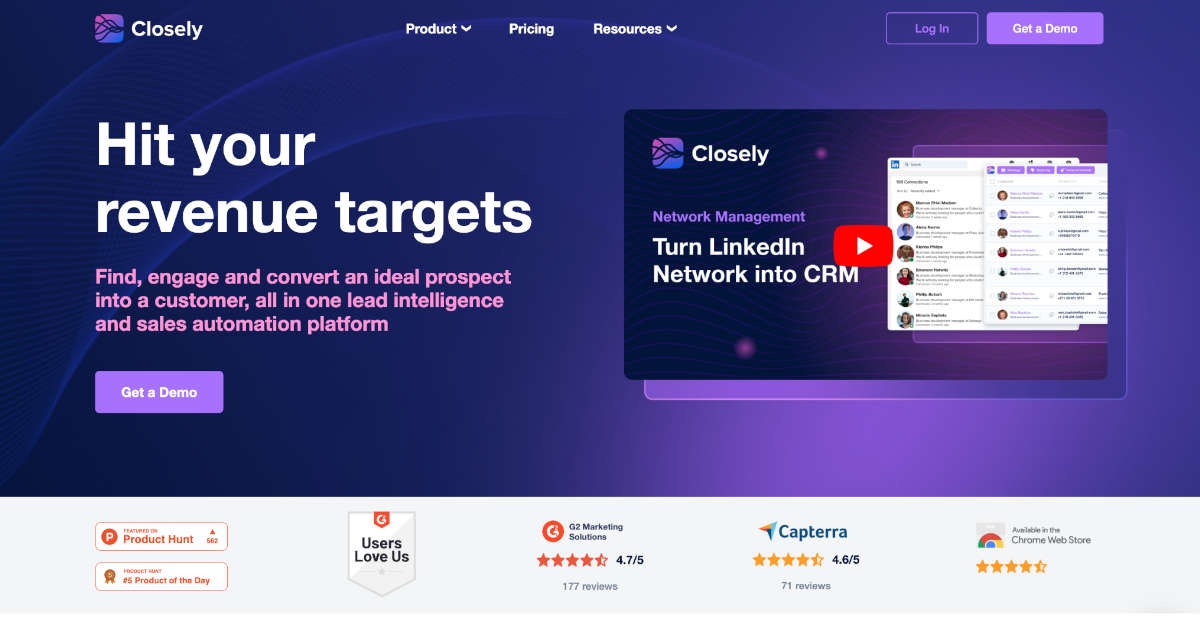
Closely is best for LinkedIn prospecting automation. It offers an advanced functionality to connect with and engage LinkedIn leads completely on autopilot. You just have to upload the audience source (which in many cases will be a LinkedIn link), write a message sequence (a series of messages that are sent to follow-up with your potential customers), and start running your campaign. The tool will grow the network for you. It will report how your campaigns are doing so you can understand where you should tweak your campaigns.
Closely also has a built-in B2B contact database of 143+ million records. Go there to find emails, FB and LI profiles of your prospects, telephone numbers, company insights. Closely’s pricing starts with $50/ month, which includes access to all the main automation features, Lead Finder credits and lots of add-ons: Inbox and Network management, LinkedIn data scraping, etc.
Sales Intel
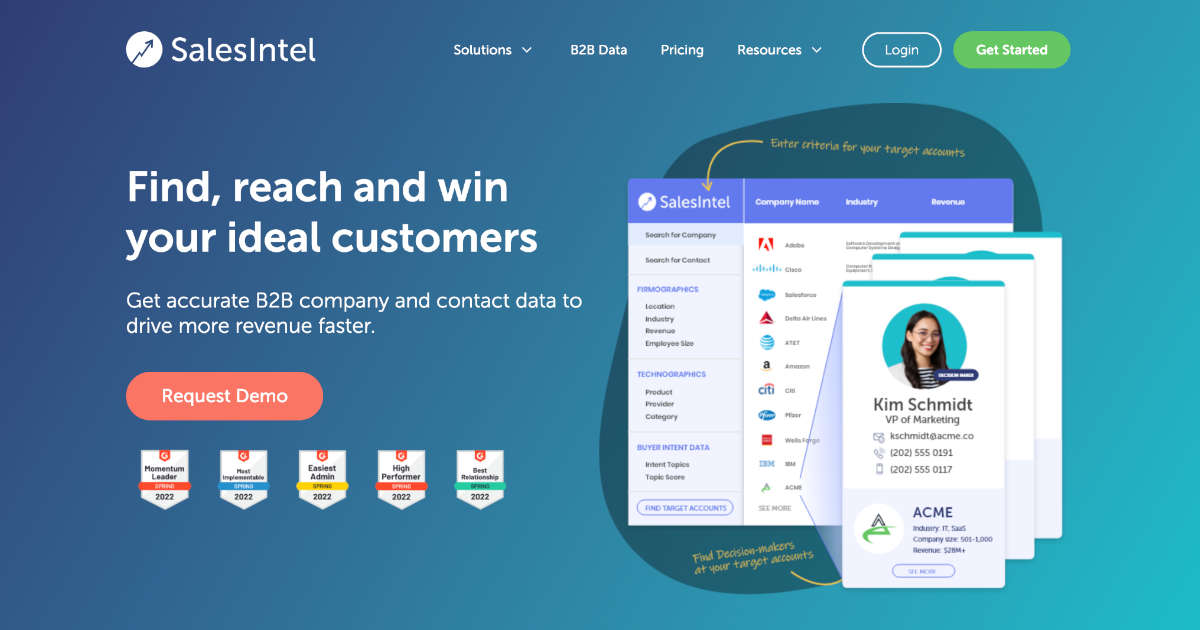
SalesIntel is a B2B prospecting tool centred on the American markets. This tool shines in data verification, testing email addresses and phone numbers for posterity every 90 days to ensure your potential client is still accessible. Additionally, SalesIntel boasts the largest dial numbers in the game and backs that claim up with human-verified calls.
Humanic AI
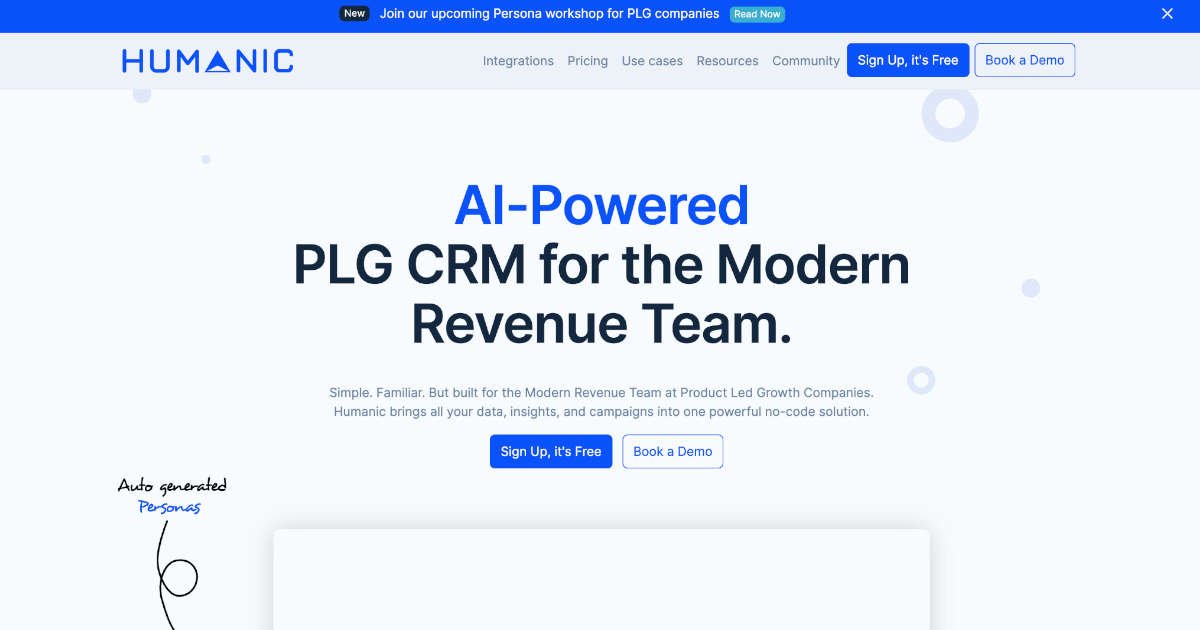
The Humanic AI prospecting tool is designed to help you and your sales team identify and engage with the best prospects for your business. It does this by helping you create a list of people most likely to be interested in your product or service. This list can then be used to send personalized messages based on their specific needs and interests.
The tool helps you create these lists using a series of questions, which are answered by the user, who then receives an email with the results. These results include a list of potential customers along with information about them—information such as their location and job title, as well as what they’re interested in buying. The tool also allows users to manually enter customer details into a database, which makes it easier for third parties who want access to this information (such as advertisers).
Mattermark
Mattermark is a data platform that helps you get your arms around all the information you need to make informed business decisions. At its core, Mattermark provides you with a way to understand how your company stacks up against others in your industry, in real time. You can use their resources to identify new opportunities and companies within your industry, or even find similar business models that may be working well for other companies in your space.
Mattermark provides over 80 advanced data points per company, and including growth signals like a change in company size or an increase in web traffic. Such information can be used to prioritize and source the best clients to pitch.
Outreach
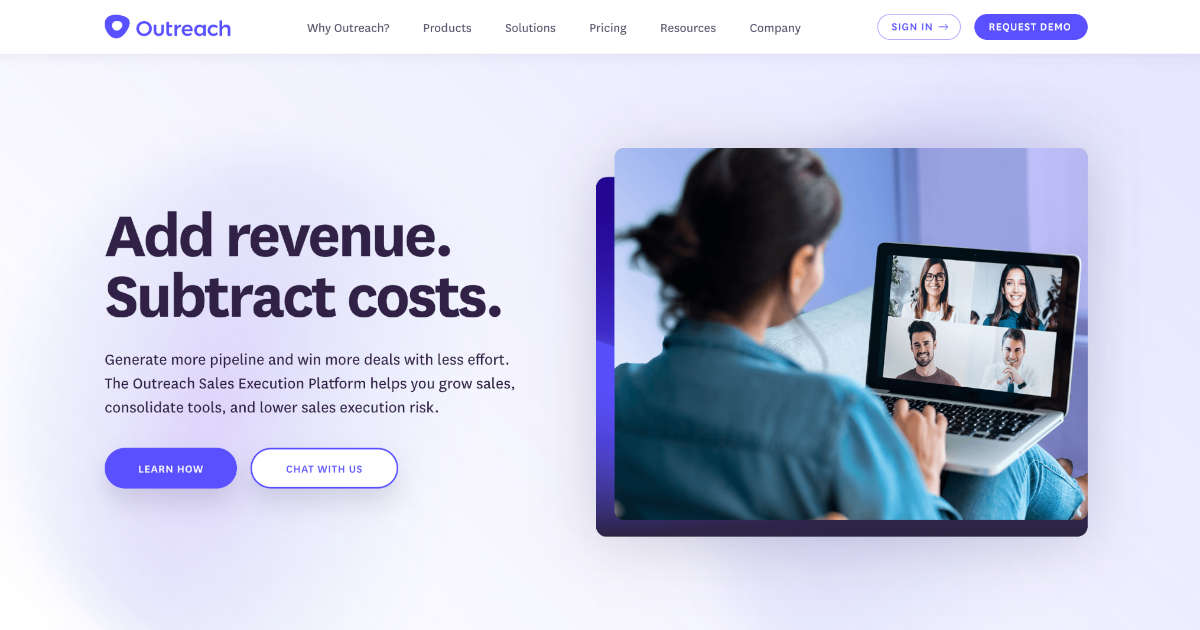
Outreach is designed to close remote deals faster by operating as your personal virtual assistant. This tool transcribes full conversations in real time and then summarizes your meeting so you can move on to the next task without having to synthesize your meetings after another thorough review of your conversation. This summary helps sales teams identify the pan points and therefore ask the right questions.
This tool removes the need for a note raker and an audio recorder, leaving the leg work for focusing on the client, rather than the information the client already knows about.
Demodesk
Demodesk is a tool that allows you to automate your schedule and meetings. It does this by providing an intuitive interface for managing your entire team’s schedule, from one person to an entire department. You can easily create new meetings or schedule changes, as well as modify existing ones. Demodesk also handles non-selling tasks like lead assignment, routing, objection handling, note taking, and recording calls so every meeting is automatically updated in your CRM for you.
Demodesk offers invaluable insights on how much time is spent listening to prospects compared to speaking with them, how many demos are scheduled from a single meeting, and close rates so sales leaders can quickly identify best practices.
Let’s wrap up
Now, what does this all mean? Should we avoid generalist B2B prospecting tools because they’re too broad and shallow? Obviously, this article isn’t meant to bash generalist prospecting tools (there’s a reason Sales Navigator is so successful) but it is meant to shine some light on some of the drawbacks you may face when using them. Adopting a more specialized approach as per your specific business model will yield much better results in the long run. And these specialized approaches can be best achieved using tools designed for such specialization. Happy prospecting!
Creating a PDF or converting a file like a web page or photo from an Android smartphone is a process that requires a third-party app. But what if I say here is a simple and intuitive way you can easily and quickly convert any supported file format to PDF on Android without using any third-party apps.
As I said with this method, you don’t need to install any apps to convert a file — like a web page or photo or .txt — to PDF. Instead, we are using a secret option present in Android — share as “Print” — that a few people know.
How To Print or Convert Any Supported Data On Android To PDF
The best thing about this feature is that it is built into the Android system itself. You can find this functionality on mobile phones from Google, Samsung, OnePlus, realme and more.
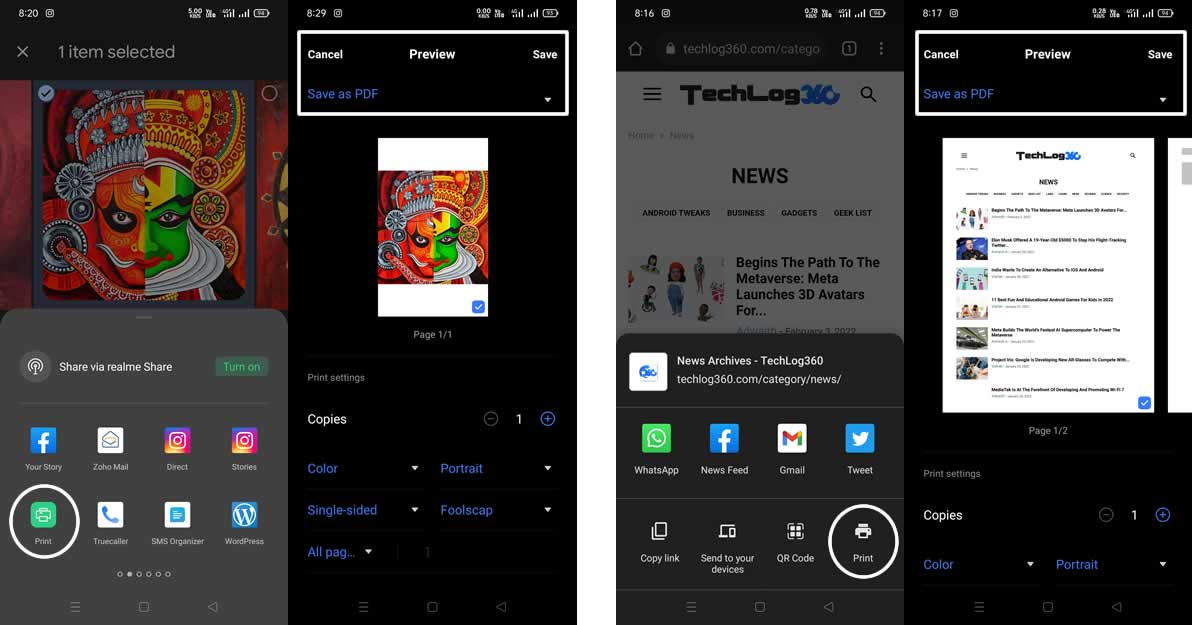
To use it, we simply have to go to the element that we want to share — a text file, a photograph, a web page or whatever. And in the share menu, choose the option “Print”.
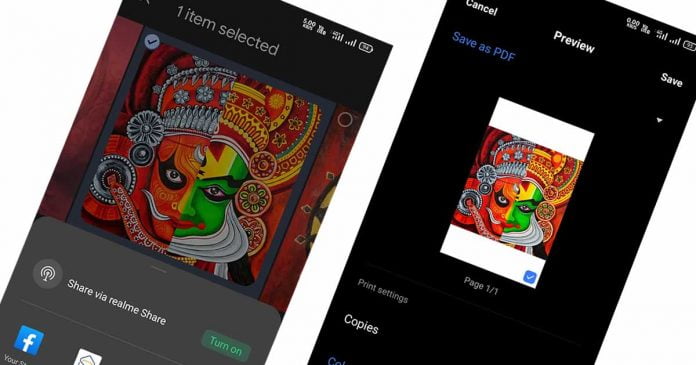
As the name suggests, this feature allows you to use Wi-Fi printing, but that is not what we will do. When we click on the printer icon, we will be allowed to choose the type of sheet, orientation, number of copies and more. Here we tap on the upper left corner and choose the option “Save as PDF” and then choose “Save” to be able to save that document as a PDF and with this tool share your PDF to anyone.
This enables the option to send any file that we could print to This functionality enables the option to send any file that we could print to a PDF conversion system. What we get is that, a PDF that we can send comfortably and, above all, universally.
Of course, this option won’t appear when sharing items that can’t be converted to a PDF, such as a video.
Cybersecurity experts at Project Zero, a division of Google, reported five dangerous vulnerabilities in popular smartphone models discovered in the summer but remain unpatched. All vulnerabilities are in the integrated graphics core Mali created by ARM.
The Google Project Zero team working in the field of information security reported the problem to ARM as early as this summer, but the vulnerabilities remain relevant. ARM has long released patches that fix problems, but not all smartphone manufacturers have implemented them in their update packages.
Issues are tracked under the identifiers CVE-2022-33917 and CVE-2022-36449 (a collective ID for several bugs at once).
Vulnerability CVE-2022-33917 allows an unprivileged user to perform incorrect processing operations to gain access to free memory sections. The vulnerability affects ARM Mali GPU core drivers from Valhall r29p0 to r38p0.
The second bug, CVE-2022-36449, is related to several issues that allow an unprivileged user to access freed memory, write out of buffer limits, and disclose memory mapping information. The vulnerability affects ARM Mali GPU kernel drivers from Midgard r4p0 to r32p0; Bifrost r0p0 to r38p0 and r39p0 to r38p1; Valhall from r19p0 to r38p0 and r39p0 to r38p1.
Valhall drivers are used in Mali G710, G610 and G510 chips installed on Google Pixel 7, Asus ROG Phone 6, Redmi Note 11 and 12, Honor 70 Pro, RealMe GT, Xiaomi 12 Pro, Oppo Find X5 Pro and Reno 8 Pro, Motorola Edge and OnePlus 10R.
Bifrost drivers are used in older (2018) Mali G76, G72 and G52 chips used by devices such as Samsung Galaxy S10, S9, A51 and A71, Redmi Note 10, Huawei P30 and P40 Pro, Honor View 20, Motorola Moto G60S and Realme 7.
In turn, Midgard drivers are used in even older (2016 release) Mali T800 and T700 series chips, which can be found on board the Samsung Galaxy S7 and Note 7, Sony Xperia X XA1, Huawei Mate 8, Nokia 3.1, LG X and Redmi Note 4.
Unfortunately, users will be unable to defend themselves against these vulnerabilities until the vendor issues the necessary updates. The worst part is that the older smartphones that use Midgard drivers are unlikely to receive any updates.
Exploiting these vulnerabilities could allow an attacker to access a victim’s device fully, despite Android restrictions. The Project Zero team disclosed these vulnerabilities three months after they were patched by ARM. When exactly smartphone manufacturers release fixes for these vulnerabilities is still unknown.