Entrusting your phone to a repairer is often stressful. After a successful pilot program in South Korea and initial launch in China, Samsung has launched the Maintenance Mode — a privacy protection feature for some of its Galaxy devices.
Maintenance Mode helps alleviate the user’s worry about handing their smartphone to someone for repair by allowing users to restrict access to sensitive information such as images, messages, or contacts. Samsung said in a statement. “Our whole lives are on our phones, from credit card information to family photos. With Maintenance Mode, we are giving extra reassurance that Galaxy users can keep their privacy, even if they hand their phone to someone“.
In detail, Maintenance Mode is a way to create a separate user account called “guest” when the user hands over his device to be repaired. The repairer can then operate the basic functions without being able to access private information.
To do so, navigate to Settings > Battery and device care > Maintenance Mode > Turn on, then restart your smartphone. As soon as it restarts, users’ personal information, including photos, documents, and messages, will be restricted.
Once the Maintenance Mode is activated, the person to whom the device was entrusted will also not be able to recover the applications installed before. Data or accounts generated while using Maintenance Mode are automatically deleted as soon as the owner exits this mode.
Consequently, the repairer can download applications from the Galaxy Store, but these apps will be automatically deleted along with the data or accounts created as soon as the owner exits Maintenance Mode. The user can use a password or fingerprint to activate or exit it.
To date, Galaxy devices are protected by Knox, the firm’s military-grade security platform, which claims that any potential threat can be discovered and neutralized more quickly. Built-in hardware and software security protect everything on the device. Users also have access to features such as the security & privacy dashboard and permissions manager, so users can easily determine what happens to their data.
General availability by 2023
The Maintenance Mode feature was first tested on the Galaxy S21 series in Korea in July and then launched in China in September. It is to be rolled out gradually to models running Android 13 and One UI 5 — the stable version of its Android 13-based One UI 5 or later, including Galaxy S21 and S22 series. Timing of availability may vary by market and model.
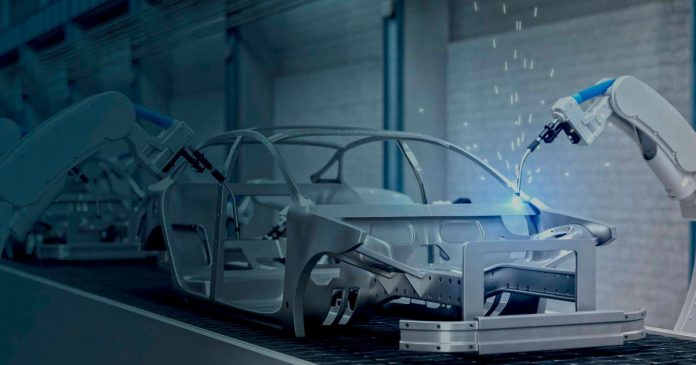
Cloud technologies do not cease to cover new business areas, conquering markets and strengthening positions in various fields. It is difficult to find an industry that is not friendly to the cloud approach. Let’s take, for example, automotive manufacturing: in this field, the cloud solves a tremendous number of different tasks.
Major Benefits of Smart Cloud Solutions for Auto Manufacturers
Smart cloud computing is the future of any production. For this reason, large IT companies actively invest in and develop innovative products for businesses, including automakers. For example, SAP provides Digital Manufacturing Cloud solutions, which ensure manufacturing performance optimization, while Oracle introduced Oracle Cloud Infrastructure, which also helps manufacturers work in the cloud.
What value can these and other cloud solutions bring to the automotive company? Let’s look at the major benefits.
Smart IoT factory
The factory is now becoming more and more like an IoT and AI-driven universe, where manual tasks have been replaced by machines that are all connected. Each connected device generates a large amount of data that needs to be collected and processed in time.
Intelligent Cloud helps extract the needed data and provides valuable insights, allowing you to foresee malfunctions, adjust production plans, and prevent expensive downtimes.
East data integration and management
Cloud computing helps not only to receive and process data but also allows you to carry out all the necessary manipulations with data. Want to download data in any format from other third-party systems? Do you want to perform complex tasks based on big data? Want to have your data under reliable protection? Cloud solutions are already able to satisfy all your data-related needs.
The best environment for complex computing
When developing a new product, especially one as complex as a vehicle, it is essential to thoroughly do all the important calculations. A large amount of storage with high bandwidth and scalability, a variety of tools for large computing with ultra-low latency 一 smart clouds are ready to provide an environment for complex computing, which will help increase the speed and efficiency of all car manufacturing processes, from product design to car production.
Lower IT costs
Some people claim that cloud solutions are expensive. But the thing is that the opportunities that the smart cloud provides outweigh any investments in it in the long run. Cloud services can reduce IT resource costs while increasing performance.
Automobile Manufacturing Cloud: Use Cases
Popular automobile manufacturing companies have long been enjoying the cloud or are planning to implement the technology in the near future.
Tata Motors
Thus, Tata Motors, India’s largest automaker, which bought Jaguar and Land Rover from Ford, uses the cloud as its technological basis.
The cloud helps the company cope with the lack of resources (this is an issue the automaker has faced for a long time). Representatives of the company claim that thanks to cloud technologies, it became possible to experiment and develop new plans and not worry about the lack of resources. In addition, the cloud reduces the cost of implementing new projects.
BMW
BMW was one of the first companies that turned to cloud computing. It created a secure, centralized Cloud Data Hub on AWS that collects anonymous data from vehicles and other sources across the company. Internal teams access the hub and use the data to create new driver experiences, such as driving assistance and collision avoidance technologies.
In a Nutshell
Cloud drives digital transformation across the automotive industry, helping to solve its current challenges by accelerating new product launches, automating manufacturing processes, collecting data and analyzing it.
Adopt the cloud to improve your enterprise’s competitiveness, reduce costs, and empower your customers. However, turn to a trusted technology partner to get the best return on investment.
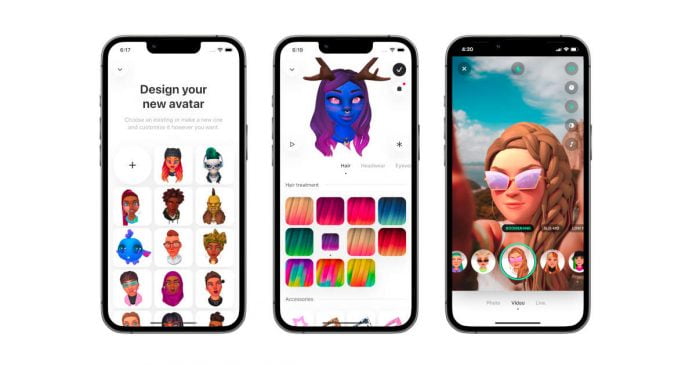
Google has acquired Alter, an AI-powered avatar startup, for $100 million. Alter is a Twitter-funded startup that develops avatars using artificial intelligence.
According to TechCrunch, the deal was already completed two months ago. However, the two companies did not expand on the issue. Several Alter executives have updated their LinkedIn profiles to announce they are joining Google but did not confirm the acquisition.
The purpose of the deal is believed to be a push on Google’s part to improve and expand content offerings to better compete with TikTok. Google representative confirmed to TechCrunch the existence of the deal, however, without going into details of its cost and conditions.
Alter, headquartered in the US and the Czech Republic, launched as Facemoji, a platform that offers plug-and-play technology to help game and app developers add avatar systems to their games. It could also be incorporated into the metaverse. Seed funding of $3 million has been provided by investors such as Play Ventures, Roosh Ventures, and Twitter.
The thing about Alter as an avatar startup is that it has persevered when most others have given up. Alter, while still Facemoji, managed to interest big players such as Apple or Mark Zuckerberg himself. Roblox works with Alter regularly to purchase character accessories.
The Alter SDK was published on GitHub, but new API key generation was stopped, new partner sign-ups were stopped, and existing partners could no longer access it by the end of August 2022.
When it comes to powering digital signage projects, there are many different options. But if you’re looking for a platform that offers key benefits and advantages, Android devices should be at the top of your list.
Android TVs, Android-based set-top boxes, and media players are ideal devices for digital signage projects. They offer several key benefits to make your project run more smoothly and efficiently. Here are just a few of the advantages of using Android devices:
They’re affordable: One of the biggest advantages of Android devices is that they’re extremely affordable. You can find Android TVs, set-top boxes, and media players for a fraction of the cost of other platforms.
They’re customizable: Another great thing about Android devices is that they’re highly customizable. You can customize them to meet your specific needs and requirements.
They’re scalable: Android devices are also scalable, which means they can grow with your project as it evolves and expands.
They’re easy to use: Android devices are also extremely easy to use, which makes them ideal for any project.
They offer a wide range of features: Android devices provide a wide range of features, which allows you to create powerful and effective digital signage projects.
They’re future-proof: Finally, Android devices are future-proof, which means they can handle the latest and greatest features and technologies.
Android TVs
The speed with which you can implement digital signage is one of its many advantages. Android is one of our preferred platforms for digital signs owing to its adaptability and low hardware costs. The solution to your dilemma of which device to use for digital signage may have been staring you in the face the entire time: Android TV. They are part of the digital signage hardware that can take your project to the next level.
A few key benefits to using Android TVs for digital signage projects exist. For starters, Android TVs are powered by the Android operating system, which is known for its flexibility and customizability. It means you can configure your Android TV to meet the specific needs of your digital signage project. You can also choose from a wide range of devices in size and capabilities.
Another key benefit of using Android TVs for digital signage is their built-in Chromecast functionality. It allows you to cast content directly from your phone or laptop to the TV, which makes it easy to get your content up and to run quickly.
Android TVs are also affordable and provide great value for your money. So if you’re looking for an affordable option that offers a lot of flexibility, an Android TV is a great choice.
Android-Based Set-Top Boxes
You can’t go wrong with Android-based set-top boxes when it comes to powering your digital signage project. These devices are affordable, easy to use, and provide many features perfect for digital signage applications.
Android-based set-top boxes are compact and lightweight, making them easy to install and transport. They’re also powered by the Android operating system, which means you have access to millions of apps and games that you can use to create engaging content for your displays.
Furthermore, Android-based set-top boxes come with various ports and connectors that allow you to connect multiple devices, including cameras, microphones and printers. It will enable you to create a custom solution that meets your needs.
Android Media Players
Choosing a signage system, displays, and media player is a good start when implementing digital signage. The biggest problem, however, is that digital signage technology is developing fast, making it difficult to choose the most suitable hardware. Luckily, with the right media players, such as the Look HD-2218 PRO, Nvidia Shield TV Pro, Google Chromecast, and an Amazon Fire TV Stick, you can expect affordable, easy-to-use and flexible options. These Android media players are a great option for digital signage projects.
You may wonder if Android devices are good enough to power digital signage projects. After all, they’re designed for mobile use, not as a reliable and long-term platform for digital signage. But the truth is that Android devices have several key benefits that make them perfect for this purpose. They offer a wide range of features and functionality, which makes them a great choice for digital signage projects of any size and scope. With the right Android device, you can create an impressive and eye-catching display that will capture your audience’s attention.
After many twists and turns, Elon Musk has officially completed his acquisition of Twitter, which began in April 2022 with Musk’s entry as a major shareholder in Twitter. The first thing he did when he appeared after the acquisition with the washbasin was “cleaning”.
Earlier this fall, Musk began working on a Twitter acquisition that had been hanging in the air for months. However, in July, Tesla’s CEO terminated the agreement, accusing Twitter’s leadership of breaching the purchase agreement by misrepresenting the number of spam and fake bot accounts.
And yesterday, the deal closed to acquire the social media platform. He will pay $46.5 billion in equity and debt financing and cover the purchase price and closing costs. Musk tweeted in the morning — “The bird is freed“.
However, the transfer of power was not a smooth one. According to The New York Times, Musk is said to have fired several high-ranking executives in a first official act, including the previous Twitter CEO Parag Agrawal. In addition, CFO Ned Segalm and the two lawyers Vijaya Gadde and Sean Edgett are said to have been fired. It is unclear what role Musk himself will play. On Twitter he calls himself “Chief Twit.”
Musk has argued that Twitter may need to cut staff significantly, if not as much as the previously reported 75%, to keep operating costs down. He also said he bought Twitter because he hopes to transform it into an “anything goes app” called “X,” but it’s unclear what that is.
Buying Twitter is an accelerant to creating X, the everything app
He told investors that by 2028, Twitter will have annual revenue of $26.4 billion and more than 930 million users. By the way, in 2021, Twitter had annual revenue of just over $5 billion and about 200 million users.
It will be interesting to see how he changes Twitter in the future, and he will probably continue to provide us with plenty of topics to talk about.
Moving your WhatsApp data from Android to iPhone will be difficult because Android utilizes Google Drive for backup while iPhone uses iCloud. Thus, the question of how to restore a WhatsApp backup from Google Drive to an iPhone arises. Because Android users utilize Google Drive and Android and iOS are two different operating systems, it is challenging for most iPhone users to restore WhatsApp backups from Google Drive to iPhone.
However, if you’re moving your WhatsApp chat history from an Android device to a new iPhone, this approach will provide you with better information. These methods won’t require any technical expertise to complete the operation. We will also provide additional useful tools like iCareFone Transfer that can help you more finely.
Can I Restore WhatsApp from Google Drive to iPhone for Free
Yes, there are ways you can restore WhatsApp to your iPhone for free. These methods usually start with moving the backup file from Google Drive to Android, then moving on to the iPhone. It’s worth noting that Google Drive is incompatible with the iOS operating system; it is not feasible to directly restore data from Google Drive to an iPhone. However, it’s possible.
How to Restore WhatsApp from Google Drive to Android
It’s pretty easy to restore WhatsApp from Google Drive to Android. The only requirement for this method is to use the same phone number and Google account you used to save your WhatsApp data while using your Android phone. You can do this easily by following the easy steps shared below.
You must first remove WhatsApp from your phone before reinstalling it.
Continue with the installation process as it appears on the screen. Confirm that the WhatsApp number is accurate.
You will be redirected to Google Drive to retrieve your WhatsApp conversations and media items. To start the WhatsApp restoration procedure on your Android phone, click “Restore.”
How to Transfer WhatsApp Chats from Android to iPhone via Email
It is evident that you cannot simply transfer WhatsApp chats from an Android device to an iPhone by taking a backup of it. However, there’s another Free WhatsApp transfer method from Android to iPhone. You can email selected chats from WhatsApp to any contact. In this method, you can keep a backup of some chosen chats by emailing them to yourself.
How to Restore WhatsApp Backup from Google Drive to iPhone via iCareFone Transfer
Tenorshare offers a complete solution to many issues arising with Android and iPhone. They provide an easy solution to restore WhatsApp Backup from Google Drive to iPhone using the iCareFone Transfer tool. The tool allows you to pick what you want to transfer, such as WhatsApp videos, photos, files, audio, WhatsApp stickers, voice messages, etc. This will help you save storage space for your new iPhone. Moreover, it is safe and secure to use iCareFone Transfer and there is no risk of data loss after restoration.
Key Features of Tenorshare iCareFone Transfer
iCareFone Transfer easily transfers WhatsApp or WhatsApp Business between Android and iOS without erasing data.
Download and restore WhatsApp backup from Google Drive to iPhone.
Transfer GBWhatsApp to WhatsApp from Android to Android, or Android to iPhone.
One-click backup or restore WhatsApp/WhatsApp Business.
Steps to Restore WhatsApp Backup from Google Drive to iPhone
Let’s dive into the process of restoring WhatsApp Backup from Google Drive to iPhone using iCareFone Transfer.
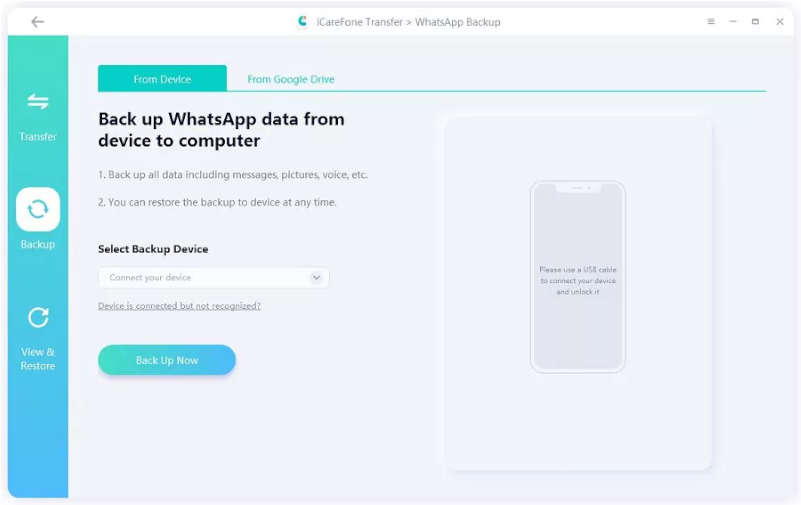
Step 1: Download and install iCareFone Transfer on your computer. Launch the software.
Step 2: From the home screen, select “WhatsApp,” next to “Backup” in the left pane. Click “Download WhatsApp backup from Google Drive to the computer” at the bottom of the window.
Step 3: Now login to your Google Drive account using the password.
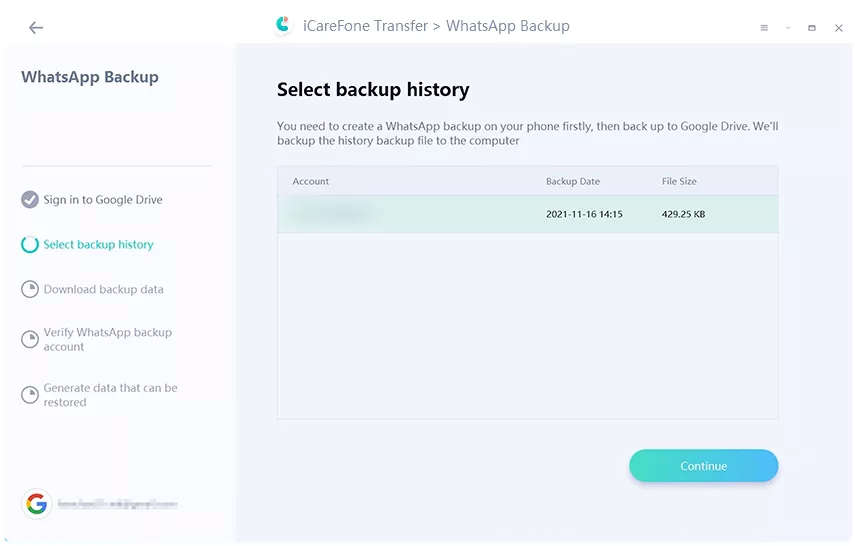
Step 4: Now, select the WhatsApp backup you want to restore. iCareFone Transfer will make it ready to download.
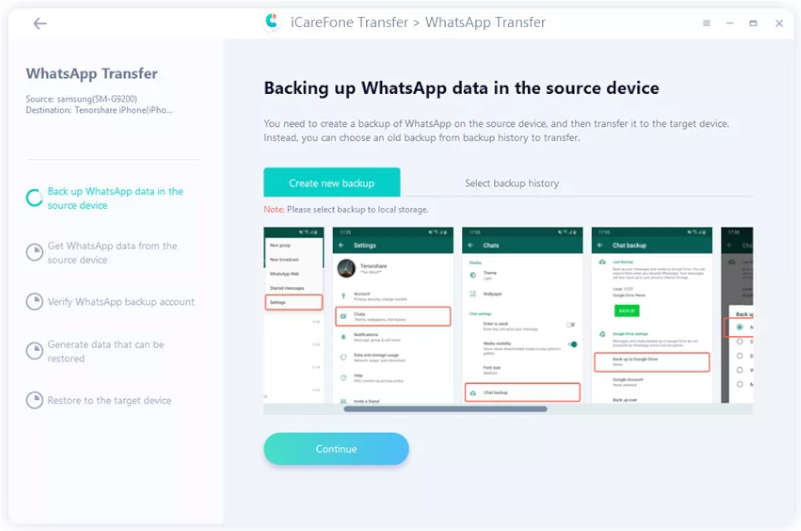
Step 5: The program will remind you to verify your WhatsApp account on the source phone as soon as you download the WhatsApp backup. Now, backup data for WhatsApp will be prepared.
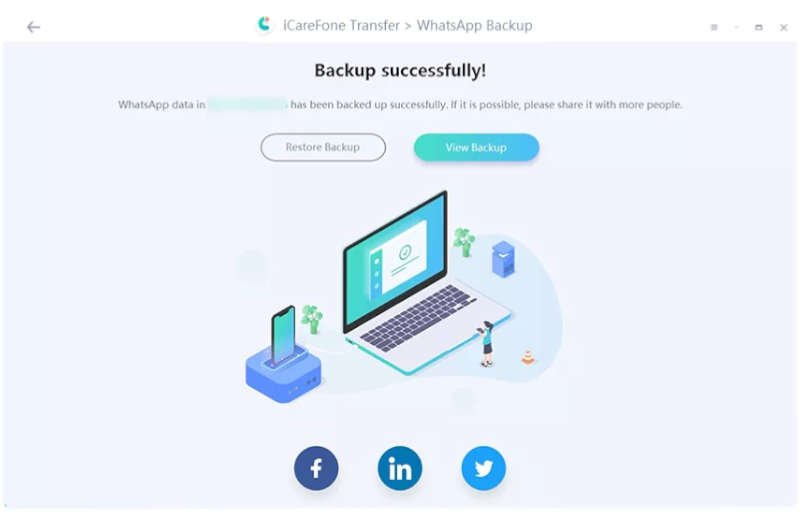
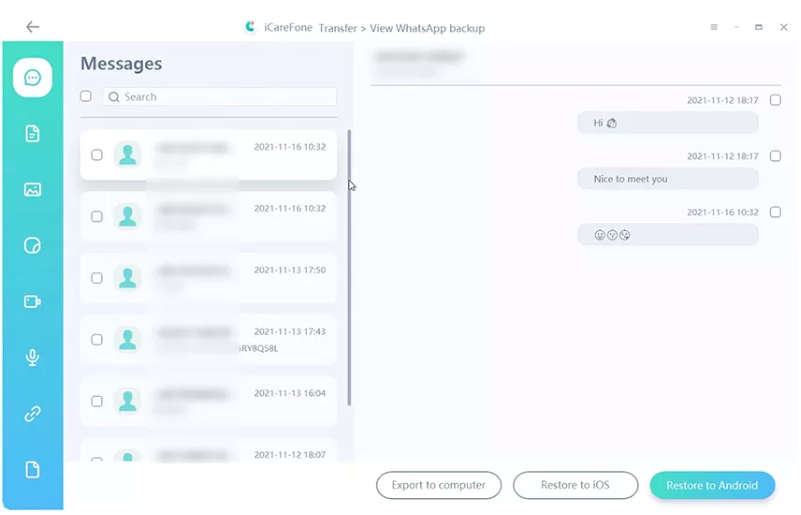
Step 6: You can then choose to restore the data from your through WhatsApp backup to your iOS device.
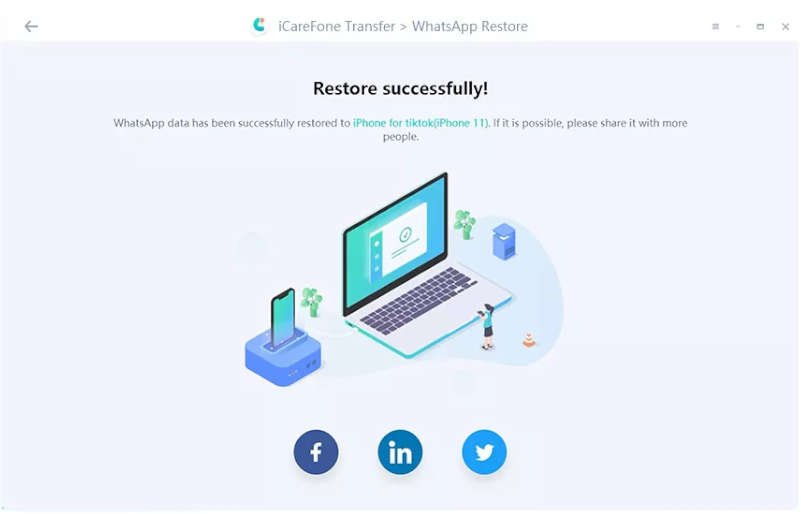
Step 7: The WhatsApp backup data will soon be successfully restored.
Final Words
Hopefully, this guide provided you with enough information about restoring your WhatsApp data from Google Drive to your iPhone. The methods shared in this guide discuss one of the best WhatsApp data transfer tools, like iCareFone Transfer. You can give it a try when you need to back up, restore, and transfer WhatsApp messages.
People Also Ask
1. Can I move WhatsApp backup from Google Drive to iCloud?
It’s crucial to store WhatsApp data, especially if you receive business through it. WhatsApp typically keeps backups in Google Drive. So, on your Android device, you can restore your data using the same Google Drive account. There’s no straightforward way to simply move your WhatsApp Backup from Google Drive to iCloud.
2. How to restore WhatsApp from Google Drive to iPhone 13/ iPhone 12?
The methods listed above will definitely get you out of difficulties if you’re trying to figure out how to restore a WhatsApp backup from Google Drive to an iPhone. You can effortlessly restore WhatsApp from Google Drive to iPhone 13/ iPhone 12 with the iCareFone Transfer software.
3. How to restore WhatsApp backup from Google drive to iPhone without pc?
There are several ways to restore WhatsApp backup from Google drive to an iPhone with a PC. But without a PC, it’s hard to do so. Here is a way you can try it. You can restore WhatsApp data from Google Drive to an Android device, select WhatsApp chat logs from Android, and send them to your iPhone by email. In this way, you only access WhatsApp messages stored as logs in your email inbox.
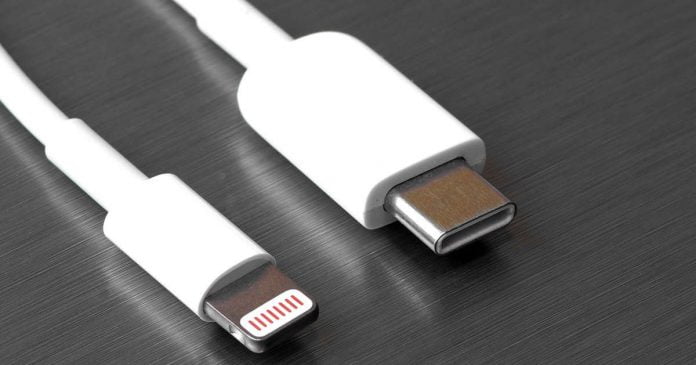
After the European Union made the USB-C connection mandatory in 2024, Apple had to give in — iPhones will no longer have a Lightning port in the future.
To comply with the new rule of the EU, the new electronic products marketed in the EU, such as smartphones and other gadgets, must feature a USB-C charging connector by the fall of 2024.
Many devices that fall under the new regulation already use USB-C. Apple is one of the few companies still using its proprietary Lightning port for iPhones and headphones.
The mandate will undoubtedly affect Apple the most when the EU decides to make USB-C the universal charging standard for the region. The company already has a USB-C port on its iPad Pro, but its biggest money-maker, the iPhone, still sticks to the Lightning connector.
At a Wall Street Journal event in Laguna Beach, California, Apple’s marketing chief Greg Joswiak confirmed that upcoming iPhones would have a USB-C port. As reported by Bloomberg and Techcrunch, Joswiak said that Apple would comply with the legislation passed by the European Union.
Apple has argued for years that a unified connector would slow down innovation. The EU, on the other hand, wants to reduce electronic waste with a uniform cable. According to Joswiak, however, Apple’s current solution with different adapters is better — the adapter cables for Lightning have either a USB-C or USB-A connector on the other end so that users can choose which is best for them. This makes it unclear why a USB-C port on the device would change this argument.
The EU estimates that consumers in the region spend more than $2.5 billion on single chargers each year, and discarded chargers alone generate 11,000 tons of e-waste. To reduce environmental and economic impact, the EU now mandates that all electronic devices have a USB-C port, allowing one charger for all electronic devices.
After months of silence, Apple seems to have put the matter under control and is now complying with the mandate, but Joswiak has left it open whether the switch to USB-C will take place in the upcoming models in 2023 or not until 2024.
Speaking at the Wall Street Journal conference in California, Joswiak recalled the previous confrontation with Apple when the EU tried to adopt MicroUSB as a common port. “If Apple had agreed at the time, they wouldn’t have invented the Lightning port or USB-C, which the EU now wants all their devices to have,” he said.
Following the EU’s move, US senators have also started pushing for the unification of charger ports across devices, and countries such as India and Brazil are considering similar moves.
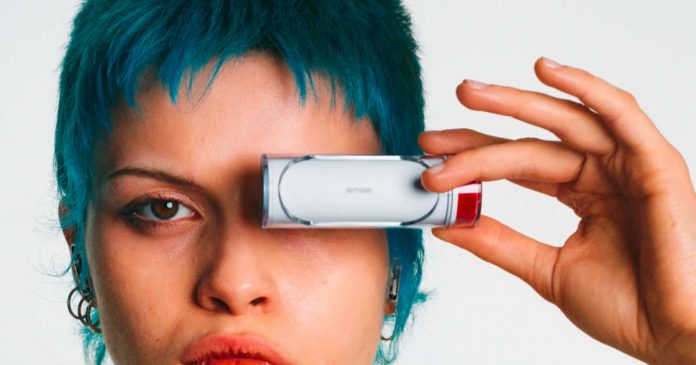
Nothing has officially presented the Ear (stick) — the third product of Carl Pei’s company and they are the earphones that join the first Ear (1) launched by the startup a few years ago. The Nothing Ear (stick) has been designed with two things in mind — sound quality and aesthetics.
These earphones are called to be one of the most recognizable for their charging box. The aesthetic line of the company is maintained with white, red and transparent elements, with some metallic touch.
Main Specifications of Nothing Ear (stick)
The size of the main body is 29.88 x 18.8 x 18.4 mm, and the weight is 4.4 g on one side.
Maximum playback time is 7 hours, and talk time is 3 hours. Up to 29 hours of playback is possible when using a case, and up to 12 hours of talk time. Nine hours of music playback is possible with 10 minutes of charging.
IP54 waterproof and dustproof.
Nothing Ear (stick) weighs 4.4g, making it very lightweight and comfortable to wear all day. The low range that tends to be lost compared to the in-ear type is corrected by software by making it a half-in-ear design. It emits a sound when worn, detects how much bass is being lost, and automatically adjusts for optimal sound quality.
It uses 12.6mm drivers designed in-house. High-quality magnets are used inside. The diaphragm is designed with an emphasis on sound quality. The driver also includes a unique coating that improves sound and prevents distortion, extending the unit’s life.
The hardware has also been improved based on feedback from Nothing Ear (1). In the previous model, the bluetooth antenna was at the bottom and inside the main unit, making it disconnected sometimes. Therefore, in the Ear (stick), Nothing increased the communication sensitivity by placing the antenna slightly above the outer part.
In addition, the battery life was improved from Ear (1) to 7 hours with the earphone alone and 29 hours with the case. The charging case is a stick-shaped design inspired by the design of cosmetics. It has a compact design that can be held in one hand. The opening and closing of the case is a sliding type, and it is devised so that the earphone can be taken out and put on while holding the case with one hand.
Nothing co-founder and head of marketing Akis Ivanjeridis said, “With conventional cases, the lid may open when dropped, but this time it opens with a slide type, so if you drop it, the earphones won’t pop out.” Making it not only good-looking but also adding functionality.
There is no pairing/reset button — slide the case open to enter pairing mode. Therefore, the only hardware provided on the case is the USB Type-C terminal for charging.
The dedicated app will also be renewed from Ear (1) to Nothing X. This app will support both Ear (1) and Ear (stick), and the interface has been revamped to make it easier to use. The app will be available for both Android and iOS.
The Nothing Ear (stick) will retail for $99, and sales will begin on October 28 through a limited release. The product will be on general sale from November 4.