Home Blog Page 142

Pixel Watch: Google Has Finally Unveiled Its First Smartwatch

Google Pixel Watch

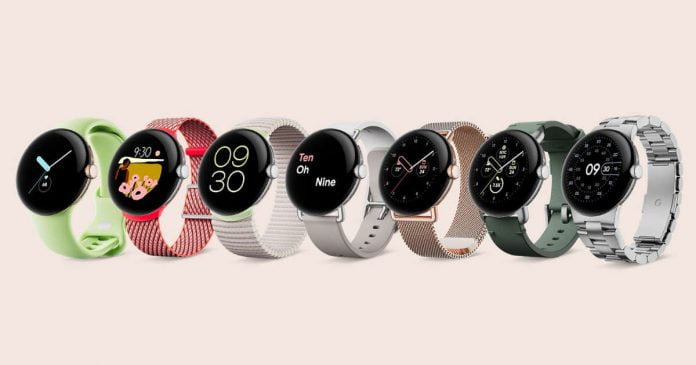
Google has introduced its first own smartwatch — Pixel Watch — which comes with a pure version of Wear OS 3.5 and, thanks to the integration of Fitbit purchased from Google, is particularly suitable for recording sporting activities.

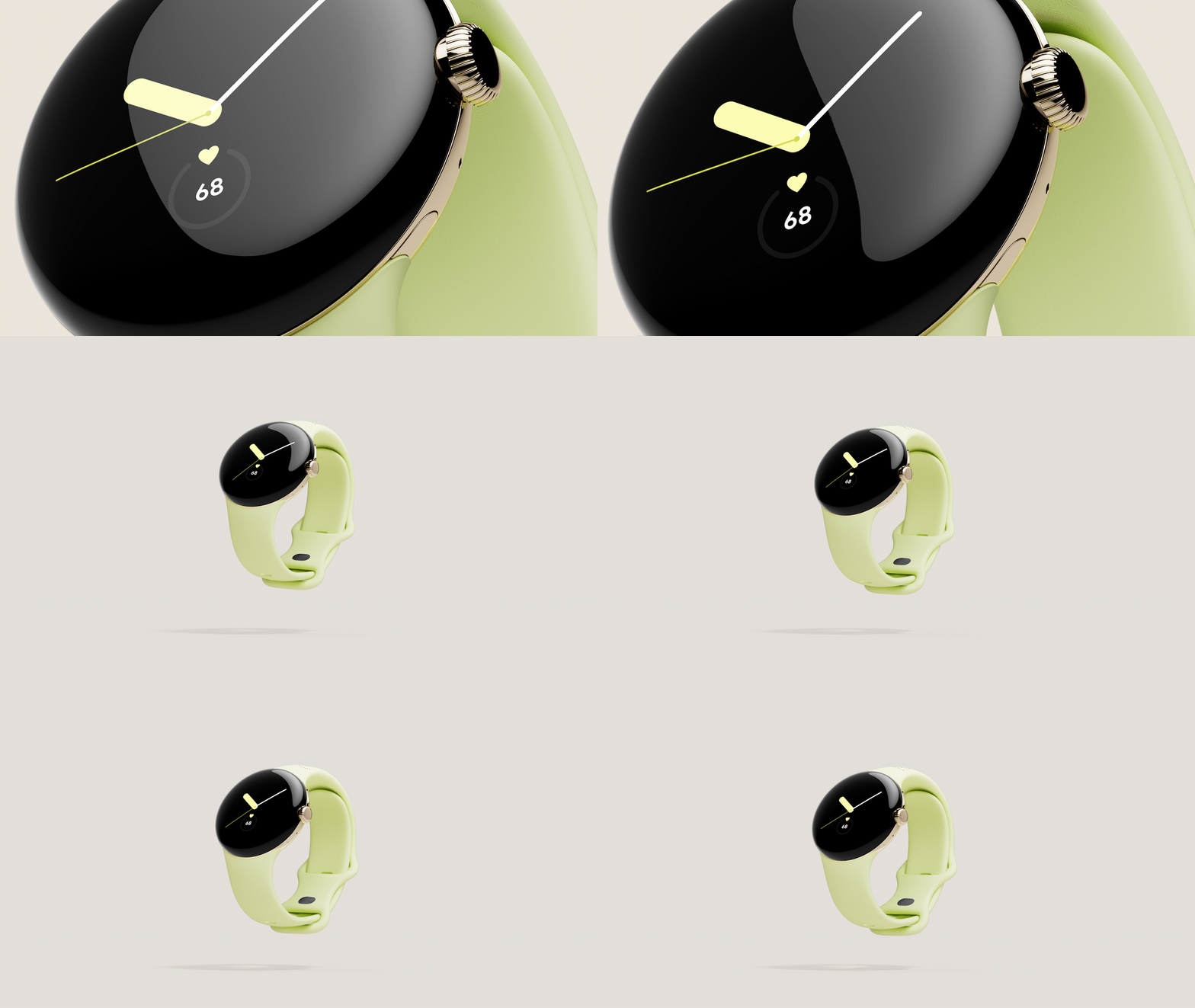
Pixel Watch comes in a round form factor made of stainless steel, and a wheel and a physical button are responsible for control. The watch has a diameter of 41 mm, is 12.3 mm thick and weighs 36 grams without the strap. 

Google does not specify the size of the display, but it is protected by Corning Gorilla Glass 5 and features a round AMOLED screen with a pixel density of an average of 320 ppi. Google specifies the maximum brightness as 1000 cd/m². It is noted that it supports the Always-On function.
As for the rest of the technical specifications, the Pixel Watch has more than 2 GB of RAM, up to 32 GB of storage, and a Samsung Exynos 9110 processor.

The battery, meanwhile, is 294 mAh and promises to last all day. It is charged via a magnetic charging cable. The battery can be charged from zero to 50 percent in 30 minutes. 80 percent should be reached in 55 minutes, and the battery should be fully charged after around 80 minutes.

And when it comes to connectivity, it includes Bluetooth 5.0, NFC, WiFi and LTE. It is water resistant to 5 ATM, allowing the Pixel Watch to be used for swimming in shallow water.

In the health section, a clearer integration with Fitbit options will also come into action. It can record up to 40 different sports and heart rate monitoring, blood oxygen levels (SpO2), or the electrocardiogram function will be available. Users get a daily fitness evaluation, and active zone minutes are intended to help them better assess and control the intensity during training. Each Pixel Watch includes six months of Fitbit Premium, which comes with workouts, health and activity reports, and other options.

In 2023 these watches will also receive an update that will allow them to be used to detect falls and call emergency services in those cases.

The Pixel Watch will be available in three finishes — black, gray and gold — and will include a 20-millimeter strap as a default option. However, users will be able to choose from a selection of different materials and colors for customization. Even metal straps for this watch are expected to be released in the winter.

The Pixel Watch will go on sale in two models — with and without cellular connectivity. The version without access to mobile networks will cost $349, while the LTE variant will start at $399.

Watching YouTube In 4K Resolution May Need Premium Subscription

YouTube tricks, hacks and features

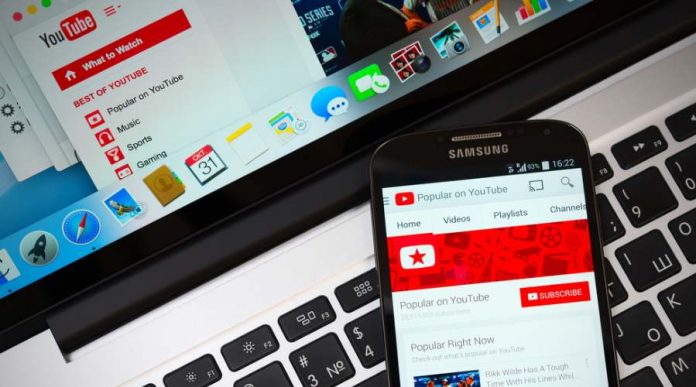
YouTube would be experimenting with the possibility of limiting access to 4K resolution to Premium users of the platform, who pay monthly for access without ads and exclusive features.

According to MacRumors, some Reddit and Twitter users have noticed that Google’s video platform has prompted them to subscribe to YouTube Premium in order to enable 4K (2160p) playback, a capability that has been available to everyone without restriction since its inception.

At the same time, users will be able to choose quality up to 1440p for free, that is, video in 2K. Google has not yet commented on the situation, while now there are no restrictions on the choice of quality.

Simply put, the experiment adds another limitation for free users and simultaneously serves as a new “benefit” for YouTube Premium. Today, the premium subscription removes ads, adds background playback on mobile devices, and also allows you to download videos for offline viewing. The subscription also includes access to YouTube Music.

Samsung Plans To Start Making Chips Using 2nm Process By 2025 And 1.4nm Process By 2027

Samsung Foundry

At the Samsung Foundry Forum 2022, the contract manufacturer defined its ambitious goals up to the year 2027. Accordingly, the 2nm production at Samsung is still planned for 2025, with 1.4m to follow two years later. But Samsung also has an eye on capacity expansion and stacking.

If you don’t know, the number of nanometers refers to the size of each individual transistor on a chip. The smaller the transistor, the more it can fit on a single semiconductor. Generally, downsizing in nanometers can lead to more powerful and efficient chips.

So far, it is too early to talk about the density of transistors, performance and power consumption of microcircuits that will be produced according to 1.4 nm standards. But Samsung is not the only company that wants to start mass production at 1.4nm. 

Currently, TSMC is also building a 3nm factory. The company announced that production of 2nm processors will begin in 2025. Moreover, a few months ago they formed a team to work on the 1.4nm process technology. 

Samsung began mass production of 3nm chips in June. Now the company is negotiating with potential customers on cooperation in the 3-nanometer technology segment. These customers include Qualcomm, Tesla and AMD.

Samsung is the world’s second-largest foundry by revenue, with a market share of 17.3% compared to TSMC’s 52.9%.

2022 Nobel Prize In Physics Awarded For Research In The Fundamentals Of Quantum Information Technology

2022 Nobel Prize In Physics

This year’s Nobel Prize in Physics goes to John Clauser, Alain Aspect, and Anton Zeilinger for their work on the principles of quantum information technology — particularly quantum entanglement, which provides the foundation for current advancements in quantum cryptography and quantum computers.

This was announced by the Nobel Committee of the Royal Swedish Academy of Sciences in Stockholm. The three researchers received the Wolf Prize for Physics in 2010 for the same work.

Alain Aspect, John Clauser, and Anton Zeilinger have each conducted groundbreaking experiments using entangled quantum states, where two particles behave like a single unit even when they are separated. Their results have cleared the way for new technology based upon quantum information.” — explained the Nobel committee.

Nobel Prize In Physics For Quantum Information Technology

Quantum entanglement is a phenomenon that occurs when two particles share the same quantum state no matter how far apart they are. That is, knowing the state of one, you can automatically know the state of the other. And this is very useful because it allows us to find new ways of storing, transferring and processing information.

It is something that still has much to investigate. However, it can be studied thanks to the work of each of the three winners of the Nobel Prize in Physics — the first experiments of the 1970s, 80s and 90s, which today form the basis of quantum cryptography and quantum computing, were awarded.

On the one hand, we have American John Clauser, who built a device that emitted two entangled photons at once, each fired at a filter that tested its polarization. The results agreed with the predictions of quantum mechanics.

On the other hand, Frenchman Alain Aspect managed to “change measurement settings after an entangled pair had left its source“. In this way, the configuration that existed when they were issued could not affect the result.

Finally, Austrian Anton Zeilinger has demonstrated a phenomenon called quantum teleportation. This makes it possible to move a quantum state from one particle to another at a distance. And it is very interesting because it could allow the creation of quantum computer networks capable of transmitting information at ultra-fast speeds.

Knowledge in the field of quantum mechanics is very relevant today for the development of superfast quantum computers.

First PlayStation 5 Jailbreak Seems To Be Available In The Pirate Circuits

First PlayStation 5 Jailbreak

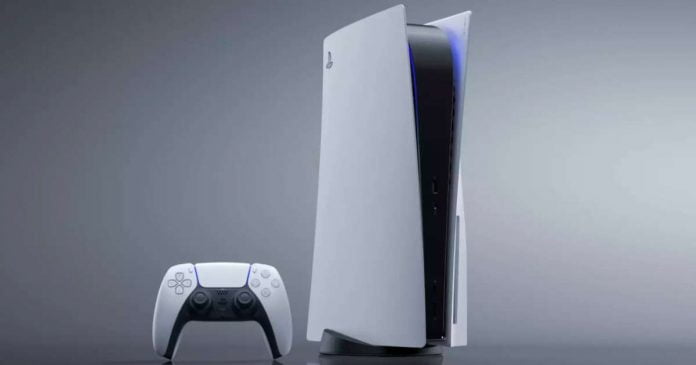
A limited but working jailbreak for PlayStation 5 hardware has been reportedly released, potentially allowing you to get root rights and access to pirated content.

The first PlayStation 5 jailbreak makes it possible to run unauthorized software on PS5 units, which means both pirated games and software not originally intended for the console. But also customize the appearance of the PlayStation 5 based on the mods available and download games for free.

According to the news that arrives, the jailbreak would currently be very limited, in the sense that it would only work with firmware 4.03 or earlier or with the PlayStation 5 that has not been updated for at least a year. Also, the exploit is unstable and works in 30% of cases and can crash, so it is more focused on developers.

Furthermore, Sony is already working to correct the flaw in an attempt to make the hacker attack completely harmless. Earlier it was reported that virtually unrecoverable” vulnerability in the PlayStation 4 and PlayStation 5 consoles allows hackers to install homebrew applications and various software mods on the console.

Dojo: Tesla Introduced Its Most Powerful Supercomputer

Tesla Dojo

Tesla unveiled the latest version of its Dojo supercomputer as part of its AI Day event. The supercomputer was developed by the company’s specialists from scratch.

The Dojo is optimized for AI algorithms, in particular for machine learning using video data from Tesla electric vehicles. During testing, the power of the computer shut down the power grid in Palo Alto, reports Electrek.

The automaker already has a large supercomputer powered by Nvidia GPUs, which is one of the most powerful in the world, but Dojo’s new custom computer uses Tesla-designed chips and infrastructure.

The new supercomputer will boost Tesla’s ability to train neural networks using video data, which is critical for computer vision technology to enable self-driving driving. A year ago, the company first announced the creation of Dojo.

The upgrades to last year’s Dojo program involve going from a chip and tile system to a tray and a full cabinet. Tesla claims it can replace six GPUs with a single tile (a Dojo tile), which the company claims costs less than a single GPU. There are six of these tiles on the system tray. One pallet is equivalent to “3-4 fully loaded supercomputer racks”. Tesla can fit two of these system trays in the same chassis.

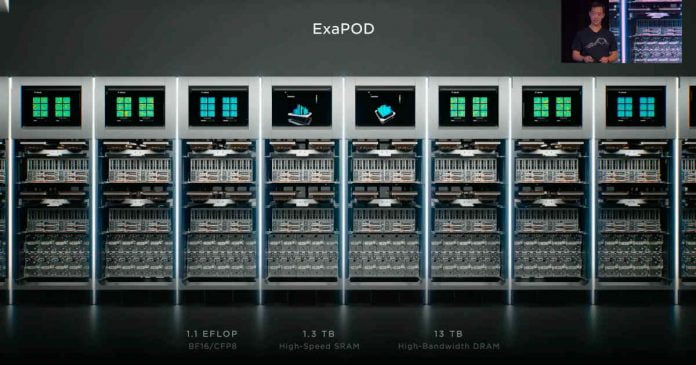
Tesla is still developing and testing the infrastructure needed to combine multiple cabinets to create the first Dojo ExaPOD, whose main specifications are already known — 1.1 EFLOP, 1.3TB SRAM, and 13TB high-bandwidth DRAM. There are plans to build seven Dojo ExaPODs in Palo Alto soon.

Twitter Releases First Edited Tweet

Twitter Edit Tweet Button

We’ve known for a while that Twitter is working on an edit button that will allow users to correct typos in their tweets. Now it seems that Twitter is preparing to roll out the feature to the public very soon.

Twitter has officially posted its first edited tweet — signalling that the company may have completed the development process. The tweet says it’s for testing purposes, and the company will let us know when it’s up and running.

Basically, when a Twitter post is edited, instead of showing the date of publication, the message “Last edited” will appear, with the date on which the user changed the text of the tweet.

For now, only Twitter Blue subscribers will initially have access to the edit feature. The first modified tweet was published by the official Twitter Blue account, which suggests that the service would be available to premium customers first. Meanwhile, a Twitter Blue subscription is $4.99 starting in October.

Twitter Blue customers also have access to numerous other special new features, such as bookmark folders, the ability to undo tweets and read mode, in addition to the new editing option.

Forgotten iPhone Password? Use Dr.Fone – Screen Unlock (iOS) To Unlock iPhone

disabled iphone

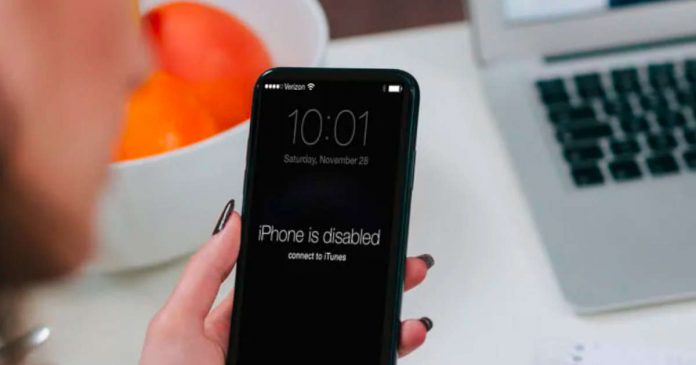
Have you ever forgotten the screen password of your iPhone? This must be frustrating because, without a screen password, you won’t be able to use your iPhone. In the worst-case scenario, you may require to visit a repair center to unlock your iPhone. It can be time-taking which can disturb your daily workflow. 

By exploring this article, you can discover a complete unlock tool known as Dr.Fone – Screen Unlock (iOS). Along with unlocking the screen password, you can also learn how to unlock iPhone without passcode appropriately through Dr.Fone. 

Part 1: Introducing Dr.Fone – Screen Unlock (iOS) for Unlocking Passwords

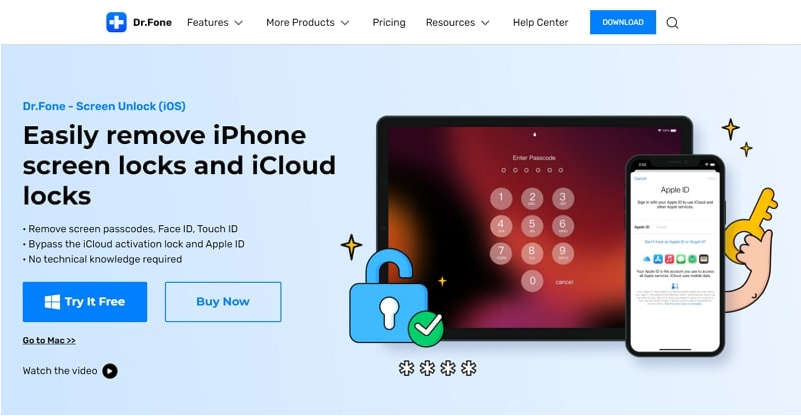
Have you ever used a screen unlocking tool for your iOS device? Dr.Fone – Screen Unlock (iOS) is a famous tool that can work efficiently to unlock locks on your iOS devices. It is capable of unlocking Face ID, Touch ID, Apple ID, and screen passcode. The biggest advantage of unlocking a screen password through Dr.Fone is that it does not alter the current settings of your iPhone. 

DrFone ios

Dr.Fone has a modern interface that allows you to operate the tool without any technical knowledge. You can use this tool in many scenarios, such as a forgotten password, iPhone being disabled, an unknown password, or accessing a second-hand bought phone. Thus, this advanced tool provides a trustworthy environment that helps iOS users to re-access their iPhones after unlocking the password. 

Part 2: Step-by-Step Guide to Use Dr.Fone – Screen Unlock (iOS) Properly

Are you eager to know the instructions to unlock the screen of your iPhone? This section will offer authentic yet simple steps to unlock the screen instantly:

Step 1: Access the Screen Unlock Option 

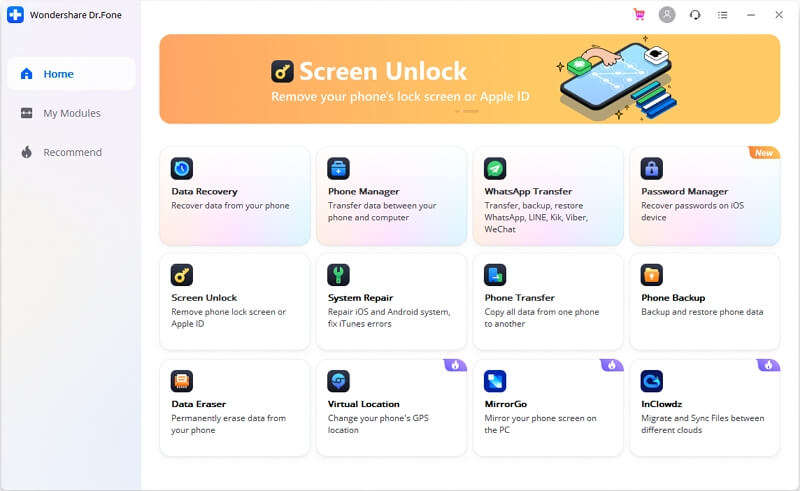
Begin with successfully launching Dr.Fone on your computer. Afterward, choose the “Screen Unlock” feature, among other options. Once you have selected this option, attach your iOS device to the computer using a cable. 

DrFone ios

Step 2: Enable DFU or Recovery Mode 

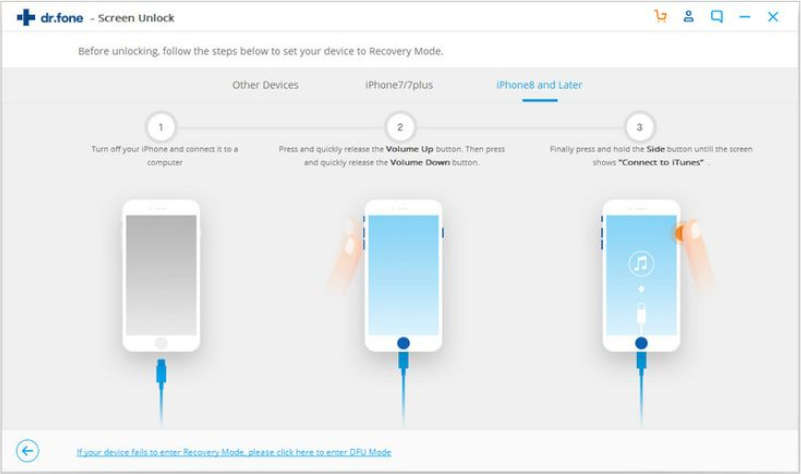
Once done connecting your iPhone/iPad to the computer, choose “Unlock iOS Screen.” Before unlocking the screen password, the tool would require you to put your iOS device into Recovery or DFU mode. To do this, you can follow the on-screen given instructions displayed on the Dr.Fone tool. However, if you are unable to activate the Recovery mode, Dr.Fone provides a complete guide to enabling the DFU mode on your iPhone.

DrFone ios

Step 3: Select the Authentic Device Information 

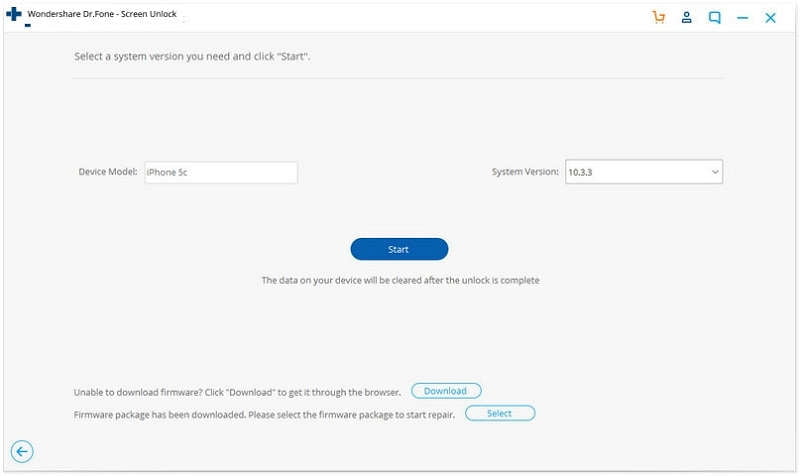
Once you have enabled the DFU or Recovery mode, Dr.Fone will display your device’s information. You can easily see your device model and respective software version on the screen. Also, you can manually choose the device’s information from the given options. Once done verifying the information, hit the “Download” button to install the firmware. 

DrFone ios

Step 4: Start the Unlocking Process 

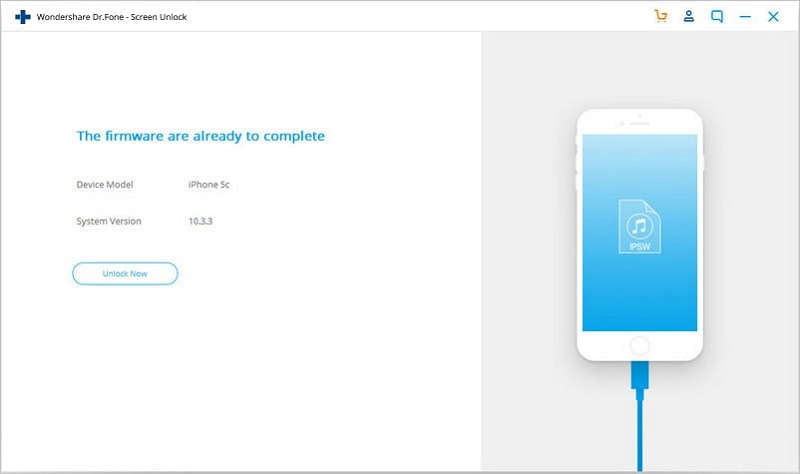
Wait until the firmware gets downloaded for your device. After its complete installation, choose the “Unlock Now” option. It will begin unlocking your iPhone instantly. 

DrFone ios

Part 3: How to Set Up the Perfect Password for Your iPhone? 

It is important to prevent yourself from password theft that leads to unauthorized access to your personal information. A stronger password ensures better protection of your accounts, be it social media or your iPhone. Follow the next few tips to make strong and secure passwords:

Use Longer and Difficult Combinations

Passwords like your date of birth, pet’s name, and phone number are considered weak. People who want to pry on your information can easily guess them. Make your password 8 characters long at a minimum and a combination of numbers, symbols, and random letters by using your iPhone’s Custom Numeric or Alphanumeric password option.

Change your Passwords

Changing your password regularly minimizes the chances of someone hacking into your iPhone. You don’t need to change it every week, but once every few months is preferred. If you have been using the same password for 4 – 6 months, it’s about time you come up with a new one before someone finds out.

Avoid Consecutive Keyboard Combinations

You would have often seen iPhone users with 2580, 0000, and QWERTY as their passwords. If someone is trying to unlock your phone, chances are high that they will start using these guessable and common combinations.

Conclusion 

Forgetting a screen password is a common scenario for most iOS users. However, it may affect your daily activities on your iPhone if you are unable to unlock the screen password. To handle this common situation, Dr.Fone – Screen Unlock (iOS) is the most compatible tool. This advanced software can effectively function on multiple types of locks on iOS devices.