The Asahi Linux distribution team, which is creating a Linux port on Apple devices with Apple Silicon ARM chips, has published an updated version of its work and reports numerous progress in its blog.
The developers published an alpha for the M1, M1 Pro and M1 Max back in March. Now comes support for the M2 and M1 Ultra. In addition to continually expanding support for devices with Apple Silicon SoCs, Asahi now also supports Bluetooth for the first time.
Apple Silicon is now fully supported by Asahi Linux with the recent update. Although the developers point out that Asahi Linux is still in the alpha stage and is very experimental, especially on systems with an M2 processor.
The alpha version of Asahi Linux assumes the following system requirements:
M1, M1 Pro, M1 Max, M1 Ultra or M2
MacBook Air, MacBook Pro, Mac mini, iMac or Mac Studio
The foundation for Asahi Linux is the ARM version of Arch Linux, which has been reverse engineered to Apple Silicon SoC. The developers are currently using the modular free desktop KDE Plasma in version 5.24 as the user interface. Source codes are available on GitHub.
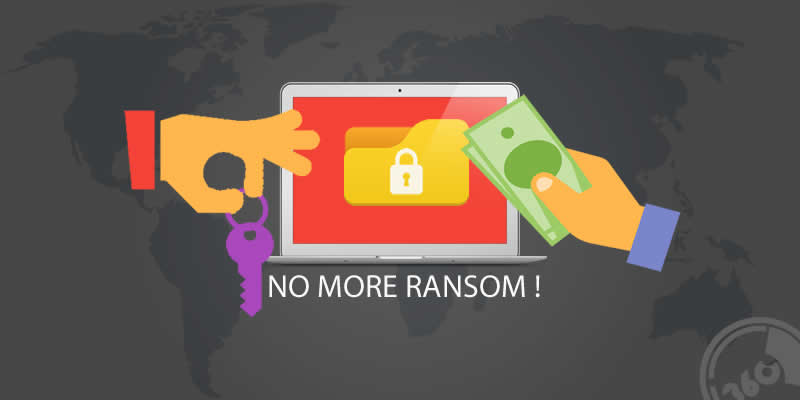
What are Ransomware Attacks? — They are one of the most notorious malware floating around the internet. Actually they are a piece of software that locks down your files in your PC or smartphone behind an encrypted paywall. Yes, you have to pay ransom to get back your valuable files. Even if you send the money — there’s no guarantee you’ll get that decryption key to unlock your encrypted files.
In this article we are going to cover 3 areas of ransomware attacks :
How to avoid ransomware attacks?
If you are device is infected with ransomware, then how to remove it?
Finally, how to retrieve your personal encrypted files with free ransomware decryptors.
#1. Encrypting ransomware — among its kind, these are the most dangerous and most widespread type of ransomware, which created with advanced encryption algorithm specially designed to lock down and block access to the personal files in your system and demand payment to provide the victim with the key that can decrypt the blocked content.
#2. Screen lockers — when this ransomware attacks you, it will kick you out of your PC and displays a full-sized window accompanied by an official-looking FBI or U.S. Department of Justice seal saying illegal activity has been detected on your computer and you must pay a fine. Only a system restore can reclaim your PC from this ransomware.
#3. Master Boot Record (MBR) ransomware — The MBR is the section of a PC’s hard drive which enables the operating system to boot up. When MBR ransomware strikes, the boot process can’t complete as usual, and prompts a ransom note to be displayed on the screen.
#4. Scareware — Scareware includes rogue security software and tech support scams. You might receive a pop-up message claiming that a bazillion pieces of malware were discovered and the only way to get rid of them is to pay up. If you do nothing, you’ll likely continue to be bombarded with pop-ups, but your files are essentially safe. A quick scan from your security software should be able to clear out these ransomware.
How to avoid ransomware attacks?
Who is safe from ransomware attack ? — Answer is “NO ONE“.
Ransomware attacks on Windows,Android,Linux and even on Mac, so it doesn’t matters which platform you use, these cyber-criminals will find a way to attack your system if it is no well protected. And also you don’t have to be a famous person, everyone can be a ransomware victim.
So always think one step ahead of these scammers and safeguard your precious data. Because prevention is better than cure and removing ransomware is a hurtful process, it will consume a lot of your time and also need some luck though.
Tips to avoid ransomware attacks :
#1.Install a good antivirus : First tip is to install a top-notch antivirus that often scans your online activity and applications in your PC.
#2. Secure back up of your data : You need to create secure backups of your data on a regular basis to USBs or an external hard drive and always remember to disconnect your external memory devices from your computer after backing up otherwise they will also infect with ransomware. You can also use a Cloud storage with high-level encryption and multiple-factor authentication features to store your files.
#3. Download files from trusted sources : Always try to download files from trusted sources or websites. Be alert and check file description before downloading from torrents. Try to avoid websites that have too many pop ups.
#4. Scan email attachments before download : No one can be trusted online, everyone makes mistake. So always double-check your email attachments before downloading even if it is came from your relatives/friends or office.
Also never open email attachments from strangers. And check thoroughly email details like sender name and email address,company logo,spelling — because potential scammers forge emails that looks like coming from official source. And in Gmail make sure you scan attachments before open.
5. Update operating system and other applications : No matter whether you are using Windows or Android always update your operating system and other applications.
Free ransomware removal tools :
Are you a victim of ransomware attacks ? And scammers are asking you to pay a handful amount of cash to unlock your files ?
Don’t worry — use this simple steps to remove ransomware and retrieve your encrypted files with the help of these free ransomware decryptors.
Variety of tools are available online to remove ransomware from your system. But effectiveness of these ransomware removal tools depends upon the type of ransomware infection.
So try to use appropriate ransomware removal tools, most of them are free. And also before using these tools always use your antivirus or anti-malware application to remove ransomware from your system.
Some of the best free ransomware removal tools are :
Even though if you remove some ransomware with the help of removal tools or antivirus, your files will still remain encrypted or unreadable form. To solve that problem you have to use ransomware decryption tools.
Here are the list of 7 free ransomware decryptors offered by NoMoreRansom.org—an initiative by the National High Tech Crime Unit of the Netherlands’ police, Europol’s European Cybercrime Centre and two cyber security companies – Kaspersky Lab and Intel Security – with the goal to help victims of ransomware attacks to retrieve their encrypted data without having to pay the criminals.
Some of the decryptors are:
#1. WildFire Decryptor : WildfireDecryptor tool is designed to decrypt files encrypted by Wildfire.
#2. Chimera Decryptor : ChimeraDecryptor tool is designed to decrypt files encrypted by Chimera.
#3. Teslacrypt Decryptor : TeslaDecryptor can decrypt files encrypted by TeslaCrypt v3 and v4.
#4. Shade Decryptor : ShadeDecryptor can decrypt files with the following extensions: .xtbl, .ytbl, .breaking_bad, .heisenberg.
#5. CoinVault Decryptor : The CoinVault decryption tool decrypts files encrypted by Coinvault and Bitcryptor.
#6. Rannoh Decryptor : RannohDecryptor tool is designed to decrypt files encrypted by: Marsjoke aka Polyglot, Rannoh, AutoIt, Fury, Crybola, Cryakl,CryptXXX versions 1 and 2.
#7. Rakhni Decryptor : RakhniDecryptor tool is designed to decrypt files encrypted by: Chimera, Rakhni, Agent.iih, Aura, Autoit, Pletor, Rotor, Lamer, Lortok, Cryptokluchen, Democry, Bitman (TeslaCrypt) version 3 and 4.
Download the listed ransomware decryptors from NoMoreRansom website(mentioned above) . They updates the list frequently with new ransomware decryptors.
So now onwards say no to ransowmware — don’t pay a penny to those scammers. Always safeguard your device from ransomware attacks.
If you have any tips to share about how to avoid ransomware attacks and know any ransomware decryptors let us know them in comments. We will add them to this article.
Microsoft refused to “bury” Windows 7 — now, the company intends to maintain extended paid support until 2026.
Microsoft ended free extended support for the Windows 7 operating system in January 2020. However, for corporate customers, Microsoft provides paid support for the legacy operating system. Windows 7 Paid Extended Support was originally reported to end in January 2023. However, new circumstances indicate that Microsoft plans to significantly expand the terms of paid support.
Currently, corporate users who have purchased a license for Windows 7 Extended Security Updates continue to receive monthly security updates, and it seems that support for the software platform will not end next year. According to the source, the July security patches KB5015861 and KB5015862 include necessary licenses and ESU keys to extend support after the end of the three-year period. The second renewal guarantees support for another three years, i.e. until January 2026.
As part of the extended support program, updates will receive the following versions:
Windows 7 SP1 Enterprise
Windows 7 SP1 Pro
Windows Server 2008 R2
Windows Embedded Standard 7
Windows Embedded POS Ready 7
It is worth noting that Windows 7 occupies a significant market share of desktop operating systems. According to Statcounter, the share of the OS is 11.54%, while the latest Windows 11 has only 10.96%.
Microsoft founder and billionaire Bill Gates wants to donate all but a small part of his fortune to the non-profit organization Bill and Melinda Gates Foundation.
Bill Gates has previously donated $6 billion annually to the fund, but he says “the great crises of our time require all of us to do more.” And he has already transferred the $20 billion dollars to the fund.
In his blog post, he addresses the current world situation during a global pandemic and the Ukraine war — “As I look to the future, my plan is to give all my wealth to the foundation other than what I spend on myself and my family.”
The Bill and Melinda Gates Foundation uses the money to invest in various projects that are intended to help the general public — at least, that is the goal it has set itself.
Currently, according to information from Forbes, Bill Gates’ fortune is about $122.1 billion dollars, and in the list of the richest people in the world, he ranks fourth.
As I look to the future, I plan to give virtually all of my wealth to the foundation. I will move down and eventually off of the list of the world’s richest people.
In the blog post, Gates gives a special thanks to Warren Buffett. The major US investor has donated a total of $35.7 billion to the Foundation to date, including a recent donation of $3.2 billion. This makes him the second largest donor after Bill and Melinda Gates.
Facebook, owned by Meta, is testing a way by which users can create up to five separate profiles linked to one main account. In this way, users will be able to have separate accounts by purpose — for work, for family, for friends, etc.
According to Bloomberg, users will be able to create up to four additional profiles linked to their main account. The user will be able, if necessary, to switch between profiles with a few clicks. And each of these profiles would have a personalized Newsfeed in order to create a unique experience with interests and relationships with other users.
Additional accounts are not required to bear the real name of the person. But in the main profiles, the name that people use in everyday life should still be set.
If the user violates the rules of the site for an additional profile, this will affect his main account. Some Facebook features will only be available for core profiles, such as creating and managing a Page.
Meta is currently testing the feature on multiple users in a number of testing countries. Since the feature is experimental, the social network does not guarantee that it will introduce to everyone.
With features like these, Meta is stepping up its efforts to increase audiences on the world’s largest social network, which has slowed in growth, especially among younger users.
No doubt everyone has heard of virtual data rooms and may even have used them. However, determining which virtual online data room software suits best for your business and documents is not the easiest task for a start-up or a thriving business that you want to improve.
Choosing the right VDR takes knowledge and time. However, the process is not very complicated and can give you many different advantages over your competitors and put you ahead of the competition.
How to choose the right VDR?
A virtual data room is more than just a place to store documents and information, it’s a unique tool to modernise your company and improve its operations. It’s not a good idea to just visit website and pick the first one you come across. By using a VDR you can correct your company’s weaknesses and maintain its strengths. Thus, the key is to choose the right VDR.
So how do you decide which one to use? After all, there are so many of them! Five important and actionable tips when choosing one:
First, you must identify your capabilities and needs: This will help you determine what you need to work for in a virtual data room. Analyse your finances, faculty, and ability to work. You will then be able to refine your criteria for virtual data rooms. Don’t forget about the team you are working with. Identify their capabilities so that it is easier for them to work with VDRs. For example, if your employees are not tech-savvy, choose a VDR that is easy to use, and you can get used to it quickly, so you spend less time on training.
Choose the characteristics: After the first step, you should already be able to define a little bit of the criteria and features you want from your future VDR, and it will be easier for you to choose it. Because then you will be able to think through which characteristics you will use when working for uniqueness and achieve your business goal. After all, some VDRs are just for storing documents and information, and some VDRs have a specific set of features. For example, some VDRs will help you close deals quickly, access information remotely, or access certain people or groups remotely. In addition, some VDRs will help you manage and develop large projects.
Budget: A comparison of data rooms, virtual vs physical DRs, shows that virtual ones are more economical, but their price models differ. Before you start your search, determine an approximate budget, this will help to constrict your quest. You should also consider the duration of the project (or if the timeline is unspecified, this should also be noted) and the number of data room users. A VDR should allow you to save time and money. Compare virtual data rooms, their functions, choose the right ones, but do not forget about the price structure.
Security: The most crucial point, of course, is the security of your data and documents. Choose VDR that uses advanced and high-quality security technology. Look up election information, and read reviews from other users. This will help you ensure that virtual data rooms work and are secure.
Ease of use: When choosing an electronic data room, consider that it should have robust security measures, many features, and a simple, straightforward interface that you don’t have to figure out for months. It can be frustrating if you want to save time and money by getting a virtual data room, but your team is unable to figure out how to use it. So look for services that offer a user-friendly interface and ease of implementation.
And don’t forget to ensure that the VDR provider has a good helpdesk that is available 24/7 and can provide you and your team with competent answers to your questions.
Conclusion
Virtual data room services are an essential part of companies today, where fast access and security are necessary in today’s technology-driven world. Virtual data rooms can offer many benefits for your business. It can also save your team and partners’ time, energy, money, and nerves. Also, with a virtual data room, you don’t have to meet your clients in person because you can access information and documents remotely, from any place and devices.
The best virtual data rooms providers might help you share information securely, maintain confidentiality, develop new projects, and close deals. There are many virtual data room providers, but not all are suitable for your business. It all depends on each case.Discuss key issues with your team so that you don’t miscalculate the effectiveness of VDR.
Choose wisely, weigh the pros and cons and consider how it will affect your projects and team. Finally, don’t forget the budget; a data room software should increase your profits, not take them away.
Google has opened public access to the free Chrome OS Flex — a lightweight operating system designed to install and run on older Macs and PCs.
Google began testing Chrome OS Flex at the beginning of the year, and now its developers indicate that they have fixed more than 600 errors and affirm that the stable version of the operating system is ready to be deployed on all types of PCs and laptops, including business and educational equipment.
Google has published a list of more than 400 certified computers that work with the lightweight operating system — including MacBooks from 10 years ago and also various laptops from manufacturers such as ASUS, Acer, Dell, HP, Lenovo, LG and Toshiba.
According to the developers, when installing ChromeOS Flex on most computers, it will provide the display, sound card, network, webcam, USB and other interfaces. The system requirements include an Intel or AMD processor, 4 GB of RAM, 16 GB of internal storage and support for booting from a flash drive.
Chrome OS Flex is a distribution based on free open source code that has been available for some time — Cloudready. The technology that Google bought when it acquired the Neverware company in 2020.
Chrome OS Flex is a continuation of the Cloudready idea. In the future, all Cloudready users will also be upgraded to a stable version of Chrome OS Flex as soon as it is available.
As Chrome OS Flex is part of Google, users can use an official version of the Chrome browser and other Google services such as the assistant. The update cycles should correspond to those of Chrome OS, the installation should be simplified by a uniform image and a USB installer.
Netflix has partnered with Microsoft to create a budget version of the streaming service with the ad-supported subscription plan.
Netflix has asked Microsoft to provide the ads in the new subscription level that will contain advertising, and under this new deal, Microsoft becomes Netflix’s “global advertising technology and sales partner“.
According to Netflix, Microsoft demonstrated its ability to support Netflix’s advertising needs. In addition, the company has “the flexibility to innovate over time on both the technology and sales side, as well as strong privacy protections” for its members.
Microsoft will be Netflix’s only partner in the development of its new advertising scheme, so all ads will go exclusively through the Redmond platform, as explained on its website.
We’re thrilled Netflix has selected Microsoft as its advertising technology and sales partner. We want publishers to have more long-term viable ad monetization platforms, so more people can access the content they love wherever they are. https://t.co/QmPszxJTOf
It is clear that Netflix wants to make sure that there is not even the slightest confusion around its subscription with ads. Taking advantage of the announcement of their association with Microsoft, Netflix has made it clear again that ad-supported subscription will be completely new, and it does not come to replace or modify any currently available plans.
Netflix itself announced that they expect the new subscription to be available by the end of this year.