Home Blog Page 161

Google Fires Engineer Who Believed LaMDA AI Had Feelings

Google AI Chatbot

Google fired senior software engineer Blake Lemoyne, who had previously stated that the artificial intelligence chatbot developed by the company — LaMDA neural network — has consciousness and its own personality.

This is reported by the weekly newsletter Big Technology, citing the engineer himself, who made this statement in a podcast. Google itself told The Verge, “we wish Blake well.” — which was seen as confirmation of the dismissal.

According to Google, its ex-employee claims that LaMDA is sentient being “wholly unfounded” and has been working with the developer to clarify the issue “for many months.” The company also added, “it’s regrettable that despite lengthy engagement on this topic, Blake still chose to persistently violate clear employment and data security policies that include the need to safeguard product information.”

Earlier, Lamon said that he discovered signs of consciousness in the LaMDA (Language Model for Dialogue Applications) neural network that creates AI chatbots. According to him, the neural network perceives itself as a person and even talks about its rights.

The Best UX Trends for FinTech and Banking in 2022

UX Trends for FinTech

The banking industry is at the forefront of embracing digital services. The traditional modes of doing business are long gone as modern tech experts use digital tools to offer top-tier services. Today, technology shapes the financial sector by focusing on improving customer experiences. Statistics reveal that over 90% of global users access bank services through a mobile app. The major reasons for such a massive transition are efficiency, convenience, and great user experiences.

We can’t fail to mention the role of UX design in the success of FinTech companies. Users prefer to use an app or website with a seamless experience. People are busy, and interacting with a poorly designed product is bad for business. Customers can switch to another efficient bank with exceptional products without thinking twice. 

In a competitive industry, FinTech companies need to keep up with emerging UX trends to offer customers the best services. Thus, a bank may opt to hire the best UX designers who can create an interactive banking app design for customers.

With a huge market potential, the FinTech industry can implement the best trends to enhance user experiences. Let us explore some of the UX trends that are shaping the banking industry in 2022.

What is FinTech Design?

Before we look into the trends, you need to understand the terminology. FinTech is a combination of the words’ finance’ and ‘technology.’ So, it is an industry that facilitates financial service provision to customers using technology. FinTech is a modern approach to financial management. In a nutshell, high-tech innovations offer users a front-row seat in controlling their financial outcomes.

Most banks use FinTech to provide seamless service delivery today. That is why impressive FinTech app designs are in demand and capture the masses, enjoying quick adoption. 

Skilled experts build secure and intuitive FinTech applications to meet customers’ needs and achieve business goals. So, the demand for such applications has set remarkable UX trends in the banking industry.

Top UX Trends You Can’t Ignore in 2022

Mobile-friendliness 

Mobile technology is one of the largest industries globally. Most people own a smartphone today, and it is becoming an indispensable device for a broad range of operations, including financial management. No one wants to waste time queuing for banking services when a mobile app can do the work in a few seconds. You can easily access your bank account and transact within the confines of your home or office through an app. Besides, you can invest, pay utility bills, and manage your money conveniently.

Customers have become more demanding and can abandon a bank without an innovative, feature-rich app. Thus, banks strive to create functional and smooth user experiences through mobile-friendly FinTech-powered apps. As a result, mobile-friendliness tops the list of current UX trends with an impact.

Super Apps 

Most banks develop super apps to increase their efficiency and enhance service delivery. A super app is a web product that offers many services through a single platform. It is like a one-stop shop for all your financial needs. Originally, banking apps used to focus on a specific service. Today, you can get a single app with several services integrated into a single, user-friendly UI.

Apart from enhancing customer experiences, super apps help banks collect relevant customer data and lower operational costs. That is why they are a rising trend in the FinTech industry.

Gamification

You might wonder what gamification has to do with the banking industry. Gamification is achieved when experts incorporate gaming elements into a web product. Modern UX designers have found a way to add exciting gaming features to banking apps. Thus, finance is no longer a boring industry, with gamification elements making the use of financial apps fun and engaging. 

We are not talking about full-blown games in FinTech products. Money management is a sensitive affair, so designers include features that can influence positive behaviours in users. For instance, you can get a reward system for saving, referring new customers, or hitting spending targets. Each bank has a set of special incentives to make its app more entertaining using gamification technology. Ultimately, implementing gamification trends helps banks to attract and retain customers.

Personalization

Most banking trends are user-oriented, and personalization is not an exception. Customers want to feel valued and appreciated by their banks. Thus, personalized service is a refreshing approach that guarantees delightful customer experiences. 

Research shows that banks offering tailored UX services are more approachable and likeable by customers. For example, some apps have interesting user interface elements that allow customers to update their profiles with a personal touch. The experience is almost the same as visiting a bank branch personally.

All in all, personalization is among the best trends propelling the banking industry positively. To achieve a high degree of personalized service, UX designers must conduct extensive research to learn user behaviour and get feedback on how they can customize the app’s UI.

UX Trends for banking

Data Visualization

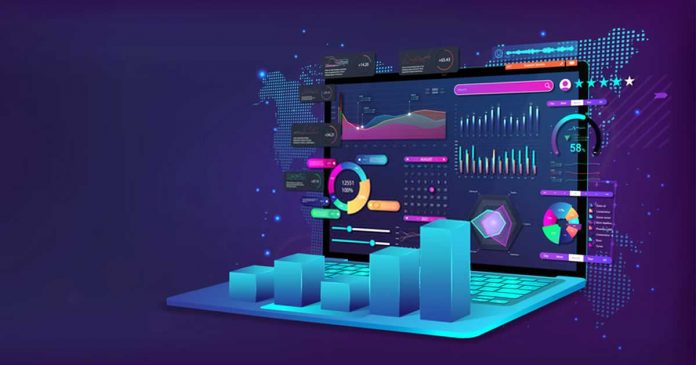
Most customers want to know how they are spending their money. So, each financial transaction matters. But financial jargon and complex spreadsheets are not a cup of tea for many people. Giving customers pure numbers is not a good idea because it might trigger stress and confusion. So, data visualization is a game changer in the banking industry. It presents the financial stats in a comprehensible, simplified manner to enhance user understanding. 

Thus, UX professionals can now help you track your finances and offer predictive visualization through clear visuals. Such analytical data gives customers an insight into their financial behavior, improving their financial management skills and increasing their satisfaction with FinTech apps.

Artificial Intelligence

Many banks are also adopting AI to improve customer services. Artificial intelligence is a technology that uses smart machines to perform human tasks. Today, most banking apps have AI-powered tools integrated into their systems. For instance, chatbots and virtual assistants are common in websites and apps. The bots assist customers when they have inquiries or face issues when interacting with web products. Moreover, there are AI algorithms that help banks to detect fraudulent transactions and flag suspicious accounts. Thus, AI is a leading trend that improves customer service quality immensely.

Conclusion

Banks and FinTech companies are embracing the importance of UX design in business. The financial industry is quite competitive, and many banks create innovative products to retain customers and raise their satisfaction. Thus, embracing modern UX trends is essential to make your app competitive and appealing to target users.

Tesla Sold 75% Of Its Nearly $1 Billion Worth Of Bitcoin Portfolio

Elon Musk predicts AI could lead to third World War

Tesla has sold approximately 75% of previously purchased bitcoins, according to the company’s quarterly report. These exchange transactions brought the company $936 million from April to June.

According to the entrepreneur, the company has not sold a single Dogecoin. The value of the firm’s remaining “digital assets” is $218 million, although, in previous quarters, this figure was approximately the equivalent of $1.2 billion.

At the beginning of last year, the crypto fever infected Tesla. First, Elon Musk announced that the company had made a $1.5 billion investment in Bitcoin. Then the company began accepting it as payment for purchases for a while. 

However, in May of the same year, Elon Musk abandoned this decision due to the negative impact of mining on the environment. Later, the entrepreneur said that the company will resume accepting cryptocurrency payments only when half of all digital assets are produced on the basis of renewable energy sources.

Google Launches Pixel 6a And Pixel Buds Pro

Google Pixel 6a And Pixel Buds Pro

The highly anticipated Google Pixel 6a went on sale. The cost is different in different countries and regions. In the US, they ask for $450 for a smartphone, and in India — it’s $550 — we are talking about the same version — Pixel 6a with 6 GB of RAM and 128 GB of memory.

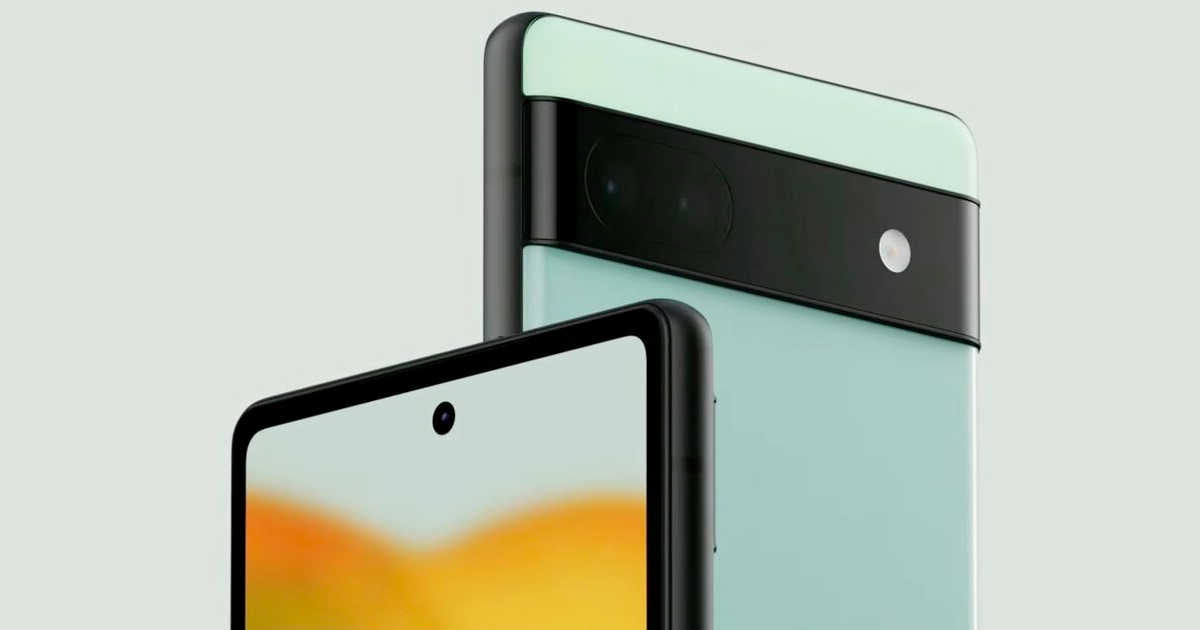
As part of the I/O developer conference, Google presented the Pixel 6a as a new mid-range smartphone. Google adopted the design of the Pixel 6a completely from the Pixel 6 and Pixel 6 Pro — the smartphone has a distinctive black bar on the back in which the cameras are built. However, the camera module is flatter than in the other two models. The back is made of plastic and not glass like the Pixel 6 and Pixel 6 Pro, which is hardly noticeable at first glance.

The OLED display is 6.1 inches in size, which is even smaller than the Pixel 6’s 6.4-inch screen. The Pixel 6a is the smallest current Pixel model. The screen has a resolution of 2400 x 1080 pixels and supports a frame rate of only 60 Hz – unlike the Pixel 6 with a maximum of 90 Hz and the Pixel 6 Pro with up to 120 Hz. Google offers HDR support and has equipped the smartphone with an always-on screen.

As with the other two Pixel 6 models, the fingerprint sensor on the Pixel 6a is built into the display. Google has apparently taken the criticism from Pixel 6 users to heart and installed a different sensor — this reacts much faster than that of the Pixel 6 Pro. However, compared to a much more expensive smartphone like the Asus ROG Phone 6, the Pixel 6a still takes longer to unlock with your finger.

Google Pixel 6a colors

Inside the Pixel 6a is Google’s Tensor chip. In the 3DMark Wild Life Extreme Unlimited test, the smartphone scored around 1,600 points on average. That’s only marginally below the result of the Pixel 6 Pro, which may have better heat distribution due to its size. With 6 GB of LPDDR5 RAM, the Pixel 6a has less RAM than the other two current Pixel models, but the smartphone reacts quickly in everyday use.

The Tensor chip is also equipped with a mobile Tensor Processing Unit (TPU) for AI-supported tasks, which are used to handle machine learning workloads such as for the translator, photos, search or the assistant.

A dual camera is installed on the back of the Pixel 6a. The main camera is 12.2 megapixels and has an initial aperture of f/1.7, which is the same as the Pixel 5‘s camera. The ultra wide-angle camera has taken the Pixel 6a from the Pixel 6 series — it has 12 megapixels and an initial aperture of f/2.2.

Google Pixel 6a

A battery with 4,306 mAh is responsible for the energy supply. This is less than the Pixel 6 and the Pixel 5a. Google promises an average runtime of 24 hours and up to 72 hours with the Extreme Battery Saver. It can be charged with a USB-C cable with up to 18 watts.

As with the Pixel 6 and Pixel 6 Pro, Android 12 is delivered in an adapted stock version that has been expanded to include special Google features. The smartphone should be supplied with new Android main versions for at least three years and with security updates for at least five years. Google will offer the Pixel 6a in Chalk, Charcoal, and Sage colors.

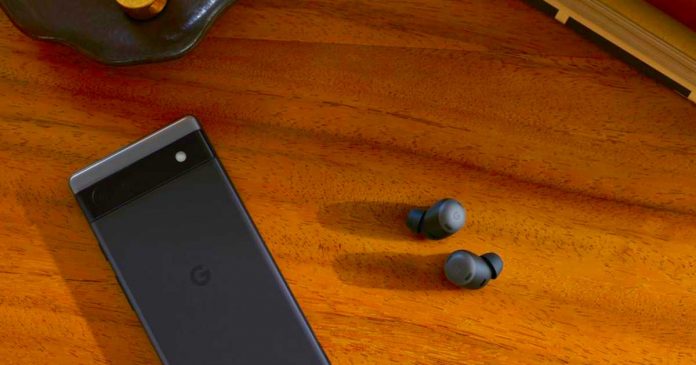
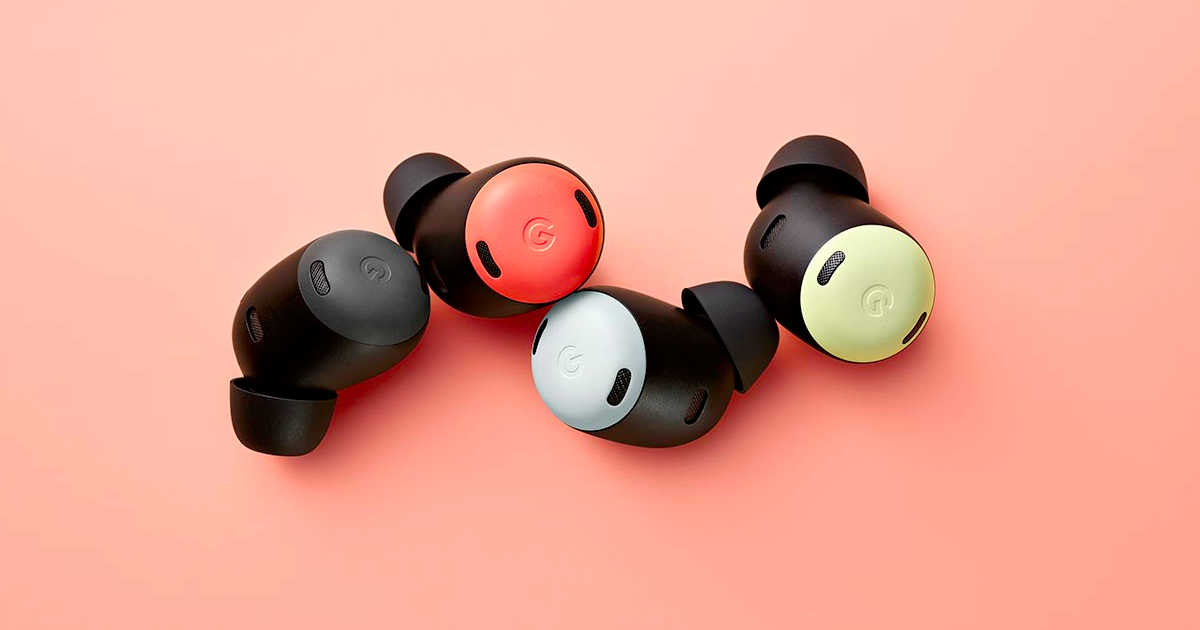
Apart from Pixel 6a, Google also launched Pixel Buds Pro — the first earphones with noise cancellation by the Mountain View company. They clearly maintain a design in line with the others but are enriched with color and functionality. The Pixel Buds Pro are designed to work best with other devices in the Google ecosystem and also with any Android smartphone. 

The battery life of the Pixel Buds Pro is rated as 7 hours with ANC and 11 hours without ANC. You get a total of 20 hours with ANC and 31 hours without ANC with the case. Wireless charging is supported by the case.

It will be available in four colors — Coral, Lemongrass, Fog, and Charcoal. They will go on sale online on July 21.

Google Pixel Buds Pro

Common Lenovo Laptop Problems and Solutions

Laptop and smartphone

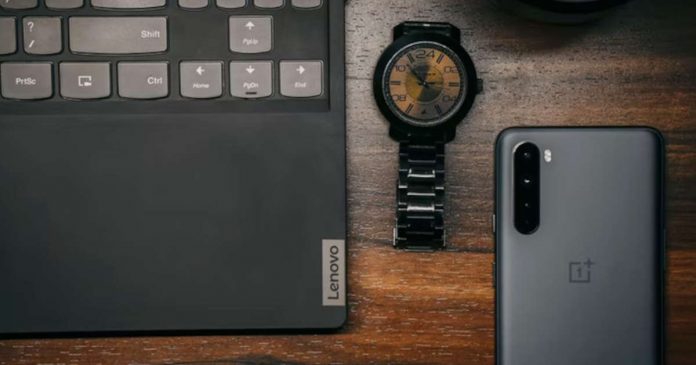
Lenovo laptops most often freeze due to severe overheating or hardware problems. The main reasons for the temperature rise inside the case are improper design and a clogged cooling system. And in this article, you’ll learn how to deal with the most common Lenovo laptop issues at home with the help of Howly experts.

1. Malfunction of the Cooling System

The laptop’s cooling system requires regular maintenance due to the considerable accumulation of dust. And as a result of the wear and tear of the mechanical elements, sometimes repairs may be necessary. Coolers provide a constant supply of room temperature air. Unfortunately, in some Lenovo models, the cooling system is not well implemented. 

The bad news is that this defect is specific to the Lenovo IdeaPad, which has been in high demand for over ten years. But there’s good news: IdeaPad troubleshooting support on Howly. Qualified experts can help you solve any problem related to Lenovo laptops 24/7 in real-time. 

However, to avoid overheating, the specialists recommend regularly cleaning IdeaPad parts of dust and other contaminants. Its frequency is related to the operating conditions (dirtiness, average room temperature, use of a cooling pad). Depending on these factors, you should clean your laptop from 6 months to 2 years.

2. Laptop Slows Down Due to South or North Bridge Failure

Laptop motherboards have two main controllers installed as separate chips: the north and south bridge. These elements organize the interaction of the processor with other hardware components. Unfortunately, they often break due to overheating or a surge in voltage. Each chip is attached to the motherboard with multiple connections using soldering. 

Malfunctions can happen even when a single connection is damaged. The North Bridge is responsible for the CPU’s work with RAM and the graphics adapter. If the controller malfunctions, you can’t avoid repair. Perhaps, you may need to replace the chip, but experts highly recommend performing it in an authorized service center. 

As to the South Bridge, the primary purpose of it is to work with I/O devices. Thus, if the keyboard, touchpad, or external devices connected via USB stopped being detected on the laptop, this chip is defective. Some components may also stop being detected in the BIOS, so if the keyboard still works, check the BIOS Setup for all devices.

3. Problems with Saving Settings and System Time

Laptops retain the system date and time even after power is turned off. For this purpose, there’s a particular CMOS battery on the motherboard, which usually has a voltage of 3 V. If the Lenovo IdeaPad resets the time and date after each shutdown, the cause is a dead battery. But unlike the laptop’s main battery, it’s not a rechargeable one. So the only way is to replace it. 

Desktop PCs have a special connector on the motherboard into which this battery is inserted. Unfortunately, the Lenovo laptop’s motherboard usually doesn’t have this one. Instead, there are typically soldered contacts to the battery, through which the connection is made using two wires. If your battery doesn’t have them, try to fix the cables on opposite sides of the case with electrical tape or heat shrink tubing.

Conclusion

Lenovo computers are quality devices that are long-lasting and easy to use. However, malfunctions also happen with them, and now you know how to fix the most common issues. Plus, you’ll always have Lenovo IdeaPad Support 24/7 on Howly.

Difference between USB drive file systems — NTFS vs FAT32 vs exFAT

USB drive file systems - NTFS vs FAT32 vs exFAT

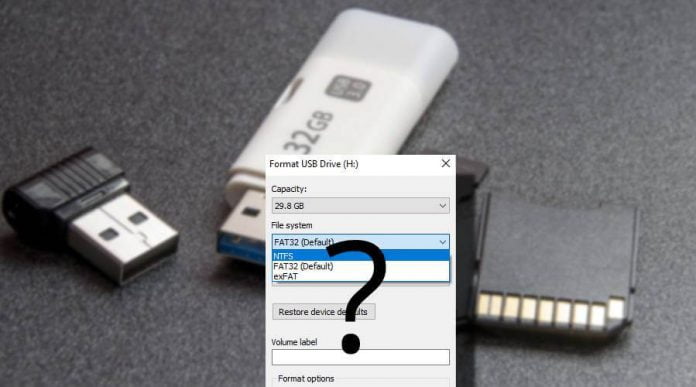
Did you notice that whenever you format a USB drive with Windows, it always gives you three different file systems options to choose from — NTFS, FAT32 and exFAT. By default, Windows chooses FAT32 file format for your USB drive, leaving us wondering — what happens if we choose other file formats?

Sadly, Windows doesn’t provide any information about these file systems, so a normal user always go with the default settings. Since this default setting works most of the time without any problem. But don’t you eager to know what happens if we choose NTFS or exFAT instead of FAT32 or why Windows automatically select FAT32 as the default one?

So in this article, we are going to break it down for you — we will explain the difference between NTFS, FAT32 and exFAT. What are their advantages and disadvantages? How will they work with each operating system? And under what circumstances we should choose any of these particular file systems? and more.

What is File System?

Before knowing the difference between NTFS, FAT32 and exFAT file formats, first, you should know — what is a file system?

The file system is a method used by operating systems to organize data on drives. The data is usually organized in folders called directories, which can contain other folders and files. File systems also specify how data is stored on the drive and what type of information can be attached to the file such as file names, permissions and other attributes.

Many operating systems include support for more than one file system. Microsoft Windows mainly makes use of the NTFS, FAT32 and exFAT file systems. So we are going to discuss these three file systems in detail here.

NTFS vs FAT32 vs exFAT — Which one is best?

NTFS:

NTFS (New Technology File System) is a modern file system used by Microsoft Windows and was introduced with the Windows NT operating system in 1993. Windows uses the NTFS file system as its system drive and most non-removable drives. Like, when you install Windows, it formats your system drive (C: drive) with the NTFS file system. NTFS has file size and partition size limits that are so theoretically huge enough that you won’t run up against them.

Features: NTFS is packed with modern features. It supports file permissions for security, a change journal that can help quickly recover errors if your computer crashes, shadow copies for backups, encryption, disk quota limits, hard links, and other various features. Many of these are crucial for an operating system drive — especially file permissions.

Compatibility: NTFS will work with all recent versions of Windows but it has limited compatibility with other operating systems. By default, Mac OS X can only read NTFS drives, not write to them. Some Linux distributions may enable NTFS-writing support, but some may be read-only.

Choosing NTFS file system while formatting USB drive:

Now comes to our point, when you should choose NTFS as a file system while formatting a USB drive?

Since NTFS is a fully Windows compatible file system, it will work with all Windows versions. And some special cases:

  • choose if you are formatting a USB drive larger than 32GB
  • choose when your file size is more than 4GB because the default option, FAT32, supports individual file sizes up to 4GB.
  • choose if you are moving a portable Windows program
  • choose if you are using a USB flash drive to boot the operating system

The drawback of the NTFS file system is it got a lot of extra overhead that you only requires if you’re running Windows.

Fat32:

FAT32 (File Allocation Table) is the oldest of the three file systems available to Windows. It was introduced all the way back in Windows 95 to replace the older FAT16 file system. Flash drives you purchase will often come formatted with FAT32 for maximum compatibility across not just modern computers but other devices like game consoles and anything with a USB port.

Features: It’s so old, it has great compatibility across many old and modern computers with USB support. The family of FAT file system is supported by almost all operating systems for personal computers.

Compatibility: Works with all versions of Windows, Mac, Linux, game consoles, and practically anything with a USB port.

Choosing FAT32 file system while formatting USB drive:

However, FAT32 is the default file system chosen by Windows because of its compatibility with all operating systems. And other instances are:

  • choose FAT32 for less disk space wastage and more reliability.
  • USB drives smaller than 32 GB that doesn’t require any security.
  • if you are transferring files lesser than 4GB in size.
  • to work with all operating systems.

FAT32 file system’s age has advantages and disadvantages. Limitations include restriction of individual files over 4GB size. A single file of more than 4GB size can’t be transferred to a FAT32 formatted USB drive. It lacks the permissions and other security features built into the more modern NTFS file system.

exFAT File System:

exFAT (Extended File Allocation Table) is the file system optimized for flash drives. It’s designed to be a lightweight file system as FAT32 but with certain advantages over NTFS.

Features: Like NTFS, exFAT has the very large file size and partition size limits. This means you can store files that are larger than 4 GB apiece on a flash drive or SD card if it’s formatted with exFAT. exFAT is a strict upgrade over FAT32 and should be the best choice for external drives where you want a lightweight file system without FAT32’s file size limits.

Compatibility: exFAT is also more compatible than NTFS. Works with all versions of Windows. While Mac OS X includes only read-only support for NTFS, Macs offer full read-write support for exFAT. exFAT drives can be accessed on Linux by installing the appropriate software.

Choosing exFAT file system while formatting USB drive:

  • larger than 32 GB planning to use with the latest operating systems for Mac and Windows should be formatted in exFAT.
  • choose when your file size is more than 4GB because the default option, FAT32, supports individual file sizes up to 4GB

It’s not support for older devices is one of the major drawbacks. And also, exFAT requires additional software to read on Linux distros.

Best one to choose — NTFS vs FAT32 vs exFAT?

  • Choose exFAT — if the USB drive is used on Windows or Mac (Linux requires FUSE) and also if you are transferring files larger than 4GB.
  • Choose NTFS — if the flash drive is used to install Windows software or transfer files larger than 4GB.
  • Choose FAT32 — if the USB drive is smaller than 32GB and doesn’t require any security should be formatted in FAT32. Use it for ordinary works like transferring low-size files (lesser than 4GB).

If you know, some more features and limitations of these file systems tell us. We’d love to hear from you in the comments!

Key Elements Your Startup’s Website Must Have

business website news and stories

Websites are an essential element of any business. First impressions have a lasting effect on clients, and your website is one of the first impressions created by your company.

Mistakes to avoid when designing your website include sensory overload, lack of visual interest, no call-to-action button, no brand image, and irregular site updates. Irrespective of business size, your website is the first point of contact.

When it comes to attracting customers, converting shoppers to loyal patrons, and planning, you might consider calling in professionals to keep you ahead of the curve. ClearSummit devises smart solutions to any challenges a company might face.

Effective Home Page 

A home page is the first web page your prospective clientele will see. A home page will usually contain links to the other pages on your website.

The first page of your website should always be welcoming to new clients. This is how you will sink your hooks into a fresh branch of clientele. This page should always let your clients know exactly who you are and what your business does.

Because your website is the first impression people will have of your company when they find you online, it must be thoughtfully designed to match your brand. Your home page should aim to entice visitors to explore your entire website. The more time site visitors spend on a website, the more likely they are to make a purchase.

Mobile And Tablet Conversion

This point cannot be stressed enough; your website must work with various smart devices. With 62% of smartphone users using their mobiles for purchases, your website needs to be fully functional across all personal electronics.

The internet is mobile, so your website should be as well. A mobile-friendly website will boost your sales because of the ease of accessibility. You are more likely to see return customers if you provide the end-user with a good experience.

If your website becomes unresponsive when being accessed via smartphone, the user will make no effort to access it through their computer. This could mean a potential client loss. New users are more likely to buy, comment, review, or interact with your website if they can move quickly between pages.

Contact Information

As simple as this point might initially seem, it is one of the essential features your website should have. Without a way to contact you, patrons will have no way to become paying customers.

There are some things you need to keep in mind when adding your contact details. Like using text to display your information, this will make it easier for clients to copy and paste any information required. Make your details stand out; this could be a clear place for the contact page link, and use an easy-to-read font.

Consider using a combination of a website form and traditional contact information such as email address, telephone number, and even a physical address. Multiple options of contact make your consumer’s life easier. Forms on your website enable patrons to summarise their needs and supply you with more information, resulting in more efficient service.

Authentic Content 

When it comes to creating engaging and authentic content, the customer’s experience must be taken into account; this refers to valuable content that is unique to your business. It is essential to create original content on your site in order to grow your digital presence and audience reach.

Being authentic will also create a safe space for your patrons. If you are not an experienced writer, consider hiring an SEO writer to create the content for you. An SEO copywriter uses knowledge of search engine rankings to create original content optimized for a website.

When you break it down, authenticity is honesty without the statistics. An honest piece of content inspires reflection and discussion, and authenticity is the basis of customer engagement.

Availability Of Help

Your website should always include the option to connect to a human. Not everyone is comfortable dealing with chatbots. Keep all of your patrons in mind when designing your website.

Ensuring that your customers have 24/7 access to customer service will guarantee customer satisfaction. This could be seen in emails, live chats, or even phone calls. It’s essential to provide good customer service in order to reconnect with your consumers.

The moment a user becomes engrossed in your website, they will begin sharing it with others that they believe need what you are offering. Don’t just focus on selling your product or service; consider engaging your visitors.

If you feel your website lacks these critical elements, try incorporating them into your current design.

Asahi Linux Now Supports Apple M2 And M1 Ultra

Asahi Linux

The Asahi Linux distribution team, which is creating a Linux port on Apple devices with Apple Silicon ARM chips, has published an updated version of its work and reports numerous progress in its blog.

The developers published an alpha for the M1, M1 Pro and M1 Max back in March. Now comes support for the M2 and M1 Ultra. In addition to continually expanding support for devices with Apple Silicon SoCs, Asahi now also supports Bluetooth for the first time.

Apple Silicon is now fully supported by Asahi Linux with the recent update. Although the developers point out that Asahi Linux is still in the alpha stage and is very experimental, especially on systems with an M2 processor.

The alpha version of Asahi Linux assumes the following system requirements:

  • M1, M1 Pro, M1 Max, M1 Ultra or M2
  • MacBook Air, MacBook Pro, Mac mini, iMac or Mac Studio
  • macOS 12.3 (“Monterey”) or macOS 13.0 (“Ventura”)
  • At least 53 GB of free hard disk space
  • An active internet connection

The foundation for Asahi Linux is the ARM version of Arch Linux, which has been reverse engineered to Apple Silicon SoC. The developers are currently using the modular free desktop KDE Plasma in version 5.24 as the user interface. Source codes are available on GitHub.