Meta CEO Mark Zuckerberg announced the inclusion of more voice capabilities for its Ray-Ban Stories smart glasses. Starting today, Ray-Ban Stories users can make calls, listen to messages, and read and send end-to-end encrypted messages with WhatsApp.
Zuckerberg announced through his Facebook profile that Ray-Ban Stories now include new “hands-free” features that allow you to interact with WhatsApp Messenger. In addition, he promised that very soon, users will have the ability to reply to messages directly using voice commands.
Meta presented its Ray-Ban Stories smart glasses in September 2021 in collaboration with the giant EssilorLuxottica. The glasses allow users to take photos and videos with the built-in dual 5MP cameras, listen to music with the speakers built into the legs and answer phone calls. Ray-Ban Stories must be connected to an iOS or Android device for full functionality.
After the Ear (1), with the Phone (1), Carl Pei’s new company Nothing brings its first smartphone onto the market.
Nothing Phone (1) is a mid-range device with a 120 Hz OLED screen, a Qualcomm Snapdragon 778G+ processor and a 50-megapixel dual camera. The unique feature of Phone (1) is the striking Glyph interface — the name given to the characteristic transparent back cover and its light system with over 900 micro LEDs.
With its Glyph interface, the Nothing Phone (1) stands out from the uniform mishmash that the smartphone market has developed into over the last few years.
The Glyph interface is a new way to communicate and also helps reduce the time we spend in front of the screen. Different light patterns, made up of 900 LEDs, indicate who is calling, signal notifications, battery status and more. The user will be able to match the different ringtones together with the Glyph patterns to their different contacts, in order to differentiate them and never miss what is really important.
The back is transparent and has an aluminum frame. According to Nothing, more than 50% of the plastic components are made from recycled or bio-based materials. The device offers an IP53 splash resistance certificate and double-sided Gorilla Glass 5 provides protection while advanced vibration motors make tactile feedback feel lifelike.
Nothing chose an OLED screen for the phone (1), which is around twice as expensive as is usual in this price range. The panel offers 2,400 × 1,080 pixels, 60 to 120 Hz, supports HDR10+ and is said to be bright up to 1,200 cd/m². There is a 16 MP front camera on the top left of the screen, and an optical fingerprint sensor at the bottom center of the display.
In rear camera section, the Nothing phone (1) features a double sensor, the main one with a resolution of 50 megapixels, powered by the flagship Sony IMX766, and the wide angle with another 50 megapixels.
The Nothing phone (1) has a Qualcomm Snapdragon 778G+, and together with its 8 or 12 GB of RAM and its 128 or 256 GB of storage, it promises to offer great performance.
The Qualcomm chip support wireless charging as well as reverse charging of the 4,500 mAh battery for Nothing, which is done with up to 15 watts or 5 watts respectively. Wired charging is supported with a maximum of 33 watts via USB-C, a power adapter is not included with the phone (1).
Nothing phone (1) will give 3 years of Android updates and 4 years of security patches that will arrive on the mobile every two months. Nothing OS promises a very clean experience and plenty of customization possibilities. Nothing explains that there is no bloatware and it will maintain an open ecosystem.
Nothing has entered into partnerships with other companies for quick connection of devices, starting with Tesla , where the user will be able to unlock the doors, turn on the air conditioning, see the remaining km and more.
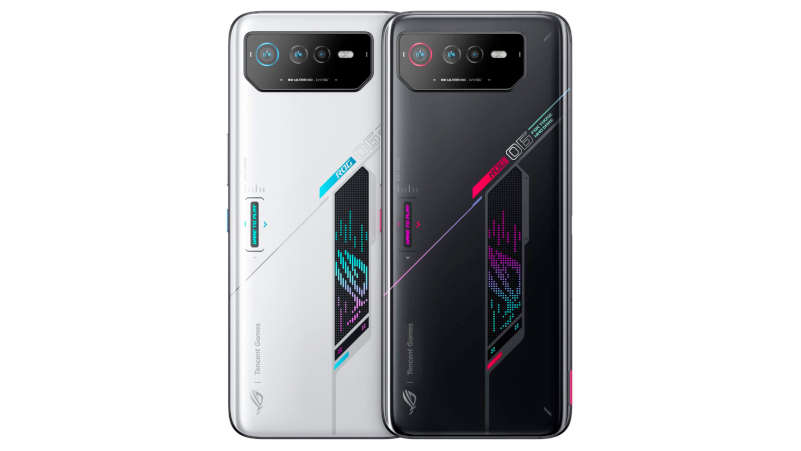
Nothing offers the phone (1) in two colors — white and black. The white reveals the relief directly at first sight, but the black is also elegant and offers a stronger contrast to the lighting. The smartphone will go on sale on July 21.
8 GB of RAM and 128 GB of storage — INR 32,999 (only in black)
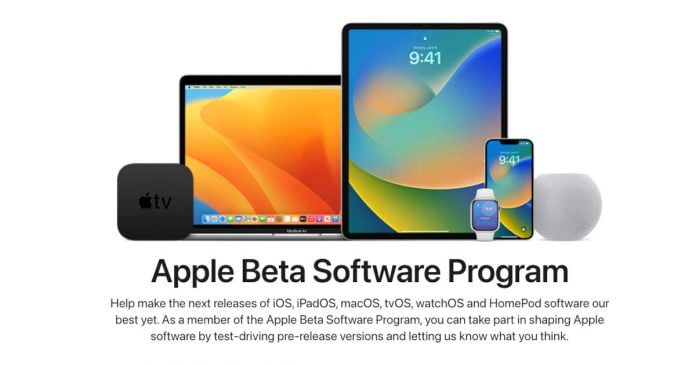
Apple has released the public beta versions of iOS 16, iPadOS 16, watchOS 9, macOS Ventura, and tvOS 16.
In terms of new features, iOS 16 introduced a redesigned lock screen, where users can now customize the layout of elements according to their own preferences. Apple has also redesigned Focus Mode notifications, Face ID now works in landscape, and the Fitness app no longer requires a smartwatch. Now you can edit messages after sending them via iMessage. Along with this, the developers have updated Apple Maps, CarPlay, Family Sharing, and also added new features to ensure the privacy of user data.
In iPadOS 16, developers have improved the multitasking options, due to which users have more options for customizing their workspace while interacting with multiple applications. Some new features in iPadOS 16 will only be available on tablets based on the Apple M1 processor. Even in the new version of the OS, support for external displays, collaboration with documents in the style of Google Drive, etc., appeared.
macOS Ventura also puts a lot of emphasis on multitasking. The Stage Manager tool allows you to group windows along the sides of the screen and arrange them according to different criteria. The Mail app has the ability to cancel already sent emails, and Safari has a feature for sharing browser tabs, as well as the Passkeys option, which will allow you to abandon your usual passwords in favour of Face ID and Touch ID. In addition, users will be able to use their iPhone as a webcam for a Mac computer.
watchOS 9 brings significant updates to fitness features and more options to customize your device for different sports. The smartwatch has received an improved sleep tracking mode, as well as a reminder function to take medication.
In tvOS 16, the updates are less significant and noticeable compared to the OS already mentioned. Apart from the appearance of support for the Matter smart home standard, tvOS 16 will also support the Nintendo Joy-Con and Switch Pro controllers.
To be able to download beta versions of these operating systems, users need to register in the Apple Beta Software Program. The company is expected to release stable versions of these operating systems this fall.
Meta AI has developed an AI model — NLLB-200 — capable of translating between 200 languages in real-time, including some less widely spoken African and Asian languages. The first results are impressive.
With NLLB-200 — an acronym for ‘No Language Left Behind’ — Meta aims to democratize communication on social media and in the metaverse. It can translate both a written message and recognize the spoken word. The tool aims to facilitate communication between 4,000 million people whose languages had not been applied to the main platforms.
Regarding the diversity and language range, the announcement states — “Many of these languages, such as Kamba and Lao, were not supported well or at all by even the best existing translation tools today. Fewer than 25 African languages are currently supported by widely used translation tools — many of which are of poor quality. In contrast, NLLB-200 supports 55 African languages with high-quality results. In total, this single model can provide high-quality translations for languages spoken by billions of people around the globe.”
To show off the NLLB-200 capability, Meta AI has released a demo that can be used to “experiment” with the translations. It consists of a series of books that can be translated in real-time from their original language into a wide variety of other languages.
Meta AI has trained its model with 50,000 million parameters in the RSC (AI Research SuperCluster) — the most powerful supercomputer ever built in which they work to bring the metaverse to life.
However, in addition to the benefits of the NLLB-200, the great novelty has the Meta AI’s decision to open its access to developers. Yes, the majority of this AI project’s components are currently open-source.
“By open-sourcing our code, models and evaluations, we hope to foster even more research in low-resource languages leading to further improvements in the quality of low-resource translation through contributions from the research community.” — Meta explained on GitHub.
Elon Musk officially wants to end the takeover of Twitter. As reported by CNBC and The Wall Street Journal — this emerges from a letter that his attorney sent on his behalf to the company’s chief legal officer on July 8, 2022.
In the letter released by the US Securities and Exchange Commission (SEC) — Twitter is accused of failing to meet its obligations to disclose the number of fake accounts.
At the end of April, Musk was going to buy the social network for $44 billion, but then he put the deal on hold until he was convinced that fake accounts and spam bots were less 5% of the total number of Twitter users, according to the company itself. Ultimately, the billionaire came to the conclusion that fake accounts in the aggregate are at least 20% of all users.
Twitter Chairman Bret Taylor announced the company’s plans to sue entrepreneur Elon Musk amid his refusal to acquire the social network.
The company had given Musk access to internal data. According to Twitter CEO Parag Agrawal, Twitter currently deletes one million spam and fake accounts every day.
Taylor is confident of winning the dispute in court. Twitter had already made it clear when Musk had previously suggested cancelling the deal that the company definitely wanted to go through with the sale. Musk wanted to buy Twitter for around $44 billion, which is $54.20 per share — significantly more than what the shares are actually worth.
According to the terms of the agreement, if the deal is abandoned, the entrepreneur must pay $1 billion. The CEO of Tesla and SpaceX is already the largest shareholder in the social network.
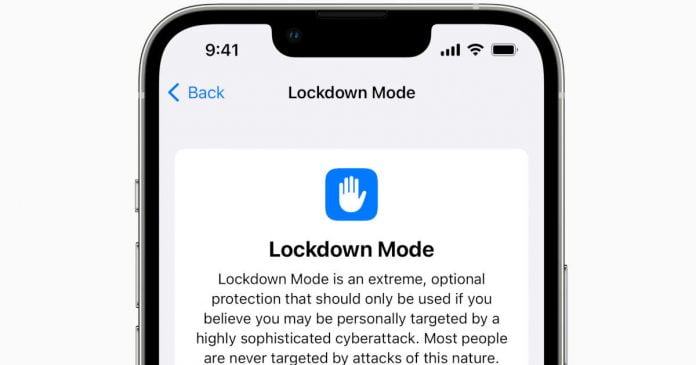
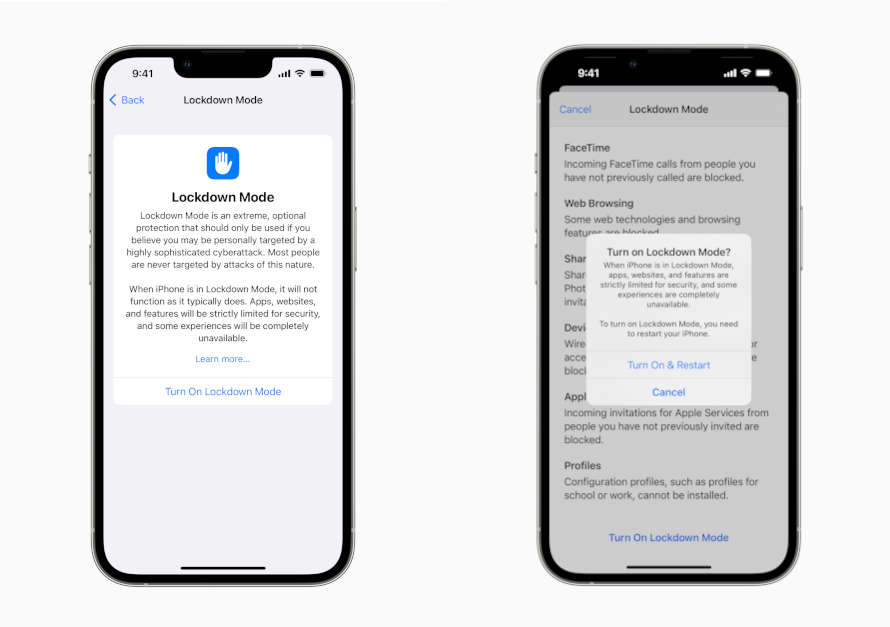
Apple has announced Lockdown Mode, an extreme defense against targeted cyberattacks designed to protect politicians, activists and other public figures from targeted harassment via Apple devices.
The new Lockdown Mode will be available for testing in the betas of iOS 16, iPadOS 16, and macOS Ventura, and it “is the first major capability of its kind designed to offer an extreme, optional protection for the very small number of users who face grave, targeted threats to their digital security.” — explains Apple in an announcement.
The protection should explicitly extend against Trojans from the NSO Group and similar companies that sell their malware to government agencies. In the past, the NSO Group’s Pegasus state Trojan, which was used on a large scale against human rights activists, journalists and government officials, made the headlines.
When enabled, Lockdown Mode will activate the following protections:
Your device will block the ability to view attachments in the Messages app, except for images. Some features, such as link previews, will be disabled.
Web technologies such as JavaScript JIT compilers will be disabled while browsing unless the user adds a trusted site to the exclusion list.
Incoming invitations and requests for some Apple services, including FaceTime calls, will also be blocked if the user has not sent a request to the initiator of the conversation or has not previously called it.
When locked, iPhone cannot be connected to a computer via a wired connection, and the use of accessories will also be restricted.
The device will not be able to install configuration profiles and will not be able to enroll itself in mobile device management (MDM).
In addition, as part of the Security Bounty program, Apple is offering a reward of up to $2 million to security researchers who manage to bypass lockdown mode, provided they help to close the security gap.
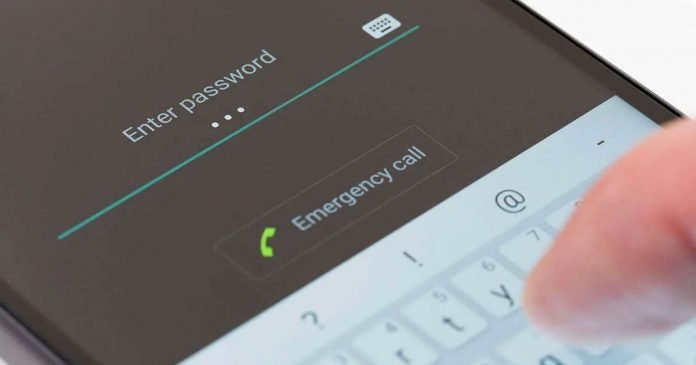
Aside from losing our Android smartphone, one of the worst things that can happen is forgetting the password, lock pattern, or PIN passcode.
It happens to the majority of us, sometimes because your children have been tampering with the pattern lock and the screen has been locked due to multiple incorrect password inputs, or you have unexpectedly forgotten your password, or you have just purchased a used Android phone with an unknown lock screen passcode.
What to do in this case? Just do not panic because there are many proven ways to bypass the password and unlock the Android smartphone.
Unlock Android Smartphone Without Password
Method 1: Using Google’s “Find My Device”
Find My Device — It is an option available only within the Google platform. Android devices need a Gmail account to access all of its features. If Find my device is active, then from a computer, it will be possible to block or erase the device. However, also with this same tool, we can create a new password that will allow us to unlock it.
Below are the steps to follow:
Step 1: You need to go to the official website of Google Find My Device. If you’re not signed in to your computer, sign in with the Google credentials that you used on your locked Android smartphone.
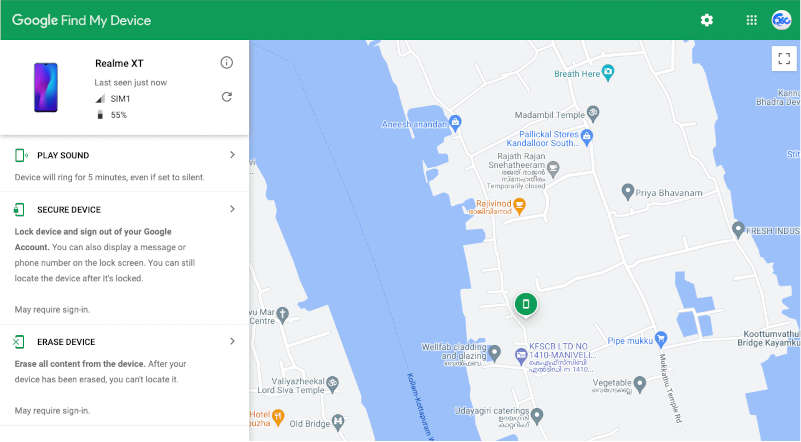
Step 2: When you log in, you will be redirected to the exact location of the device on the map. By clicking on the device name, you will see 3 different options.
Step 3: Now, you need to tap on the “ERASE DEVICE” option in the left menu. If you are prompted to enter the password, authenticate it.
After that, Google Find My Device will erase every data from your device, including the screen lock. Now simply open your smartphone’s security settings and set a new password.
This method has two drawbacks. First, your phone must be connected to Wi-Fi or a cellular network for these settings to take effect. In addition, you need the smartphone to be linked to your Google account, and not everyone does this.
Method 2: Using the ultimate tool DroidKit
As we already said, Google Find My Device has its weakness, so let us introduce a third-party tool to bypass or remove the Android passcode.
DroidKit will help to easily unlock Android smartphone — no matter if it is a 4-digit PIN, 6-digit PIN, custom PIN, password, pattern, fingerprint ID, face recognition, etc — DroidKit automatically unlocks your phone regardless of the lock method you use.
̌DroidKit supports more than 20,000 models of smartphones and tablets — covering almost all Android devices from different manufacturers and the main thing is, unlike other similar tools, the DroidKit platform doesn’t require rooting your Android smartphone. Please to be noted that the Android screen unlock tool comes with a simple and intuitive UI — even a non-tech savvy person can find complicated unlocking process easy.
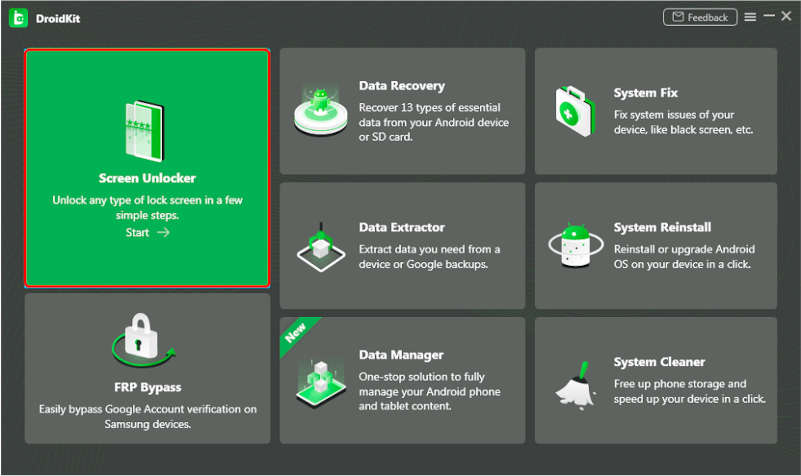
In addition, to unlock Android screen lock, DroidKit also assists its users in bypassing FRP verification on Samsung devices, recovering 13 types of lost essential data, fixing different system errors, freeing up phone storage and speeding up your device.
Follow these steps to unlock your Android device with DroidKit:
Step 1: First, download and install the DroidKit software utility available for Windows and macOS.
Step 2: After installation launch, the tool and plugin your locked Android device to PC via USB cable and choose the “Screen Unlocker” option on your PC.
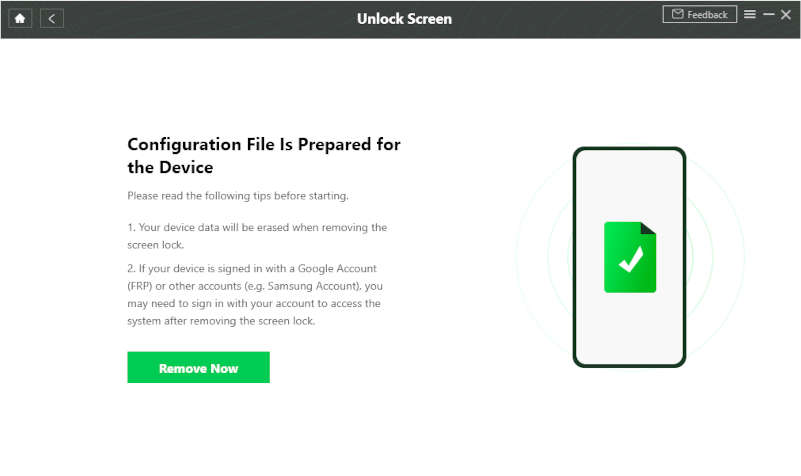
Step 3: In the next window, click on the “Start” button to prepare the configuration files of your device. Once the process is finished, click on the “Remove Now” button.
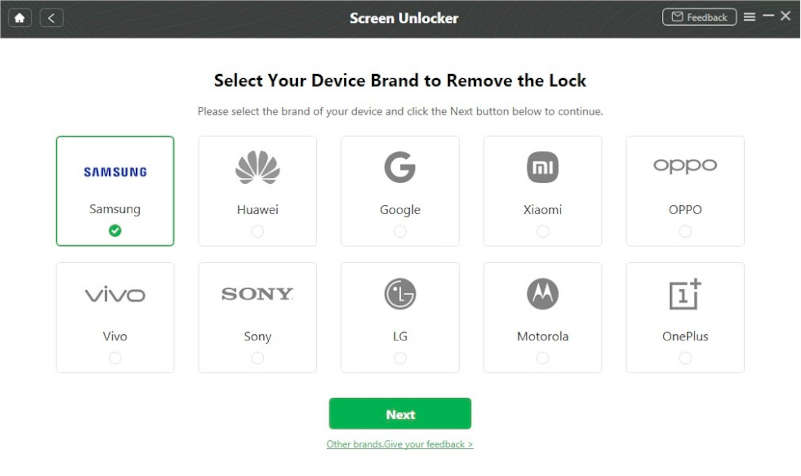
Step 4: Choose your Android device manufacturer.
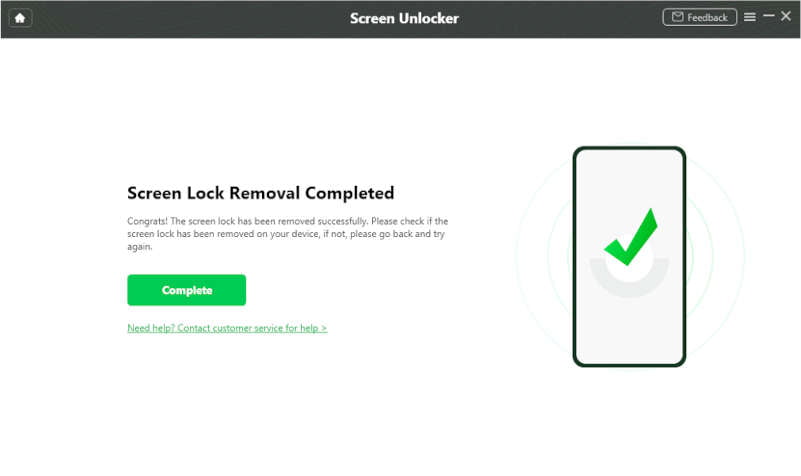
Step 5: Now, your locked Android smartphone will go into recovery mode, and you have to wipe the cache partition. This will restart your smartphone, and a factory reset will be performed, thus removing the lock screen of your Android device.
With iMobie’s DroidKit, the procedure for removing a lock screen password from your Android handset is rather basic and straightforward. Another advantage is that the software is compatible with both Windows and macOS. DroidKit is available in both a trial and fully unlocked version.
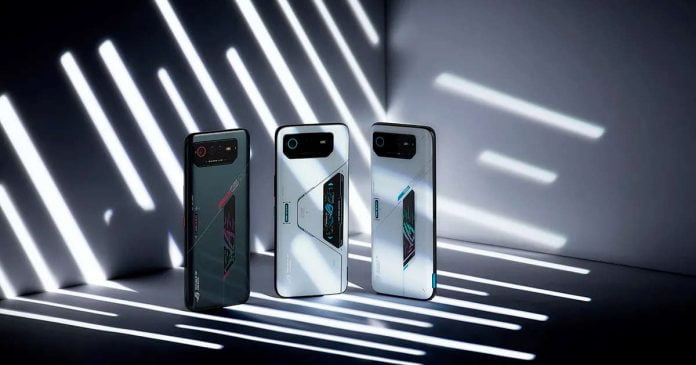
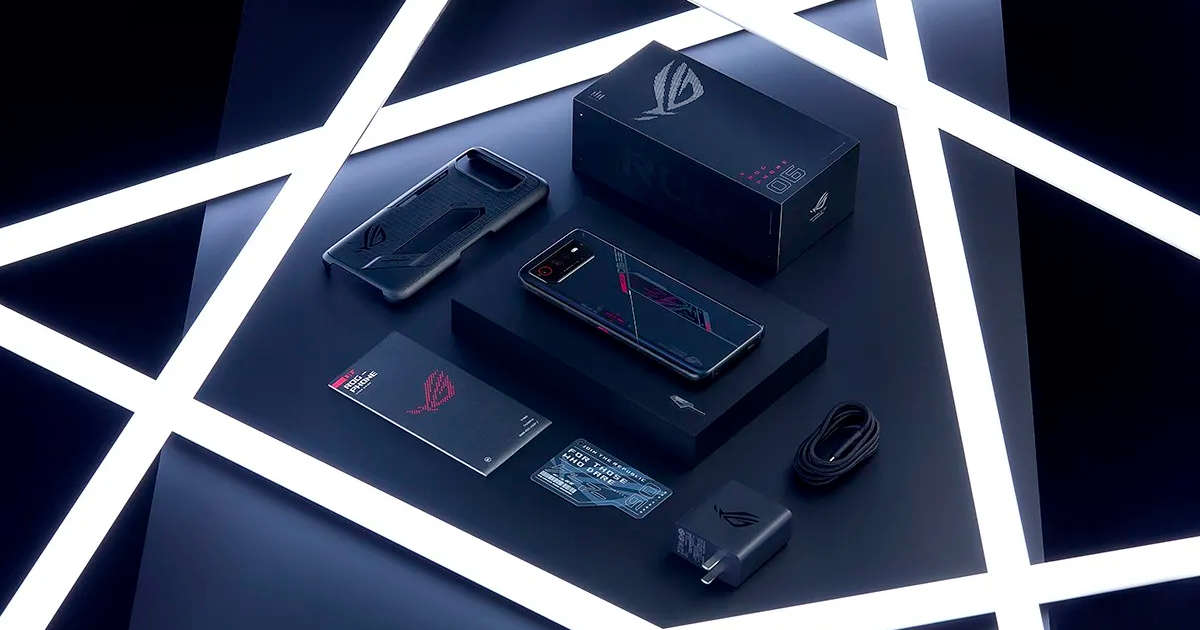
ASUS has officially unveiled the next generation of gaming smartphones, the powerful ROG Phone 6 and ROG Phone 6 Pro, powered by Qualcomm’s flagship processor and Android 12 operating system with ROG UI / Zen UI add-on.
Like the previous generation of ROG phones, the differences between the Pro and non-Pro models come down to RAM and looks. The ROG Phone 6 Pro gets up to 18GB of RAM and a programmable AMOLED color display on the back. While ASUS Rog Phone 6 comes with 8 or 12 GB of RAM.
Apart from that, the vast majority of features are identical in both models. Both Asus ROG Phone 6 and ROG Phone 6 Pro are equipped with a 6.78-inch AMOLED display with a resolution of 1080 × 2448 pixels, a refresh rate of up to 165 Hz — drops to 144, 129, 90 and 60 Hz.
It has peak brightness, maximum of up to 1,200 nits, and with a touch sampling of 720 Hz, the touch latency has therefore been reduced to 23 ms. The display is covered with 2.5D Corning Gorilla Glass Victus. ASUS has also added a dedicated Pixelworks i6 processor for added visual fidelity.
Both adopt Qualcomm’s latest processor, the Snapdragon 8+ Gen 1, with CPU clock speeds of up to 3.2GHz. The amount of LPDDR5 RAM is 8, 12, 16 GB or 18 GB (ROG Phone 6 Pro), and the capacity of the built-in UFS 3.1 flash drive is up to 512 GB. The cooling system has been redesigned to work with the new Snapdragon chipset, and Asus claims it can drop CPU temperatures by up to 10°C.
In the camera department, we find ourselves in the rear with a triple configuration with a Sony IMX766 main sensor that supports 50 megapixels, a 13-megapixel wide-angle sensor and a 5-megapixel macro camera. The front camera consists of a Sony IMX663 sensor that works at 12 megapixels.
The smartphones are powered by 6000 mAh batteries (two 3000 mAh batteries) with support for 65-watt fast charging through two USB-C ports.
Asus has brought back its programmable ultrasonic AirTrigger buttons on the right and back of the phone, allowing controls to be displayed in supported games. The phone also has two front-facing speakers, triple microphones, Dirac Virtuo spatial audio, a headphone jack and a WiFi 6E module. The phone is also IPX4 splash-proof.
ROG Phone 6 with its 12GB RAM and 256GB storage will retail for €999/£899 in Europe and INR 71,999 in India, while the top-end ROG Phone 6 Pro with 18GB RAM and 512GB storage will retail for €1,299/£1,099 and INR 89,999 respectively.