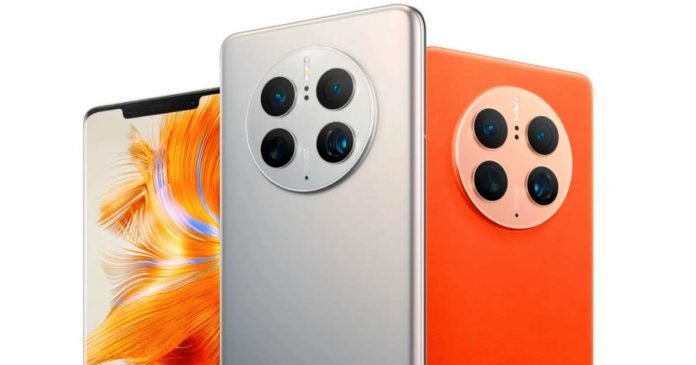
Huawei has announced its high-end smartphone Mate 50 series in China. The highlighted features include satellite communication support and a variable aperture camera.
Equipped with satellite communication
The biggest feature of the Mate 50 series is that it supports satellite communication. Huawei has obtained a new patent through which they use satellites to improve cellular communication performance with lesser power consumption.
It supports the BeiDou Satellite Message 3 protocol, allowing users to send text messages and location information via satellite communications even in areas where radio waves from network towers do not reach, such as when you are in a remote area or when you are in danger abroad, or when you need help in an earthquake or any other disaster.
Apple is expected to announce the latest iPhone 14, also equipped with satellite communication, at its latest launch event on September 7. But Huawei announced the Mate 50 series smartphone with satellite communication function one day earlier than Apple. Also, Google recently confirmed that Android 14 would come with support for satellite connectivity.
Variable aperture camera
In addition, both Mate 50 and Mate 50 pro have the same camera setup —a main 50MP rear camera with a variable aperture. You can change the aperture from 1.4 to 4.0 and adjust the degree of blurring in the photo to make it more attractive. A new feature called the 6-blade aperture is used, which helps you shoot the sun and the light beams in a beautiful way.
Both models also have 13MP ultrawide with an f/2.2 aperture and a telephoto lens too; while the Mate 50 has a 12MP with 100x digital zoom, and the Pro version has a badass 64 MP telephoto lens with 200x digital zoom.
The RS Porche design version swaps the telephoto lens with a 48MP Periscope telephoto camera that can even take macro shots. On the front, it has a 13MP ultrawide lens with 3D ToF sensor and advanced face ID unlock.
Equipped with Snapdragon 8+ Gen 1 that does not support 5G communication
The Mate 50, Mate 50 Pro, and Mate 50 RS Porsche Design all are powered by Qualcomm’s Snapdragon 8+ Gen 1. As the sanctions from the United States have not been lifted, it’s not 5G compatible.
The Mate 50 sports a 6.7-inch 90hz OLED display, but the pro version comes with a 6.74-inch 120hz display. Another highlight of the Mate 50 series is the “Emergency Battery Mode”, which automatically activates when the battery level reaches 1%. In this mode, the battery will last for 3 hours in standby mode and 12 minutes in talk mode. Battery capacity on the spec sheet is almost similar to Mate 50, having 4460mah, and the Pro version has 4700mah with the support for 66 Watt wired and 50 Watt wireless fast charging.
Black, Orange, and Silver are the available colors for Mate 50. And Pro version and the Mate 50RS come in two colors — blue and purple in ceramic effect.
The price in China is 4,999 yuan (about $720) for the Mate 50, 6,799 yuan (about $975) for the Mate 50 Pro, and 12,999 yuan (about $1860) for the Mate 50 RS Porsche Design.
Let’s be real; presentations receive a bad rep for a good reason; they’re boring, long-winded, and most often a hot mess. Who would want to waste their time watching an-hour long presentation that fails to send the message and does anything else but support the speech?
You may have the misconception you have to be a professional designer to make captivating slideshow presentations. But you cannot be further from the truth. A little research can help you switch from distracting, cluttered, and boring presentations to sleek, eye-catching, and informative slides.
It’s essential to stick to a couple of tips and rules if you aim to create a professional and compelling presentation your public loves. Slideshow presentations still remain popular, and you should maximise your skills to nail your job next time you’re up in front of your audience.
Use layouts to create an eye-catching flow
If you’re aiming for a traditional look, you set the images one by one. However, when you try to achieve an interesting flow for your presentation, use various layouts to achieve a movement effect. Different layouts enable you to build a narrative with your presentation and drive interest.
Picking the right images is an impactful way to encourage the public to experience your presentation, so be extra careful when choosing them. Pay attention to the details! Mix pulled back with close-up photos to create a balance and give the viewers space to breathe. This method also allows show-stopper pictures to have a big punch and make an impression.
Rely on strong pacing to convey the desired emotion
You can use presentations to experiment with storytelling and play with the pace and format in a way that enables you to share the message you want. There’s no recipe to tell you how to nail the technique; you must try several methods and pick the one that builds the most interest for your audience.
To build strong pacing, you need to create a well-organised structure. Use the first images to hook your public, and set the theme and tone with a linear story. The following pictures should build up to a climax and then slowly lead to a conclusion. Presentations allow you to play with linear and nonlinear storytelling techniques to figure out which one works best for your public.
Say goodbye to the stock template
If you want to kill your presentation, use the slide themes included in the software. They’re surefire to shut off your audience’s interest. People hate them because they’re kinda ugly, boring, and overused. How many times have you seen them used in slideshow presentations? If you can easily recognise a template, skip it and look for something else. Create a cleaner presentation by building each slide from scratch. Imagine the presentation is your blank canvas, and you paint on it to create something new and unique.
No sentences
Think about the slides in your presentation as visual and simple note cards that should help you capture your audience’s attention and reinforce the main ideas of your speech. But keep in mind they’re not complete thoughts; your viewers shouldn’t read your ideas from the slide but hear them from you. As the speaker, your role is to deliver most of the information and content of the presentation but write it down in a slide for your public to read it. If you do it, expect them to ignore the blocks of text and focus on whatever distraction lays around. Also, if your public decides to read your presentation instead of listening to your speech, you lose their attention and therefore your message is far from effective.
Instead of sentences, use keywords and headlines to convey your message.
Match the presentation’s energy with music
Everyone loves music, and when it comes to slideshow presentations, it’s the thread that holds them together. Pro editors use royalty free slideshow music to convey their messages and capture and retain the public’s attention. Therefore, choose the tunes with intention. Remember that your brand is more than the images you use; it’s the spine and heart that tells you the kind of visual and audio content you should add to your presentations.
Each music genre evokes a different emotion, so decide what kind of reaction you expect from your audience. For a cinematic effect, go with something moodier. Use something upbeat if you want to instil some energy into your presentation.
Make vertical presentations for mobile
Nowadays, slideshow presentations are also used outside the conference room. When you share them on social media or upload them on your website, to ensure they are optimised for mobile view. Create vertical slide shows to ensure your audience enjoys watching them on their mobile devices. Internet users are more inclined to watch social media stories before browsing their feeds for content, so a vertical format is the best way to capture their attention. A vertical video would take their entire screen and put your content on the centre stage.
When you create presentations for social media, keep in mind the following:
IG Stories have a 15-second limit, but you can also upload longer videos if you want to share more info.
IGTV allows at least 1-minute-long videos. The ideal format for IGTV is 9:16. Pick a cover photo for the presentation, add a title and description, and pair it with an inspiration tune.
Tik Tok allows under 1-minute videos at a 9:16 ratio.
IG Reels promote videos of 30 seconds or less and allow you to add a caption to the video.
Pick simple colours
Simple light and dark colours are the best choices for slideshow presentations. Don’t use exceptionally bright hues because they can cause eye fatigue and overwhelm your audience. Light text on a dark background or dark text on a light background works best. When creating presentations on behalf of a brand, use its colours to align with its style and identity. Here are some colour combinations that work great for slide presentations.
Ready to start?
You already know that slideshow presentations are great tools to capture your public’s attention. Now you also know how to design them to impress everyone.
Meta is to pay a fine of 405 million euros for not protecting the personal data of underage users by its subsidiary Instagram. The Irish Data Protection Commission (DPC) confirmed this to various media.
The fine to Instagram comes after an investigation of almost two years carried out by the DPC. In October 2020, the Irish watchdog opened two investigations against the social network after learning that Instagram had exposed the contact details of millions of minors.
According to the allegations, Instagram is said to have allowed teen users between the ages of 13 and 17 to set up business accounts on the platform. The minors switched to such accounts in order to be able to see more data on the interactions of their posts. Instagram previously disabled these features for personal accounts in some countries. By switching to business accounts, the young people’s contact information was publicly accessible.
Meta said in a statement to Politico that now all users under the age of 18 have their accounts automatically set to “private” when they log into Instagram. As a result, even adults would not be able to send messages to young people who did not follow them.
The company told the AP news that “we disagree with how this fine was calculated and intend to appeal it.”
The fine against Instagram is one of the highest ever imposed under the GDPR. It clearly exceeds the sum of 225 million euros that Whatsapp was supposed to pay.
Semiconductor products called GPUs have been attracting attention in recent years. The reason is that GPUs are used in deep learning, which is the mainstream of AI today. GPUs are becoming more important among semiconductor products as they support the development of AI technology.
Therefore, in this article, we will introduce the outline and usage of GPU and also explain the reason why it has come to be used in deep learning.
What Is GPU?
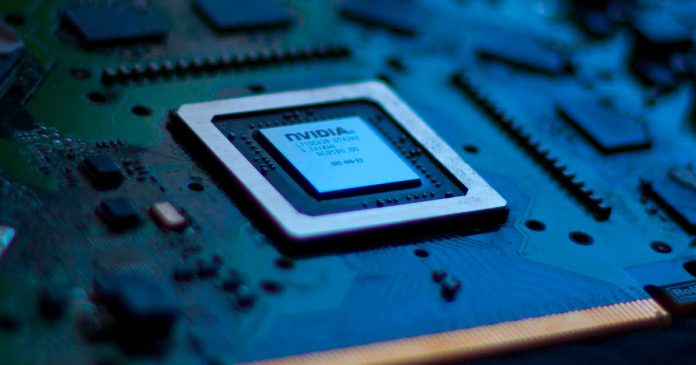
GPU (Graphics Processing Unit) is a kind of semiconductor chip. Designed specifically for image processing, it is responsible for calculation processing for drawing 3D graphics on PC and game consoles.
CPUs are famous when it comes to semiconductor chips, but CPUs and GPUs have different uses. The CPU plays a role like a human brain and performs general-purpose and complicated calculation processing. On the other hand, the GPU was optimized for high-speed image processing, and there was basically nothing to do other than image processing.
GPUs can be classified into two types: “built-in GPUs” integrated into the CPU and “discrete GPUs” that can be used by the GPU alone. Intel, which has the highest share of CPU, has the highest share of “built-in GPU”. On the other hand, the largest share of “discrete GPU” is NVIDIA, which is famous as a GPU maker, and occupies about 80% of the market.
GPU Usage
Generally, the GPU is mounted on the graphic board to perform image processing. A graphic board is a unit that collects parts for displaying images and videos on display and is installed on PC and game consoles.
In 3D graphics, 2D images are processed to make them look three-dimensional by adding shadows and depth. Also, by doing this continuously, you can express three-dimensional movements. When drawing 3D graphics, it is necessary to calculate the values of each pixel that makes up the image in parallel at high speed, and the number of cores of the semiconductor chip is important.
The number of cores is like the number of workers, and the more cores you have, the more processing you can do at the same time. A typical CPU has only a few tens of cores, even if it is a high-end one, but a GPU has thousands of cores. Therefore, it can handle the large amount of parallel computing required for 3D graphics. However, keep in mind that the computing power of each core of the GPU is considerably lower than that of the CPU instead.
GPUs are primarily used in applications that require 3D graphics. Specifically, it includes video works such as games, animations, movies, and 3DCG for buildings and industrial products. Recently, GPUs have been used for new video technologies such as VR and AR, and although they are not image processing, they are also used for deep learning, and their applications are expanding.
Since GPU performance is directly linked to image processing performance, it is expressed in the form of resolution and frame rate. The resolution is simply the density of pixels, which is now commonplace in full HD (1920 x 1080), 4K (3840 x 2160) and 8K (7680 x 4320) for high-performance ones.
The frame rate (fps) is a numerical value that indicates how many images can be displayed in one second, and the higher the numerical value, the smoother the video can be expressed. To simplify, 60 or more fps means the smoothest. Under 60 up to 45 fps is average, and below that is bad.
Deep Learning And GPU
In recent years, GPUs have come to be used in deep learning, which is the mainstream of AI and is attracting attention. GPUs are used for deep learning instead of CPUs because, as mentioned above, GPUs are good at parallel processing.
In deep learning, it is necessary to learn from a huge amount of data and extract the characteristics of the data, but at that time, innumerable parallel calculations are performed.
For example, in the case of image recognition, features such as colour and shape are read from the image, but it is necessary to repeatedly adjust the conditioning to determine which feature should be focused on to get closer to the correct answer. Since the number of features and patterns is enormous, it has a mechanism that learns while repeating calculations of millions and tens of millions and gradually approaches the correct answer.
At this time, if you use a GPU that specializes in parallel computing instead of a CPU, you can reduce the learning time period for AI. It is generally said that the speed of parallel computing on the GPU is 10 times or more that of the CPU, so if you use the GPU, AI can learn in less than 1/10 of the time of the CPU.
Until now, GPUs have been designed specifically for image processing. However, recently, next-generation GPUs have been explicitly developed and optimized for deep learning. GPUs will become even more important in the coming era of ever-increasing demand for AI.
Originally a GPU specialized in image processing, and it is now a supporter of cutting-edge AI technology. It can be said that the improvement of GPU performance is directly linked to the development of AI technology as well as cutting-edge video technology such as VR and AR, thus Metaverse.
Currently, Nvidia is the top manufacturer of GPU for AI, but other semiconductor manufacturers such as Intel and AMD are trying to catch up. We cannot take our eyes off the GPU market trends.
Google has confirmed that it plans to add satellite connectivity in the next version of Android — Android 14.
Now with Apple and Qualcomm, Google is also participating in the race for satellite connectivity for smartphones.
This has been confirmed by Hiroshi Lockheimer, senior vice president of Android, Chrome, Chrome OS and Google Photos. According to Lockheimer, “the Android team is “designing for the satellites” and that they are “excited to support our partners in enabling [satellite connections] in the next version of Android.”
Wild to think about user experiences for phones that can connect to satellites. When we launched G1 in '08 it was a stretch to get 3G + Wifi working. Now we're designing for satellites. Cool! Excited to support our partners in enabling all of this in the next version of Android!
Lockheimer recalled that the new type of communication is different from the 5G and LTE that have become familiar to us. Note that at present, satellite communications support is designed for use in emergency situations and to eliminate “blind spots” in the coverage of cellular networks.
At the end of August, T-Mobile, together with SpaceX, announced the launch of a service for connecting smartphones to satellite internet. As planned, the technology will allow you to be in touch in those points where there is no cellular coverage. At the same time, any smartphone will have support for a cellular connection without any modifications.
And they are planning to launch this feature at the end of 2023, and also Android 14 will most likely be launched towards the end of 2023.
At IFA 2022, Meta has signed an agreement with Qualcomm to create chipsets for the next generation of Oculus Quest series VR headsets.
The two companies had previously collaborated on products such as the Meta Quest 2, but “this agreement solidifies our mutual commitment to deliver multiple generations of premium devices and experiences powered by custom VR platforms for years to come.”
“We are working with Qualcomm on custom virtual reality chips — powered by the Snapdragon XR platform and technology — for future Quest products,” said Mark Zuckerberg, founder of Meta.
Zuckerberg said that the collaboration will help in the development of his metaverse project. According to him, the metaverse is still in its early stages of development, and over time, it is necessary to simplify VR gadgets in order to use them more actively.
Many people are avid video game players, and for some, this is enough. Others, however, may want to be actively involved in the gaming process.
You need to understand that being a game developer isn’t always going to be as much fun as playing games. You will be doing a lot of hard work behind the scenes, and just because you like playing games doesn’t mean you will enjoy developing them.
That being said, if you do have your heart set on becoming a game developer, there are a few things you can do to make this happen.
Unfortunately, game development is expensive because of all the specialized equipment you will need to develop games. From different types of technology to advanced software and services . . . it’s certainly not cheap.
Of course, it also depends on what types of games you want to develop. If you want to develop games that are compatible with augmented or virtual reality, for example, you may need additional tools. You will also need the skills to use these tools. A good place to start is to learn how to use C# Unity.
Get a qualification
While you may get lucky and land a job as a game developer without first obtaining a qualification, the odds of this happening are quite slim.
There are many things you can study to help you pursue your goal of becoming a game developer. Graphic design can help those who want to focus on the visual aspects of gaming, whereas creative writing and coding can help those who develop plots and sequences.
There is also the option of getting a qualification in game development, as this has become a recognized field of study for many universities. Keep in mind that you will need to decide whether you will be doing a certificate, diploma, or degree.
Hone your creativity
To be a good game developer, you will need to work on your creativity. While this is something that often comes naturally to people, there is always the possibility that you will end up burning out your creativity if you spend a lot of time working with games, which is why you should try to find other ways to express your creativity as well.
Even if your field of game development isn’t creative on the surface, some level of creativity will be needed.
For example, coding isn’t seen as a creative field, but you may need to get creative with how you code, such as by coding on your phone.
Be patient
Being a game developer is a highly sought-after position, so the odds are that you will need to work really hard to make it as a game developer. On top of that, you will also need to be patient.
You probably won’t immediately land a job as a game developer – you may need to start your way at the bottom of the company by taking an unpaid internship. But if you use this opportunity to prove yourself, it could lead to something more.
RAM is a pretty big deal when it comes to picking out a device such as a laptop, smartphone, or even a console. It will directly impact performance, speed, and many other elements. Have you ever tried using an Android phone with 1 GB of RAM? If that’s the case, you likely wanted to smash it against a wall due to how slow it performed.
The same goes for a Windows laptop working with 2/4 GB of RAM. Sure, you could open a few tabs at best, but the minute there’s an update running in the background, you’re stuck thinking why you didn’t buy a laptop with more RAM or researching how you can upgrade the RAM on your laptop on sites like 9to5gadgets.com where you can find a bunch of step by step upgrade tutorials for a number of different popular laptop models.
Having said that, today we’re going to talk in-depth about RAM, its impact, and, more specifically, we’re going to cover the differences between DDR5 vs DDR4 RAM, a new RAM generation that’s hot off the presses and a significant improvement worth looking into.
But before we get into that, let’s touch base and get to know the basics.
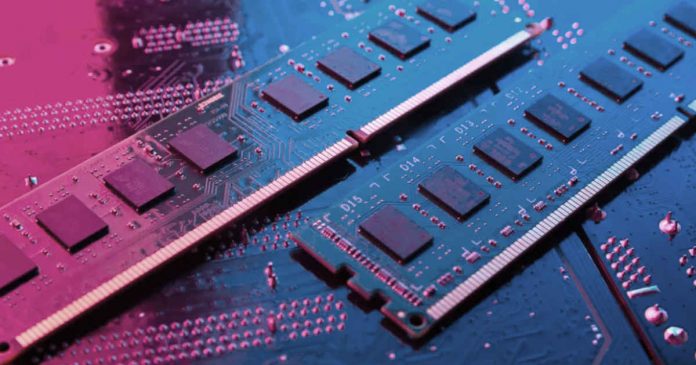
Known as one of the main components of a computer system, whether it’s a desktop computer, a laptop, a smartphone, a Smart TV, a video game console, and even a Smartwatch, the Random-access memory (RAM) is the place where data that is used by the processor is temporarily stored so that it can perform tasks in a faster and more efficient manner.
In other words, RAM is a volatile memory, meaning it only stores data as long as the computer is on because when you turn it off, the data is erased, and the RAM is emptied.
Therefore if your devices didn’t have a RAM memory, none of your applications, including the web browser, chatting and editing programs, virtual machines, streaming services, video games, and so on, wouldn’t be able to work.
In addition, its capacity will be crucial for determining your system’s day-to-day performance, so the more GB your memory module has, the more applications you’ll be able to run simultaneously without experiencing lags or hiccups.
That’s why RAM is directly related to your ability to multitask, much more so than the processor or even the type of storage, which also plays a significant role in that department.
Nowadays, SDRAM (Synchronous dynamic random-access memory) is usually used in most devices. It’s synchronous because it syncs with the motherboard’s data bus to improve performance, and at the same time, it’s dynamic since the processor can allocate different amounts of memory to apps as needed.
Since the early 2000s, the most used RAM memory type is the DDR-RAM standard which stands for Double Data Rate, and it’s best known for being able to carry out two operations in each clock cycle, unlike the SDR (Single Data Rate) standard which can only execute only one read or write operation.
The DDR-RAM comes in various iterations, including DDR2, DDR3, and the well-known DDR4, which is nowadays the most popular standard on personal devices due to its lower voltage and cooling requirements, higher data rate transfer speeds as well as higher capacity (up to 64 GB per DIMM module) when compared to the maximum 16 GB of its predecessor.
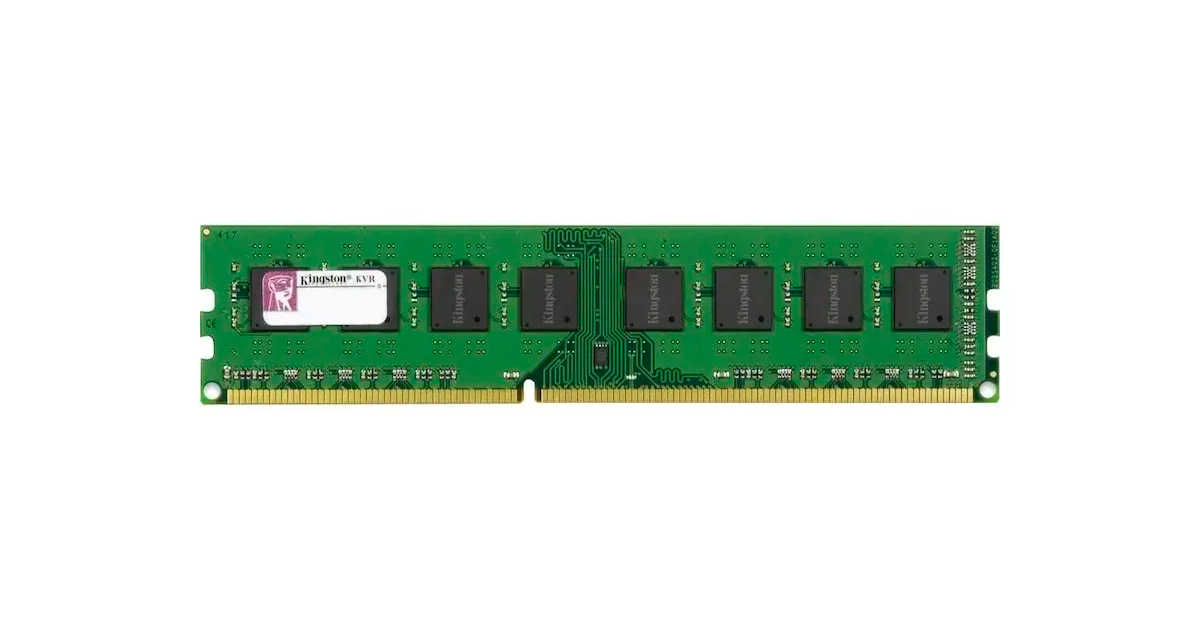
They are connected to the motherboard of the computer through a DIMM connector, which has an asymmetric sample so that it is easier to know in which position the RAM should be inserted.
In some laptops, you will find that you have both slots empty and ready to be upgraded. Other laptops will offer only one slot of RAM with the base RAM already soldered onto the motherboard. Finally, some notebooks, most notably ultrabooks such as the MacBook Air, have both modules soldered onto the motherboard, depriving the user of manually upgrading the RAM according to their requirements.
What is DDR5 RAM memory?
Released in mid-2020, the newest DDR5 RAM standard promises not only to reduce even more power consumption, it also allows for higher speeds and increases the maximum DIMM capacity significantly from 64 GB on the current DDR4 standard to a whopping 512 GB while maintaining the same latency as DDR4 and DDR3 memories.
Just like the previous generation, DDR5 modules keep the same number of pins (288), while doubling the data burst size from 8 to 16.
Also, there are two independent 40-bit channels per memory DIMM, whereas DDR4 only has one 72-bit channel.
Furthermore, DDR5 memory has managed to multiply the number of memory chips per module by 4, so they will only be sold in modules starting from 16 GB, instead of the conventional 8 GB made popular by the DDR4 standard.
Consequently, going forward, the standard RAM on notebooks will easily reach 32 or 64 GB in the coming years.
If you haven’t been paying attention for the past few years, most laptops within the mid-range would often come with 8 GB of RAM, leaving 16 GB or more for more expensive high-end notebooks and gaming laptops.
Therefore, going from 8 to 32 or even to a base 16 GB of RAM represents a massive leap forward in terms of multitasking capabilities and future-proofing your device.
Speed of DDR5 Vs DDR4 RAM
Unlike the 3200 MT/s speed reached by the DDR4 memory, the latest standard can reach up to 4800 MT/s which means that it’s 1.87 times faster than its predecessor.
And as we have witnessed in the past, that number will eventually be surpassed as advanced DDR5 RAM models are launched.
Main Features of DDR5 RAM
Amongst its most appealing features, we’d like to highlight the following:
Up to 30% greater power efficiency.
Up to 7200 Mbps of data transfer speed.
Up to 512 GB of capacity per DIMM module.
Up to 4800 Mbps of bandwidth
Up to 1 TB for Quad-Channel configurations
Voltage has been reduced from 1.2 V to 1.1 V
It packs two independent 32-bit memory channels
The maximum number of banks per bank group remains at four.
Another important feature of the DDR5 RAM is that ECC technology is integrated, so it can reduce the error rate by detecting and correcting them before being supplied to the processor.
DDR5 Vs DDR4 RAM Side By Side Comparison
The following chart shows a DDR4 vs DDR5 comparison for you to get to know the main differences at a glance:
DDR4
DDR5
Release date
2014
2020
Developer
JEDEC
JEDEC
Generation
4th generation
5th generation
Clock rate
800 – 1600 MHz
2400 – 3600 MHz
Voltage
1.2 V
1.1 V
Transfer rate
3200 Mbps
4800 – 7200 Mbps
Pin count
288
288
Maximum capacity per DIMM module
64 GB
512 GB
Channels per DIMM module
1 memory channel
2 memory channels
Peak transfer rate
25.6 Gbps
51.2 Gbps
ECC built-in
No
Yes
As you can see, there are some important differences that should be taken into account to know how to differentiate them properly and be able to choose the one that best fits you.
Intel XMP 3.0
In order to enhance your system’s performance, the DDR5 standard features the latest version of Intel’s XMP technology (3.0), which stands for eXtreme Memory Profile and allows you to personalize your own XMP profiles, adding two new personalized ones, for a total of 5 XMP profiles that also can rewrite it and even name them too.
In just a few words, XMP profiles are tables of settings, including clock speeds and timings) that can be overlocked above the rated speeds of the PC industry so you can get the most out of your computer when doing demanding tasks, such as multitasking and hardcore gaming.
Dynamic Memory Boost
This is another solution developed by Intel for enhanced performance that allows you to overlock your DDR5 RAM memory directly from the Windows user interface, avoiding accessing the BIOS of your computer to do so.
Moreover, it can automatically increase its clock rate according to your computer’s load and workflow.
Frequently asked questions
How much RAM do I need with DDR5 memory?
When looking for a computer, you can choose amongst several RAM options, depending on the work you usually do, including
4 GB: Sufficient for web browsing, basic office app usage, and checking your email.
8 GB: Good for solid multitasking, light gaming, and editing photos.
16 GB: Recommended for light video editing, normal gaming, and programming.
32 GB or more RAM: Ideal for professional 3D design and programming, heavy video editing, 8K streaming, and hardcore gaming.
However, with the newest DDR5 standard, the base capacity starts at an upgradeable 16 GB, meaning that you’ll be able to do most of these tasks with efficiency, being able to easily expand it according to your needs.
Contrary to what we might believe at first, there are no significant differences when playing recent Triple-A titles whether your PC packs a DDR4 RAM or DDR5 RAM memory, especially if you play games at 1080p, as most gamers do these days.
In some cases, you can get up to 10% better performance when playing certain games (War Thunder, DOOM Eternal, The Riftbreaker, Far Cry 6, and Assassin’s Creed Valhalla), while other titles perform poorly with this new RAM standard, including Valorant, Counter-Strike: Global Offensive, and The Division 2.
Ergo, maybe it’s not the right time to do the transition from DDR4 to DDR5 standard if your main goal is to use your laptop for heavy gaming.
What processors support DDR5 RAM?
Regarding the support of the DDR5 standard, so far, we know that Intel’s 12th generation Alder Lake already does, while the upcoming Sapphire Rapids and 13th-Gen Raptor Lake CPUs will do it when they’re launched.
Also, it’s been confirmed that AMD’s Epyc Genoa and Bergamo processors will support it, while AMD’s Ryzen 6000 series already supports both DDR5 and LPDDR5, which stands for Low Power Double Data Rate 5 and is mainly intended for low-powered laptops and smartphones.
Can I install DDR5 on a DDR4 Motherboard?
At this moment, only Intel 600 series motherboards, including the H610 andB660, support DDR5 RAM modules. And due to its incompatibility, you can’t install a DDR5 module on a DDR4 motherboard.
So, in order to get the benefits of this new standard, you’ll need to buy a DDR5 RAM motherboard which is already available in many forms factors and they’re manufactured by famous brands such as ASUS, MSI, and Gigabyte, among others.
Do they get hotter than DDR4 memories?
Although its bandwidth, clock rate, and transfer rate are higher, DDR5 RAM does not necessarily have to be hotter than the previous generation since its voltage is lower and it features a technology that dynamically reduces both the working voltage and clock rate to avoid damage, according to the CPU’s loads.
How much does it cost?
The DDR5 RAM price may vary according to their maximum capacity, so the 16 GB kit (for a total of 32 GB) is around $150, while the 32 GB kit (for a total of 64 GB) costs around $250.
However, keep in mind that these prices will likely drop in time as DDR5 becomes the new memory standard. Right now, the price roughly doubles that of the popular DDR4 format, but in the near future, we are likely to see the prices leveling down and reaching the numbers we can see for DDR4 units.
Where to buy DDR5 RAM?
After making sure your motherboard supports it, you can buy DDR5 RAM on the most popular e-commerce stores, including Amazon, BestBuy, Newegg, B&H, and AliExpress.