Home Blog Page 183

10 Best iOS Apps For Musicians — Start A One-Man Band With iPad And iPhone

best iOS apps for musicians

Like to create your own music, but can’t afford any bulky musical instruments.? Don’t worry, if you are owning an iPhone or iPad will solve your problem.

Yes, with an iPad or iPhone you can start a band without spending hefty amounts on those musical instruments. Instead of those instruments, there are a handful of iOS apps for musicians are available in the App Store to help you with music creation.

It doesn’t matter, if you are a pro or novice or just a music enthusiast, with these music apps for iOS, you can easily tune your own beats and even produce a whole song or background score. These apps are your on to go music creation studio.

Here are the best iOS apps for musicians. It would be better if you try all these apps on the iPad because large screen provides more freedom and ease of use else you can go with the iPhone.

Best iOS apps for musicians:

1. GarageBand

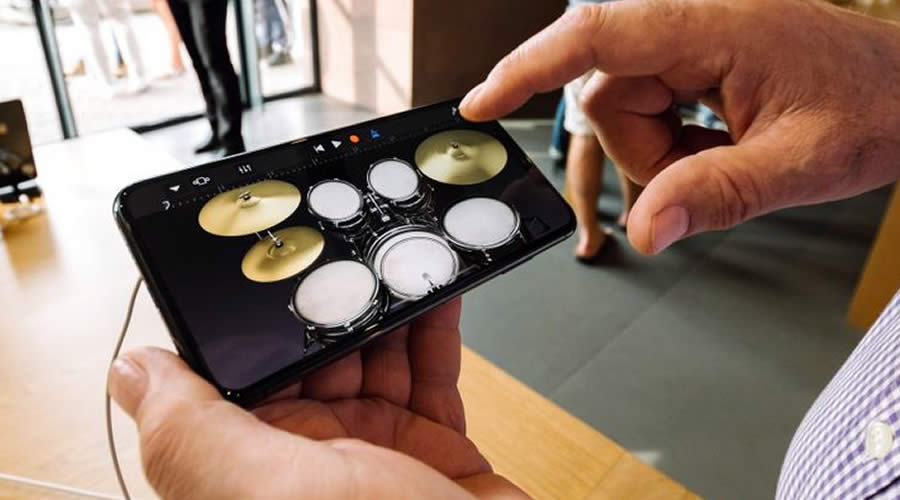
GarageBand is an in-house application of Apple, so it is available for both Mac and iOS. Mostly GarageBand is pre-installed with every iPad and iPhone. It turns your iPad, and iPhone into a collection of Touch Instruments and a full-featured recording studio. With live loops feature anyone can make music like a DJ. You can also download free instruments, loops and sound packs for GarageBand with the Sound Library.

Key features:

  • Play a variety of musical instruments on the innovative Multi-Touch keyboard.
  • Capture any sound and apply studio-class effects.
  • Use professional mixing effects, including Visual EQ, Bitcrusher, and Overdrive.
  • Create custom ringtones and alerts for your iPad, iPhone, or iPod touch.

2. Medly

Medly — another helpful music app for iOS that takes a new approach to the way music is made, letting both seasoned and new musicians make epic music. With Medly you can start off with 16 free instruments and 100 loops.

Key features:

  • Medly breaks up your song into Sections that you can easily pick up, move, delete, copy, and link together to make loops.
  • You can use up to 24 instrument tracks.
  • Quickly upload your song to SoundCloud, or share it as a video, audio, MIDI, or Medly file.
  • Mix and customize your sounds using built-in effects and filters.

3. Yousician – Your Music Teacher

Yousician is the iOS app for upcoming musicians. It’s like a personal music tutor for the digital age. With the help of this app, you can easily play and master the piano, guitar, bass or ukulele. The app listens to you play and gives instant feedback on your accuracy and timing. This is perfect music of iPad and iPhone that will help musicians of all levels improve, from complete beginners to professionals.

Key features:

  • Step-by-step video tutorials guide you through each lesson.
  • Over 1,500 missions & exercises, with hundreds of videos, covering all the skills you need.
  • Also teaches you music theory and Includes special trainers for each skill & chord.
  • It is perfectly suited for self-learning or as a supplement to learning with a teacher.

4. Writr

Writr — a must-have app for a songwriter or poet. It is fast rhyme assistance where you can search find appropriate rhymes for your new song.

Key features:

  • Can search in multiple languages.
  • Fast search for any word to get instant rhyme results.

5. The Snail

The Snail is an advanced audio analysis and instrument tuning application for iPhone. App uses a snail grid to visualize root note and overtone structures of an incoming sound very precisely via the integrated iPhone microphone. The Snail is based on newly developed audio technology making instrument tuning easy and audio analysis musical and fun to watch.

Key features:

  • Precise audio analysis and instrument tuning in two modes.
  • Snail view for a sophisticated visual representation of root note and overtone structures.
  • Tuner view to tune instruments and to control pitches of voices and other sources.
  • Fast access guitar tuning (GT) mode.
  • Split window settings menu.
  • Visual gain and mic gain controllers.
  • Many customizable parameters like tuning reference, frequency tracking and audio window size.

6. Suggester

Suggester is a tool to assist in the creation of songs and chord progressions. This app will help you find chords that work together. Simply touch a chord to hear what it sounds like. Press the play button to hear the chord progression sequentially and adjust the playback speed.

Key features:

  • You can trigger chords through the MIDI input.
  • Available instruments: Instruments: Piano, Electric Piano, Strings, Guitar.
  • Extremely useful in jam sessions.
  • Compatible with AudioBus 3.
  • Compatible with Ableton Link.
  • Optimized for Retina Display.

7. Music Memos

Music Memos — another one of the iOS apps for musicians developed by Apple. Music Memos is the easiest way for songwriters to capture and organize new musical ideas. Use your iPhone, iPad or iPod touch to record acoustic guitar, piano, voice, or any musical instrument as high-quality, uncompressed audio. Music Memos automatically detects your tempo, rhythmic feel and chords and lets you instantly hear your musical idea accompanied by a rhythm section with realistic drums and bass.

Key features:

  • Easily record any musical idea using a simple interface.
  • Adjust the groove and sound of the drum or bass using simple and intuitive controls to hear your song idea in different ways.
  • Tag your song ideas to help you find them later using keywords like verse, chorus, mellow, energetic, or add your own custom tags.
  • Automatically analyzes the music you played and displays musical measures and suggested chord names.
  • Quickly open your idea in GarageBand for iOS to add more instruments and keep building your song.

8. Pitchronome

Pitchronome is a Tuner, Metronome, and Drone — simple and beautiful all-in-one practice tool. It is the perfect app for tuning your guitar, practising your cello, or singing that high note at just the right time.

Key features:

  • Fast, accurate, unique tuner.
  • Four metronome sounds are available.
  • The Metronome & Pitch Generator work at the same time.

9. SoundForest

SoundForest is a mini music maker that allows you to instantly compose a song using a collection of musical creatures. Compose a loop by tapping animal instruments and mix them into a hypnotic tune.

Key features:

  • Instantly compose awesome music loops
  • 160 elements, each a unique music note
  • 4 musical environments (SoundForest, ElectroJungle, SynthSavanna, EchoOcean)
  • 6 pitch levels for each music note
  • Make a quick loop or compose a mini song
  • Endless song possibilities

10. Simply Piano by JoyTunes

Simply Piano is a fast and fun way to learn piano, from beginner to pro. Works with any piano or keyboard. Chosen as one of the best iPhone apps for musicians.

Key features:

  • Includes courses for different musical tastes and playing levels.
  • Learn the basics step-by-step from reading sheet music to playing with both hands.
  • Personalized 5-Min Workouts ensuring you progress fast and always succeed.
  • Suitable for all ages, no previous knowledge required to learn piano.

Switch to Android: Google Makes Switching From iPhone To Android Much Easier

Switch to Android

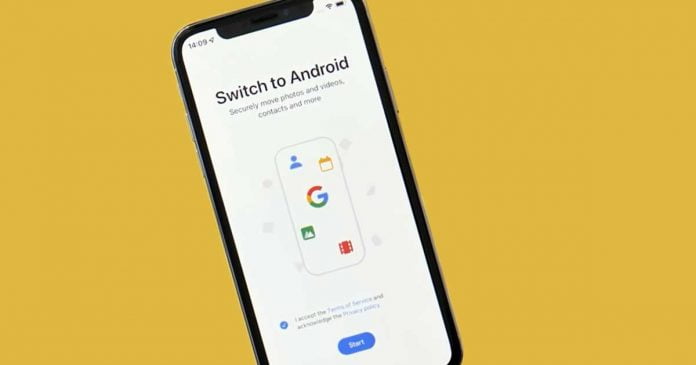
Google launches Switch to Android on App Store to make things easier for users migrating from iPhone and Android.

As the developers promise, the application allows you to quickly and safely transfer photos, videos, contacts, calendar events and other important data from your iPhone to your Android device via a wireless connection.

However, it is worth mentioning that you will need to grant the app a number of permissions to access your data before migrating it to a new Android phone.

The app will also notify users to disable iMessage to make it easier to receive SMS. Unfortunately, the Switch to Android app does not allow users to transfer their iOS apps to the new Android device. This may be due to Switch to Android app permissions being limited to accessing iOS apps on a user’s device.

Switch to Android is Google’s answer to Move to iOS, an app developed by Apple with the same features but operating in reverse.

Meta Charges 47.5% Commission For The Purchase Of Virtual Assets In The Metaverse

Purchase Of Virtual Assets In Meta Metaverse

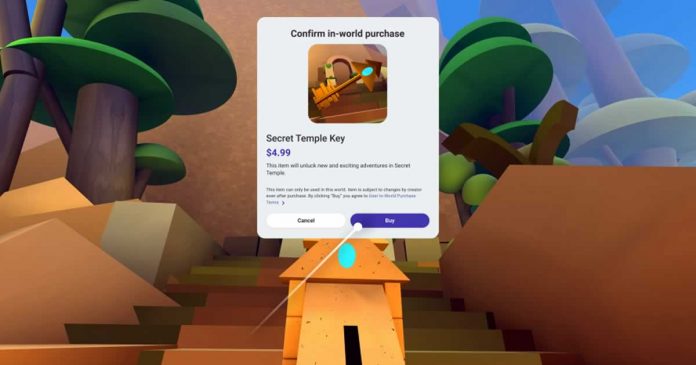
Meta has started testing new forms of monetization within its metaverse. For a few days now, selected developers have been able to sell virtual goods in the metaverse of Meta — a virtual environment called Horizon Worlds. With this new monetization feature, developers, for example, can sell NFTs, or non-fungible tokens, through their Horizon Worlds platform.

But creators who create and sell digital assets on Meta’s Horizon Worlds will earn slightly less than expected as the company plans to keep almost 50% of the revenue from purchases made within its virtual world — according to CNBC.

Meta will request a 47.5% commission for each purchase made within the Horizon Worlds. The 47.5% at Meta consists of two components. First, the company Meta Quest, which belongs to the group, charges a commission of 30% in its store. Then there are sales fees of 17.5% in Horizon Worlds itself. That makes a total of 47.5%.

The news does not go down well with developers. The Cnet found some posts on Twitter with critical voices.

47.5% commission for purchases made in the metaverse is much more than what Apple and Google currently ask developers for the sale of applications and services within each app store.

Both companies, in fact, ask for a 30% commission on those platforms that exceed an annual turnover of one million dollars. This is reduced to 15% on newer apps or those that do not reach the million-dollar barrier in revenue. And also, recently, Apple allowed some developers to include third-party payment options in their apps.

Earlier, Mark Zuckerberg had only criticized the competitor Apple in a post on Facebook in November 2021 because a 30% commission is usually due in its ecosystem.

The Meta must make money from the metaverse to be successful, but with a 47.5% commission, it can be difficult to convince developers to create content for Horizon Worlds. However, the company may decide to lower its fees ahead of the global rollout of Horizon Worlds.

This Guide will Help you to Become the Best Tech Influencer

being online

Do you want to try and become a good tech influencer? Maybe you just want to make sure that you are doing everything you can to try and push yourself while also ensuring that you are excelling in your chosen career path. Either way, this guide will help you to find out whatever you need to know about being a bigger and better influencer in the tech market.

Define your Goals

Before you even think about beginning, you have to understand what your key performance indicators are. You may want to take note of several things here, such as your reach, your engagement, your impressions, your sales and your views. It is also possible for you to think about your following list here as well. So why do you need to know these? 

It’s vital that you know things like this from the beginning, whether you have goals that relate to them or not. You also need to know how they relate to your niche. The great thing about doing this is that it can help you to achieve your long-term goals. If you look at this Tej Kohli Medium article, you will soon find that he had several visions that aided him on his journey, and he ended up achieving his goals through planning, hard work and dedication.

Define your Channels

You have to have a good understanding of the channels that you want to try and target if possible. If you see that Facebook is your best way forward then you won’t want to be the kind of tech influencer who chooses to rely on Twitter alone. This will require you to research your niche as much as possible and you will need to do this before you go ahead and kick off your campaign too. It is also vital for you to evaluate your niche so that you can gain a good understanding of your social media apps and what you are most likely to use. If you can do this, then you will be able to set up where your focus lies.

Join a Network

When you have defined your key performance indicators and the channels that you want to use it is then time for you to try and sign up with a performance marketing network. At the end of the day, it’s vital to know that the right network will give you the chance to try and create a space where you know that your influencers can gather and then refer back to pre-made content. You can then allow them to communicate with one another efficiently. If you can do this then you will soon find that it is easier than ever for you to come out on top.

Reach out to Other Influencers

You have to also make sure that you reach out to other influencers. If you don’t then you might struggle to get the connections you need and this is the last thing that you need. Put in the work now and you will soon find that you can reap the benefits.

Elon Musk Wants To Buy Twitter For $43 Billion

Elon Musk Joins Twitter Board Of Directors

Billionaire Elon Musk has offered to buy Twitter for about $43 billion in cash, saying the social network he often criticizes needs to go private to see effective change.

This emerges, among other things, from documents that Musk’s lawyers filed with the United States Securities and Exchange Commission (SEC) on April 14, 2022.

Musk offers all current shareholders $54.20 per share — the last closing price before that was around $46. Shares rose more than 18 percent after the proposed deal was announced. The total value of the deal was calculated based on 763.58 million shares outstanding.

If Musk receives enough shares, he wants Twitter to be delisted. There is no information about his further plans with the company. Musk stressed that the price was his final offer. If the takeover attempt fails, he will reconsider his commitment to Twitter.

In early April 2022, Musk surprisingly bought around 9.2 percent of the shares in Twitter. It was then first said that Musk wanted to work on the board of directors of Twitter; later, he backed out — which from today’s perspective, could probably be related to his now known purchase intentions.

Google Play Will Remove Apps That Haven’t Been Updated In The Past Two Years

Google Play Will Remove Outdated Apps

Google is going to introduce new measures that will offer the user extra security when downloading and using apps from the Play Store. The company has warned developers that applications that are not updated to adapt to the new versions of Android for a while will not have a place in Google Play.

Many apps listed there have not been updated for years and are therefore no longer up to date — not least in terms of security and privacy. Google now finally wants to put an end to this.

Google confirmed on its official blog for developers that the deadline for this rule change is November 1, 2022. From then only those apps that target one of the last three Android versions should be displayed in the Play Store on current Android smartphones.

At this point in time, this would specifically mean that apps must be updated at least for Android 11 and its interfaces in order not to be hidden.

As Android 13 becomes official, millions of apps will “disappear” from Google Play. The store is tired of the fact that there are applications in its repository that are years old and that are not updated.

Initially, it will not be removed from Google Play, but it will remain hidden so that no one can find it. That is, at the end of this year you will only be able to find updated and optimized applications. Without a doubt, it is something extremely positive.

Users who have ever downloaded the X app, even if it is not updated, will be able to continue using and downloading it on other devices. That is if it is an app that you use on your device, even if it is not updated, you will be able to find it and download it when you configure your new Android smartphone. It will not be hidden from you, but it will be hidden from users who have never interacted with it or installed it on their device.

Google emphasizes that this is not a one-time cleanup, so the rules should be automatically applied every year. In November 2023, support for the Android 12 interfaces should be the minimum for display in the Play Store.

Earlier, Google decided to add a new safety section in Google Play for all apps, like Apple’s privacy labels and also announced a number of new regulations for the names and icons of apps in the Play Store.

How to Make Working from Home Easier 

Optimize a Mobile Workforce

For some, working from home has been a breeze. Others, however, are still struggling to adjust. On paper, working from home may seem perfect, but the truth is that many people simply function better when they have the structure of an office job.

Luckily, remote working doesn’t have to be hard. The odds are that a few simple changes can make working from home a lot easier. Whether you work remotely for a company or you run your own business, these tips are sure to help you.

Get the right equipment and technology 

In an office, you have loads of technology available whenever you need it. That’s probably not true when you’re at home. While you may not want to spend money, investing in some equipment and technology can make your work-from-home setup much more convenient.

This way, you won’t have to run to a print shop, because you’ll have your own printer. There are also various types of technology aimed at helping remote workers. Screen sharing, for example, can make it easier for you to work with other members of your team. These cloud printers from Brother can also be a huge help to remote workers.

Communicate 

Communication is always key in any business, but it’s even more vital when it comes to working from home. Both superiors and employees need to make sure that they are communicating their expectations as well as their queries.

While you may think that it will be hard to communicate when you aren’t sharing an office with people, the truth is that it doesn’t have to be. There are so many communication apps that allow you to talk to many people at once, and virtual meetings are also growing in popularity because of how accessible they are for remote employees.

Create a workspace

If you’re constantly working in your bed or in front of the TV, you likely won’t be very productive. The opposite can also be true – you could lose track of time and end up working too late.

You need to create a separation between your work life and your personal life, and that can be hard to do when you work and live in the same space. This is why it’s so important to have a dedicated workspace.

Ideally, having a separate room for your home office would be great, but if not, just make sure that you have a place to work where there aren’t any distractions, and that you only use this space when working. If you need some home office ideas, click here.

Stick to a routine

It can be easy to sleep in or to have a long lunch break when you’re setting your own hours and no one is looking over your shoulders. But that’s not beneficial, especially in the long run.

To get the most out of your day and ensure that you are being your most productive self, you should set up a routine that works for you. Having a daily routine won’t just help you in your remote work, but also in other areas of your life.

Vivo X Fold: Brand’s First Folding Is A Kind Of Galaxy Z Fold 3

Vivo X Fold

Vivo presented its first foldable smartphone, Vivo X Fold, in China and finally joined the foldable smartphone market along with Samsung, Huawei, Xiaomi and Oppo.

Vivo has just made its first folding smartphone official in China. The Asian company debuts in the segment, along with Samsung, Huawei, Xiaomi and Oppo, with a high-end folding book type device, something similar to what we already saw in the Samsung Galaxy Z Fold 3.

The smartphone folds inwards and consists of two displays — the internal 8.03 inches with 2K resolution, while the external one measures 6.53 inches, AMOLED with FHD + resolution. Both support HDR10 + content and a 120Hz refresh rate. The internal display has a layer of ultra-thin glass (UTG) for added protection, and the crease is practically invisible.

When folded, the Vivo X Fold has measurements of 162 x 74.5 x 14.6 m. When unfolded, it goes to 162 x 144.9 x 6.3mm, doubling its width. We are thus facing a large terminal, more than 16 centimetres high and weighing 311 grams.

Onboard, we find Qualcomm’s powerful Snapdragon 8 Gen 1 SoC along with 12GB of RAM and 256 / 512GB of UFS 3.1 internal storage. All this, in addition, with a 4,600 mAh battery with a fast charge of 66W and the promise of fully charging in 37 minutes. Wireless charging is 50W, and reversible wireless charging is 10W.

The design and materials are premium, and on the back cover, we find a large camera module that houses 4 sensors in collaboration with Zeiss — 50MP Samsung GN5 Main, 48MP ultra-wide-angle, 12MP f / 2.4 2X zoom (47mm), and 8MP 5X Periscope (up to 60X digital). It also includes two additional cameras for selfies: one located on the outer screen and another on the inner panel, in both cases with a resolution of 16 megapixels.

Vivo X Fold camera

The hinge is made from 174 components and has been tested by TÜV Rheinland for durability; and has survived being opened and closed more than 300,000 times. The manufacturer’s own investigations have shown that a foldable smartphone is opened about 80 times a day so that the X Fold can be used reliably for up to 10 years.

The Vivo X Fold will initially be an exclusive product for China. It will be available in the colors — black, blue and gray at the introductory price of 8,999 CNY.