Home Blog Page 168

Meta Launches Avatars Store: A Virtual Clothing Store For Metaverse Avatars

Meta Launches Avatars Store

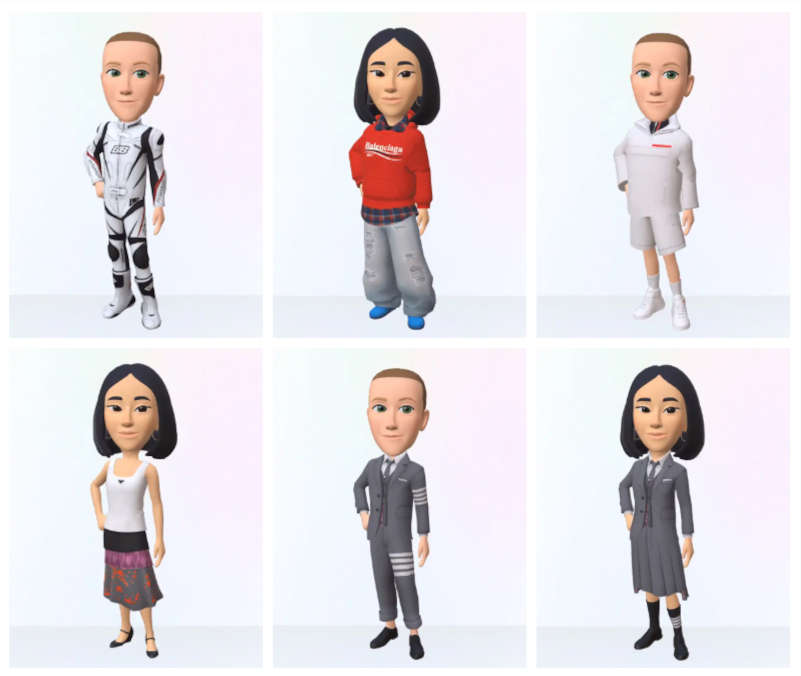
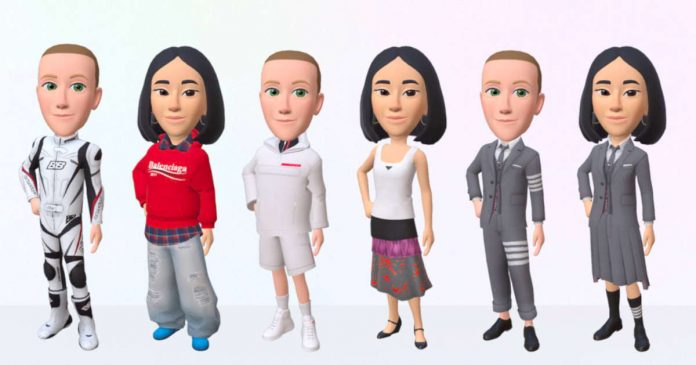
Mark Zuckerberg announced the launch of the Avatars Store on Facebook, Instagram, and Messenger — a virtual boutique where you can buy clothes to dress up your 3D avatar for the metaverse.

Meta’s plans to open it so that any developer can create clothes and sell them in the metaverse, a business where Facebook will surely keep a percentage of each transaction. The virtual store will launch in the US, Canada, Mexico and Thailand on June 20th. Item prices are not yet known. 

The Avatars Store will have clothing from Balenciaga, Prada, and Thom Browne. Zuckerberg assured that he would be happy to add more brands to the partners and transfer their products to virtual reality as soon as possible.

Meta Avatars Store

This initiative is one of Mark Zuckerberg’s steps toward creating a metaverse, a three-dimensional digital space in which the virtual and real worlds are connected using AR and VR technologies.

In February, the company introduced 3D avatars for Instagram and allowed them to be used across the entire Meta ecosystem, including Facebook and Messenger. This year Meta also opened its first physical store to attract more users to the world of virtual reality.

Web3 Is Not Decentralized Enough: Twitter Founder Wants To Build The Web5

Web5 by Jack Dorsey

Jack Dorsey, founder and former CEO of Twitter and current CEO of Block, has unveiled an exciting Bitcoin-based decentralized web initiative — he has coined it Web5: An Extra Decentralized Web Platform.

Why Web5? — Two plus three equals five; Jack Dorsey would like to use this logic to solve the problems of Web 2.0 and Web3.

Dorsey’s TBD, a subsidiary company within Block, will be in charge of creating this new way of interacting on the internet. TBD has published a presentation detailing the characteristics of the birth of the new Web5.0.

TBD believes that the evolution of the internet puts “individuals at the center.” In the first web version, most contents were static HTML, except for forums and chat protocols like IRC. 

The evolution of social networks led to what is known as Web2 and allowed users to interact with centralized applications such as Facebook, Twitter and MySpace to create their own content and share information in real-time.

https://twitter.com/jack/status/1535314738078486533

With the invention of Bitcoin and blockchain, the world is now moving towards Web3, which focuses on decentralized applications that use zero-knowledge proofs to secure data, tokenize content, and protect user identities.

While Web3 has yet to establish itself as the dominant technology of the internet, Jack Dorsey believes it is time for a change. This change stems from what he calls Web5, which will be built on top of Bitcoin, where data is stored with the user, not the app. Merging Web2 and Web3 creates Web5 for those who don’t know where Web4 went.

Although for now, the supposed solution in the form of Web5 still only exists in a PowerPoint presentation and a few Github repositories.

Microsoft Releases Microsoft Defender App For macOS, iOS and Android

Microsoft Defender App For macOS, iOS and Android

Now onwards, Microsoft Defender will not be limited to Windows. Microsoft has announced the release of a new Defender app to protect devices based on macOS, iOS, iPadOS and Android.

The new program is sold as Microsoft Defender for Individuals. The functionality is similar — it is a malware protection for devices. It is activated for all Microsoft 365 subscribers who have booked the single or family package.

On iOS and iPadOS, there is no antivirus protection — instead, the application offers some protection against phishing on the internet. On Android, the service includes antivirus protection and the ability to scan for malicious apps. Phishing protection is also included.

Also, Windows Defender integrates a dashboard on which settings can be made and data can be viewed. The dashboard also recognizes installed anti-malware programs such as Norton and McAfee and integrates them into the dashboard.

Microsoft plans to add more features in the future. Among other things, Identity Theft Protection and Secure Online Connection are to come for Defender for Individuals. 

Total Cookie Protection: Mozilla Firefox Now Blocks Or Restricts Cookies By Default

Mozilla Firefox Total Cookie Protection

Firefox browser will become even more private with a new cookie restriction feature. Mozilla has announced that in future, all Firefox desktop users will be provided with the so-called Total Cookie Protection by default.

Initially, the Total Cookie Protection feature appeared about a year ago in Firefox’s “strict” enhanced protection mode. It was later added as a default in private window mode, and earlier this year, the company added similar functionality to Firefox Focus for Android. Finally, the security and privacy feature is now applied by default.

According to Mozilla, Total Cookie Protection aims to solve one of the internet’s biggest privacy problems.

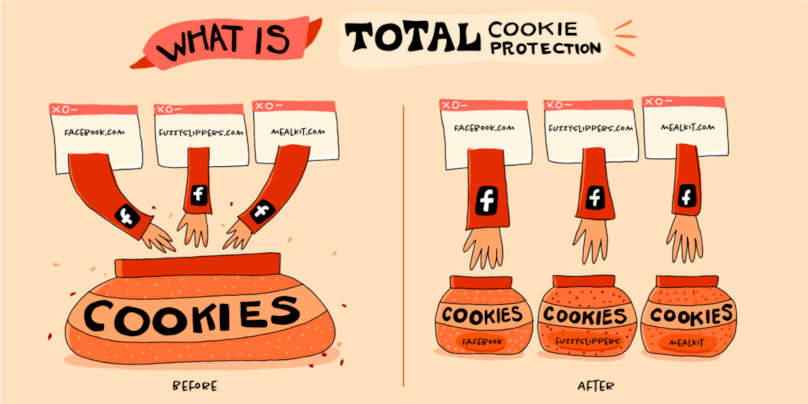
It prevents trackers from linking users’ activity on different sites. This reduces the amount of information that companies can collect about users.

From now on, only the site from which it was downloaded will have access to a specific cookie. Therefore, it became difficult to collect information about the user. Third-party sites will not know now that you, for example, we’re looking for where to buy clothes. The corresponding advertisement will not appear in the browser. Although, the feature does not block ads.

Mozilla Firefox Total Cookie Protection privacy feature

Total Cookie Protection is enabled by default for all Firefox web browser users on Mac and Windows operating systems starting June 15th 2022.

Adobe Launches Free Web Version Of Photoshop

Adobe photoshop

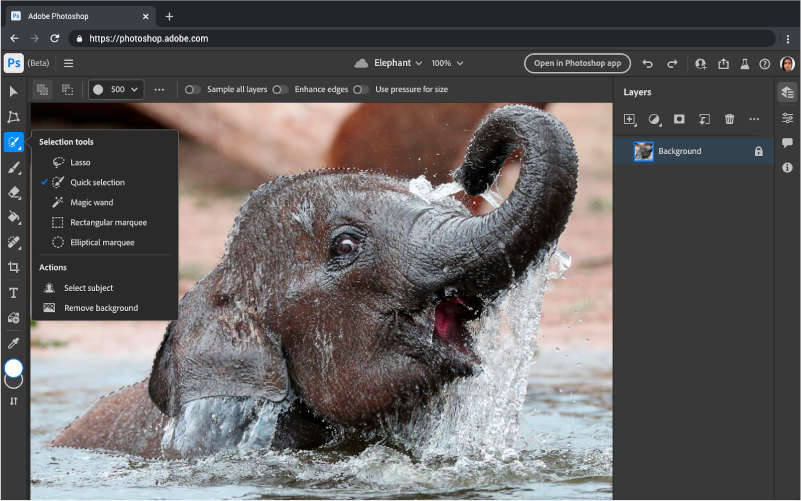
Adobe has begun testing the free version of Photoshop online and plans to open the service to the public to introduce the application to more users.

The free version is currently being tested in Canada. There, users can access it through a free Adobe account. 

Although, Adobe plans to remove several features from the free version and only provide them through a paid subscription. However, free access will provide enough tools for basic image editing tasks.

Web Version Of Photoshop

The first web version of Photoshop was released to the general public last October. The web version of Photoshop is designed to show users some of the features of the editor and attract new paying subscribers. Adobe is promoting its other products in a similar way, such as Fresco and Express. 

No specific date has been given for when the free web version of Photoshop will be available outside of Canada.

2022 In-Depth FoneGeek iPhone Passcode Unlocker Review

iPhone Passcode Unlocker

FoneGeek iPhone Passcode Unlocker is a third-party iOS unlocking tool that you may have heard of. But most people are unfamiliar with how it works or even its limits. Finding a good review of this program that will give you all the information you need before you can invest in this program is very hard. This is why we decided to test every aspect of the program to come up with this review.

What is FoneGeek iPhone Passcode Unlocker Review? 

FoneGeek iPhone Passcode Unlocker is an unlocking tool that is highly reliable. It is compatible with all versions of iOS, and you can install it on both Windows and macOS computers.

The following are some of the main features you can expect when using the FoneGeek iPhone Passcode Unlocker;

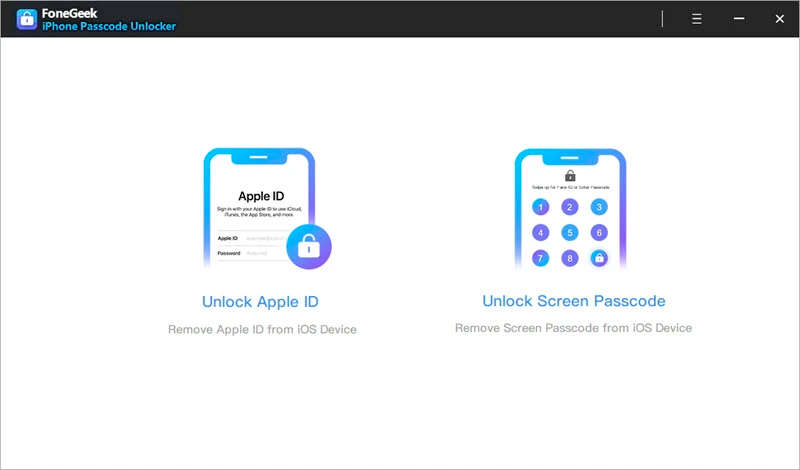
1. Unlock All Types of Passcodes 

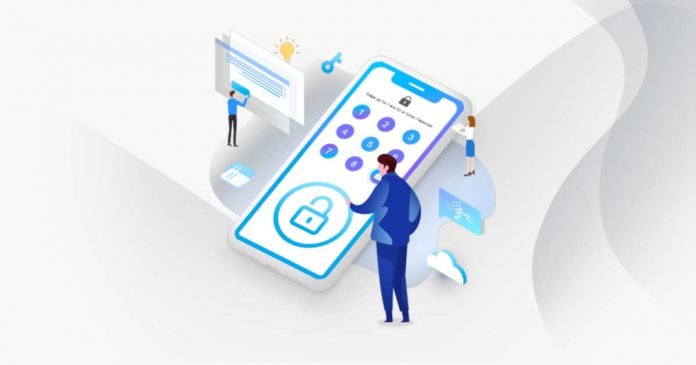
One of the main benefits of using FoneGeek iPhone Passcode Unlocker is that it can unlock all types of passcodes. When you forget your iOS device passcode, or you enter the wrong passcode too many times that your device is disabled, FoneGeek iPhone Passcode Unlocker is the most ideal way to unlock the device. It will unlock the 4/6 -digit passcode, Face ID or Touch ID without causing data loss.

2. Unlock Apple ID 

FoneGeek iPhone Passcode Unlocker is also one of the best solutions if you have forgotten your Apple ID password. When you don’t know the Apple ID password associated with your device, you will be unable to move past the Activation Lock Screen to access the device’s data and settings. FoneGeek iPhone Passcode Unlocker can remove iCloud Activation Lock and give you access to the device.

FoneGeek iPhone Passcode Unlocker

3. Bypass/Remove MDM 

MDM profiles that may be attached to your device can also keep you from accessing certain types of data. This may happen if you purchase a second-hand device that has an active MDM profile. Unless you know the login details of the MDM profiles, it would be impossible to get access to the device. FoneGeek iPhone Passcode Unlocker can very easily remove MDM locks from any device in just a few clicks.

Is FoneGeek iPhone Passcode Unlocker Legit? 

FoneGeek iPhone Passcode Unlocker is a legitimate program developed by a reputable software company. But we have to point out that it should only be used to unlock personal iOS device and should never be exploited for commercial purposes.

Is FoneGeek iPhone Passcode Unlocker Safe? 

Yes. FoneGeek iPhone Passcode Unlocker is completely safe to use. Various antivirus programs such as McAfee, Norton and Kaspersky do not detect any viruses on malware in the program’s installation files. It will also not affect any of the data on your device or on your computer in any way.

FoneGeek iPhone Passcode Unlocker Pricing Plans 

The following are some of the subscriptions options you have when purchasing FoneGeek iPhone Passcode Unlocker;

  • The 1-Month plan at $23.95 for 5 devices.
  • 1-year plan at $33.95 for 5 devices.
  • The Lifetime plan at $45.95 for 5 devices. This is a one-time fee with no recurring payments.

Can I Download Crack FoneGeek iPhone Passcode Unlocker?

It may seem like a good idea to download the full version of FoneGeek iPhone Passcode Unlocker without paying for a subscription. But there are certain risks that you should be aware of when using crack versions. These include;

  • By downloading a crack version of the program, you are violating copyright laws which is illegal
  • You will not have access to any customer service
  • Your version of the program cannot be upgraded
  • There is the danger that the crack version may affect your computer’s function in various ways

Final Verdict 

FoneGeek iPhone Passcode Unlocker is a great way to unlock an iOS device. It has additional features that you may not find on other similar programs and it is also very easy to use. We therefore highly recommend this program to anyone looking for a solution to a locked or disabled iOS device. You can download the free trial version to test the program’s effectiveness for yourself before buying the full version.

WhatsApp Users Will Be Able To Transfer Chats From Android To iPhone

essential Android apps for WhatsApp users

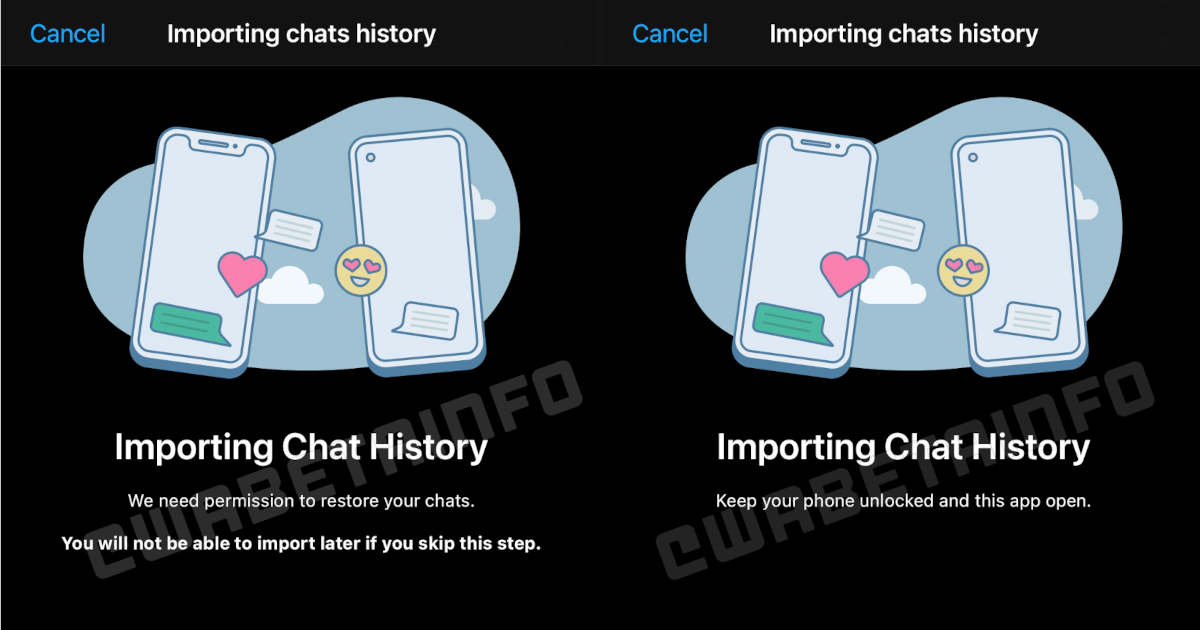
Mark Zuckerberg has announced WhatsApp has finally added the ability to transfer chat history from Android to iPhone, although, at the moment, it is in the beta phase.

WhatsApp added the ability to transfer chat history from iOS to Android last year, starting with Samsung and eventually making it available for all Android 12 devices.

To transfer chat history from Android to iOS, the user will need devices with operating systems not lower than Android 5 and iOS 15.5. Also, you need to use WhatsApp for Android version 2.22.7.74 and later. The transfer is done using the Apple Move to iOS app and happens locally. This means that the old and new phones must be connected to the same Wi-Fi network, and both must be connected to the charger.

Transfer WhatsApp Chats From Android To iPhone

This new feature is part of a joint effort between Apple and WhatsApp. It seeks to solve one of the biggest headaches of people who want to leave Android and migrate to the iPhone.

It is also important to clarify that, at the moment, it is only available for normal WhatsApp. Migration of chats, photos and videos from Android to iOS is not available for WhatsApp Business.

After 27 Years: Microsoft Is Permanently Retiring Internet Explorer On June 15, 2022

Microsoft Is Permanently Retiring Internet Explorer

Microsoft is retiring its legacy Internet Explorer (IE) on June 15 — 27 years after the web browser was introduced.

The decision was announced last year, and the Redmond-based tech giant is slowly pushing its Chromium-based Edge as the go-to browser for Windows PCs.

IAlso, it is not safe to use IE at the moment due to the lack of security updates. Google stripped the search engine support from the legacy browser a year earlier. The browser is also not available on the new Windows 11 operating system. IE mode in Edge requires IE 11, so you should not remove it from your device yourself.

Microsoft will end support for IE 11 in two phases. In the first step, users will be redirected to the Edge browser every time when they tries to directly or indirectly open IE 11. The second phase, which will begin immediately after the end of the original multi-month phase, will completely shut down IE 11.