Home Blog Page 129

Emergency SOS Via Satellite For iPhone 14 Series Available In The US And Canada

Emergency SOS Via Satellite

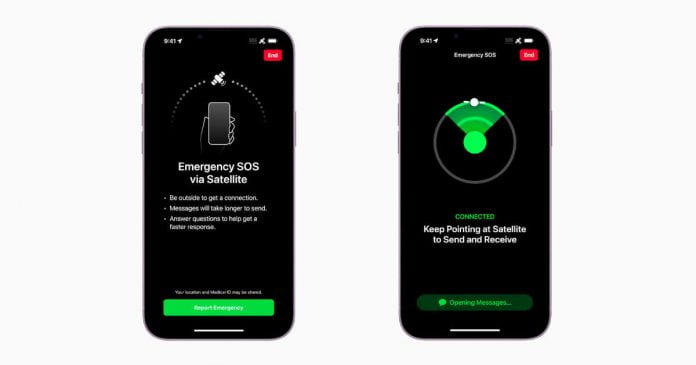
One of the most exclusive innovations of the iPhone 14 was the Emergency SOS service, which lets you send messages to emergency services via satellite if the user is in a dangerous situation outside of cellular coverage. It is now available in the United States and Canada.

After updating the iPhone 14 series to the latest version of iOS, the emergency SOS demo mode will be accessible. When in demo mode, the user connects to the server rather than the satellite and the actual operator of the emergency contact centre, which provides pre-programmed responses to the queries.

The user must follow several steps to establish the satellite connection on their iPhone 14 and contact emergency services. The feature is activated only when the iPhone has no Wi-Fi or network coverage. However, for it to work, it is first necessary to call the emergency number of the corresponding country (for example, 911 in the United States).

If the iPhone 14 does not have any network coverage, an option to use the Satellite SOS Emergency function will be offered on the screen. When making an emergency call, the content of the message is created in the form of a questionnaire so that the user can answer important questions with a simple operation. The user has to follow the steps indicated on the screen to establish a connection with the nearest satellite, and the message is sent to the emergency services. 

iPhone battery level, medical ID, etc., are shared. After answering the questions, the message is sent, and an Apple-trained specialist will report the rescue request on your behalf. The message is sent and received with up to 300% compression. Satellite communications generally have low bandwidth, and due to the constant movement, it can take several minutes for a message to arrive.

Users can set up to 10 contacts to set as emergency contacts. If the contact uses an iPhone with iOS 16.1, iMessage will share the message. If the contact is on an older iOS version, the location information and emergency status will not be notified.

The emergency SOS functionality using satellite will be free for two years after activation of the new iPhone 14 series. This service will be available in December in France, Germany, Ireland and the United Kingdom.

ProScreenCast SC01 Review: Best Miracast Wireless Display Adapter To Cast In 4K At 60fps

ProScreenCast SC01 wireless display adapter

Most of us prefer to cast or mirror our smartphone or laptop screen to a larger display, such as a TV or projector, to rest our eyes from staring at the small screen, or to show a video, image, or application on our mobile device to a larger audience, or simply to enjoy the pleasure of a big screen.

When it comes to mirroring your smartphone wirelessly, unlike a tech-savvy individual, a normal user always becomes confused about the whole process while connecting the devices. And eventually, they backed off.

So in this article, we are seeking your attention to the ProScreenCast SC01 wireless display adapter — with which even kids and seniors can easily mirror the device screen to a larger display. With ProScreenCast SC01, you can easily access all of your games, photos, videos and other applications on your device with any OS on a big screen.

What makes ProScreenCast SC01 special

  • supports up to 4K resolution and HDR color
  • easily switch between landscape and portrait display
  • cross-platform support — Compatible with Android, macOS, iOS, Windows, ChromeOS
  • No app is required for mirroring
  • built-in dual-band 2.4G and 5G 
  • transmitting in 60GHz with ultra-low latency

The ProScreenCast SC01 is a compact screen-casting adapter that connects to the TV via HDMI and can project any device to the TV itself via a wireless signal. It promises to support up to 4K resolution at 60Hz with HDR, to support different operating systems, to have extremely low latency, and to be capable of switching between portrait and landscape orientations.

What’s inside the box?

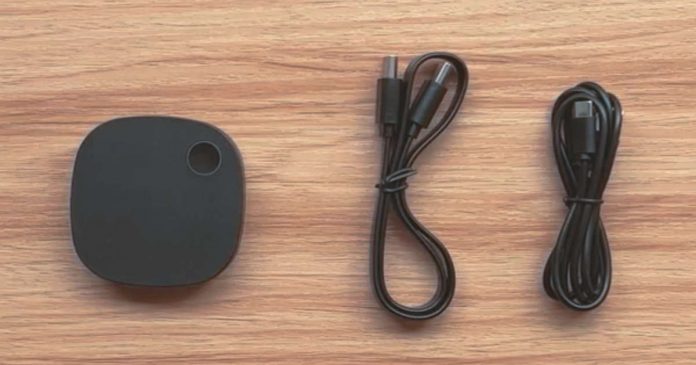
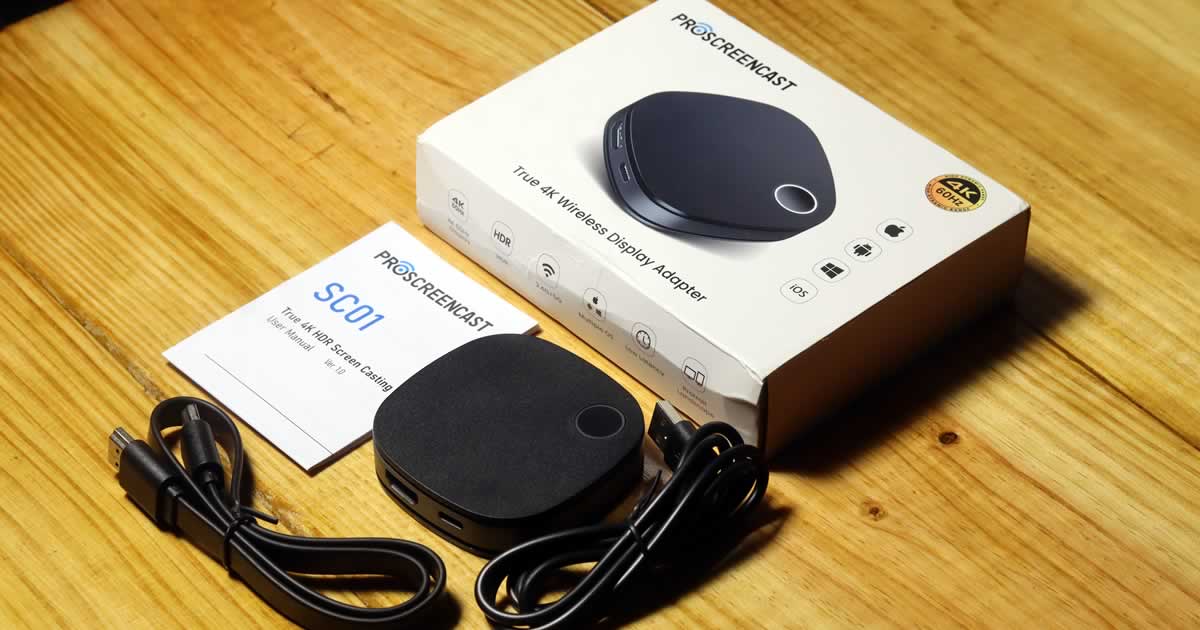
The ProScreenCast SC01 is packaged in a typical white box that includes user manuals, an HDMI 2.0 cable, and a USB-A to USB-C power cable.

ProScreenCast SC01 items in the box

ProScreenCast SC01 initial impression

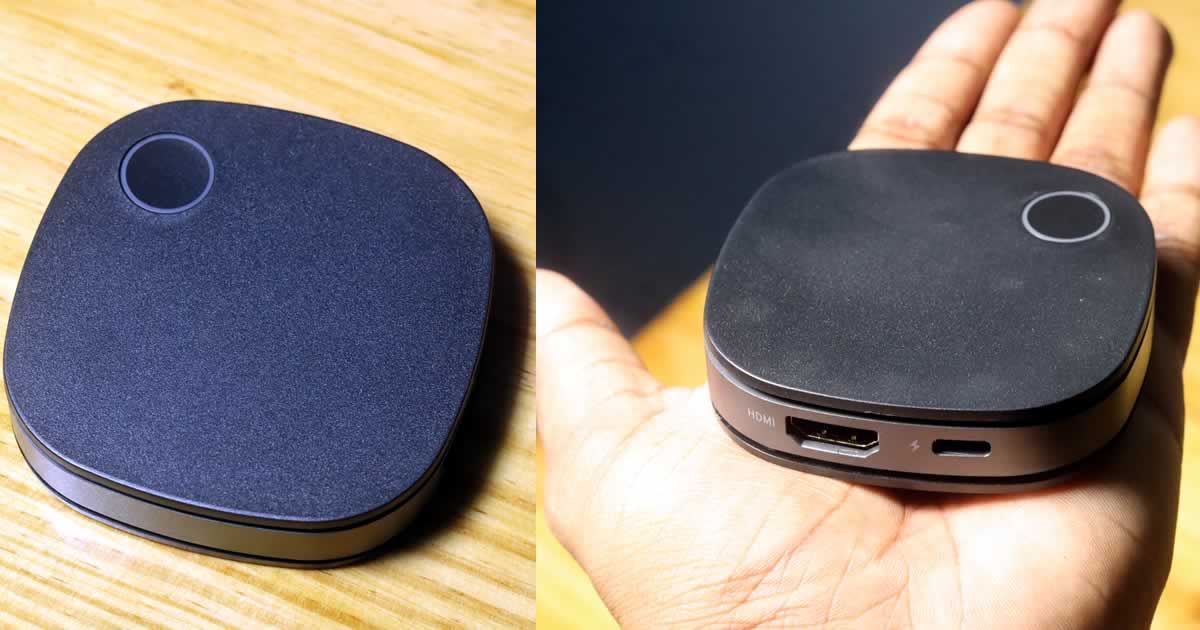
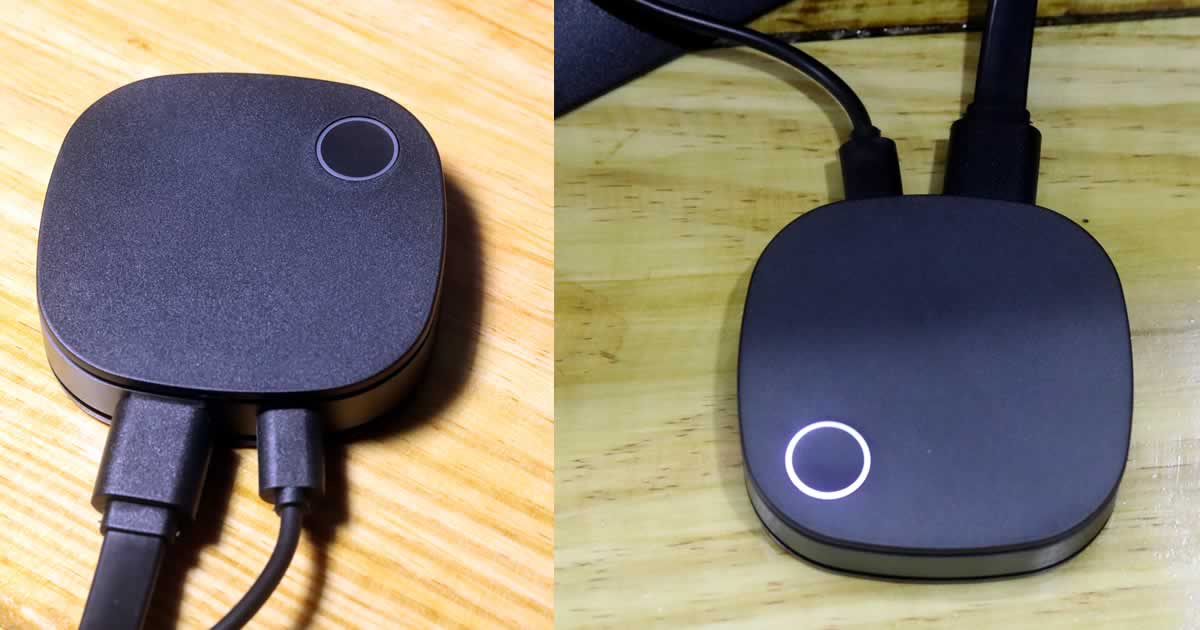
As we already mentioned, ProScreenCast SC01 is a very small and ultra-lightweight mirroring device that weighs only 50.7g and measures 72 x 72 x 17 mm — making it easy to connect and may be placed in almost any place. Regarding the design, ProScreenCast SC01 Miracast Dongle comes in a black plastic exterior shell which is complemented by curved corners and also offers excellent build quality thanks to a sturdy ABS + PC body.

ProScreenCast SC01 wireless display adapter

Now comes to the hardware part: at the top of the ProScreenCast SC01, there is a single circular button surrounded by a light LED ring — which is responsible for doing a factory reset and restart or to switch between portrait and landscape modes. 

There are only two connecting ports — an HDMI 2.0b video output capable of 4K at 60fps HDR video and a USB-C 5V 2A port for power supply.

And a lot of small airflow vents can be seen around the device to protect it from overheating issues. The adapter includes a built-in Wi-Fi module that supports 802.11 a/b/g/n/ac standards and can connect to both 2.4G and 5G networks.

Although the wireless display adapter does not include a separate remote, and to be honest, it does not require one. After connecting your mobile device to the adapter, you can adjust any options and settings in the smartphone web browser. Keep in mind that the settings accessible will vary depending on the device connected to the adapter.

How to get started with ProScreenCast SC01

As ProScreenCast SC01 is a cross-platform support device, it can easily mirror any device with any OS to a bigger screen with an HDMI connection. Here we are testing how to cast an Android smartphone and iPad to a TV with ProScreenCast SC01. Connection is simply straightforward as we only need two cables provided in the box to get it started.

First, plug in one end of the HDMI and USB-C cable to ProScreenCast SC01. Now connect the other end to the respective ports of the receiver device, like to HDMI port of the TV and the USB-A port for the power supply, or you can use a 5V/2A power adaptor.

ProScreenCast SC01 connection

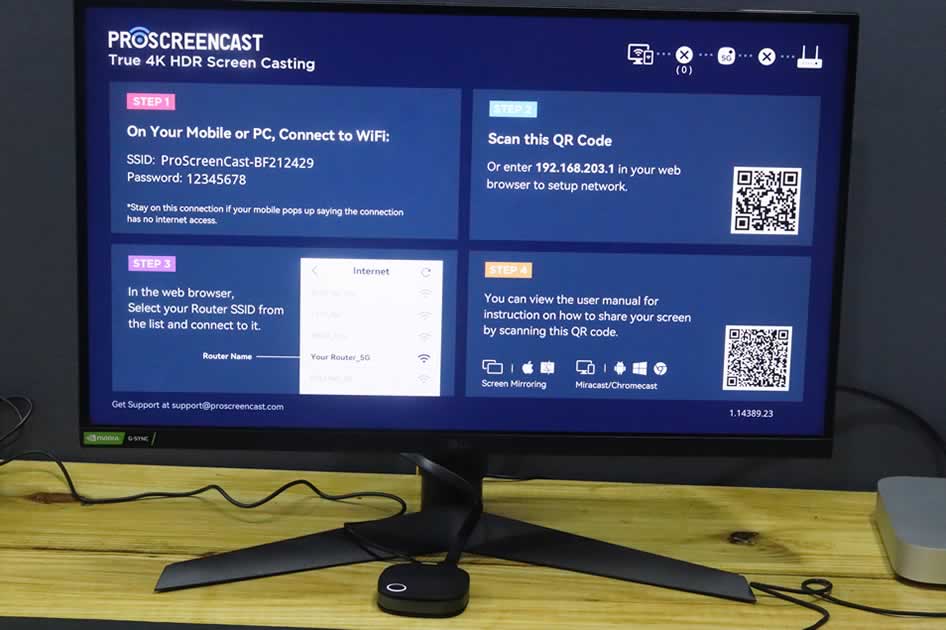
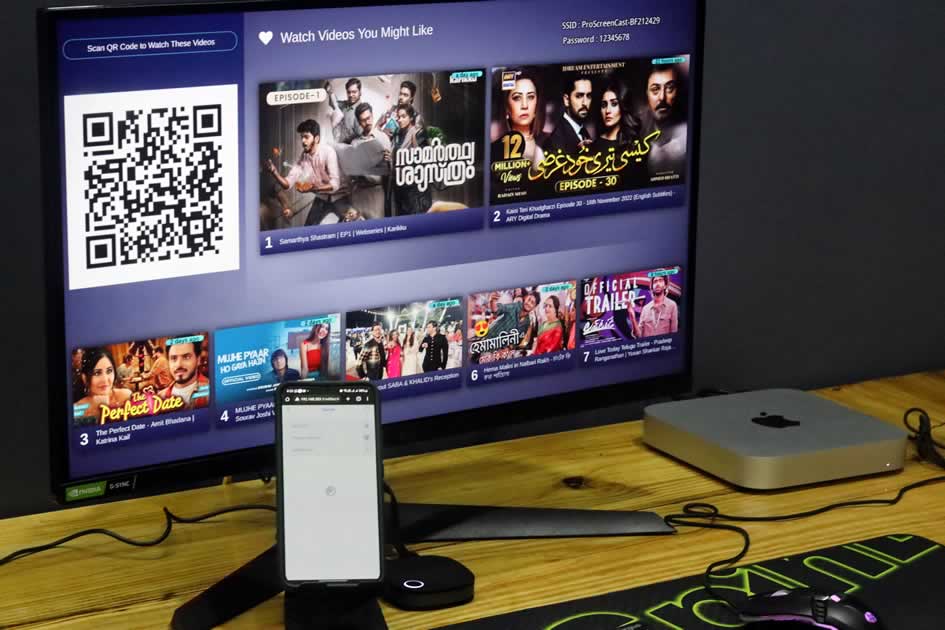
Turn on the TV and choose the source, like HDMI1 or HDMI2, as per your connection. Now you can see a welcome window with some instructions.

ProScreenCast SC01 home screen

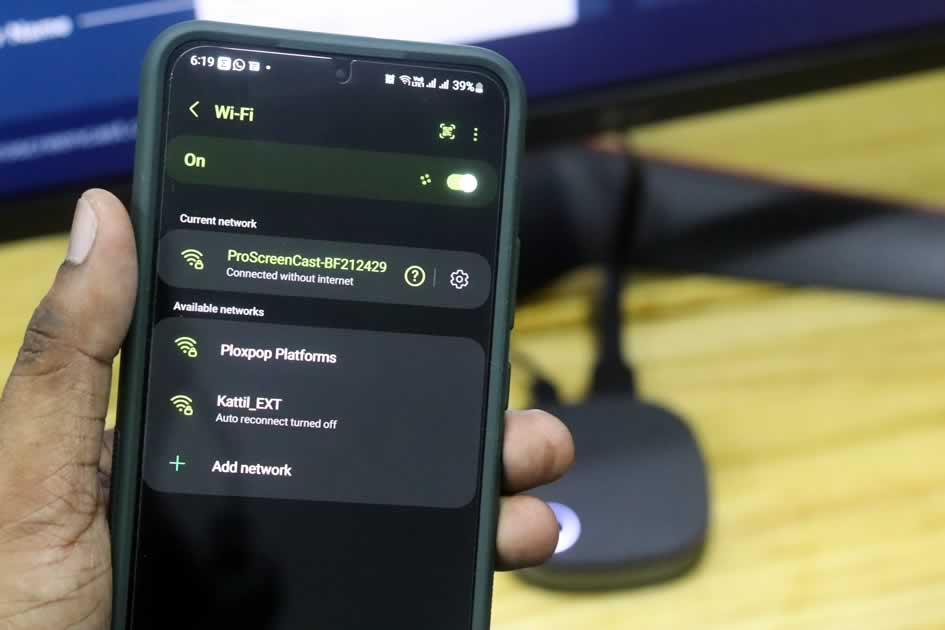
Now, go to your Android phone’s Wi-Fi settings and connect to the ProScreenCast SC01 default SSID “ProScreenCast-xxxx” with the default password “12345678”.

ProScreenCast SC01 SSDI connection

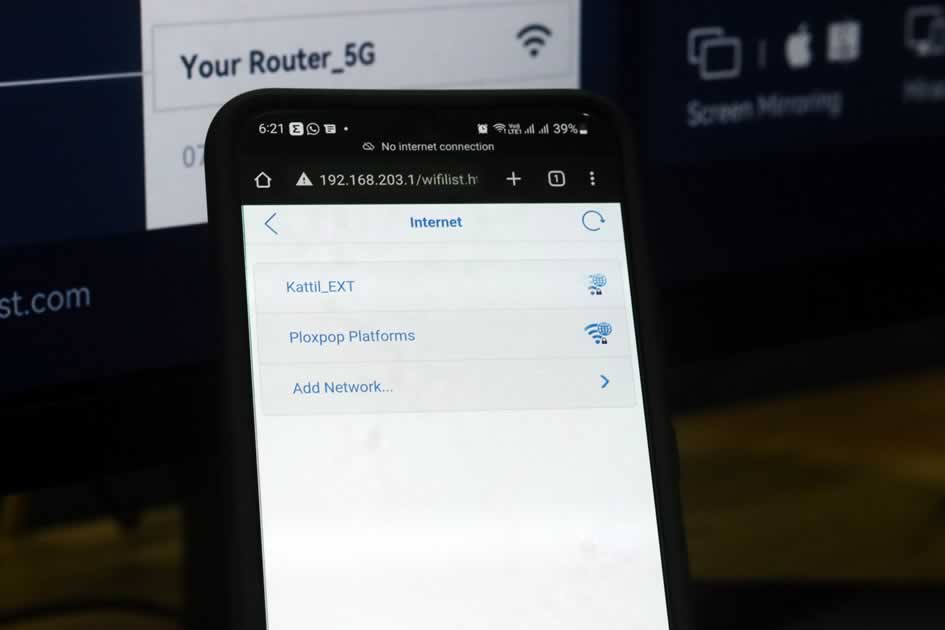
As for the first-time usage, you have to go to your phone’s web browser, and in the URL field, enter “198.168.203.1” to open ProScreenCast SC01 settings. Here at first, you have to go to the “Internet” option and connect to your home Wi-Fi network. Once the device is connected, the name of the home Wi-Fi router will be shown on the screen.

ProScreenCast SC01 connect home Wi Fi

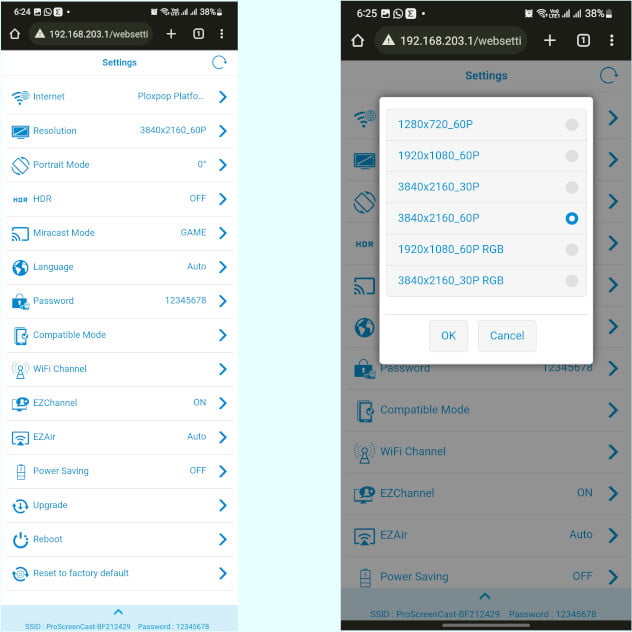
Now go back to the settings page; there, you can find a couple of options to tweak the mirroring on ProScreenCast SC01. There are options to set resolution, adjust portrait mode, turn on/off HDR, Miracast mode to adjust latency and video quality, enable power saving mode etc. Remember, some setting requires a reboot of the dongle to activate the feature.

ProScreenCast SC01 settings menu
ProScreenCast SC01 first setup

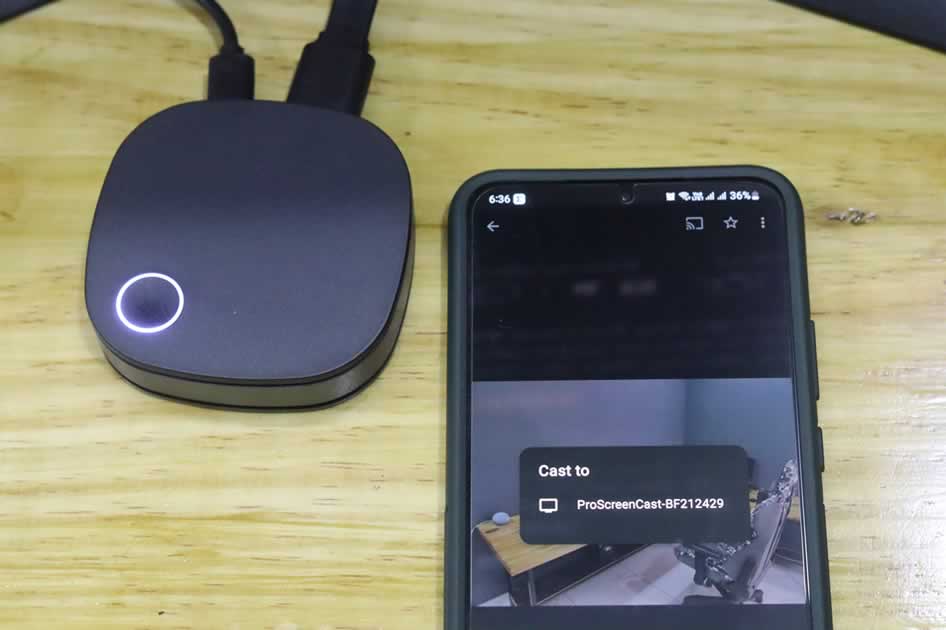
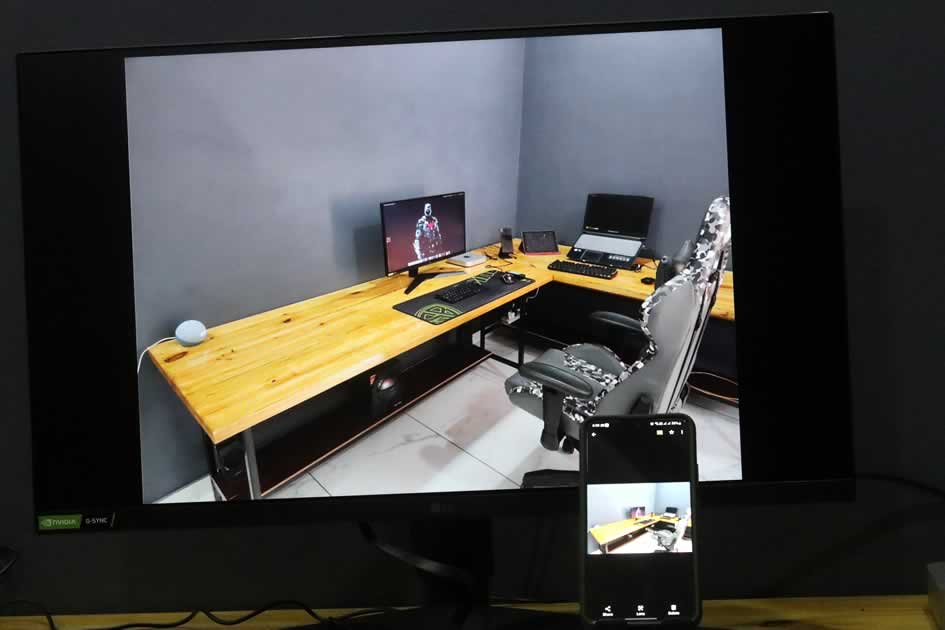
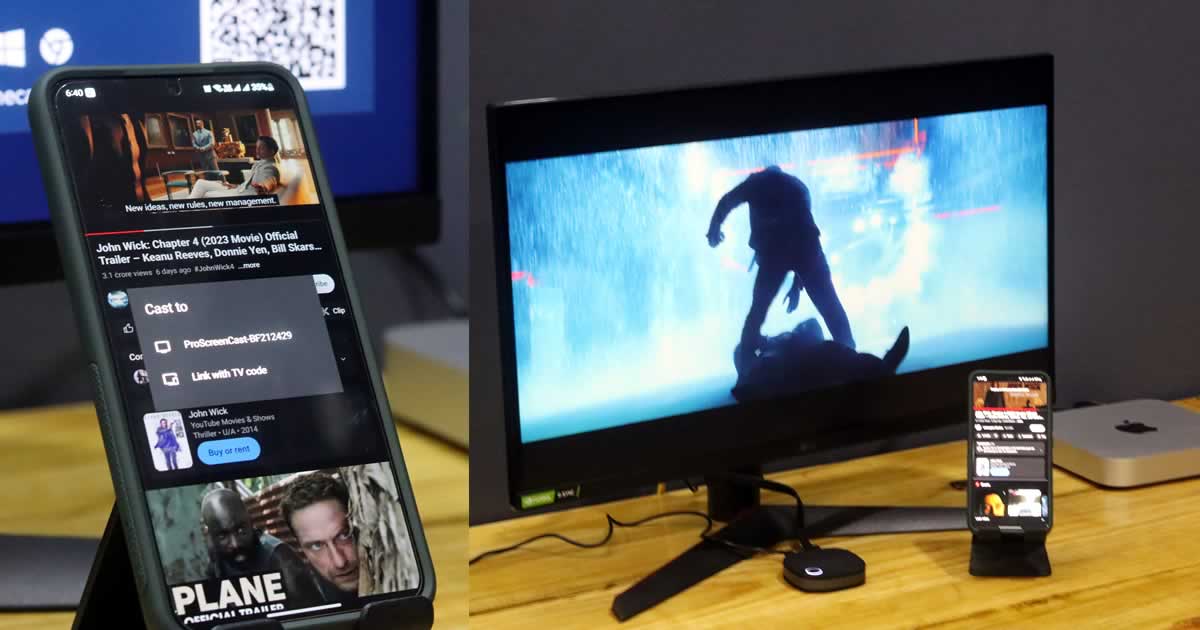
That’s it; now open a media file or go to YouTube and mirror your favourite video to TV by choosing “ProScreenCast-xxxxx” option. By pressing the button on the SC01, you can switch between landscape and portrait modes.

ProScreenCast SC01 Android mirror
ProScreenCast SC01 Google Photos Android mirror
ProScreenCast SC01 YouTube Cast

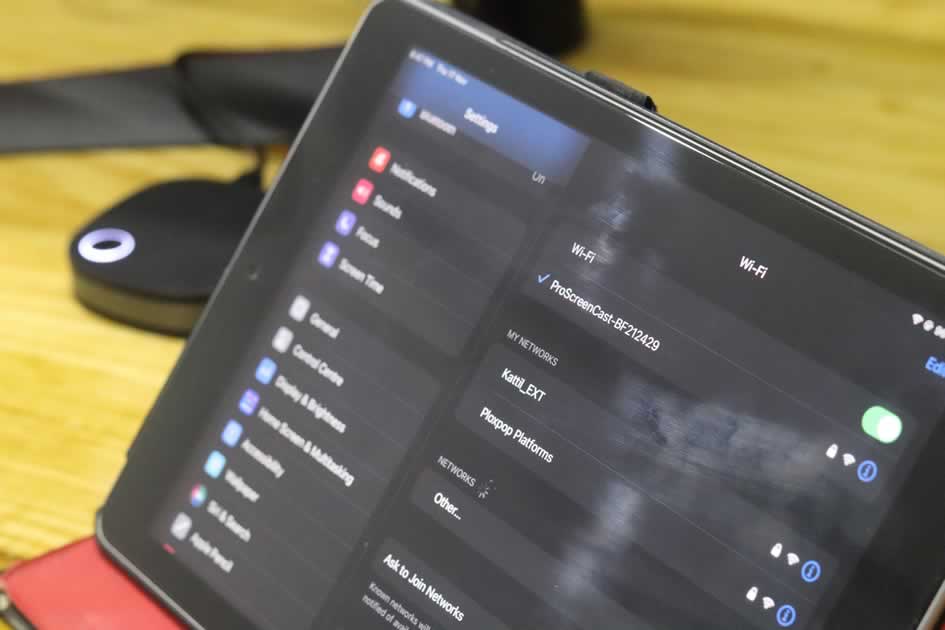
In iPadOS and iOS, first, connect to ProScreenCast SC01 SSID.

ProScreenCast SC01 iPad connect SSID

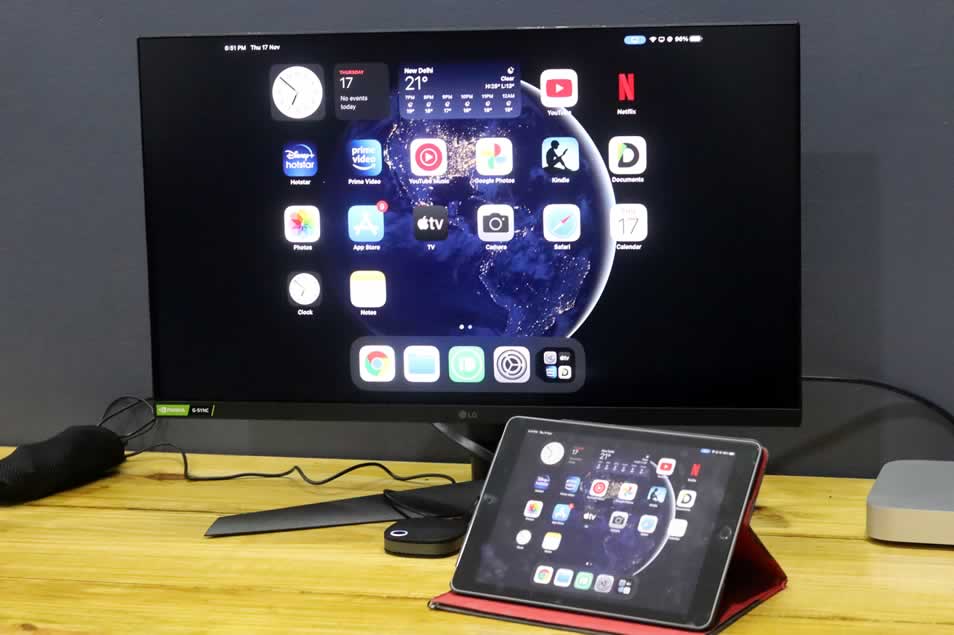
Next, swipe down the control panel and choose the “Screen Mirroring” option to “ProScreenCast-xxxxx” to mirror the iPad or an iPhone screen to a TV.

ProScreenCast SC01 iPad screen mirroring
ProScreenCast SC01 iPad screen cast

Similarly, with ProScreenCast SC01, you can mirror your Windows PC/laptop or macOS or even from the Google Chrome web browser. All you have to do is connect to the ProScreenCast SSID and choose the file to cast and “ProScreenCast-xxxxx” option for “cast to” device.

Verdict

As the company claims, ProScreenCast SC01 indeed mirror videos in 4K with 60fps quality. We have tested multiple times with different files and settings, and the little beast never disappointed us. The video stream’s response time is almost imperceptible, hovering at about 50ms. Compared to other similar devices, ProScreenCast SC01’s playback performance is twice as fast. Furthermore, the wireless connection is stable, and video playback is smooth.

In short, ProScreenCast SC01 is useful for meetings, video viewing, education, live broadcasting, and gaming. It is ideal for streaming vertical videos like TikTok or performing live broadcasts on a large screen.

Price and availability

ProScreenCast SC01 costs $69.99 and is available on the ProScreenCast Official website. Yes, I know this is surely not the cheapest wireless display adapter on the market, but it is one of the best and feature-rich devices available today — that makes the price justifiable.

Although you can get the ProScreenCast SC01 at a discounted price, with the special Coupon Code exclusively for our readers — you can avail of a 15% discount on the product with coupon code “TECHLOG360“. Also, look out for upcoming Black Friday, and Cyber Monday deals too.

DuckDuckGo Brings App Tracking Protection To All Android Users

DuckDuckGo App Tracking Protection

What percentage of your data do you believe is sent to third-party servers when you use an app? Whatever your response is, the reality is far worse. A’ loophole’ will always exist, even if we set up our accounts and applications to share as little information as possible. This week even Google had to pay a historic sum for tracking the users’ location even though the option was deactivated.

DuckDuckGo was initially born as a private alternative to the Google search engine, offering similar results without recording our data or using it to show us advertising. DuckDuckGo has long made a name for itself with its popular browser that cares about your privacy, but the company has gone even further and has started rolling out 360-degree services that help users stay in control of their data.

One of these services is App Tracking Protection, a tool launched a year ago for Android in a beta version limited to a few users and allows, free of charge, to block third-party tracking within apps, even when they are not actively used. Now DuckDuckGo has opened App Tracking Protection to all users who want to test it, always in beta.

What is App Tracking Protection

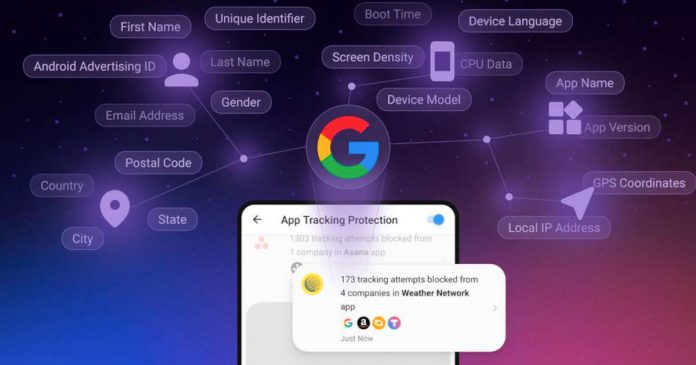
App Tracking Protection allows you to block apps from being tracked. It works through DuckDuckGo’s browser, where, once enabled, it detects when apps are about to send data to a list of third-party tracking companies that are listed on DuckDuckGo’s (publicly available) blocklist. At this point, it blocks most requests without routing the data to DuckDuckGo’s servers.

DuckDuckGo also offers the Activity Report, which shows what it has blocked. It can be seen that the apps do a real profiling activity, collecting the precise location, age, email address, telephone number, time zone, device information (including screen resolution, device make and model, language and local internet provider), and even your fingerprint.

This information can then be sold to companies such as data brokers, advertisers and even governments and used by companies such as Meta and Google to create specific advertising profiles.

According to DuckDuckGo, the average user has 35 apps installed on their phone and experiences between 1,000 and 2,000 tracking attempts from over 70 tracking companies daily.

It might seem similar to the App Tracking Transparency tool(ATT) introduced by Apple with iOS 15, but there is a substantial difference.

According to DuckDuckGo, Apple’s App Tracking Transparency tool restricts only direct access to a user’s IDFA [Identifier for Advertisers]. The rest is essentially an honour system, where Apple asks the user’s choice to track or not. Still, it’s not actually blocking any third-party trackers. Whereas DuckDuckGo’s App Tracking Protection directly blocks third-party trackers, making the tool more powerful than what’s available on iOS.

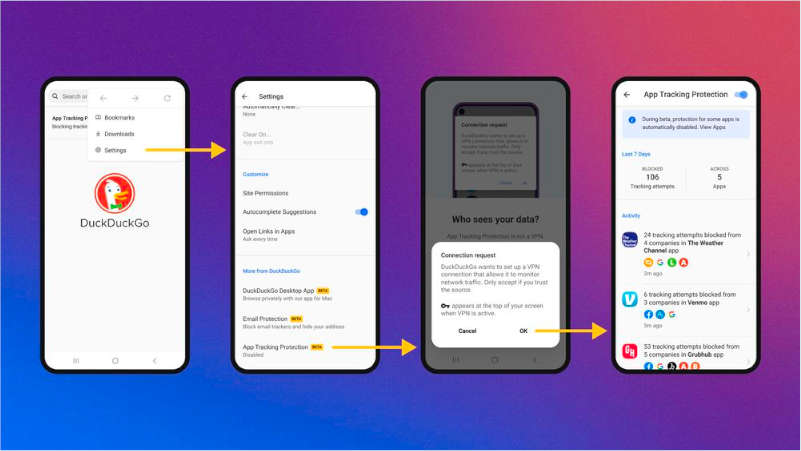
How to enable App Tracking Protection

Using the function is very simple. Install the latest DuckDuckGo (version 5.143.1) and enable one setting.

  1. Open the app
  2. Tap on the three-dot option at the top right
  3. Select Settings.
  4. Scroll down and select App Tracking Protection.
  5. Turn on app tracking protection.
  6. Give consent to set up your own local VPN.
enable App Tracking Protection

Within a minute of activating the App Tracking Protection, you will notice that numerous tracking attempts have been blocked.

It should be clarified that not all tracking is blocked. Some apps can malfunction if this type of traffic is blocked, such as Chrome, WhatsApp or YouTube, and these are not blocked by default, although we can block them if we want.

Snapdragon AR2 Gen 1: Qualcomm’s New Snapdragon Platform Brings Slim AR Glasses To Life

Snapdragon AR2 Gen 1

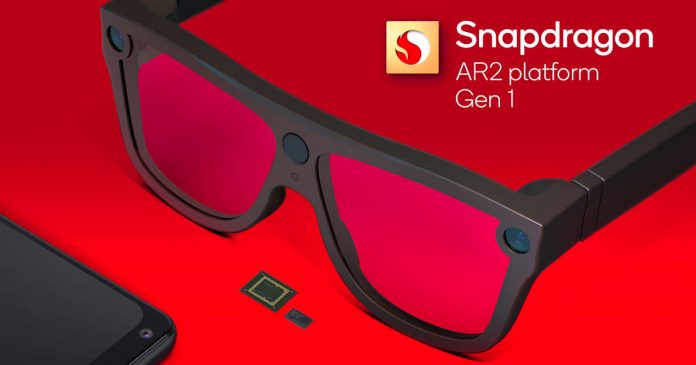
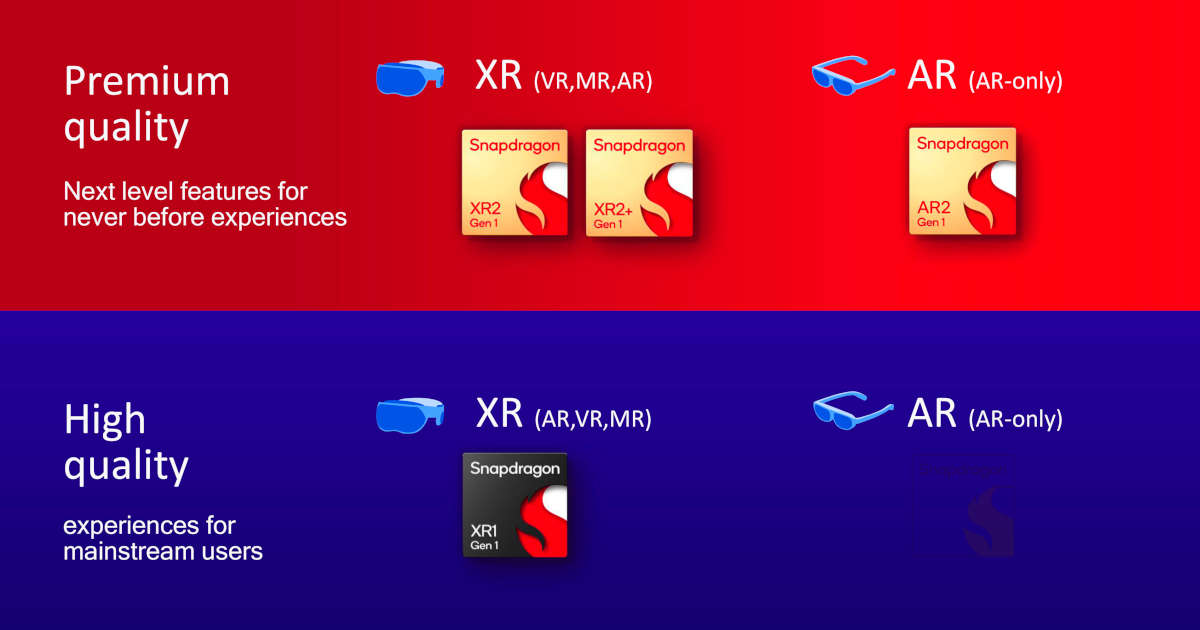
Qualcomm has been in the development of so-called XR solutions, i.e. platforms that can be used for AR (Augmented Reality), VR (Virtual Reality) and MR (Mixed Reality). In the premium market, for example, the Snapdragon XR2 Gen 1 and XR2+ Gen 1 are available in the Meta Quest 2 and Quest Pro, while the Snapdragon XR1 Gen 1 serves the upper class.

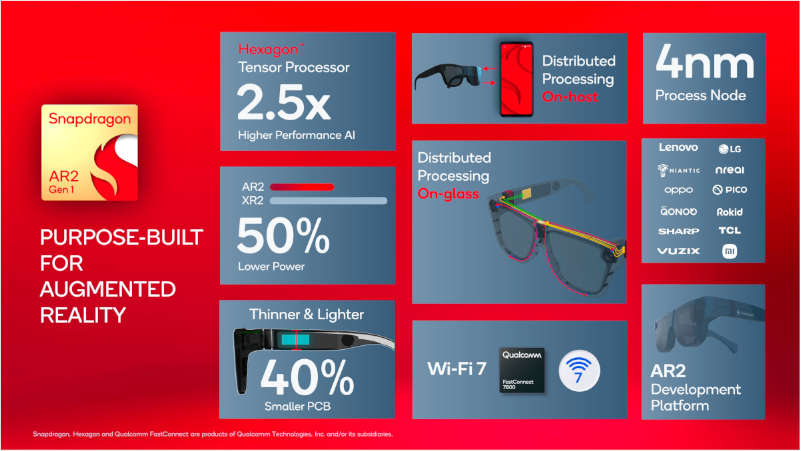
After the announcement of the Snapdragon 8 Gen 2 and Oryon at the Snapdragon Tech Summit, Qualcomm presented the Snapdragon AR2 Gen 1 — the system was specially developed for AR headsets and should not only increase performance and efficiency but also optimize the space required by the SoC in the headset itself.

Snapdragon AR2 Gen 1 and Snapdragon XR2

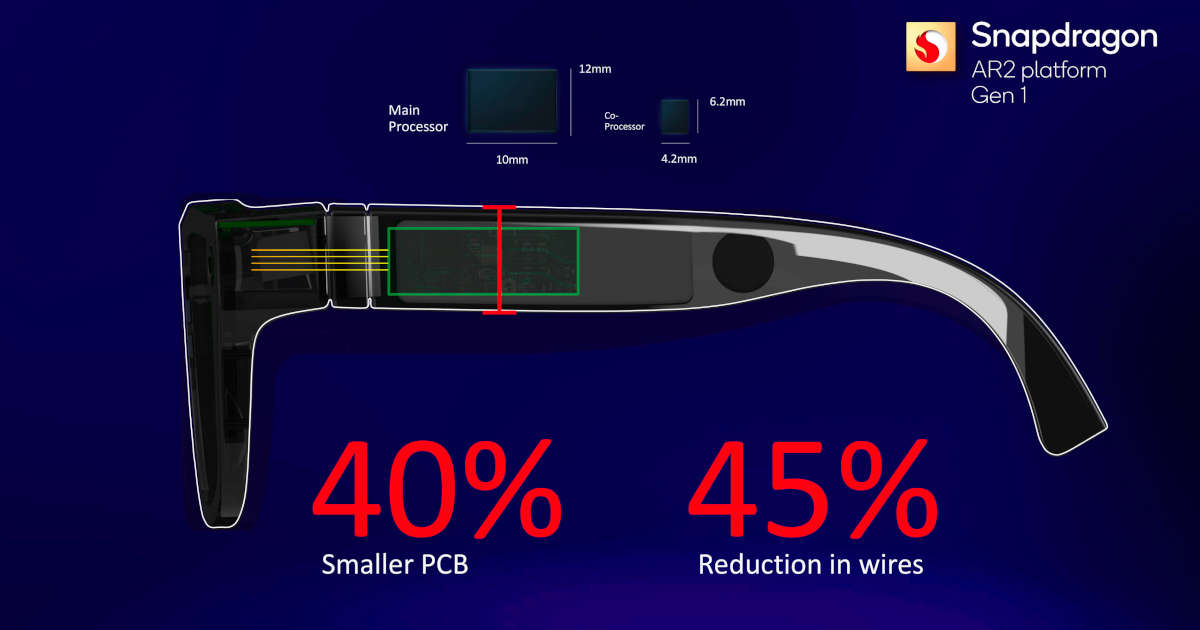
Qualcomm uses a multi-chip distributed processing architecture, so it doesn’t put all the components on one big board. Rather, the main processor is built into one of the arms of AR glasses, while the coprocessor is housed in the bridge, and the connecting chip in another arm.

Snapdragon AR2 Gen 1 design

This architecture means that the main processor board is said to be 40% smaller than that of the Snapdragon XR2 platform. Thanks to the tensor processor, the Snapdragon AR2 Gen 1 is 2.5 times more powerful in AI calculations and requires 50% less energy. This should make it possible to build AR glasses with a power consumption of less than one watt.

This 4nm AR processor can handle up to nine cameras simultaneously to comprehend the user and the surroundings. The Engine for Visual Analytics is in charge of object detection. Other specialised hardware enhances motion tracking and localisation during hand tracking. 6DoF work with reduced latency through AI accelerators. The chip is also designed to control display output, including a reprojection engine that ensures visual overlays remain fixed as you move.

The AR coprocessor integrates camera and sensor data to make it more efficient through eye tracking. The AR2 Gen 1 supports Wi-Fi 7 and is said to achieve a latency of less than 2 ms between the glasses and the end device.

Snapdragon AR2 Gen 1 features

In addition to the SoC, Qualcomm also introduced Snapdragon Spaces, a developer environment for AR applications. Like the Snapdragon AR2 Gen 1, the new smartphone chip Snapdragon 8 Gen 2 is Snapdragon Spaces Ready.

Qualcomm reports that Lenovo, LG, Niantic, Nreal, OPPO, Pico, QONOQ, Rokid, Sharp, TCL, Tencent, Vuzix, and Xiaomi are all working on adopting the Snapdragon AR2 Gen 1.

Qualcomm has also announced S5 Gen 2 and S3 Gen 2 sound platforms that support spatial audio with dynamic head tracking, lossless audio quality and 48ms latency specially built for slim AR glasses.

Qualcomm Oryon: Next-Gen CPU Core Powering Snapdragon Platforms

Qualcomm Oryon

After launching the latest flagship chipset Snapdragon 8 Gen 2, Qualcomm announced its first CPU designs in several years will be marketed under the Oryon name in the future. 

The architecture is to be used first on the compute platform, which is intended for notebooks and desktops with Windows on ARM.

Gerard Williams, a senior director of chip design at Apple in the past, announced Oryon himself. After leaving Apple, he founded his own semiconductor design company, Nuvia. After Qualcomm acquires Nuvia, he is now the senior vice president of Qualcomm’s engineering division. 

At first, the company used the architecture of its own design based on Kryo but later switched to ready-made solutions from the Arm Cortex family. Alongside Apple and Samsung, Qualcomm is one of the few smartphone SoC developers who have designed their own CPU cores based on an architecture license in addition to ARM Cortex cores.

Qualcomm has not yet given any technical details about Oryon at the Snapdragon Summit. Qualcomm has already introduced SoC Snapdragon 8cx for Windows PC incorporating Kryo-based CPU. However, it is positioned in the mid-range and has a history of not being as good as Apple’s M series in terms of performance. So far, these Qualcomm chips have only appeared in a few high-end ultraportable PC models aimed at a very specific audience of PC buyers but have barely reached the consumer market. 

However, to rewrite history, Oryon will offer the best-performance PCs, at least, that’s what the company says. Oryon will be developed by the former Nuvia team involved in the design of Apple’s A-series processor.

It was announced that Qualcomm would use the Oryon architecture for all CPU proposals of the future. From wearable to mobile devices, from Snapdragon PCs to data centres, Oryon solutions will enter the heart of Qualcomm. 

However, we will still have to wait quite some time — it will presumably be on the occasion of the 2023 edition of the Snapdragon Summit that the first solutions with CPU Oryon will be announced.

Google Agreed To Pay $391.5 Million Settlement For Collecting User Data Without Permission

Google collecting user data

Google has agreed to pay a $391.5 million settlement due to a lawsuit filed in 40 US states over location tracking issues. The company was accused of misleading users into thinking they had turned off location tracking and then continued to collect user location information.

As part of the agreement, Google undertakes to significantly strengthen location tracking disclosures and user controls beginning in 2023.

For years, Google has put profits ahead of user privacy. Consumers thought they turned off Google’s location tracking feature, but the company secretly kept track of users’ movements and used that information for advertisers.

Until comprehensive privacy laws are in place, businesses will continue to collect vast amounts of personal data for marketing purposes with little control.

Google’s main revenue comes from advertising. That’s why they use personal and behavioural data by collecting information, such as location tracking, to create detailed user profiles. After creating a user profile for every individual who uses Google’s services, it delivers targeted ads.

The settlement, led by Oregon Attorney General Rosenblum and Nebraska Attorney General Doug Peterson, is the largest consumer privacy settlement in US history.

In Associated Press report from 2018 started the probe article that revealed how Google “tracks your movements.” At the time, the AP said the problem affected more than two billion devices running Google’s Android OS and millions of iPhones that use Google Maps and Google Search.

Still, Google has not admitted to breaking any laws. A Google spokesperson told TheRegister that the investigation was conducted under an “outdated product policy that changed several years ago.”

Google also posted a blog with information to help users manage their location.

Amazon Will Layoff Around 10,000 Workers

Amazon office news and stories

As per The New York Times report, Amazon is planning about 10,000 job cuts, starting as early as this week. It seems that the job cuts are mainly in device-related departments, including Amazon’s in-house digital assistant “Alexa”, as well as retail division and HR.

The announcement is not official, but if true, it could be the biggest cut in the history of the e-commerce company. Although less than 1% of Amazon’s 1.5 million-plus global workforce, 10,000 is still a lot.

As the world heads into economic turmoil, the tech industry has witnessed a wave of large-scale layoffs in recent weeks. Meta revealed last week that it was laying off over 11,000 employees. Lyft, Stripe and Snapchat have all laid off employees recently, And Twitter, too, has cut its workforce in half.

Historically, the holiday season usually means stability for Amazon. But this year, the company has already frozen new hires, citing poor economic conditions.

Amazon has doubled its workforce in the past two years and turned to expansion as the pandemic has boosted demand for e-commerce. But subsequent inflation and a shift in people’s mindset to cut costs slowed Amazon’s growth to its slowest rate in 20 years.

Amazon sells thousands of Alexa-enabled products, but they’re fairly low-margin in terms of the company’s overall revenue. Instead, Amazon sees these products as a way to tap into the Amazon economy, where customers are likely to consume them in other ways. It will be similar to PlayStation’s method of selling devices cheaply, earning money with software, etc.

In the uncertain world situation caused by high inflation, slowing economic growth, and energy crises, it may be natural for companies to focus their investments in profitable fields and seek stability.

Snapdragon 8 Gen 2: Qualcomm’s New SoC Focuses On Efficiency, Ray Tracing And AI

Snapdragon 8 Gen 2

Qualcomm announced the flagship chipset Snapdragon 8 Gen 2, at the Snapdragon Summit 2022. Like the Snapdragon 8+ Gen 1, the chipset is manufactured at TSMC using the 4nm EUV process.

With its 1+4+3 core configuration, the Snapdragon 8 Gen 2 is said to be faster and more efficient than the Snapdragon 8 Gen 1. Qualcomm claims a performance increase of 35% and an improvement in efficiency of 40%. The prime core is a Cortex-X3 with 3.2 GHz, and the four performance cores consist of two Cortex-A710 and two Cortex-A715 with 2.8 GHz each. The three efficiency cores are Cortex-A510 with 2 GHz.

Its latest Adreno GPU is claimed to deliver 25% faster performance and 45% more power efficiency. The Snapdragon 8 Gen 2 is the first Qualcomm chip to enable hardware ray tracing. Qualcomm is a week too late for the title of the first mobile SoC with this function — MediaTek presented the Dimensity 9200, a chipset with hardware ray tracing, shortly before the Snapdragon presentation.

With its new flagship, Qualcomm has improved Hexagon AI processor. The performance of AI-supported functions should improve by a factor of 4.35. The Snapdragon 8 Gen 2 also supports INT4 interference, which is faster but less precise than INT8. According to Qualcomm, however, there should be no significant deterioration in quality. The performance should be improved by 60%.

Qualcomm Snapdragon 8 Gen 2

The SoC’s Sensing Hub should be able to process and evaluate sensor information as well as audio and video signals. The SoC should be able to react better and faster to changes in the environment. The Sensing Hub got a second AI core in the Snapdragon 8 Gen 2. With the Sensing Hub, for example, smartphones should automatically lock the display when users move away from the switched-on device.

The Snapdragon 8 Gen 2 is the first Qualcomm SoC that enables 5G on two SIM cards simultaneously — the X70 modem is integrated into the SoC. It also supports Wi-Fi 7, which Qualcomm says is a first for a mobile SoC, although Dimensity 9200 also supports Wi-Fi 7.

The Snapdragon 8 Gen 2 supports the latest LPDDR5x-4200 RAM, as well as UFS 4.0 format drives. The chip can also work with QHD+/144 Hz and 4K UHD/60 Hz displays, as well as play 8K video at 60 frames per second and supports HDR10+ dynamic range and Dolby Vision. The Snapdragon 8 Gen2 supports the AV1 codec, but currently only decoding due to legal differences.

In terms of cameras, it has a triple 18-bit ISP that can support up to three 36MP cameras at the same time, or up to 200MP for a single camera configuration. It also works with 108MP camera sensors and has no shutter lag. Qualcomm is also proud of its first “cognitive ISP”. This part of the processor is responsible for real-time image segmentation processing. 

The first buyers of the chip include Asus with the ROG brand, Honor, iQOO, Motorola, Nubia, OnePlus, RedMagic, Redmi, Sharp, Sony, Vivo, Xiaomi, Xingji/Meizu and ZTE, although not all of them will be available this year will start. Qualcomm expects the first devices with Snapdragon 8 Gen 2 to appear in late 2022 and early 2023.