Home Blog Page 138

USB4 Version 2.0 Specification Officially Released

USB4 Version 2 Specification

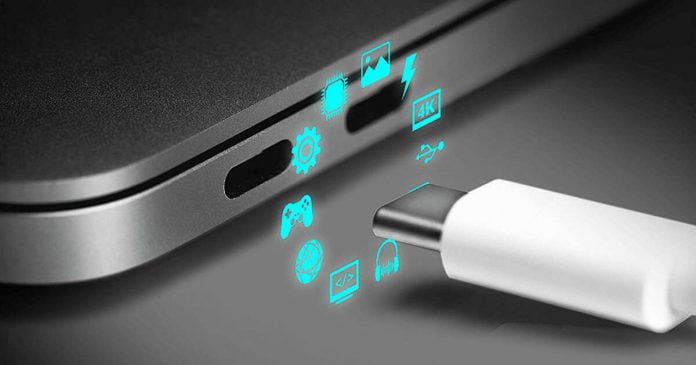
The USB Implementers Forum (USB-IF), which formulates the USB standard, has released the specifications of USB4 Version 2.0, which updated USB4.

With the new version of USB4, its speed reaches 80Gbps, and can optionally handle transmission and reception of up to 120Gbps.

The USB-IF said in September that USB4 Version 2.0 would feature a new PHY chip that employs PAM-3 encoding technology, supporting up to 80Gbps bi-directional communication (40Gbps x 4 lanes).

120 Gbps is provided as an optional specification and is achieved by setting 40 Gbps x 3 lanes on the transmitting side and one lane on the receiving side. This is intended for certain applications, such as high-resolution, high-refresh-rate USB4-based displays.

Specifically, this 120Gbps option is likely to be used, especially for gaming monitors and creative applications that use multiple high-resolution displays with HDR colour. In addition, external storage and GPU are compatible with USB4 Version 2.0.

The USB4 Version 2.0 specification supports USB 3.2 tunnelling at 10 to 20 Gbps.

At this point, it seems that a single USB-C cable, including the Thunderbolt standard, can be used to connect all kinds of peripheral devices. However, it is likely to be confusing with too many types of communication standards supported.

However, according to the USB-IF, gadgets that support USB4 Version 2.0 will not be available quickly. It will take another year or a year and a half.

In addition, the USB-IF wants to organize confusing names such as USB4, USB 3.1, SuperSpeed ​​​​USB, etc., regarding the USB standard’s branding. In the future, describe the supported communication speed after USB.

For example, notations such as USB 3.0, USB 3.1, and USB 3.2 are all unified at USB 5Gbps, and similarly, USB 3.2 Gen 2 and USB 3.2 Gen 2 are written as USB 20Gbps.

According to this rule, products that support USB4 Version 2.0 should be marked as USB 80Gbps on the package, which will help avoid confusion by including USB4 Version 2.0 on the package.

The USB-IF has also updated the USB Type-C cable and Power Delivery specifications to support USB4 Version 2.0 communication.

11 Main Reasons: Why Does Windows PC Crashes?

Windows PC Crashes

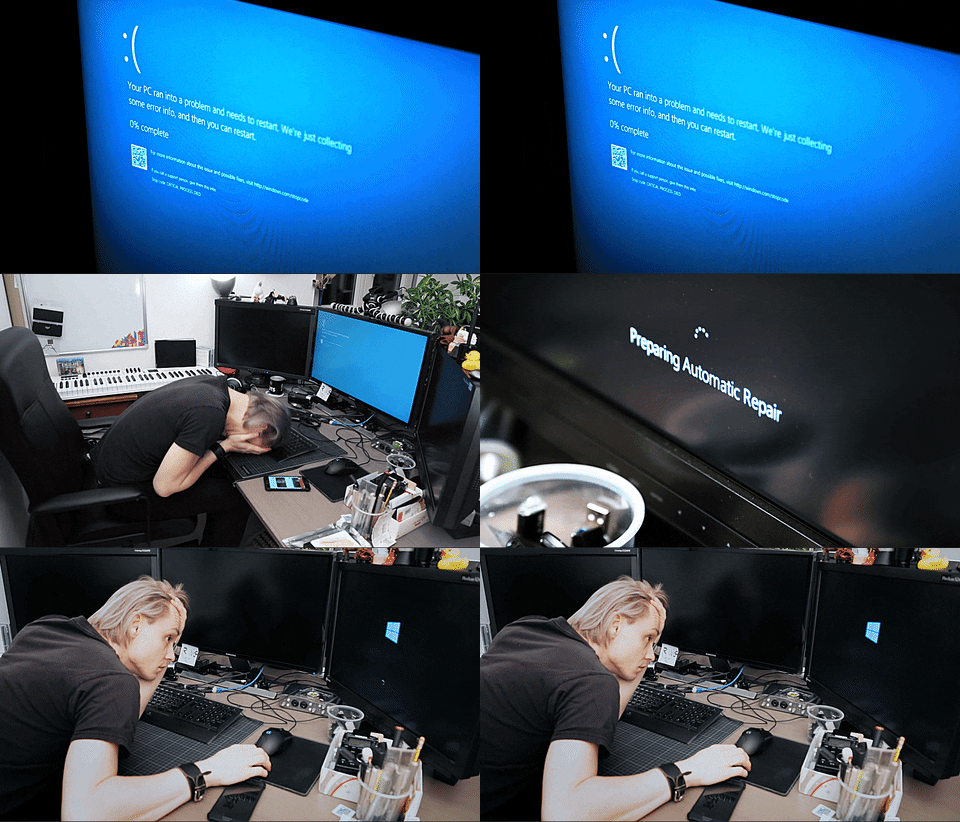
The “blue screen” was a nasty habit on Windows XP and previous versions, and it significantly slowed down many types of PC operations at the time. Although it is less common nowadays, this does not mean that Windows does not crash.

There are several reasons why the Windows PC crashes or freezes — the sudden blue screen, a continuous restart or an interrupted startup, the frozen screen with the mouse not moving anymore, and the normal sudden restart without any indication. 

Unfortunately, Windows is a complex operating system designed to work in the best way on any computer it is installed (while the MacOS system is installed only on Macs), so it might happen. Under some circumstances, it might crash.

In this article, we will tell you the main reasons for Windows crashes, so you can better understand what happens when the “blue screen with the sad smiley” appears, when it restarts by itself or when everything crashes.

Why Does My Windows PC Crashes?

1. Fatal memory or motherboard error

A common reason for the blue screen is a RAM or motherboard problem. The processor cannot recover the data that must be saved in the memory, and inconsistency is created that the computer cannot manage.

You can check if the memory is healthy with different applications or, in some cases, by using the motherboard diagnostic tool if it has been provided.

Another way to check that the RAM is not broken is the obvious one, replace it with a new one and see if the problem goes away. It is difficult to determine whether the problem is with the PC’s motherboard because problems with such an important component frequently result in the machine completely freezing. 

If all the reasons in this article can be ruled out, then the motherboard is damaged, and all that remains is to change computers.

2. BIOS/UEFI settings

Most motherboards ship from the factory with configuration settings that are compatible with any hardware. These settings can be altered by the PC seller or the user, resulting in difficulties.

Another common problem, especially when the computer starts very slowly, is the boot order which puts the USB port or CD as the first choice. Therefore, if you leave a USB stick connected to the PC and boot, the USB is set as the first option in the BIOS. The PC looks for an operating system on the USB, but if unable to find anything, it stops.

Enter the BIOS and change the computer boot order by putting back the hard disk, called HDD, as the first choice.

3. Corrupted registry

Although the Windows Registry has grown much more difficult to “break,” it may still be corrupted by some programmes or old viruses. A corrupt registry is primarily responsible for computer crashes, and it can be very difficult to get it back to working properly without formatting the entire computer.

To solve the simplest problems, we start the pc in safe mode and clean the registry with cleaner applications.

4. Corrupted or outdated drivers

Drivers are undoubtedly the most common cause of Windows PC crashes or machine freezes. The hardware drivers tell the operating system what it must do with the components connected to the pc — audio, video, printer, mouse, keyboard etc. If they don’t work properly, the computer fails because it doesn’t know what to do with the device.

Crashes of this type are generally associated with an error message indicating the name of the wrong hardware. If not, try to Google the message to check if this is the problem or not. If possible, try using the computer with all external devices disconnected and selectively see if one of them is the problem.

Update your PC’s drivers, and if the problem persists, try completely uninstalling the drivers and reinstalling them from scratch.

5. Hard disk or SSD problems

The HDD or SSD is the component of the computer that suffers the most damage. A hard drive failure is a common cause of Windows startup or crash issues. 

In several cases, when the computer loses its ability to find the boot drive and, therefore, the main disk where Windows is installed, verify whether the BIOS is configured correctly; if not, it is a problem, requiring the hard disk to be changed or repaired.

You must reinstall Windows on a new hard disk if the disk does not boot. After that, you can connect the old hard drive as a secondary to recover the files and return them to the new one.

giphy

6. General operating problems

Windows sometimes crash if you receive contradictory information from various pieces of hardware. This is a generally random type of problem you shouldn’t worry too much about unless it is frequent.

If there is a hardware conflict, open the Device Manager and check if there are any icons with the yellow exclamation mark. You may then update the driver or deactivate that component to restore stability.

7. Virus or Trojan

Advanced malware can cause serious damage to your PC and cause it to malfunction. Malicious software may corrupt or remove drivers, erase critical system files, or alter administrative settings.

Some think that it is not worth fighting against viruses when they have already ruined everything, but you must never give up, and before formatting everything, you can always use an antivirus and clean your PC.

8. Power problems

A Windows PC crashes and freezes with quick restarts in case of a power surge or a sudden power failure. A problem with the internal power supply reduces the power it can deliver or causes an irregular flow of power, which can cause crashes.

If there is a power problem at home, the advice is to have a UPS unit. Check that the power socket, the power cable or the power strip are intact.

9. Poorly designed software

Most program errors do not cause Windows to crash unless the program heavily exploits a piece of hardware.

For example, heavy software such as video games that take full advantage of computer graphics cards can cause crashes due to this heavy use of hardware capabilities. In rare cases, your PC may freeze on startup due to the software starting automatically.

This problem can be solved by booting into safe mode and disabling programs that start automatically or using the Windows 10 task manager to locate active processes.

10. Overheating

There are sensors in computers that measure temperature. If a very high temperature is detected, especially in laptops, the system will shut down to protect the integrity of the hardware before permanent damage.

Overheating occurs mainly in summer. In rare cases, the sensors break, and the computer turns itself off a short time after it is turned on. A beep at the time of the crash could be a signal that the processor is overheating.

11. System updates

On Windows 11 and Windows 10, updates are automatic and allow you to introduce new functions and fix security bugs that can be exploited by malware or hackers to take control of the PC. Updates on Windows are, therefore, essential. Still, on some computers, they could also lead to sudden freezes or crashes, perhaps due to incompatibility with the drivers or other computer programs.

We cannot abandon updates in this circumstance. Still, nothing prohibits us from uninstalling a problematic update and waiting for the next one, allowing us to preserve the most recent stable version and avoid the problem. 

Sometimes fixing issues requires the technician’s intervention, while at other times, it is possible to repair the computer without going to the technician.

MediaTek Is Working On Dimensity 9200, The Next Flagship SoC

MediaTek Dimensity news and stories

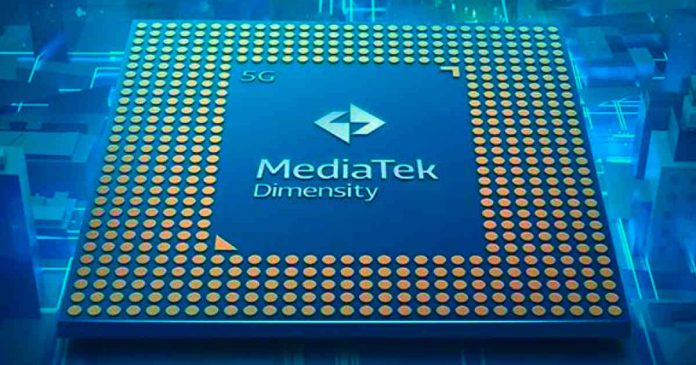
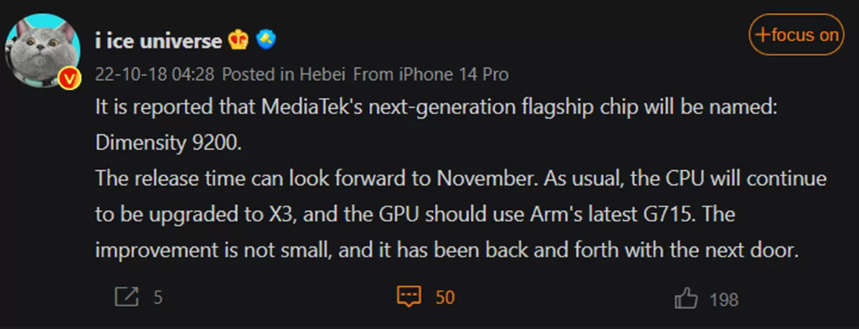
Meanwhile, the spotlight is on Snapdragon 8 Gen 2, MediaTek would be preparing its rival, which would respond to the name of Dimensity 9200.

After years of focusing nearly entirely on mid/low-end chipsets, the Dimensity series marks the company’s first foray into the higher-end territory. 

In 2022, MediaTek officially entered the top-of-the-range segment, with the Dimensity 9000 that found its place on exponents such as Xiaomi 12 Pro, Redmi K50 Pro, OPPO Find X5 Pro, Vivo X80 and Honor 70 Pro+.

The Dimensity 9000 was then replaced by its most recent 9000+ variant, which MediaTek created can find on Xiaomi 12 Pro, ROG Phone 6D and will be seen on the next iQOO Neo 7. 

The same path was taken by rival Qualcomm, between Snapdragon 8 Gen 1 and 8+ Gen 1, and as we await the next Snapdragon 8 Gen, there will also be this new Dimensity 9200.

According to the words of the leaker Ice Universe on Digital Chat Station, the SoC should have a next-gen CPU driven by the new high-performance Cortex -X3 cores with a boost of up to 25%. A new Immortalis G715 GPU from ARM is also mentioned, while the production process should remain that of TSMC ‘s 4 nm.

MediaTek Dimensity 9200 leaks

Also, according to Ice Universe, the announcement of the new MediaTek Dimensity 9200 should take place in November, the same month the Snapdragon 8 Gen 2 will be making its debut. However, it will be crazy to watch if MediaTek can carve out more space in this round or if Qualcomm will remain the genuine king of high-end chipsets.

Tips to Building a Better Social Media Presence

Social Media Algorithms

The key to success is experimenting to find out what works for you. Some say you are supposed to post every day or twice per day, but it is often a very poor long-term strategy. The people who make it big on social media are the ones who keep adapting and trying new things. Eventually, something resonates and they start seeing more followers, likes and link clickers.

Get On The Emerging Social Media Platforms

Look at the amazing money that the early adopters of TikTok are making. They were smart enough to understand that TikTok was going to grow into a massive platform. Currently, GETTR is growing as the big alternative to Twitter, and GETTR doesn’t have the bot problem.

Telegram is slowly gaining ground on WhatsApp, and Rumble is growing at an exponential rate now that YouTube is banning more and more people. Donald Trump went over there after he was banned from YouTube. Andrew Tate is now over there, and Russel Brand has gone to Rumble because YouTube started censoring his videos.

Get yourself on these social media platforms and ride the wave of their success as they grow. Plus, you need to get your usernames, handles and URLs first before they become more famous and some kid in his bedroom gets your company’s screen name.

Buy Yourself Some Influence

There are people out there now posting pictures of their vacations and of their cats wearing melon helmets, and they are pulling down thousands of followers per month. In most cases, these people cannot really monetize their accounts without selling them outright, so that is what they do. They go to websites like Fameswap and they sell their social media accounts.

This means that companies and small businesses may go onto these websites and buy accounts that already have a following. What’s more, they may buy several accounts and use them all at the same time to push a message, promote something, or to elevate a different social media account.

Make it As Original As Possible (Except for TikTok)

The social media networks, and Google especially, love brand new content. Those who work with the same background all the time should really work hard on making their content as fresh and new as possible. Try not to use backgrounds, images or sounds from other places on the Internet. The more original content you can make, the more Google and the other social media platforms will prefer your content over the long term. 

This is not true for TikTok. For some reason, people can duet and stitch all day and still become very successful. They can take content from far better producers, they can put it on TikTok and get a lot of followers. However, this only works for TikTok

Don’t Follow Trends (Except for TikTok)

Those who follow trends are always doing it on the back half of the trend. The trends cycle through the alpha social media influencers first, and then through the betas and such, down to adverts, ending all the way back at Hollywood where trends go to die. Those who follow trends have to work very fast otherwise they miss the hype and they miss out. 

This is not true for TikTok because TikTok decides what the trends will be and informs you a few days in advance. They tell you which songs to use, what types of content to create, and they tell you when to publish it. They then feature the content on and around the day when the deadline is reached and the trend sets in. It is a manipulative way to get content producers to do their job, but it seems to work and you can benefit from it. 

Android 13 Go Edition: Googe Unveils The Lightweight OS For Cheap Smartphones

Android 13 Go Edition

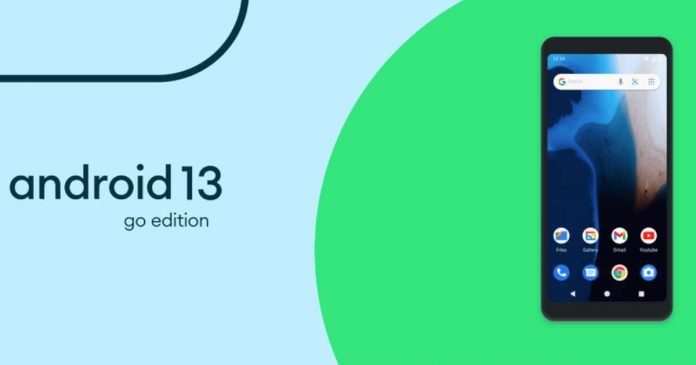
Android 13 was officially launched a couple of months ago, and Google has now taken the opportunity to present its Go Edition

Android 13 Go Edition is designed for low-end mobiles that consume fewer resources and is simpler than the normal version.

When Google announced the release of Android Go five years ago, there was some uncertainty. It was not simply a “light Android”, as rumoured, but an Android designed for low-performance mobiles.

Since then, Android Go has reached no less than 250 million mobiles, proving that the idea made some sense. But that does not mean that Android Go has always been seen as an “inferior” version of the system due to its limitations.

Google seems to have heard our complaints. Google has unexpectedly announced the launch of a Go version of Android 13, which was released in September. This is no coincidence — the Android 13 Go Edition inherits some of the latest system version’s new features, as well as some of its advantages.

The most important, undoubtedly, is that Android Go now uses the same update system as the normal version of Android. Instead of having to update the entire system at the same time, Google releases new patches for its applications through Google Play. In this way, users do not have to wait for the mobile manufacturer and the operator they use to approve the update. Google will be able to update parts of the system directly. This is also important due to the low storage capacity that low-end mobiles usually have since it is not necessary to occupy so much.

Another Android 13 feature that Android Go users will receive is customization with Material You. Finally, we will be able to change the entire system colour scheme and coordinate it with the wallpaper we use — the result is much more aesthetically pleasing than the classic (and outdated) style of Android Go.

Android 13 Go Edition Material You

Another feature coming to Android 13 Go Edition is Discover, which lets you swipe right on the home screen to see news and personalized content. We will also receive news on privacy and security, with new permissions for notifications.

The first phones with Android 13 Go Edition will arrive in 2023. Although it has not been specified if the current models will receive the update, Google has promised to support the system’s millions of users.

Lenovo Shows Its Rollable Smartphone

Lenovo Rollable Display Devices

Lenovo has previewed the possibilities of future flexible screens by presenting a couple of prototypes, a smartphone and a laptop.

After a bumpy start, foldable phones are now finding their place in the market. Models like the Galaxy Z Fold 4 or the Vivo X Fold, or Oppo Find N demonstrate the possibilities of flexible screens.

But that’s just the beginning. It is extremely likely that folding phones will not remain long on the market and will be replaced by rollable smartphones. That’s what Lenovo believes — they’ve already demonstrated how this technology works.

Lenovo Rollable Smartphone

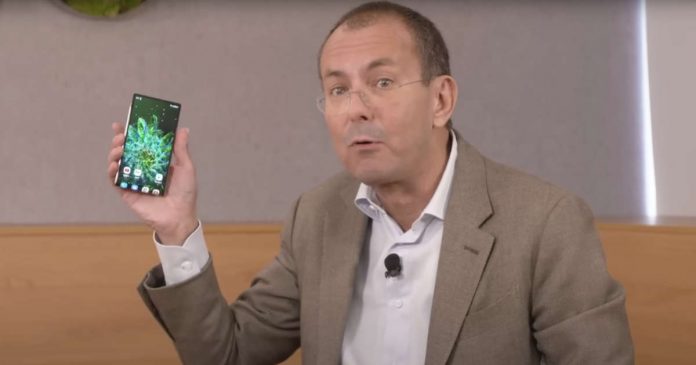
President Luca Rossi chose to display a working roll-up smartphone prototype at Lenovo Tech World, the manufacturer’s biggest event of the year. It is not a commercial product, and more work needs to be done, but what it shows has a lot of potential. 

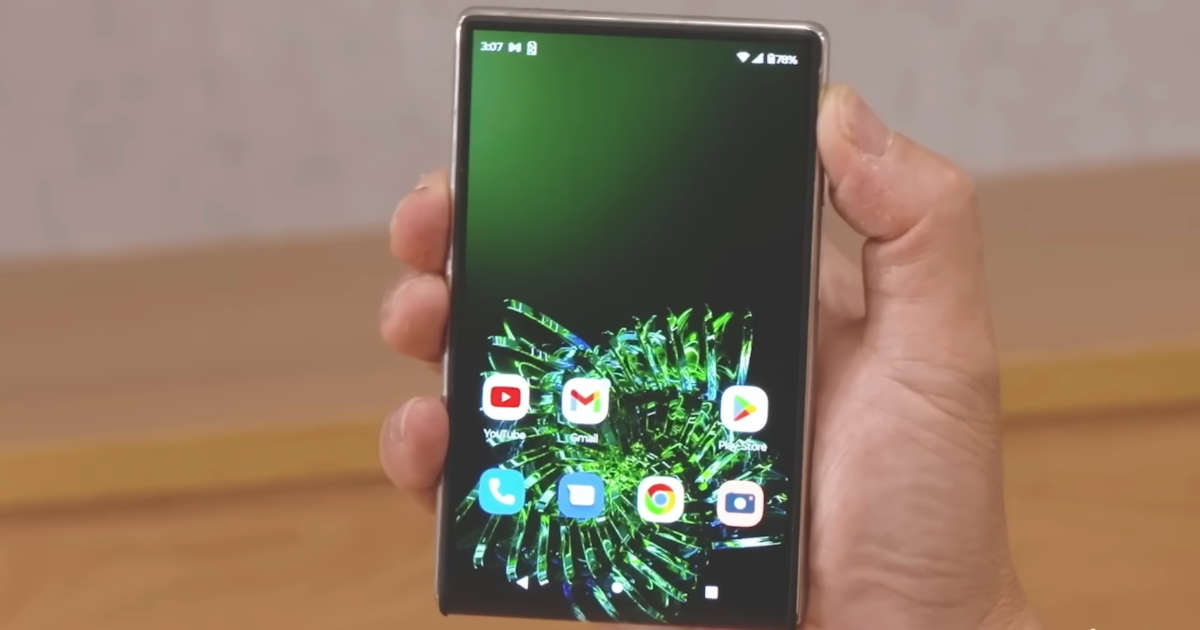
Lenovo rollable smartphone has a flexible OLED screen that adjusts in size based on the environment or what we’re doing. For example, while in our pocket or if we only want to look at something briefly, the mobile phone has a smaller structure that is easier to operate with one hand; Curiously, it is a square mobile, something that we have not seen for years.

Lenovo Rollable Smartphone

The interesting thing, of course, comes when we need a larger screen — in that case, the mobile can be expanded, unrolling the screen to gain more screen area. When in this mode, it behaves more like a standard smartphone — it’s a little louder than normal, which is ideal for watching movies.

Moreover, Rossi predicts that the mobile will be able to change size automatically based on what we are doing. For example, if we want to watch a movie, we will be interested in a larger screen, but this does not have to be the case all of the time. If we are on a call or some other purpose that doesn’t require the large screen, it will roll in the screen and make it smaller.

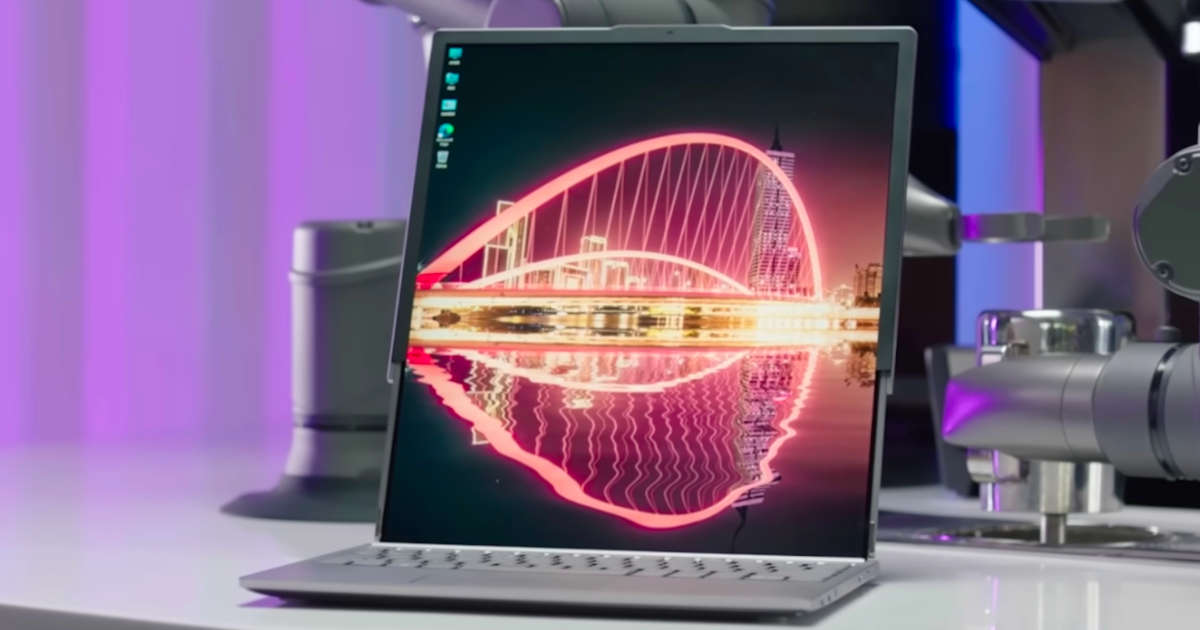
In addition to the rollable mobile, Lenovo has briefly demonstrated a rollable screen laptop, which is an intriguing notion. Normally, it seems to be a standard screen, but we can make it much taller if we like — this is ideal for working with papers or websites or watching movies on a larger screen.

Lenovo Rollable Laptop

These are currently only prototypes and may not make it to market. If they do, they will almost certainly be modified than shown as prototypes. It’s best to stick with the basic idea of ​​how rollable devices can enhance the experience.

iPad 10th Generation: Apple Presents New Entry-Level iPad With 10.9 Inch And USB-C

iPad 10th Generation

In addition to presenting the very powerful Pro models, the iPad 10th generation is also added to the new generation of tablets from Apple. 

The refresh also includes a redesign for the entry-level iPad, which has been upgraded in both design and functionality. Like the latest iPad Air, the new iPad also receives a full-screen design that makes it more in step with the times — but let’s see what all the new on the plate is.

First of all, goodbye Lightning, and welcome the USB Type-C port — also, because of the obligation of the European Union, Apple has decided to update iPad 2022 in this sense.

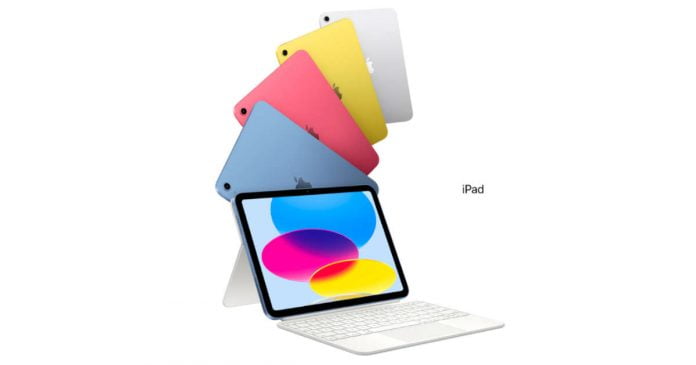
iPad 10th Generation colors

However, we also see the abandonment of the Home button (as well as the mini-jack input), replaced by a side fingerprint sensor. Then we find a new Liquid Retina screen from 10.9 ″ 2,360 x 1,640 pixels, which also accompanies the movement of the front camera from the short side to the long one, an ideal place for use in video calling in landscape format. It has a 12MP selfie camera, with a 122° view and a Centre Stage function to keep the user in the centre during every video conference. All this is favoured with the presence of a double microphone and stereo speaker. Behind it is a 12 MP camera, now capable of filming in 4K and in Slow Motion at 240 fps.

There is not the Apple M2 on the iPad 2022, but the Apple A14 Bionic SoC on the iPhone 12, which brings Wi-Fi 6 and 5G connectivity up to 3.5 Gbps, performance up to 3 times better. 

For accessories, support has been added to the first-generation Apple Pencil for drawing and taking notes. Apple also offers a keyboard called Magic Keyboard Folio for the device that doubles as a case.

The iPad 10th Generation is available in blue, pink, yellow and silver. There are only two memory sizes — 64 and 256 GB. The cheapest model with WLAN costs $449, the cheapest with 5G is sold for $599. The most expensive variant is offered for $749. Sales start is Wednesday, October 26, 2022.

Apple Presents iPad Pro 2022 With M2 Processor

iPad Pro 2022 with Apple M2

After introducing it on board the MacBook rangeApple M2 also makes its official debut on the new iPad Pro 2022. After the last generation, where Apple Silicon SoCs, Apple M1, debuted on tablets for the first time, the new high-end iPads continue this trend that brings them closer and closer to the PC.

The form factor does not change — iPad Pro 2022 is again available in two sizes, 11 ” and 12.9″ in 4:3, based on the most preferred diagonal for use and content creation. 

What changes are mainly the hardware equipment, where Apple M2 has 20 billion transistors compared to the 16 of M1, all thanks to the second generation TSMC 5 nm process. The SoC has an octa-core CPU with up to 15% higher performance, a GPU with 8 to 10 cores, and unified memory of up to 16 GB LPDDR5 with bandwidth ranging from 68 to 100 GB/s.

iPad Pro 2022 Apple M2

In addition to CPU, GPU and memories, the 16-core Neural Engine can perform over 15 billion operations per second, a substantial +40% compared to M1. All this technical facility allows Apple tablets to carry out important operations, for example, to record and transcode ProRes videos up to 3 times faster.

The new iPad Pro, along with iPadOS 16, is said to offer a new feature for the second-generation Apple Pencil. The so-called hover function allows the tablet to recognize the pen up to 12 millimeters above the display. This allows users to preview their marking before making it, which Apple says allows greater precision when sketching and illustrating.

Furthermore, the connectivity department is improved with the introduction of the Wi-Fi 6E modem, with up to 2.4 Gbps in download, and Cellular support with 5G sub-6GHz and mmWave4 is not lacking.

The new 11 and 12.9-inch iPads Pro will be available in the colors silver and space gray and in configurations with 128 GB, 256 GB, 512 GB, 1 TB and, for the first time, also with 2 TB.

Apple Magic Keyboard

The price list for the 11-inch tablet starts at $799. The 5G model costs from $999. Anyone who wants the 12.9-inch iPad Pro will pay at least $1099 for it. The 5G model is available from $1299. The most expensive model with 2 TB of storage and 5G modem costs $2399.

In addition, a Magic Keyboard in black and white is offered for $299 each for the small iPad Pro and $349 for the large iPad Pro.

The new iPad Pro can be ordered now. It is scheduled to ship and be available in stores from October 26, 2022.